

My blog has been running for over 10 years. As content continually changed, the backend unknowingly accumulated a batch of empty tags with “0 posts.” While doing SEO optimization for the site recently, I noticed that these empty tags were not only indexed by Google but also hid potential content quality issues.
This post briefly outlines the impact of empty tags on SEO and how I handled the resulting 404 issues after deleting them.
1. The Silent Killer of Empty Tags: “Soft 404s” Are Worse Than Dead Links
If empty tag pages are left alone, they easily trigger “Soft 404” issues.
When a crawler visits a tag page with no posts, WordPress returns a 200 OK status code by default, indicating the page is normal. In reality, the page has no valid content, only a “no posts” prompt.
This mismatch between the status code and the content has two negative impacts on SEO:
- Wastes crawl budget: Googlebot spends time crawling blank pages, which prevents genuinely valuable new articles on the site from being crawled promptly.
- Lowers overall quality score: The presence of numerous low-quality pages dilutes the site’s overall content authority.
2. Deleting Empty Tags: Better a Real 404 Than a Fake 200
The solution is straightforward: bulk delete these tags with 0 posts in the backend.
After deletion, these tag URLs will naturally return a 404 Not Found status code.
When 404s are mentioned, people often worry about errors in Google Search Console (GSC) and consider setting up 301 redirects to compensate. Actually, for empty tag pages, a 301 redirect to the homepage or other pages is not a good choice. Google typically treats such meaningless redirects as another form of “Soft 404.” If a large number of empty tags 301 to the homepage, it may instead trigger an anomaly detection.
In contrast, returning a real 404 is the more standard approach. It clearly informs search engines that the page is defunct and should be removed from the index.
3. Practical Cleanup and Follow-up
For empty tags numbering in the thousands or fewer, the most efficient method is to operate directly in the backend:
- Go to WordPress backend -> Posts -> Tags.
- Click “Screen Options” in the top right corner and increase the number of items displayed per page (e.g., set it to 100 or 999).
- Click “Count” in the table header to sort; tags with 0 posts will cluster on the first few pages.
- Select all -> Bulk delete.
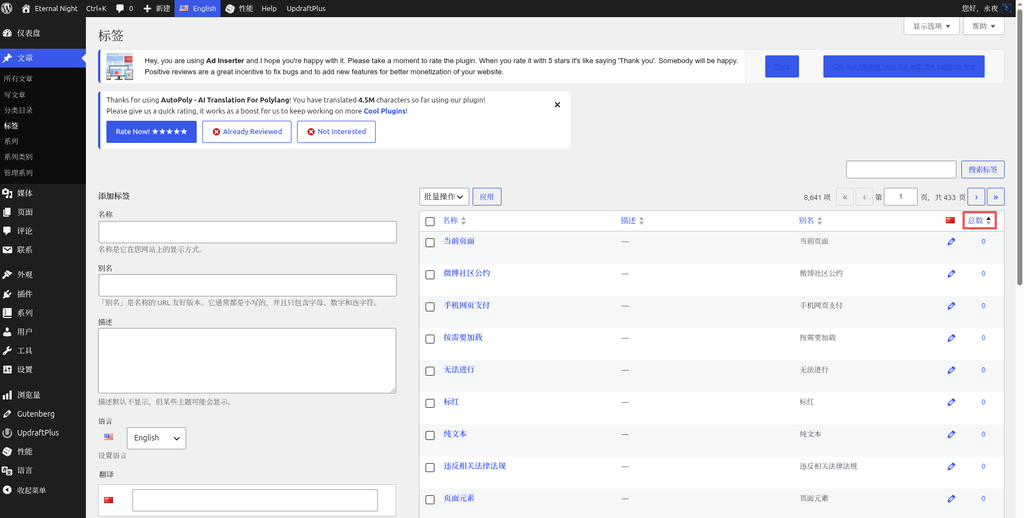
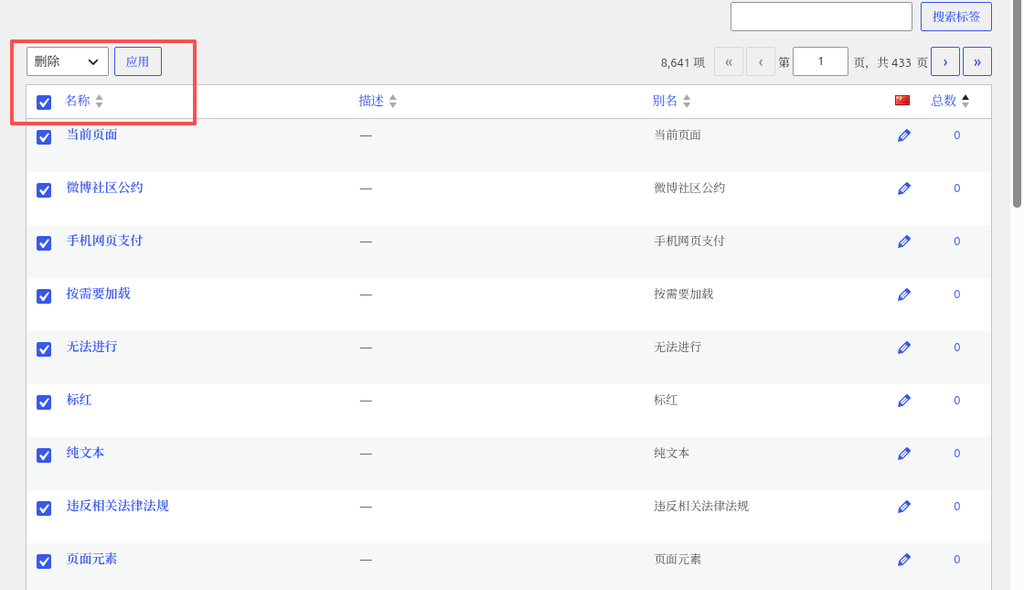
The entire process takes a minute or two. If the number of empty tags reaches the tens of thousands, backend operations might lag. In that case, writing a Go script to call the REST API for bulk cleanup would be a more reasonable choice.
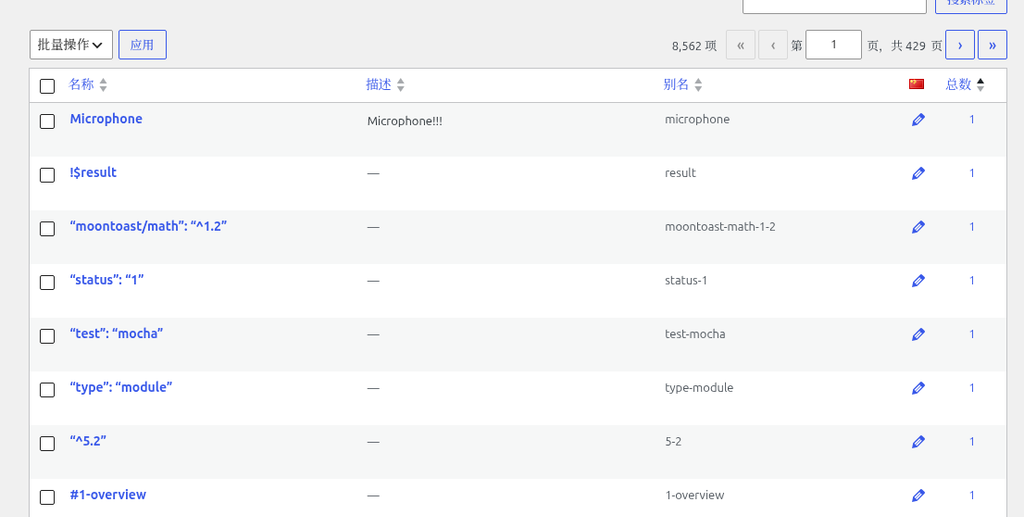
As for the resulting 404 errors in GSC, there is no need to be overly anxious, nor do you need to manually submit removal requests. When Googlebot confirms the real 404 status during subsequent crawls, it will automatically clean them up from the index. For a site with some history, a few hundred 404 links generated from natural content turnover are within the normal range and carry no risk of ranking penalties.
Conclusion
SEO optimization is often not about adding fancy tags, but about the continuous maintenance of site details. Cleaning up empty tags, eliminating hidden Soft 404s, and returning the crawl budget to genuinely valuable content is a highly cost-effective site checkup.