When merging WordPress multilingual tags, the URLs of old tags face the issue of returning 404 errors. This not only affects user experience but also negatively impacts SEO. This article will share how to write a Go script that combines logs and dictionaries to automatically generate Nginx redirect rules, and resolve common pitfalls such as Chinese URL matching and trailing slash compatibility.
Project open-source address: https://github.com/shuijingwan/tag-merge
1. Data Preparation and Merge Log Analysis
The source of all redirects comes from the tag merge operation. Our merge script records the executed operations in a log, clearly specifying which source tags (IDs) were merged into which target tags (IDs).
![Figure 1: Shows the operation records in merge_log.txt, such as: Preparing to process: [CN]权限(ID:27)->[CN]permission(ID:1519)](https://www.shuijingwanwq.com/wp-content/uploads/2026/06/1-42.png)
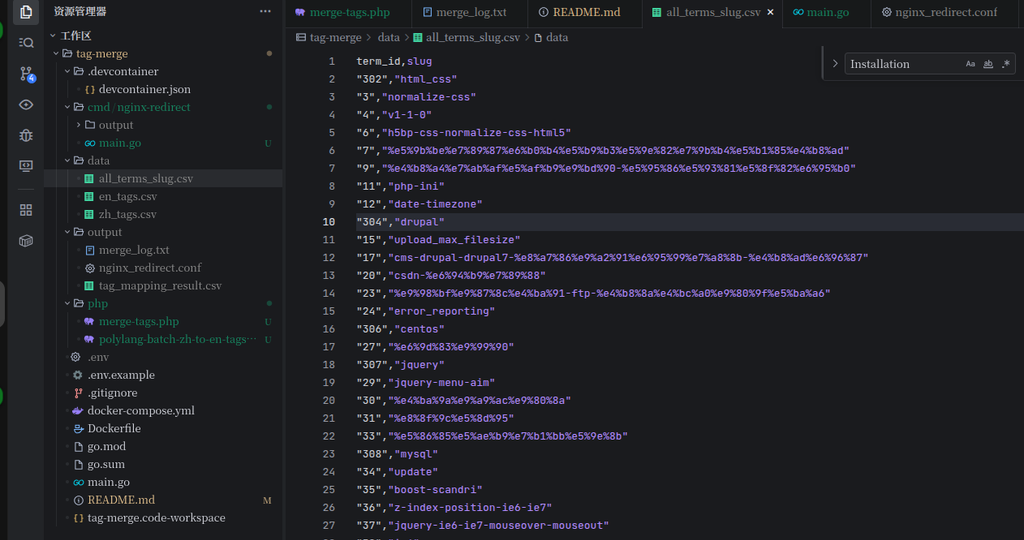
At the same time, we need a complete tag dictionary file that records the mapping between tag IDs and URL Slugs, which is the key basis for generating redirect links.
2. Go Script Development and Pitfall Records
To convert the above logs and dictionary into a configuration usable by Nginx, we wrote the cmd/nginx-redirect/main.go script. During development, we primarily solved the following three core issues:
- URL encoding conversion: The
$urivariable in Nginx obtains the decoded path. If you directly match%e6%9d%83%e9%99%90in a regular expression, it will fail. Therefore, when reading the CSV in Go, you need to use thePathUnescapemethod ofnet/urlto convert the Slug into Chinese characters (such as权限) before concatenating the rules. - Trailing slash compatibility: Users may access the URL with or without a trailing slash (such as
/tag/redis缓存and/tag/redis缓存/). The regular expression match needs to be adjusted from/$to/?$to ensure all variations are intercepted and uniformly redirected to the canonical URL with a trailing slash. - Syntax context control: Ensure that the generated
mapblock andserverblock have a clear hierarchy.
3. Generating Nginx Map Matching Rules
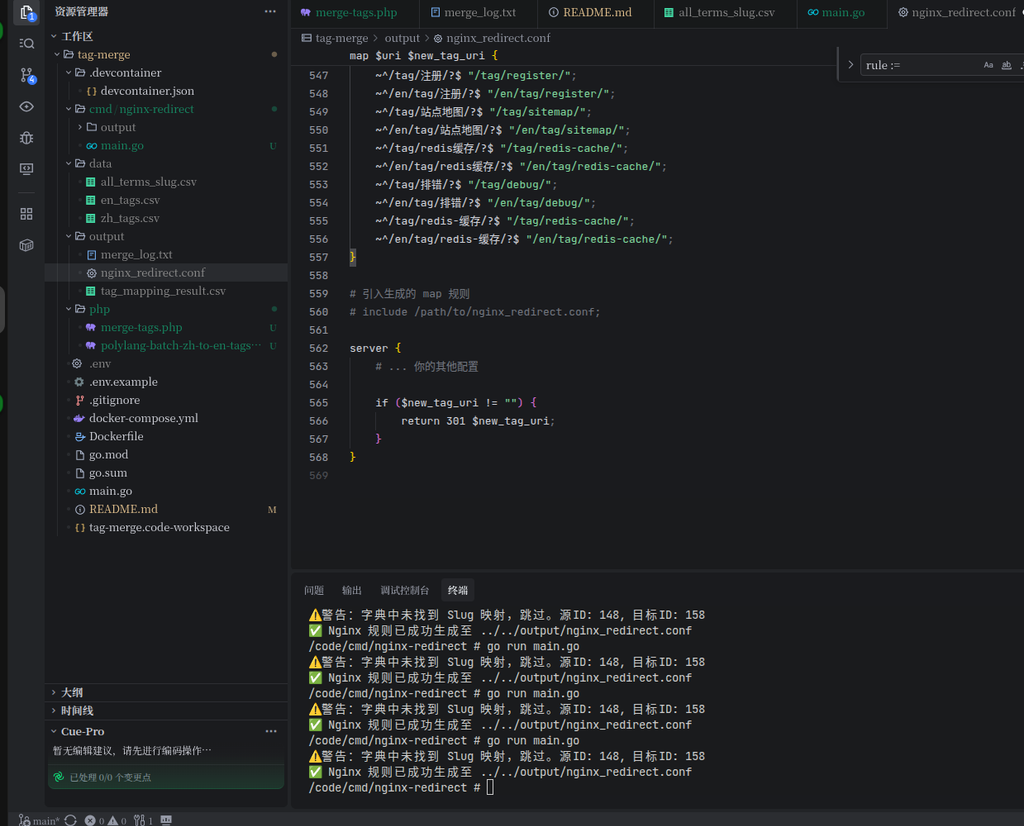
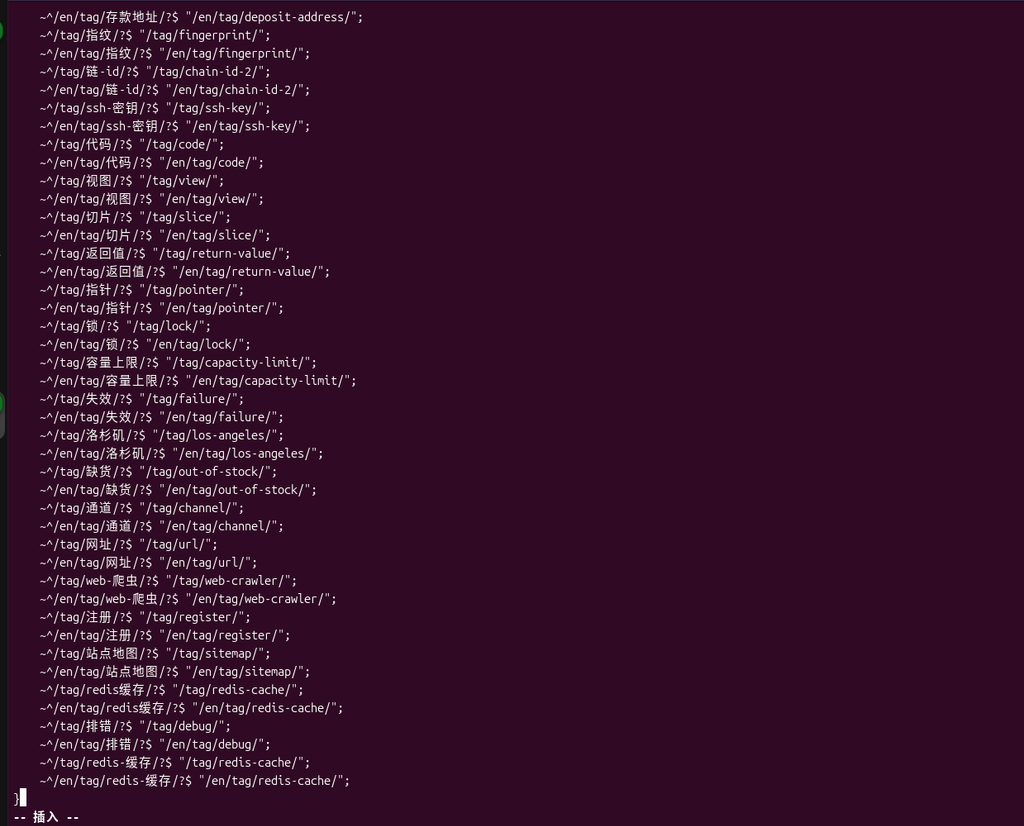
After running the Go script, it will output a nginx_redirect.conf file containing the map directive and the redirect logic. This file utilizes Nginx’s highly efficient map directive to map the matched old URIs into the variable $new_tag_uri.
4. Nginx Configuration Integration
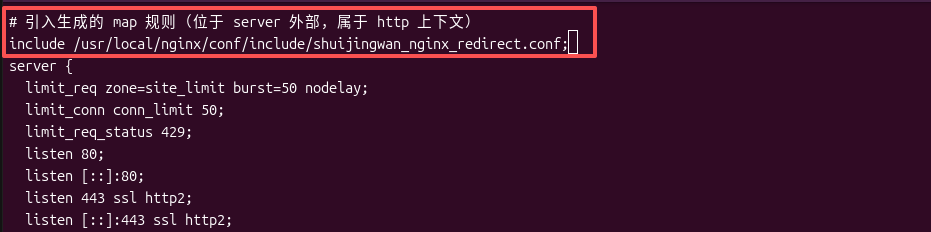
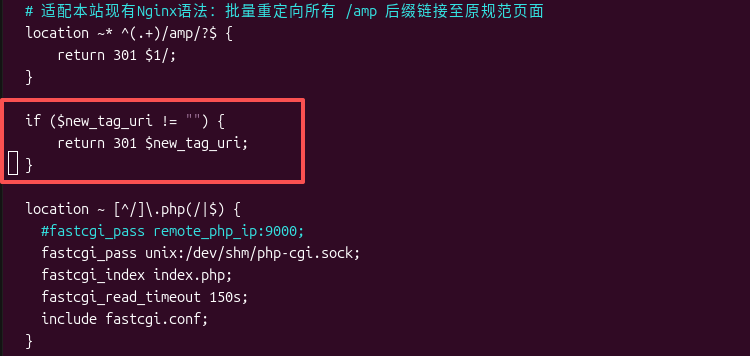
Once you have the generated configuration file, you need to integrate it correctly into the website’s main Nginx configuration. There is a crucial syntax rule here: the map directive belongs to the http context and must be placed outside the server block, while the specific if condition and return redirect logic must be placed inside the server block.
5. Effect Verification
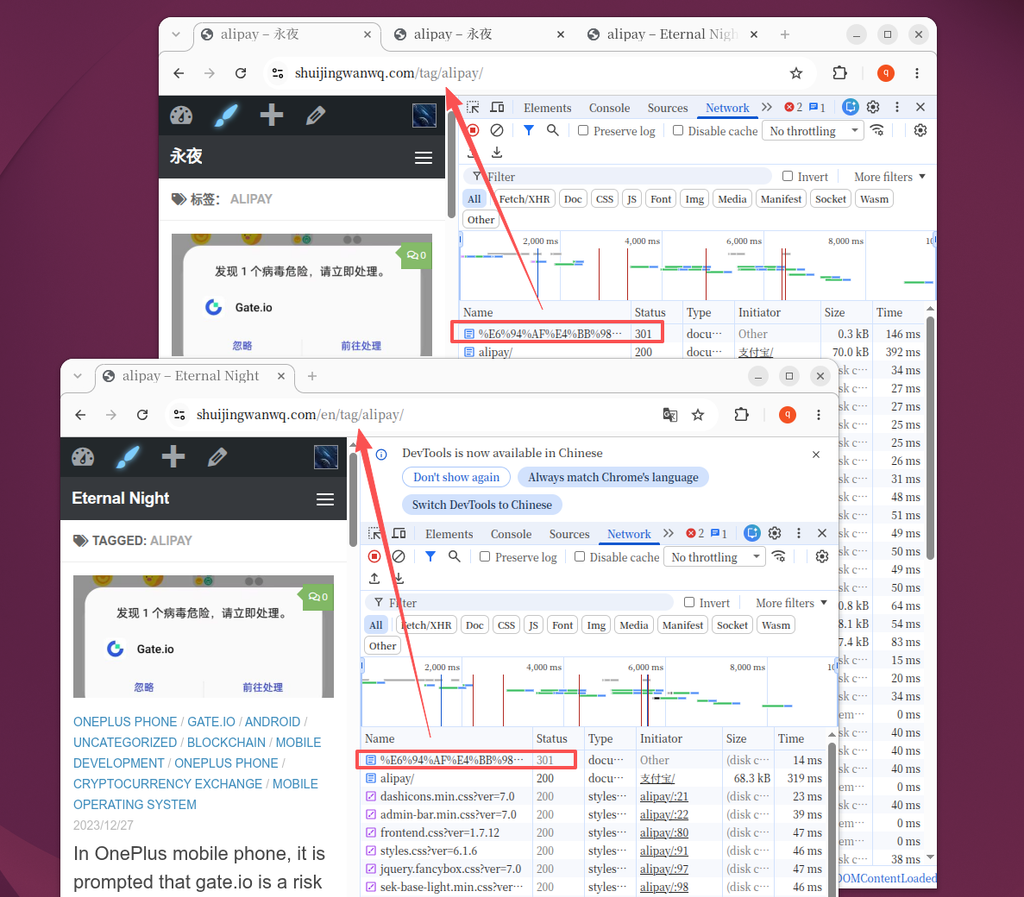
After reloading the configuration, let’s verify the effect. When accessing the old Chinese tag URL (such as https://www.shuijingwanwq.com/tag/%E6%94%AF%E4%BB%98%E5%AE%9D/, meaning “Alipay”), the browser’s Network panel clearly shows: the server successfully responded with a 301 status code and instantly redirected to the new canonical English path https://www.shuijingwanwq.com/tag/alipay/, allowing the SEO authority to be perfectly passed on.