

Preface
This article explains how to completely resolve the issue of residual Chinese tags under the English language and implement automated tag merging and URL redirection using a Go script.
Project URL: https://github.com/shuijingwan/tag-merge
Background
After completing the operations described in the previous blog posts, we found that some Chinese tags under the English language remained unprocessed:
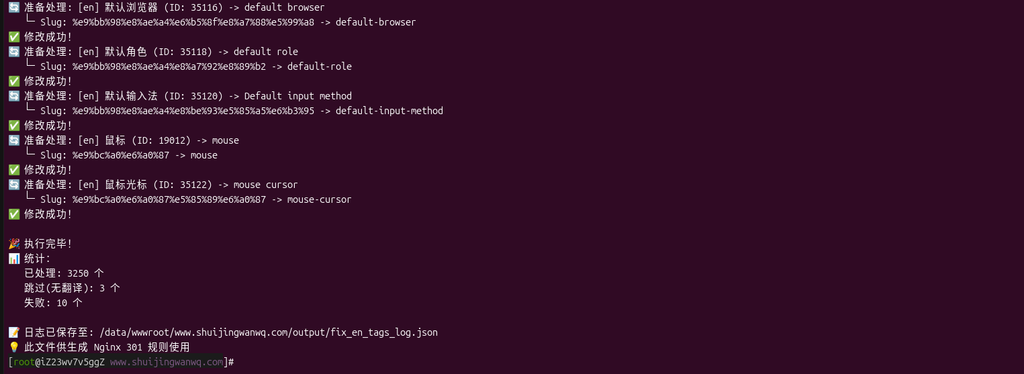
Screenshot 1: Output of executing the command php fix-en-chinese-tags.php, 10 failed
These failures primarily occurred because the slug was already in use by another item, for example:
❌ Modification failed: The slug "console-command" is already in use by another item.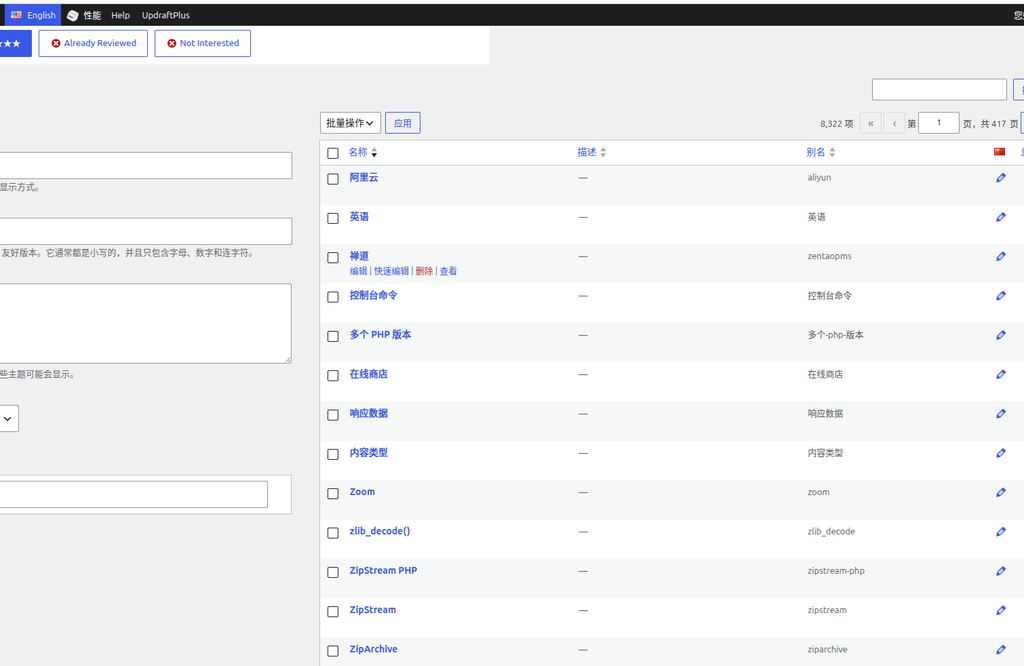
Screenshot 6: In the backend under the English language, sorting by name reveals that some Chinese tags remain unprocessed
Problem Analysis
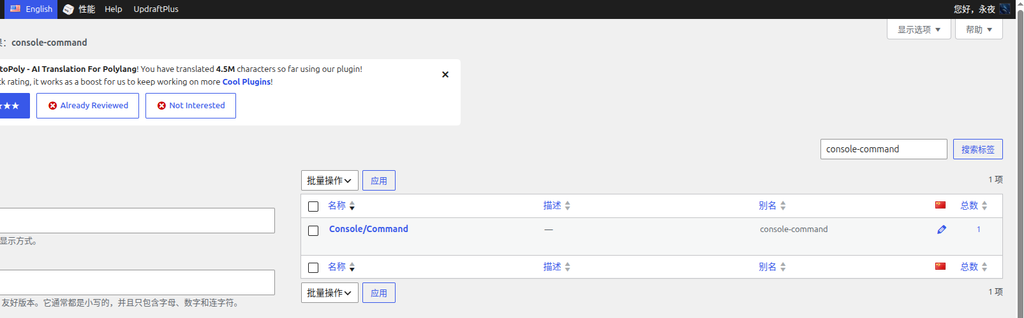
Screenshot 8: Analysis of failed cases
Using “控制台命令” as an example, the actual situation is as follows:
| Language | Tag Name | Slug |
|---|---|---|
| 中文(中国) | 控制台命令 | 控制台命令 |
| 中文(中国) | Console/Command | console-command |
| English | 控制台命令 | 控制台命令 |
| English | Console/Command | console-command |
Root cause:
- Two different tags exist under the Chinese language: “控制台命令” and “Console/Command”.
- When attempting to change the English language tag “控制台命令” to “console command”, the slug
console-commandwas already occupied by “Console/Command”. - A mapping exists in the translation cache:
"控制台命令": "console command"
Solution
Core idea: Change the tag name under the Chinese language to English, so that it matches the correct slug after translation.
Operation Steps
Step 1: Translate and modify the tag under the Chinese language
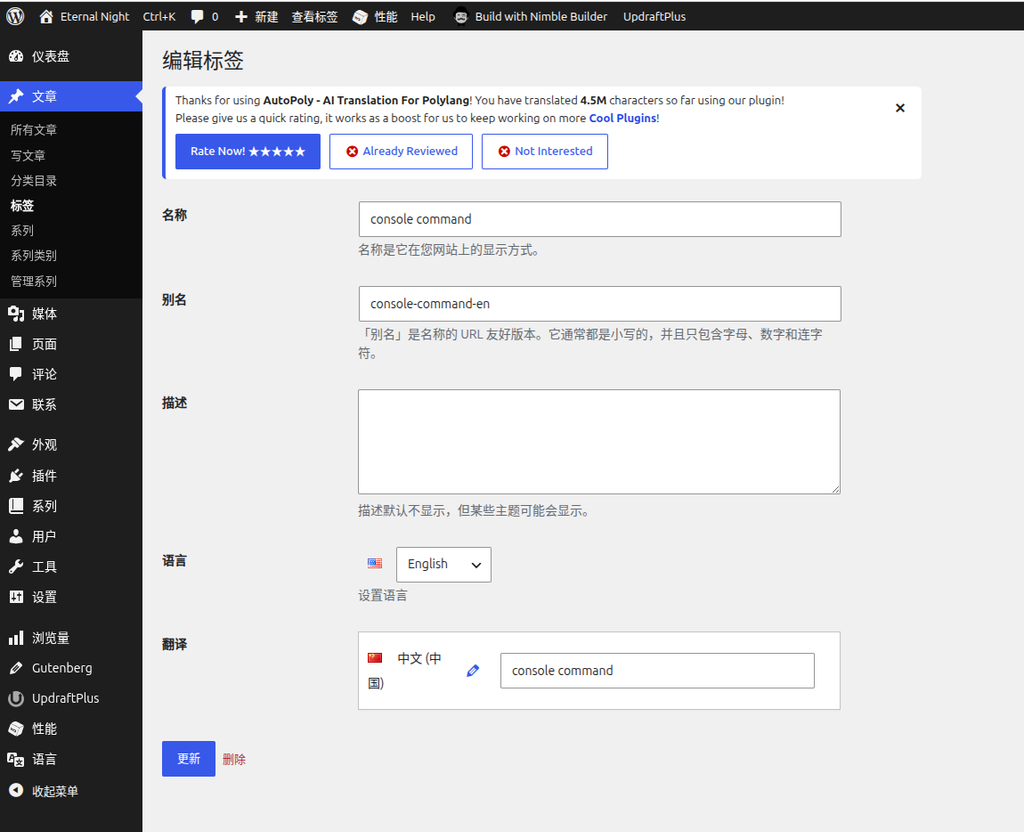
Screenshot 10: Editing the tag under the English language
Change Console/Command console-command to console command console-command-en
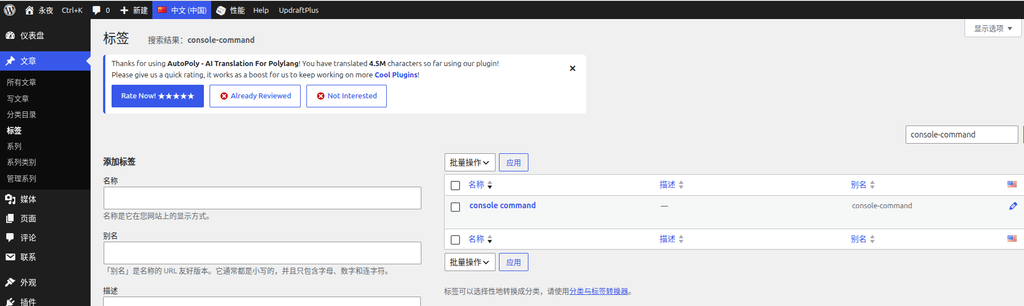
Screenshot 11: Editing the tag under the Chinese language
Change Console/Command console-command to console command console-command
Note: The backend will automatically append the
-ensuffix to the English text, which is normal.
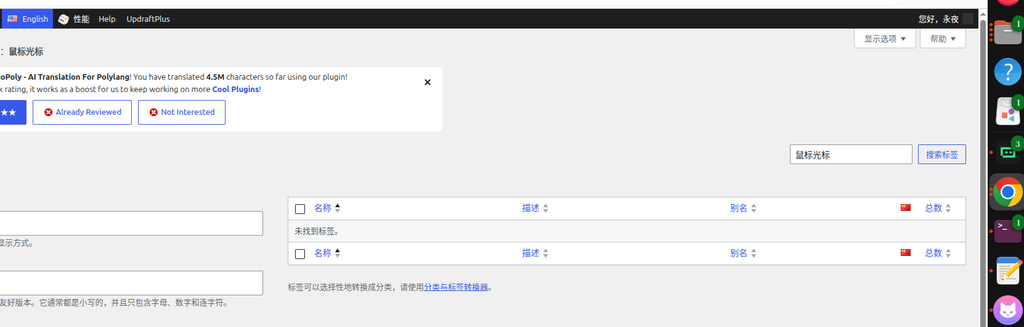
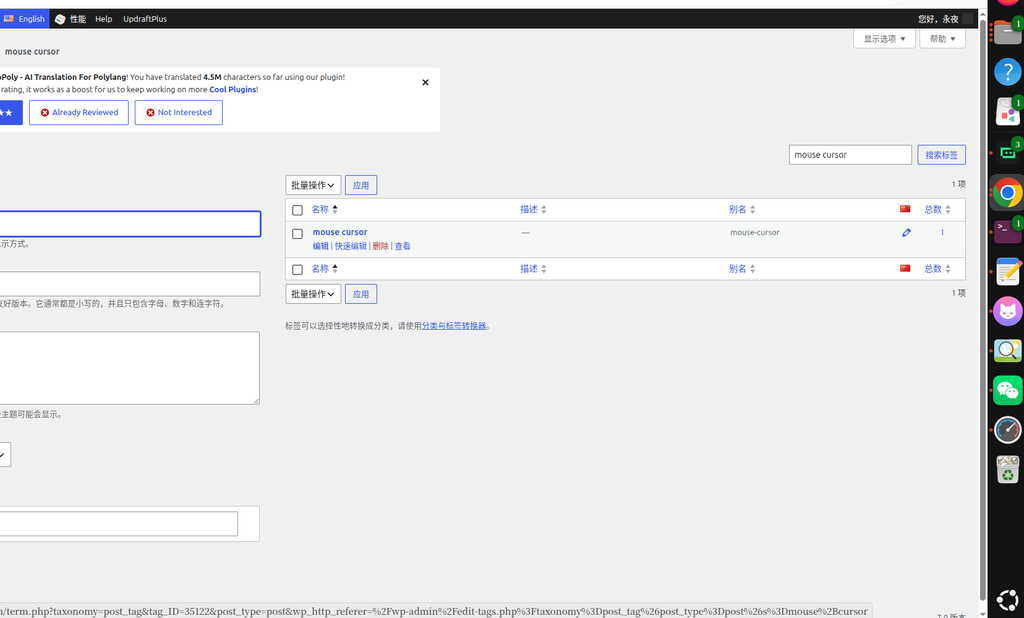
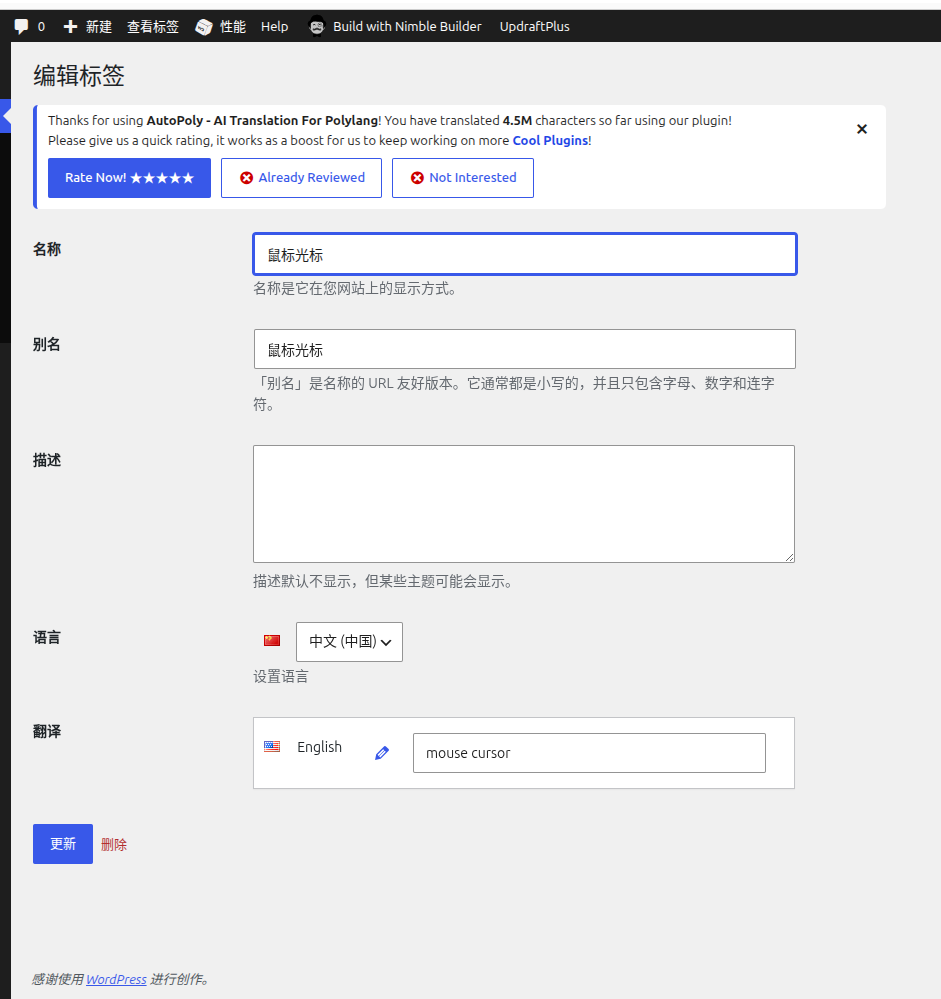
Screenshots 2-4: Verifying tag associations
After modification, the translation association between the Chinese “鼠标光标” and the English “mouse cursor” remains unchanged.
Step 2: Regenerate tag mappings
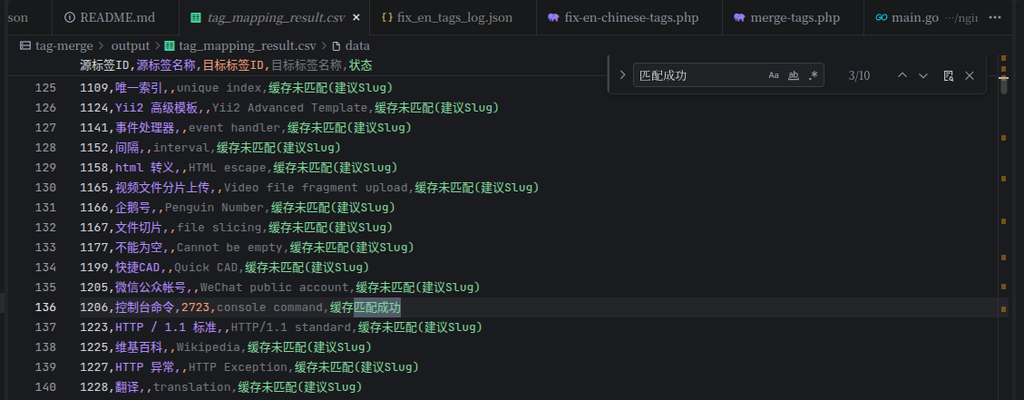
Screenshot 12: After re-executing the command go run main.go
go run main.goA new mapping record will appear in the generated output/tag_mapping_result.csv:
1206,控制台命令,2723,console command,缓存匹配成功Step 3: Execute tag merging
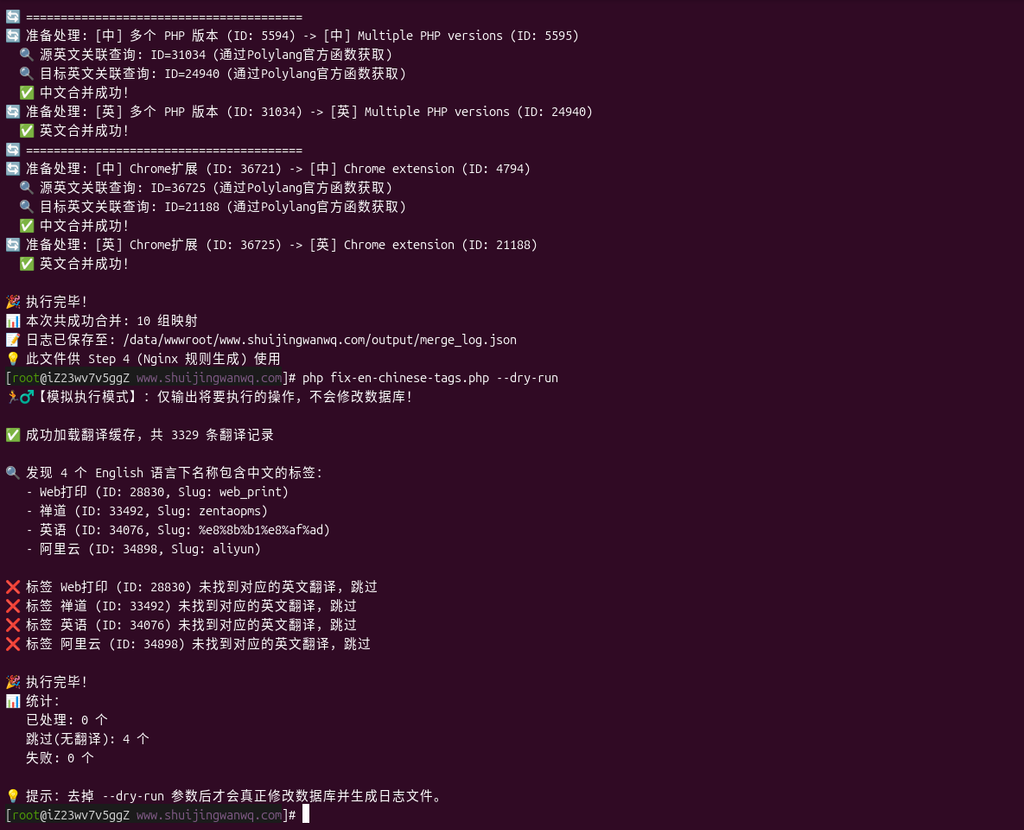
Screenshot 13: Executing the merge command
php merge-tags.php --all
php fix-en-chinese-tags.phpOutput result:
📊 Successfully merged in this run: 10 mapping sets (merge-tags.php)
Processed 0 (fix-en-chinese-tags.php)
Failed 0 (fix-en-chinese-tags.php)Step 4: Generate Nginx 301 rules
Screenshot 14: Viewing the generated rules
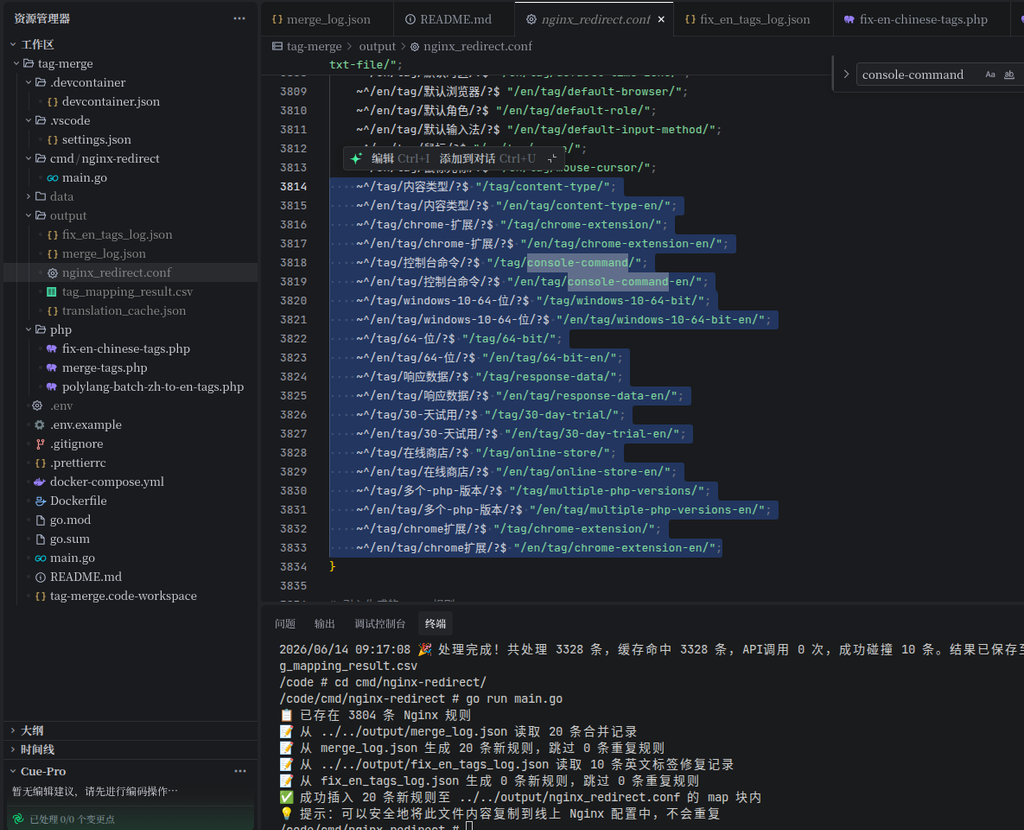
cd cmd/nginx-redirect/
go run main.goOutput:
📋 50 Nginx rules already exist
📝 Generated 20 new rules from merge_log.json, skipped 0 duplicate rules
✅ Successfully appended 20 new rules to ../../output/nginx_redirect.conf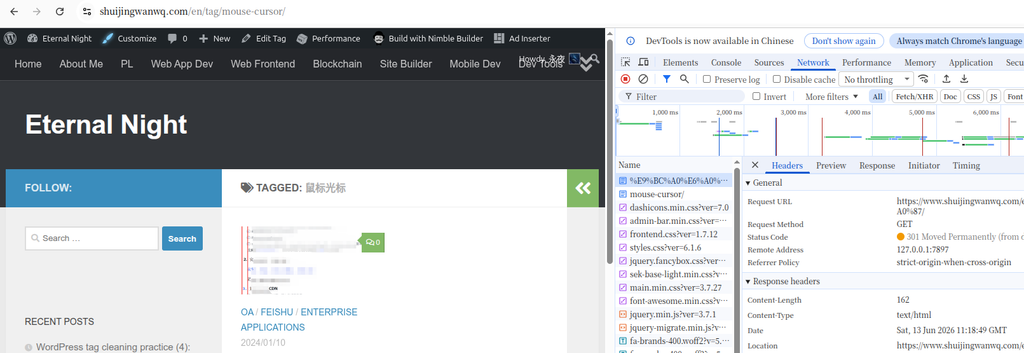
Screenshot 5: Verifying the 301 redirect
Visiting /en/tag/鼠标光标/ will correctly redirect to /en/tag/mouse-cursor/
Step 5: Manually process remaining tags
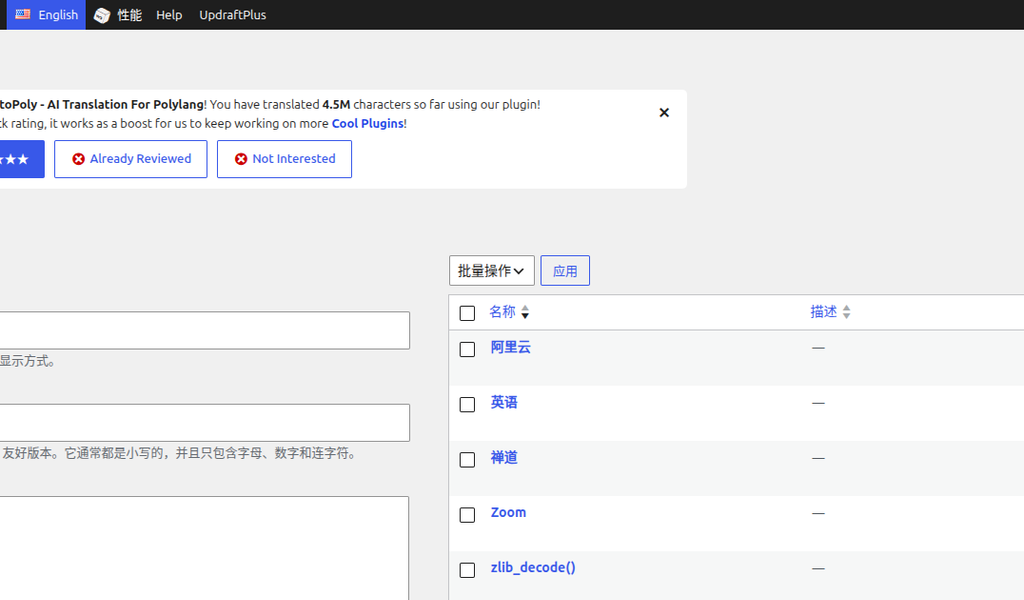
Screenshot 15: Processing the remaining 3 tags
For tags that do not exist in the translation cache, you need to manually modify them in the backend.
Summary of Results
Through this series of operations, we achieved:
- ✅ Translated all Chinese tags under the English language to English
- ✅ Automatically merged duplicate tags
- ✅ Generated 301 redirect rules to pass link equity
- ✅ Completely resolved the 404 error issue
Tool Description
The main tools used in this project:
| Tool | Purpose |
|---|---|
main.go | Translation collision handling, generates tag mapping CSV |
merge-tags.php | Executes tag merging |
fix-en-chinese-tags.php | Fixes Chinese tags under the English language |
nginx-redirect/main.go | Generates Nginx 301 redirect rules |
For detailed usage instructions, please refer to the project README.
Conclusion
Using the method introduced in this article, we completely resolved the confusion between Chinese and English tags on the WordPress site. Most of the process is automated, greatly improving efficiency. I hope this series of articles has been helpful to you!