

Introduction
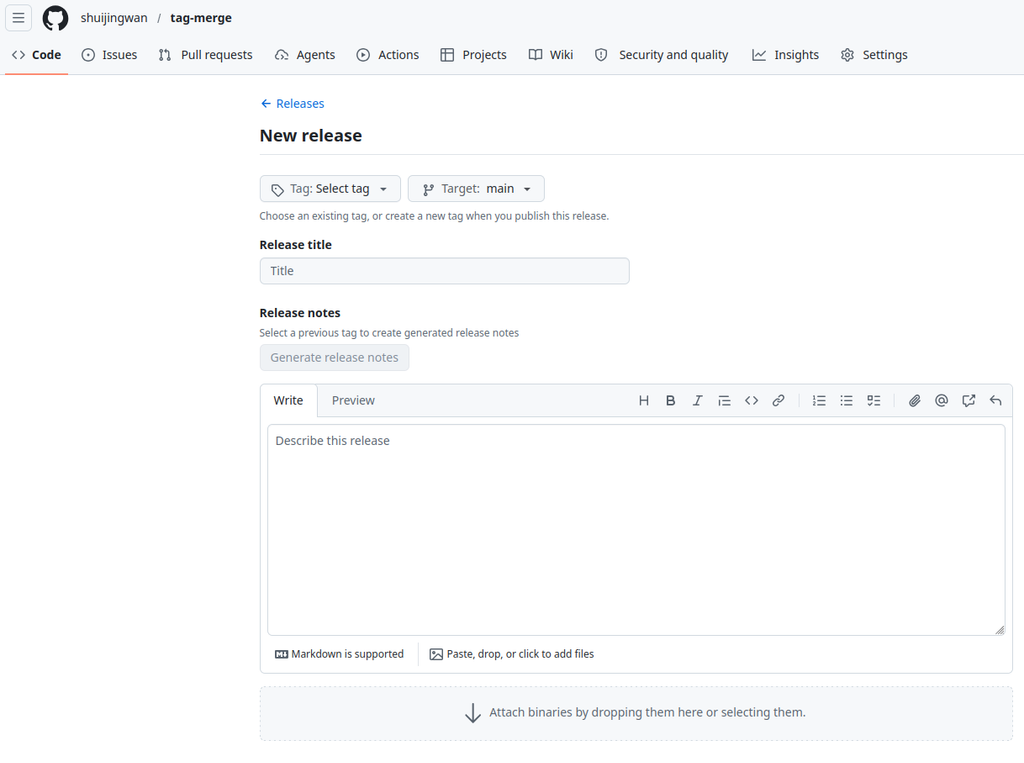
Recently, while organizing project releases, I found that writing release descriptions manually every time was not only tedious but also prone to missing important changes. So, I spent some time looking into GitHub Actions and configured an automated release generation workflow.
After using it for a while, I feel the results are pretty good, and every release has become much easier. Today, I’ll share my practice process with you, hoping it can help friends with similar needs.
📋 Effect Preview
After pushing a tag, GitHub Actions will automatically generate a Release in the following format:
## 📋 Version Notes

📈 [View changes comparison](https://github.com/xxx/xxx/compare/v0.1.0...v1.0.0)

✨ New Features

- **api** Added Baidu Translate API support
- **nginx** Support for automatically generating 301 redirect rules

🐛 Bug Fixes

- **csv** Fixed Chinese slug decoding issue

📝 Documentation Updates

- **readme** Updated directory structure description

---

🚀 Released on 2026/06/15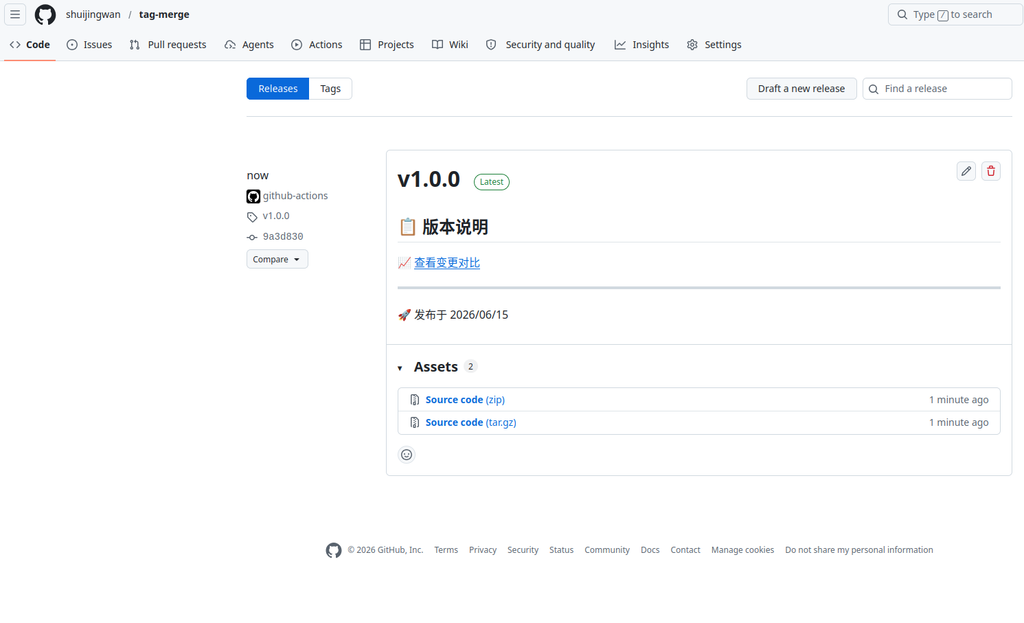
🔧 Implementation Steps
Step 1: Create the workflow file
First, I created the .github/workflows/release.yml file in the project root directory:
name: Release

on:
    push:
        tags:
            - "v*"

jobs:
    release:
        runs-on: ubuntu-latest
        permissions:
            contents: write
        steps:
            - name: Checkout code
              uses: actions/checkout@v4
              with:
                  fetch-depth: 0

            - name: Generate Release Notes
              run: |
                  echo "## 📋 版本说明" > /tmp/release_notes.md
                  echo "" >> /tmp/release_notes.md

                  # 获取前一个标签
                  PREV_TAG=$(git tag --list 'v*' --sort=-v:refname | grep -A1 "${{ github.ref_name }}" | tail -n1)

                  if [ -n "$PREV_TAG" ]; then
                    COMPARE_URL="${{ github.event.repository.html_url }}/compare/${PREV_TAG}...${{ github.ref_name }}"
                    echo "📈 [查看变更对比]($COMPARE_URL)" >> /tmp/release_notes.md
                    echo "" >> /tmp/release_notes.md
                  fi

                  # 初始化分类文件
                  > /tmp/feat.txt
                  > /tmp/fix.txt
                  > /tmp/docs.txt
                  > /tmp/refactor.txt
                  > /tmp/perf.txt
                  > /tmp/test.txt
                  > /tmp/chore.txt
                  > /tmp/style.txt

                  # 解析提交并分类
                  if [ -n "$PREV_TAG" ]; then
                    COMMITS=$(git log --oneline "$PREV_TAG"..HEAD)
                  else
                    COMMITS=$(git log --oneline)
                  fi

                  echo "$COMMITS" | while read -r COMMIT_LINE; do
                    # 提取类型、范围和描述
                    TYPE=$(echo "$COMMIT_LINE" | awk '{print $2}' | sed 's/^\([a-z]*\).*/\1/')
                    REST=$(echo "$COMMIT_LINE" | cut -d' ' -f3-)

                    # 提取范围(如果有)
                    SCOPE=$(echo "$REST" | sed -n 's/^\(([^)]*)\):.*/\1/p')
                    DESCRIPTION=$(echo "$REST" | sed 's/^([^)]*): //')

                    if [ -z "$DESCRIPTION" ]; then
                      DESCRIPTION="$REST"
                    fi

                    case "$TYPE" in
                      feat) echo "- ${SCOPE:+**$SCOPE** }$DESCRIPTION" >> /tmp/feat.txt ;;
                      fix) echo "- ${SCOPE:+**$SCOPE** }$DESCRIPTION" >> /tmp/fix.txt ;;
                      docs) echo "- ${SCOPE:+**$SCOPE** }$DESCRIPTION" >> /tmp/docs.txt ;;
                      refactor) echo "- ${SCOPE:+**$SCOPE** }$DESCRIPTION" >> /tmp/refactor.txt ;;
                      perf) echo "- ${SCOPE:+**$SCOPE** }$DESCRIPTION" >> /tmp/perf.txt ;;
                      test) echo "- ${SCOPE:+**$SCOPE** }$DESCRIPTION" >> /tmp/test.txt ;;
                      chore) echo "- ${SCOPE:+**$SCOPE** }$DESCRIPTION" >> /tmp/chore.txt ;;
                      style) echo "- ${SCOPE:+**$SCOPE** }$DESCRIPTION" >> /tmp/style.txt ;;
                    esac
                  done

                  # 输出分类结果
                  if [ -s /tmp/feat.txt ]; then
                    echo "✨ 新功能" >> /tmp/release_notes.md
                    echo "" >> /tmp/release_notes.md
                    cat /tmp/feat.txt >> /tmp/release_notes.md
                    echo "" >> /tmp/release_notes.md
                  fi

                  if [ -s /tmp/fix.txt ]; then
                    echo "🐛 Bug 修复" >> /tmp/release_notes.md
                    echo "" >> /tmp/release_notes.md
                    cat /tmp/fix.txt >> /tmp/release_notes.md
                    echo "" >> /tmp/release_notes.md
                  fi

                  if [ -s /tmp/docs.txt ]; then
                    echo "📝 文档更新" >> /tmp/release_notes.md
                    echo "" >> /tmp/release_notes.md
                    cat /tmp/docs.txt >> /tmp/release_notes.md
                    echo "" >> /tmp/release_notes.md
                  fi

                  if [ -s /tmp/refactor.txt ]; then
                    echo "🔧 代码重构" >> /tmp/release_notes.md
                    echo "" >> /tmp/release_notes.md
                    cat /tmp/refactor.txt >> /tmp/release_notes.md
                    echo "" >> /tmp/release_notes.md
                  fi

                  if [ -s /tmp/perf.txt ]; then
                    echo "⚡ 性能优化" >> /tmp/release_notes.md
                    echo "" >> /tmp/release_notes.md
                    cat /tmp/perf.txt >> /tmp/release_notes.md
                    echo "" >> /tmp/release_notes.md
                  fi

                  if [ -s /tmp/test.txt ]; then
                    echo "🧪 测试" >> /tmp/release_notes.md
                    echo "" >> /tmp/release_notes.md
                    cat /tmp/test.txt >> /tmp/release_notes.md
                    echo "" >> /tmp/release_notes.md
                  fi

                  if [ -s /tmp/chore.txt ]; then
                    echo "🔨 构建/工具" >> /tmp/release_notes.md
                    echo "" >> /tmp/release_notes.md
                    cat /tmp/chore.txt >> /tmp/release_notes.md
                    echo "" >> /tmp/release_notes.md
                  fi

                  if [ -s /tmp/style.txt ]; then
                    echo "🎨 代码风格" >> /tmp/release_notes.md
                    echo "" >> /tmp/release_notes.md
                    cat /tmp/style.txt >> /tmp/release_notes.md
                    echo "" >> /tmp/release_notes.md
                  fi

                  echo "---" >> /tmp/release_notes.md
                  echo "" >> /tmp/release_notes.md
                  echo "🚀 发布于 $(date +'%Y/%m/%d')" >> /tmp/release_notes.md

                  echo "=== Generated Release Notes ==="
                  cat /tmp/release_notes.md
                  echo "=== End ==="

            - name: Create Release
              uses: softprops/action-gh-release@v2
              with:
                  name: ${{ github.ref_name }}
                  body_path: /tmp/release_notes.md
                  draft: false
                  prerelease: ${{ contains(github.ref_name, 'beta') || contains(github.ref_name, 'rc') }}
Step 2: Code commit conventions
This workflow relies on Conventional Commits to categorize changes. Initially, I used a rather casual commit format, but later found that the Release Notes generated this way were not very good, so I switched to a standardized format:
<type>(<scope>): <description>Type descriptions:
| Type | Description | Example |
|---|---|---|
feat | New feature | feat(api): 添加百度翻译 API 支持 |
fix | Bug fix | fix(csv): 修复中文 slug 解码问题 |
docs | Documentation update | docs(readme): 更新目录结构说明 |
refactor | Code refactoring | refactor(utils): 优化缓存逻辑 |
perf | Performance optimization | perf(cache): 减少 API 调用 |
test | Testing related | test(merge): 添加合并功能测试 |
chore | Build/Tools | chore(docker): 更新 Dockerfile |
style | Code style | style(go): 格式化 Go 代码 |
Step 3: Commit the workflow file
After configuring the workflow file, I committed it to the repository:
git add .github/workflows/release.yml
git commit -m "chore(release): 添加 Release 自动生成流程"
git push origin mainStep 4: Create a tag to trigger the Release
Finally, create a tag to test it out:
# 创建标签
git tag -a v1.0.0 -m "Release v1.0.0"

# 推送标签
git push origin v1.0.0After pushing the tag, GitHub Actions will start executing automatically, and within a few minutes, you can see the automatically generated Release on the Releases page.
🔍 Workflow Principles
Trigger conditions
The workflow I configured will trigger when pushing tags that start with v:
on:
    push:
        tags:
- "v*"Core process
The entire process looks roughly like this:
- Checkout: Fetch the full code history (
fetch-depth: 0) - Generate Release Notes:
- Get the previous tag version
- Generate version comparison link
- Parse commits and categorize them by type
- Generate a formatted Markdown document
- Create Release: Use
softprops/action-gh-releaseto create the Release
Auto-categorization logic
The workflow automatically groups commits by type for display, and I implemented this logic using a bash script:
# 提取类型
TYPE=$(echo "$COMMIT_LINE" | awk '{print $2}' | sed 's/^\([a-z]*\).*/\1/')

# 分类输出
case "$TYPE" in
  feat) echo "- ..." >> /tmp/feat.txt ;;
  fix) echo "- ..." >> /tmp/fix.txt ;;
  # ...
esacI initially tried using GitHub’s official auto-generation feature, but found it wasn’t flexible enough, so I ended up writing my own script to implement it.
🎯 Advanced Configuration
Pre-release version support
The workflow will automatically identify pre-release versions:
prerelease: ${{ contains(github.ref_name, 'beta') || contains(github.ref_name, 'rc') }}Examples:
v1.0.0-beta.1→ Pre-release versionv1.0.0-rc.1→ Pre-release versionv1.0.0→ Official release
I use this feature quite often when releasing test versions, as it prevents regular users from receiving update notifications for test versions.
Add custom categories
If you need to add custom categories, you can modify the Generate Release Notes step:
# Add custom categories
> /tmp/custom.txt

# Add in the case statement
case "$TYPE" in
  # ... other types
  custom) echo "- ${SCOPE:+**$SCOPE** }$DESCRIPTION" >> /tmp/custom.txt ;;
esac

# Add in the output section
if [ -s /tmp/custom.txt ]; then
  echo "🔖 Custom categories" >> /tmp/release_notes.md
  echo "" >> /tmp/release_notes.md
  cat /tmp/custom.txt >> /tmp/release_notes.md
  echo "" >> /tmp/release_notes.md
fiAdd attachments
If you need to add binary files to the Release, you can add the following steps:
- name: Build
  run: |
      # Build project
      go build -o myapp main.go

- name: Create Release
  uses: softprops/action-gh-release@v2
  with:
      name: ${{ github.ref_name }}
      body_path: /tmp/release_notes.md
      files: |
myappI use this feature in my Go projects to automatically compile and publish binary files, so users can run them directly after downloading, which is very convenient.
🐛 Common Issues
Q1: Release not generated automatically?
I have encountered this problem and checked a few aspects:
- Whether the tag name starts with
v(e.g.,v1.0.0) - Whether the
.github/workflows/release.ymlfile exists - Whether GitHub Actions is running normally
Q2: Release Notes content is empty?
Cause: The commit message does not conform to the Conventional Commits format.
Solution: Use the standardized commit format:
git commit -m "feat(api): 添加新功能"  # ✅ 正确
git commit -m "add new feature" # ❌ 不推荐I encountered this problem at first too, and it was fixed after I switched to the standardized commit format.
Q3: How to update an already published Release?
# 删除旧标签
git tag -d v1.0.0
git push origin :v1.0.0

# 创建新标签
git tag -a v1.0.0 -m "Release v1.0.0"
git push origin v1.0.0Q4: How to skip automatic Release?
Add the no-release suffix to the tag name:
git tag -a v1.0.0-no-release -m "内部测试版本"📊 Best Practices
1. Use Semantic Versioning
v<major version>.<minor version>.<patch version>- Major version: Incompatible API changes
- Minor version: Backward-compatible new features
- Patch version: Backward-compatible bug fixes
I didn’t pay much attention to versioning standards at first, but later found that inconsistent version numbers do cause some trouble when users report issues, so now I strictly follow this standard.
2. Keep commit granularity moderate
Each commit should be an independent, verifiable unit of change:
# ✅ 推荐
git commit -m "feat(api): 添加用户注册接口"

# ❌ 不推荐
git commit -m "修改了很多东西"I used to put many changes into a single commit, but later found that the Release Notes generated this way were poorly readable, so now I try to keep the granularity of each commit moderate.
3. Regularly clean up old tags
# 查看所有标签
git tag

# 删除本地标签
git tag -d v0.1.0

# 删除远程标签
git push origin :v0.1.0As the project gets older, tags accumulate. I generally clean up some unneeded old tags periodically to keep the repository tidy.
📚 Reference Links
- GitHub Actions Documentation
- Conventional Commits Specification
- Semantic Versioning
- softprops/action-gh-release
📝 Summary
Through the configuration in this article, I have achieved:
- ✅ Automatically generate Release descriptions: Categorized automatically based on commit history
- ✅ Version comparison links: Automatically generate comparisons with the previous version
- ✅ Pre-release version support: Automatically identify beta/rc versions
- ✅ Fully automated: Triggered simply by pushing a tag
Now you can focus on code development and let GitHub Actions handle the tedious release work for you! 🚀
If you have any questions or suggestions, feel free to leave a comment in the comment section for discussion!
📌 Related Articles