

Introduction
During a remote job search, filtering information sources and controlling the pace are crucial. To present my job search strategy more intuitively, I decided to use a Mermaid flowchart to visualize the distribution of information sources and the pacing. This approach not only helps me clarify my own thinking but also allows readers to understand my job search method more clearly.
Step 1: Install the MerPress Plugin
First, you need to install the MerPress plugin from the WordPress dashboard. On the plugin search page, enter “mermaid” to find the plugin. Below is a screenshot of the plugin search page:
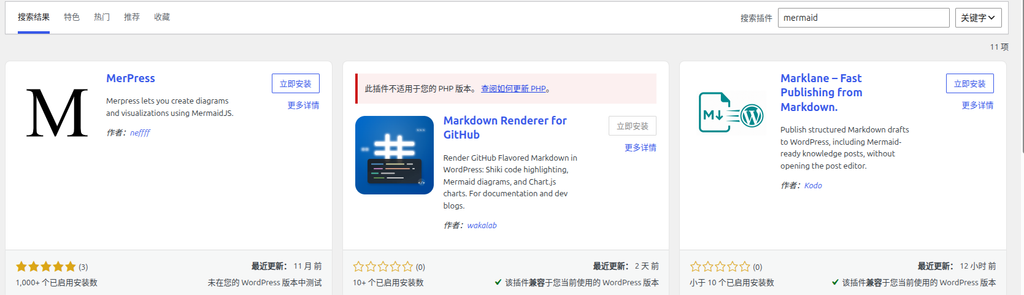
After clicking “Install Now” and activating the plugin, you can use the Mermaid features in the post editor.
Step 2: Insert Mermaid Code into the Post
Next, insert the Mermaid code in the post editor. When adding a block, search for: MerPress. Below is the code example I used, which describes the three paces of remote job search information sources and their respective sources:
flowchart LR
    A[远程求职信息源] --> B[每日·被动接收<br>TG 频道 5 个]
    A --> C[每周三·主动精筛<br>岗位网站 8 个]
    A --> D[每月一次·渠道发现<br>导航源 2 个]
    B --> B1[远程工作者]
    B --> B2[远程工作AI情报站]
    B --> B3[中高端IT技术招聘]
    B --> B4[海外远程/到岗技术招聘]
    B --> B5[DeJob Web3 招聘]
    C --> C1[Remote China 聚合]
    C --> C2[电鸭 / Larajobs / StudyGolang / Golangprojects]
    C --> C3[DeJob / Rebase Issues / ABetterWeb3]
    D --> D1[greathoul/remote-working<br>channels 目录]
D --> D2[platform.work-work.org<br>Web3 平台导航]Step 3: Preview the Generated Flowchart
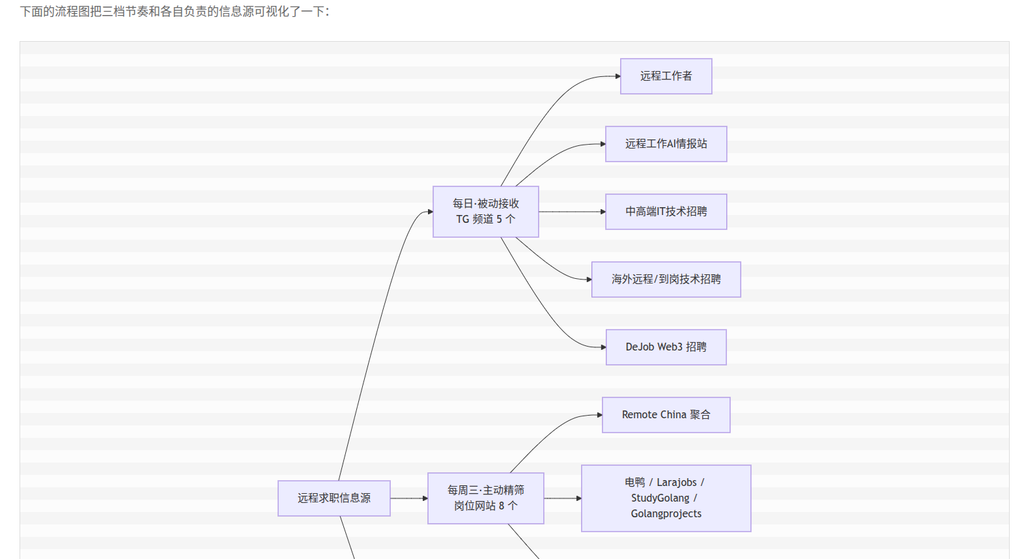
After inserting the code, save and preview the post to see the generated flowchart. Below is a screenshot of the preview:
Flowchart Content Explanation
This flowchart illustrates my remote job search information source strategy, divided into three paces:
- Daily passive intake: Obtain information via 5 TG channels.
- Weekly active filtering on Wednesdays: Filter suitable positions from 8 job websites.
- Monthly channel discovery: Discover new information channels through 2 navigation sources.
Each pace has specific information sources, covering domestic remote work, PHP/Go verticals, the Web3 sector, and overseas opportunities.
Conclusion
Using the MerPress plugin to insert Mermaid flowcharts not only improves the readability of the post but also makes the complex information source strategy clear at a glance. For technical blogs, visualization is an effective way to convey complex concepts, and I recommend giving it a try.