

Over the past few days, I switched to the WordPress 2025 theme and have been fine-tuning it template by template. While tweaking the search results page, I noticed an awkward issue: it was simply too long.
My blog often contains long blocks of code and configuration instructions. I casually searched for “alipay” to see the results, and wow—the entire page was stretched out by featured images and full article content. I had to scroll for ages to see the next result. This wasn’t a search results page; it felt like the full article was being shoved right in my face.
So I decided to make some changes. The goal was simple: return the search results page to a pure list format, showing only titles and excerpts, clean and crisp.
First, a look at the before
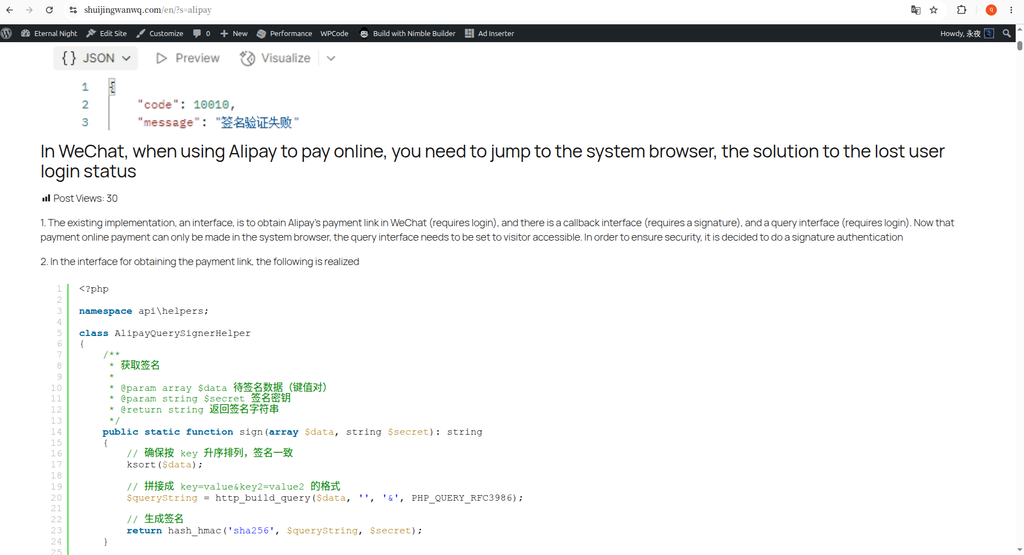
The results for searching “alipay”: every article had a large featured image, immediately followed by the full body content. My articles also contain code snippets, all pulled out and displayed in the list. The page stretched endlessly, and the layout was a mess. See Figure 1.
My thinking: when a user searches for results, they just want to quickly determine which article they need. There’s no need to read an entire article on the search page.
Taking action: delete the content block, add an excerpt block
I went to the backend via Appearance → Editor → Templates → Search Results.
Inside the query loop, I selected the “Content” block and prepared to delete it.
The system then popped up a warning dialog, essentially saying, “If you delete this block, pages using this template won’t display any content, and visitors will see a blank page.” See Figure 2.
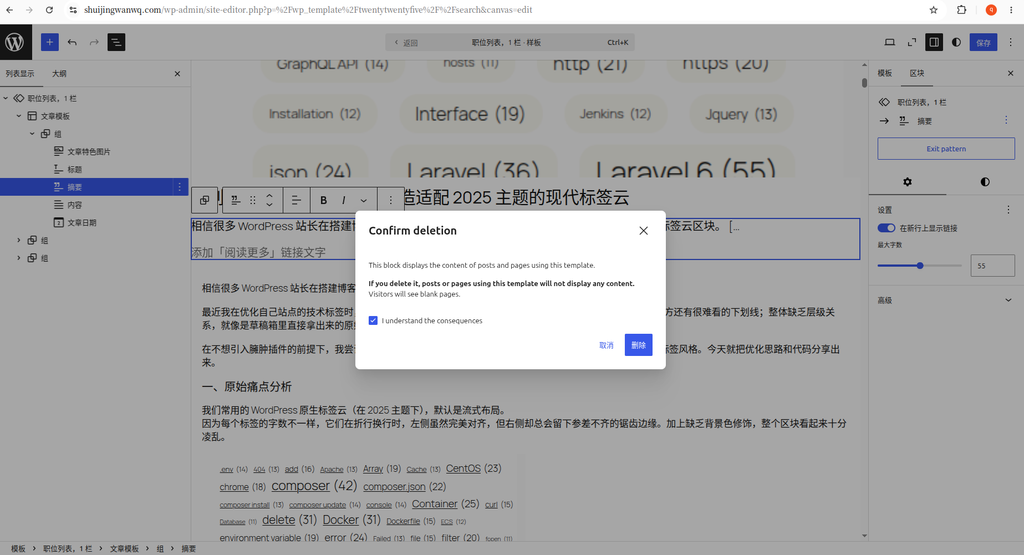
To be honest, my heart skipped a beat when I first saw this warning. But on second thought, this warning was specific to the current template (the search results page). Deleting the content block would only affect the display of the search results page; individual article detail pages would remain completely unaffected. So I confidently clicked to confirm the deletion.
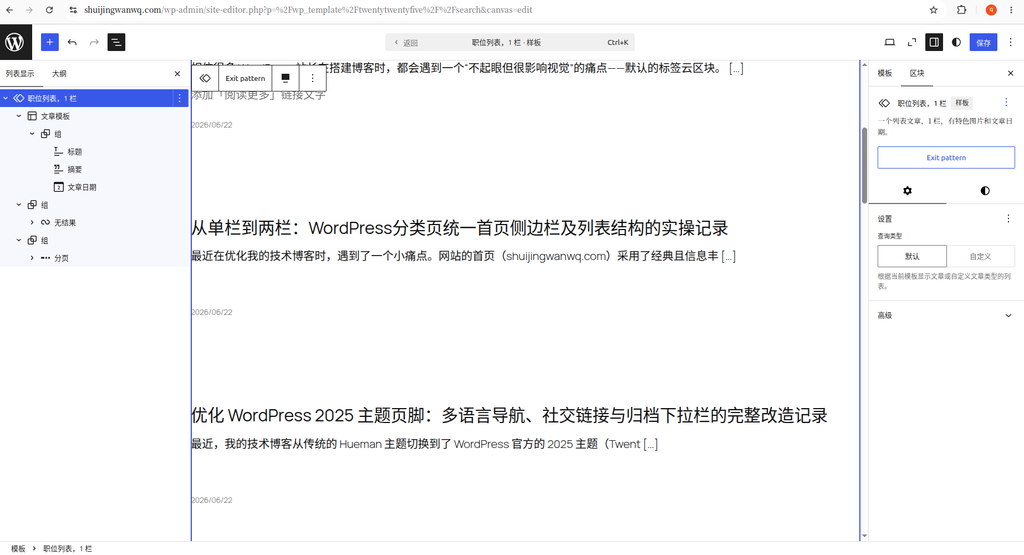
After deleting the “Content” block, I went ahead and deleted the “Post Featured Image” block as well. Having a large image for every article in the search list takes up too much space and, frankly, serves no practical purpose in this context.
Next, I added an “Excerpt” block below the title. See Figure 3. This turned the search results into a clean list of “Title + Excerpt + Date,” which is much more refreshing.
Why I kept a single column and didn’t add a sidebar
After adjusting the excerpt, I actually considered a question: should I add a right sidebar to the search results page, similar to category pages?
After thinking it over, I decided against it. For two reasons:
First, the search results page is inherently low-traffic. Users come in with specific keywords, glance at the results, and leave. There’s no need to pile so many elements onto such a low-frequency page.
Second, it’s quite nice to maintain a visual distinction between the search results page and the category list page. Category pages serve a “browse and discover” function, so having a sidebar recommending popular articles makes sense. The search page is more tool-oriented; a minimalist single-column design helps users focus better on the matching results themselves.
The result after the changes
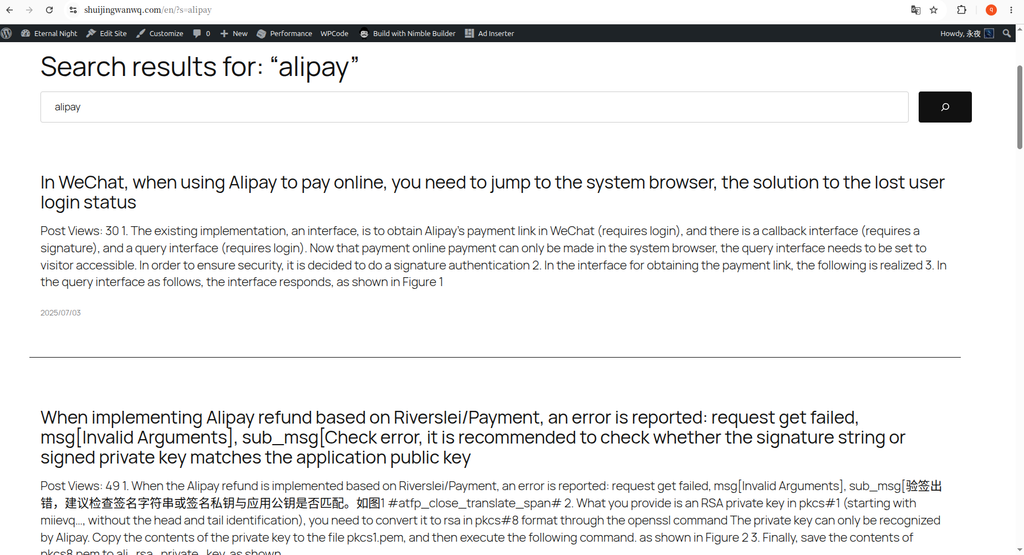
The final result is shown in Figure 4: it’s clean. No large images, no full-text overflow—just titles, short excerpts, and publication dates. I can scan multiple results within a single screen, achieving the goal of quickly locating information.
This change was actually quite minor; I just made a few clicks in the Site Editor without touching a single line of code. But this small adjustment has taken the search results page experience to the next level.