

Recently, while adjusting the sidebar of my blog’s archive page, I encountered an issue that seemed simple but took a long time to troubleshoot.
On the surface, it appeared to be a mobile horizontal scrollbar issue.
But upon further investigation, I discovered it also involved a Google AdSense error:
Uncaught TagError: adsbygoogle.push() error:
No slot size for availableWidth=0
What made it more interesting was:
When I fixed one of the issues, the other would reappear.
The root cause ultimately identified was neither the CSS nor AdSense, but rather the Gutenberg block structure.
Background
An AdSense ad unit was placed in the right sidebar of the archive page.
The initial ad code was as follows:
<ins class="adsbygoogle"
style="display:block; width:450px; max-width:100%;"
data-ad-client="ca-pub-xxxxxxxxxxxxxxxx"
data-ad-slot="4220340824"
data-ad-format="auto"
data-full-width-responsive="true"></ins>
<script>
(adsbygoogle = window.adsbygoogle || []).push({});
</script>
The reason for setting:
width:450px;
was because AdSense kept throwing the error:
No slot size for availableWidth=0
After adding a fixed width, the error disappeared.
But a new problem emerged.
Phase 1: Horizontal scrollbar appears on mobile
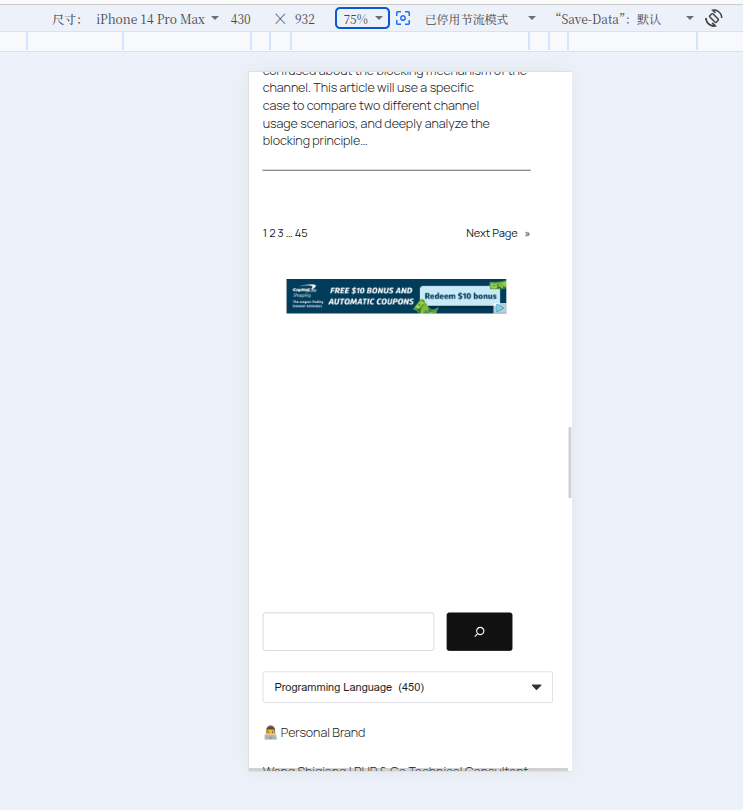
While testing on mobile, I noticed the right side of the page could scroll horizontally.
Initially, I suspected:
- The category dropdown
- The tag cloud
- The calendar
- Custom CSS
I even suspected it was an issue with the Twenty Twenty-Five theme.
To locate the problem, I executed the following in the browser console:
const vw = document.documentElement.clientWidth;
[...document.querySelectorAll('*')]
.filter(el => el.getBoundingClientRect().right > vw)
.map(el => ({
tag: el.tagName,
class: el.className,
width: Math.round(el.getBoundingClientRect().width)
}))
I eventually found that the widths of many elements had become:
450px
Including:
- The ad
- The tag cloud
- The calendar
- The sidebar content
Continuing to trace upwards, I found that the culprit was exactly this in the ad code:
width:450px;
Phase 2: Fixing the horizontal scrollbar
So, I modified the ad code to:
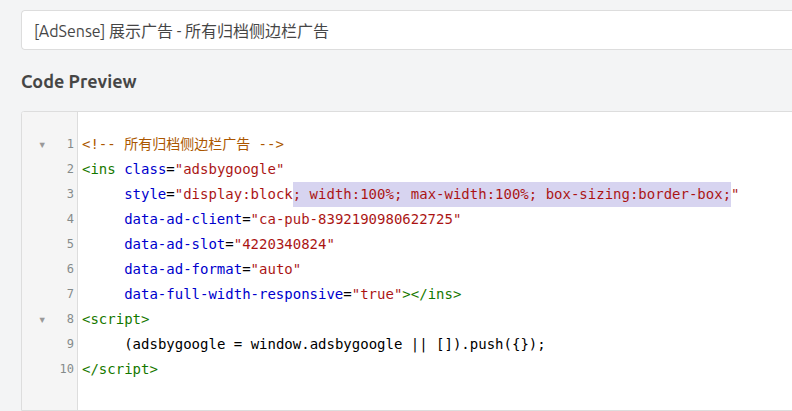
<ins class="adsbygoogle"
style="display:block; width:100%; max-width:100%; box-sizing:border-box;"
data-ad-client="ca-pub-xxxxxxxxxxxxxxxx"
data-ad-slot="4220340824"
data-ad-format="auto"
data-full-width-responsive="true"></ins>
After the modification:
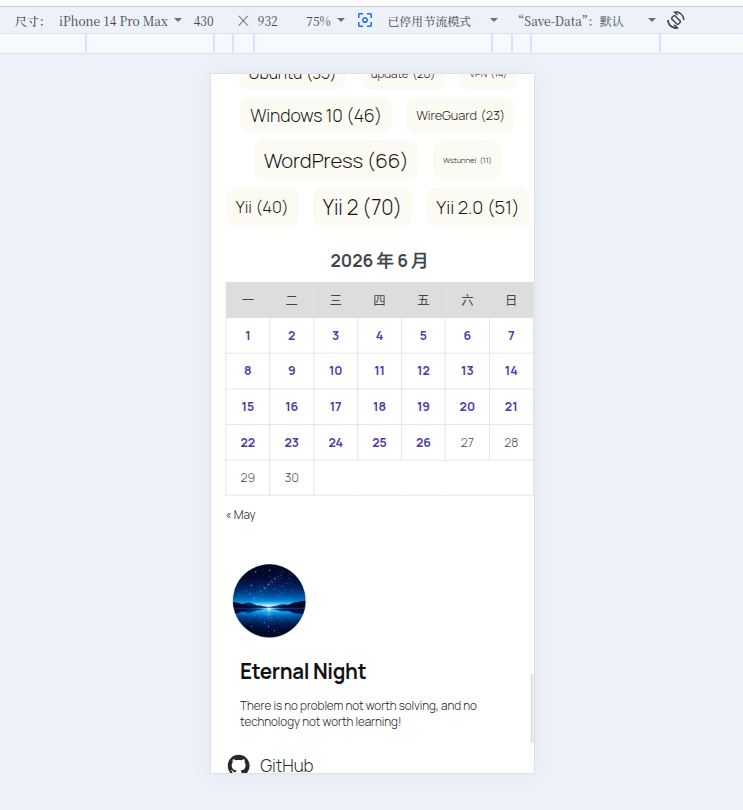
The mobile page returned to normal.
The horizontal scrollbar completely disappeared.
Phase 3: A new problem emerges
However, right after the horizontal scrollbar disappeared,
the previous error reappeared in the console:
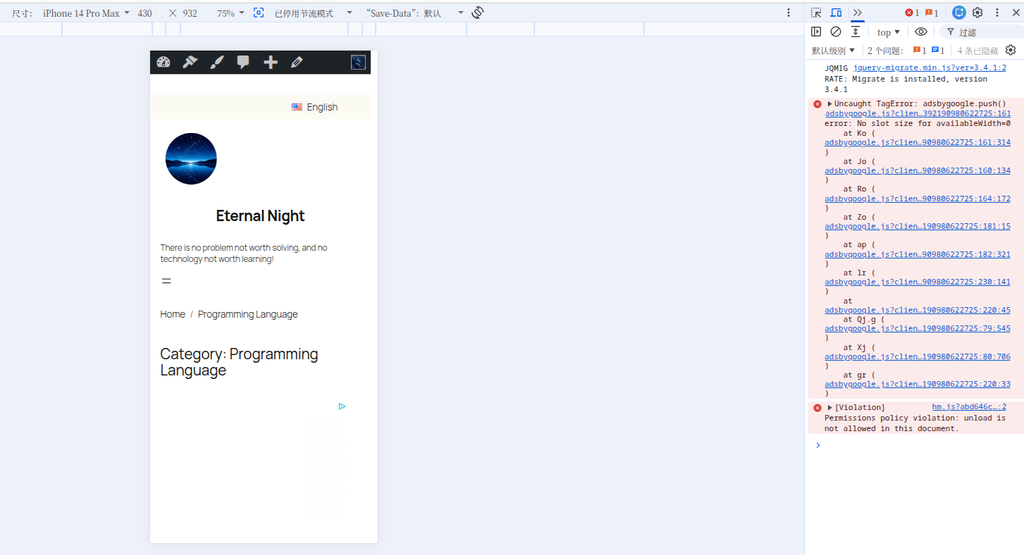
Uncaught TagError: adsbygoogle.push() error:
No slot size for availableWidth=0
That is to say:
width:450px
↓
AdSense normal
↓
Mobile abnormal

width:100%
↓
Mobile normal
↓
AdSense error
The two issues seemed impossible to resolve simultaneously.
Phase 4: Starting to suspect the Gutenberg block structure
At this point, I began inspecting the archive page template structure.
The initial sidebar structure was as follows:
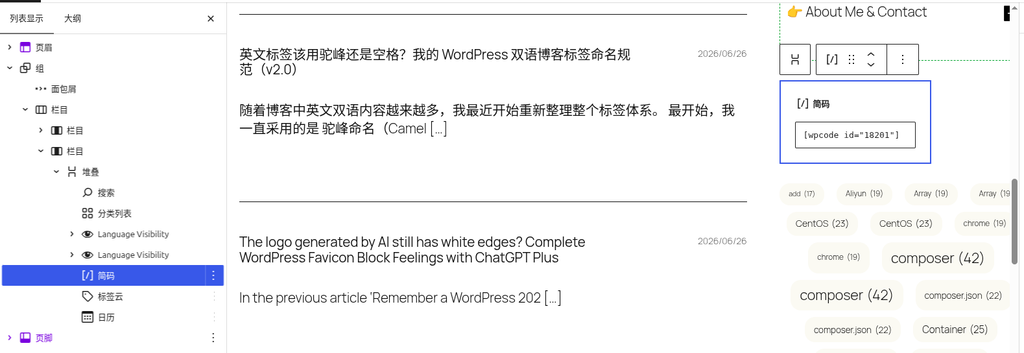
Column
└── Column
    └── Stack
        ├── Search
        ├── Category List
        ├── Ad (WPCode)
        ├── Tag Cloud
        └── Calendar
During this period, I tried many approaches:
- Modifying the Column width
- Adjusting the sidebar ratio
- Adding a min-width to the ad
- Adding a min-height
- Wrapping the ad in a Group
- Using a Custom HTML block
- Delaying the execution of adsbygoogle.push()
None of them completely resolved the issue.
Final solution
Later, I tried replacing:
Stack
directly with:
Group
The modified structure is as follows:
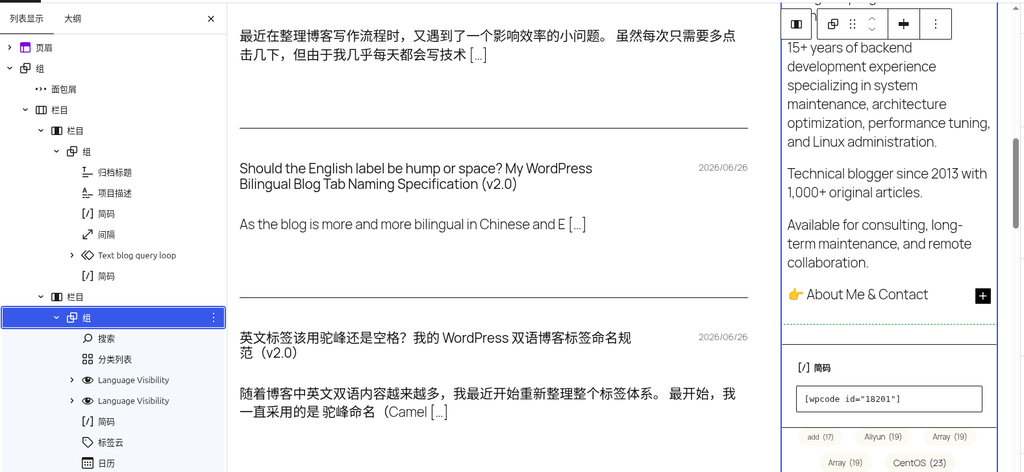
Column
└── Column
    └── Group
        ├── Search
        ├── Category List
        ├── Ad (WPCode)
        ├── Tag Cloud
        └── Calendar
After saving, I refreshed the page.
The problem disappeared immediately.
Final result
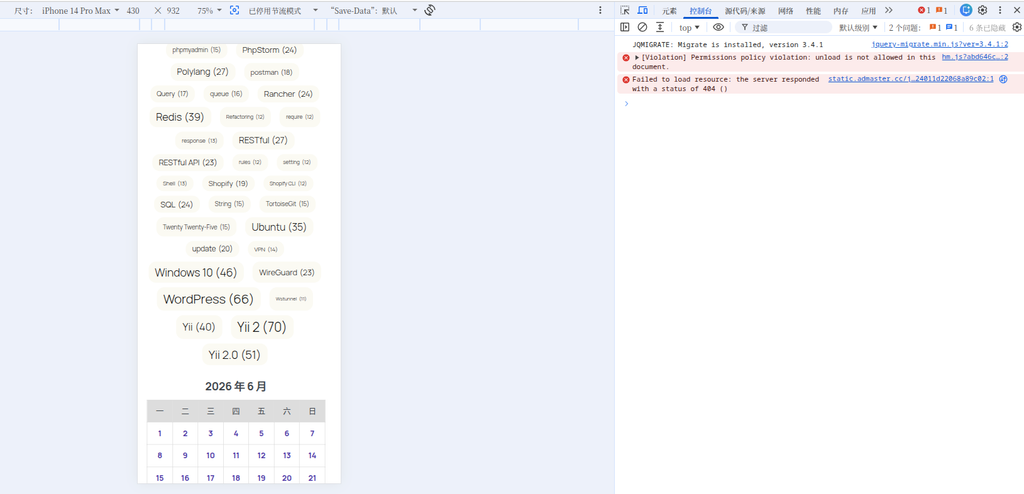
Ultimately, it simultaneously satisfied:
1. AdSense no longer throws errors
The console returned to normal:
No slot size for availableWidth=0
no longer appeared.
2. The ad displays normally
Without needing a fixed width:
width:100%;
max-width:100%;
it loaded properly.
3. No horizontal scrollbar on mobile
The page returned to normal.
4. The sidebar layout restored to natural spacing
Previously, the right side of the calendar was flush against the screen edge.
After the modification:
- The calendar displays normally
- The tag cloud displays normally
- The spacing of the entire sidebar returned to normal
Cause analysis
Although the official WordPress documentation does not explicitly explain the difference between the two.
Based on actual behavior:
Stack
During the layout calculation phase, the width of internal elements might not yet be finalized.
And AdSense’s:
(adsbygoogle = window.adsbygoogle || []).push({});
executed earlier.
Thus leading to:
Ad initialization
↓
Detect available width
↓
availableWidth = 0
↓
Throw exception
Whereas:
Group
does not have this problem.
Troubleshooting summary
The entire troubleshooting process actually went through:
AdSense error
↓
Add width:450px
↓
Error disappears

Mobile horizontal scrollbar appears
↓
Remove width:450px
↓
Horizontal scrollbar disappears

AdSense error again
↓
Troubleshoot Gutenberg structure
↓
Stack → Group
↓
Problem completely resolved
The biggest takeaway this time was not fixing a bug, but rather validating an experience once again:
When page layout anomalies occur, prioritize locating the specific elements and block structure, rather than immediately suspecting the CSS or writing a lot of patch code.
Often, the real problem might just be an incorrect block type selection.