

Recently, while checking a WordPress single post page, I noticed that a horizontal scrollbar appeared on both desktop and mobile.
Because I had previously encountered issues with full-width Gutenberg blocks, overly long breadcrumb titles, and abnormal ad containers on archive pages, my initial assumption this time was that the block structure was the cause. However, after a step-by-step investigation, I finally confirmed that the desktop horizontal scrollbar was primarily caused by an AdSense in-article ad inserted via WPCode. On mobile, a dynamically generated AdSense iframe caused a roughly 20px horizontal overflow.
This article documents the complete troubleshooting process and the final CSS solution.
1. Problem Symptoms
The issue occurred on a WordPress single post page.
On desktop, the symptoms were:
- A horizontal scrollbar appeared at the bottom of the page;
- The page could be dragged left and right;
- The post content, header, and footer all appeared to be slightly stretched wider.
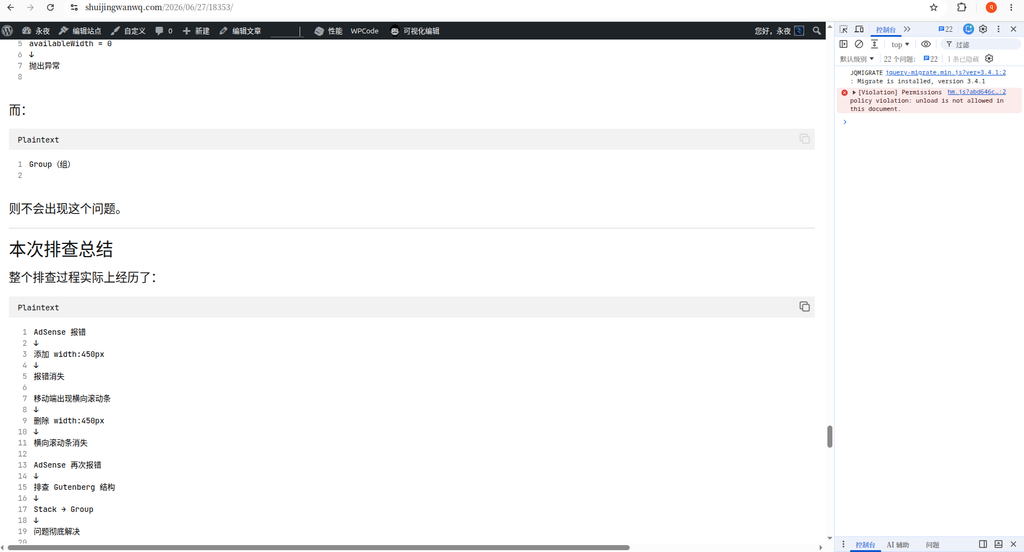
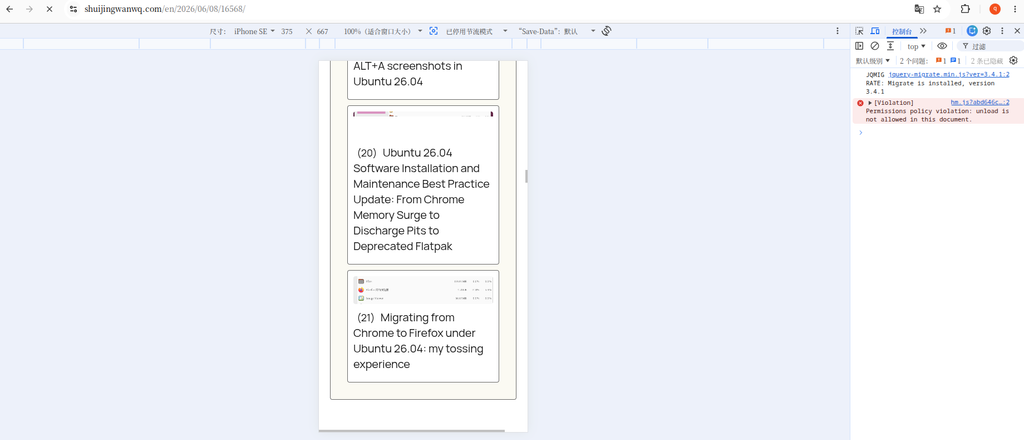
On mobile, the symptoms were:
- Even after fixing the desktop, the horizontal scrollbar persisted on mobile;
- The page was about 20px too wide horizontally;
- It might not be obvious to the naked eye, but the mobile page could be swiped left and right.
2. First Investigation: Detecting Overflowing Elements
First, I executed the following in the browser Console:
const vw = document.documentElement.clientWidth;

[...document.querySelectorAll('*')]
  .filter(el => el.getBoundingClientRect().right > vw)
  .map(el => ({
    tag: el.tagName,
    class: el.className,
    width: Math.round(el.getBoundingClientRect().width)
  }))
The initial results showed:
[
  {
    "tag": "DIV",
    "class": "",
    "width": 1200
  },
  {
    "tag": "IFRAME",
    "class": "",
    "width": 1200
  }
]
This indicated that a 1200px-wide iframe and its outer div existed on the page.
Because the page contained Google AdSense ads, my first thought was that the ad iframe might be stretching the page width.
3. Continuing to Investigate the iframe Source
Next, I executed:
[...document.querySelectorAll('iframe')]
  .filter(el => el.getBoundingClientRect().right > document.documentElement.clientWidth)
  .map(el => ({
    src: el.src,
    width: el.getAttribute('width'),
    styleWidth: el.style.width,
    rectWidth: Math.round(el.getBoundingClientRect().width),
    parentTag: el.parentElement?.tagName,
    parentClass: el.parentElement?.className
  }))
The result was an empty array:
[]
This meant the iframe itself was not a stable, persistent overflowing element. The ad script likely made dynamic adjustments, causing the state to change by the time of detection.
So, I continued by checking the overall page width:
({
  clientWidth: document.documentElement.clientWidth,
  scrollWidth: document.documentElement.scrollWidth,
  bodyClientWidth: document.body.clientWidth,
  bodyScrollWidth: document.body.scrollWidth
})
The desktop result was similar to:
{
  "clientWidth": 1518,
  "scrollWidth": 1959,
  "bodyClientWidth": 1518,
  "bodyScrollWidth": 1959
}
This showed that the actual scroll width of the page reached 1959px, exceeding the viewport width of 1518px by 441px.
4. Midway Misjudgment: Suspecting an Overly Long Breadcrumb Title
Upon further investigation, I found the following breadcrumb navigation on the page:
首页
建站系统
博客系统
WordPress
Twenty Twenty-Five(2025 主题)
WordPress 归档页 AdSense 报错 availableWidth=0:从横向滚动条到 Gutenberg 区块结构的排查全过程
Because the final-level article title was quite long, I briefly suspected the breadcrumb block was causing the horizontal scrollbar.
So, I tried adding:
/* 面包屑过长时自动换行,避免撑出横向滚动条 */
.wp-block-breadcrumbs {
    max-width: 100%;
    min-width: 0;
    overflow-wrap: anywhere;
    word-break: break-word;
}

.wp-block-breadcrumbs * {
    min-width: 0;
}
But the issue persisted after adding it.
This proved that the breadcrumbs were not the root cause, or at least not the primary root cause of this issue.
5. Final Confirmation of Desktop Root Cause: WPCode-Inserted In-Article Ads
I then disabled the ad placements one by one in WPCode and finally discovered:
After disabling the following 3 ad placements, the desktop horizontal scrollbar disappeared:
[AdSense] 内嵌广告 - 单篇文章中间广告(第 4 段后)
[AdSense] 内嵌广告 - 单篇文章中间广告(第 10 段后)
[AdSense] 内嵌广告 - 单篇文章中间广告(第 20 段后)
This essentially confirmed:
The desktop horizontal scrollbar was not caused by the theme itself, but rather by the AdSense ad containers inserted in the middle of the post content stretching the page.
6. Desktop CSS Solution
Ultimately, I added the following CSS targeting the AdSense ads within the single post content:
/* 限制单篇文章正文里的 AdSense 不撑出页面 */
.single .entry-content .adsbygoogle,
.single .entry-content ins.adsbygoogle,
.single .entry-content iframe {
    max-width: 100% !important;
    width: 100% !important;
    box-sizing: border-box;
}
This CSS does the following:
- Restricts the max-width of the AdSense containers within the post content so they do not exceed the content area;
- Restricts the iframe from exceeding its parent container;
- Uses
box-sizing: border-boxto prevent padding and border from further stretching the width; - Uses
!importantto override some of the inline styles dynamically generated by AdSense.
After adding this, the desktop horizontal scrollbar disappeared.
7. Horizontal Scrollbar Still Present on Mobile
Although the desktop was fixed, the horizontal scrollbar persisted on mobile.
I continued by executing the following on mobile:
({
clientWidth: document.documentElement.clientWidth,
scrollWidth: document.documentElement.scrollWidth,
diff: document.documentElement.scrollWidth - document.documentElement.clientWidth,
bodyClientWidth: document.body.clientWidth,
bodyScrollWidth: document.body.scrollWidth
})
The result was:
{
"clientWidth": 412,
"scrollWidth": 432,
"diff": 20,
"bodyClientWidth": 412,
"bodyScrollWidth": 432
}
This showed that the mobile page was only 20px too wide.
I continued checking for overflowing elements:
const vw = document.documentElement.clientWidth;
[...document.querySelectorAll('*')]
.map(el => {
const r = el.getBoundingClientRect();
return {
tag: el.tagName,
class: String(el.className),
id: el.id,
width: Math.round(r.width),
left: Math.round(r.left),
right: Math.round(r.right),
text: (el.innerText || '').slice(0, 80)
};
})
.filter(x => x.right > vw + 1 || x.left < -1)
.sort((a, b) => b.right - a.right)
.slice(0, 30)
The results included:
[
{
"tag": "DIV",
"id": "aswift_1_host",
"width": 412,
"left": 20,
"right": 432
},
{
"tag": "IFRAME",
"id": "aswift_1",
"width": 412,
"left": 20,
"right": 432
},
{
"tag": "DIV",
"id": "aswift_2_host",
"width": 412,
"left": 20,
"right": 432
}
]
This made things quite clear.
The mobile viewport width is 412px, and the dynamically generated AdSense iframe width is also 412px, but it starts at left: 20px, so the right side overflows by exactly 20px.
In other words, the mobile horizontal scrollbar was caused by a slight offset from the dynamic AdSense iframe.
8. Why I Didn’t Precisely Fix the aswift Containers
Theoretically, I could have continued targeting:
div[id^="aswift_"][id$="_host"],
iframe[id^="aswift_"]
to apply more precise restrictions.
However, AdSense iframes and container IDs are dynamically generated and may change later. Furthermore, ad scripts often readjust their size and position after the page loads.
Therefore, rather than over-patching a few dynamic IDs, it was better to implement a more robust fallback solution for mobile.
9. Final Mobile Fallback CSS
Ultimately, I used:
/* =========================================================
* 移动端横向滚动条兜底修复
* 原因:AdSense 动态 iframe 可能产生 20px 左右偏移
* 处理:移动端禁止页面横向溢出
* ========================================================= */
@media (max-width: 768px) {
html,
body {
max-width: 100%;
overflow-x: hidden;
}
.wp-site-blocks {
max-width: 100%;
overflow-x: clip;
}
}
Here, I didn’t directly hide horizontal overflow across the entire site on all devices; I only handled it on mobile.
The reasons are:
- The desktop issue was already resolved by restricting the in-content ad containers;
- On mobile, only a slight 20px overflow from the dynamic AdSense iframe remained;
- Mobile user experience is the priority, and the page should not be allowed to slide left and right;
overflow-x: hiddenis a fallback solution targeting the side effects of ad scripts.
10. Final Complete CSS
The final retained CSS is as follows:
/* 限制单篇文章正文里的 AdSense 不撑出页面 */
.single .entry-content .adsbygoogle,
.single .entry-content ins.adsbygoogle,
.single .entry-content iframe {
    max-width: 100% !important;
    width: 100% !important;
    box-sizing: border-box;
}
/* =========================================================
 * 移动端横向滚动条兜底修复
 * 原因:AdSense 动态 iframe 可能产生 20px 左右偏移
 * 处理:移动端禁止页面横向溢出
 * ========================================================= */
@media (max-width: 768px) {
    html,
    body {
        max-width: 100%;
        overflow-x: hidden;
    }

    .wp-site-blocks {
        max-width: 100%;
        overflow-x: clip;
    }
}
11. Conclusions from This Investigation
This issue gave me several takeaways:
First, when you see a horizontal scrollbar, do not immediately suspect the theme.
In a WordPress site, ads, third-party iframes, and external scripts can all dynamically alter the page width.
Second, scrollWidth and clientWidth are key to diagnosing horizontal overflow.
As long as scrollWidth > clientWidth, it means the page has indeed been stretched wider.
Third, AdSense can indeed cause layout side effects on mobile.
Responsive ads, auto ads, in-article ads, and anchor ads can all generate dynamic iframes, which may result in slight overflow.
Fourth, the theme editor can only resolve structural issues; it cannot fully control dynamic AdSense iframes.
If the issue is full-width Gutenberg blocks, Group alignment, or non-wrapping breadcrumbs, the theme editor can fix it.
However, if it is an iframe offset generated at runtime by AdSense, you will often ultimately need extra CSS as a fallback.
Fifth, ad revenue and page experience need to be balanced.
Readers of technical blogs are sensitive to page experience. If ads cause horizontal scrolling, layout shifting, or a degraded reading experience, then even if the ads bring in a little revenue, it may not be worth it.
12. Future Optimization Directions
Moving forward, I will continue to observe:
- Whether to keep in-article ads only on desktop;
- Whether to reduce in-article ads on mobile;
- Whether to turn off some auto ads;
- Whether to keep only top-of-article ads and a few in-article ads;
- Whether to continue using WPCode to manage ad placements;
- Whether to uniformly add an outer container for each ad placement.
An ideal ad strategy would be:
Appropriately retain in-article ads on desktop;
while minimizing the number of ads on mobile to prioritize the reading experience.
After all, for a technical blog, user experience, page stability, and long-term trust are likely more important than a slight short-term increase in ad revenue.