

🧭 1. Background: Changes in Input Experience from Windows to Ubuntu
After migrating from Windows 10 to Ubuntu Linux, I have been using:
✔ Fcitx5 + Wubi-Pinyin (wbpy)
Refer to my previous record:
👉 Ubuntu 26.04 Input Method Tweaking Log: From Fcitx5 Autostart Failure to Stable Wubi-Pinyin Usage
Input Experience on Windows
- Used Sogou Wubi-Pinyin
- Excellent mixed Wubi and Pinyin input experience
- Natural input switching with high efficiency
Input Experience on Ubuntu
- Using Fcitx5 + wbpy
- Basically usable
- But the overall experience is not as good as Sogou Input Method on Windows
🧪 2. Reasons for Trying Rime
After using Ubuntu for a long time, I tried introducing Rime:
👉 I heard that the Rime input method is very powerful and can improve the experience
My goals were:
- Improve input efficiency
- Enable mixed Wubi and Pinyin input
- Get as close to the Windows Sogou input experience as possible
⚙️ 3. Input Method Status After Installing Rime
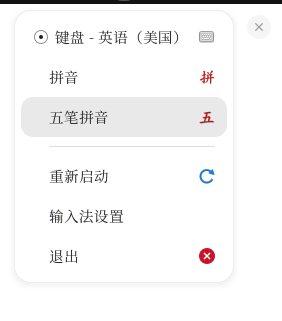
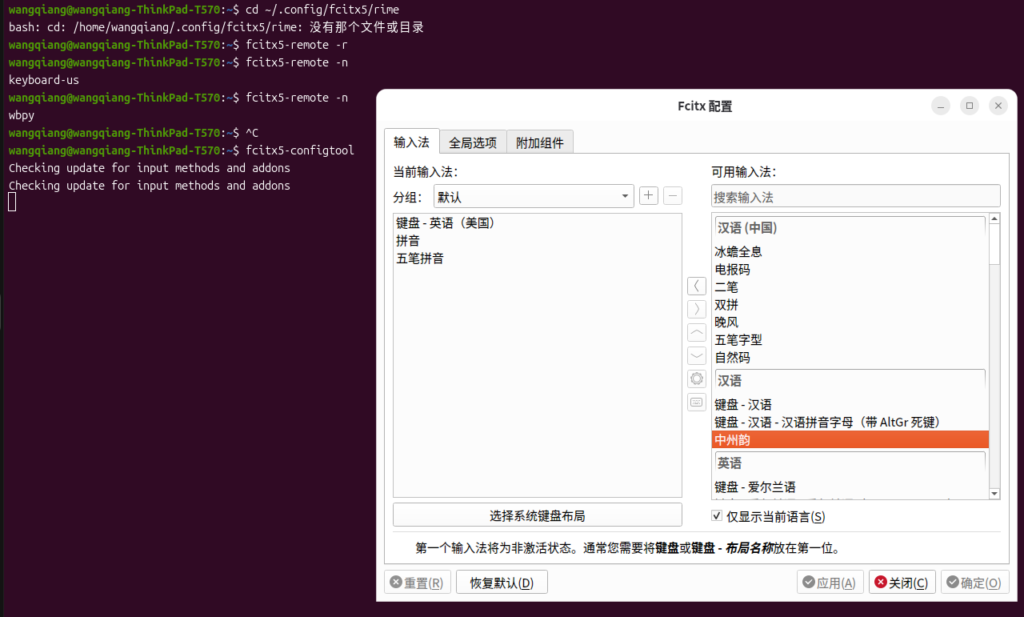
⚠️ 4. System Prompts and Input Process
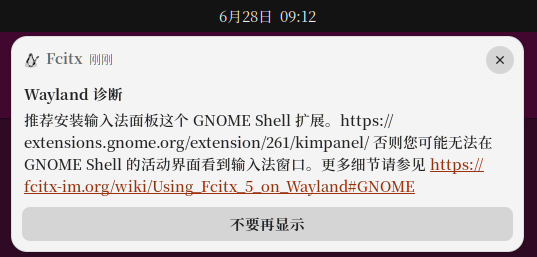
The system continuously prompted during the operation:
- Recommends installing the GNOME Shell input method extension
➕ 5. Adding Zhongzhouyun to the Input Method
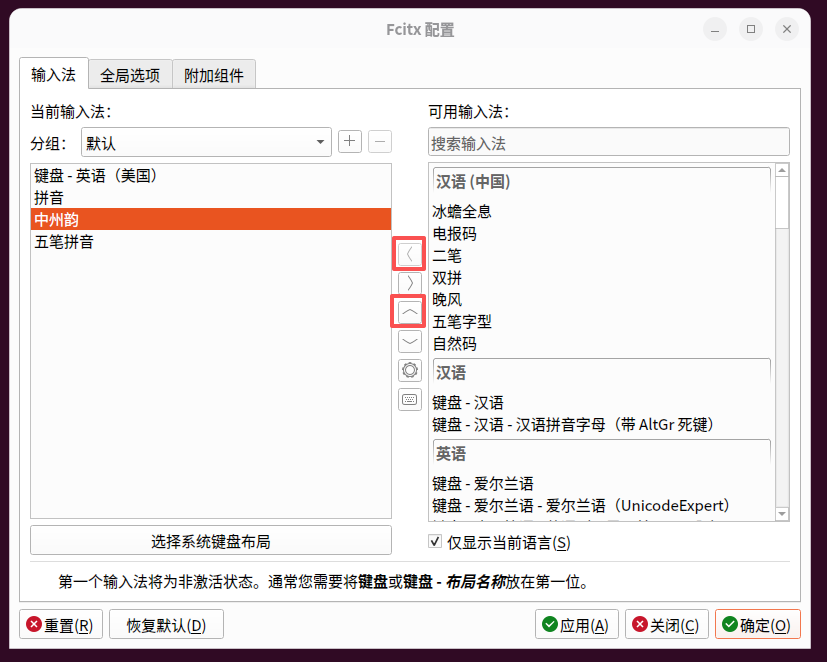
🔄 6. Restarting Fcitx5 via the Graphical Interface
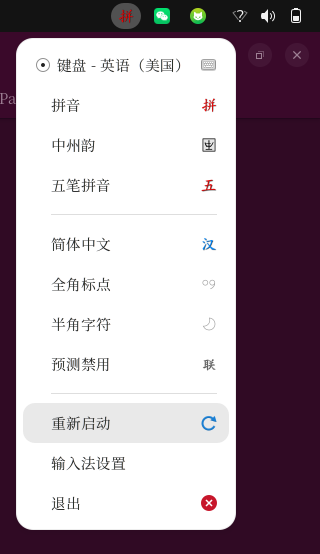
🧠 7. Verifying Rime Schema Switching Behavior

Actual results:
- Only exists:
- Wubi
- Pinyin
❗ 8. Key Conclusion: Rime Does Not Meet the Requirements
After complete testing, I confirmed:
✔ Rime supports “mixed Wubi and Pinyin input” (implemented via the
wubi_pinyinschema)
❗ But the default configuration only includes pure Wubi and pure Pinyin schemas; the mixed input scheme must be enabled manually
Its structure is:
- Wubi = independent schema
- Pinyin = independent schema
- Mixed input requires additional schema configuration
🔚 9. Restoring System Status After Cleaning Up Rime
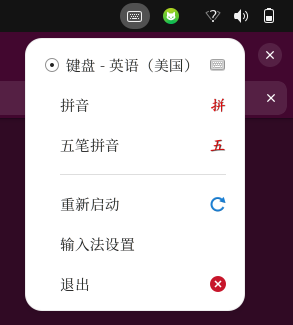
Results:
- Rime-related components have been removed
- System restored to Fcitx5 initial status
- wbpy restored to normal use
🧾 10. Final Reverted Solution
The final input method reverted to:
- ✔ Fcitx5
- ✔ wbpy (Wubi-Pinyin input method)
📌 11. Final Summary
The conclusion of this attempt is clear:
👉 Rime is not suitable for the “mixed Wubi and Pinyin input” scenario
👉 wbpy is the solution that better meets the requirements
🧠 One-Sentence Summary
From Windows to Ubuntu, the core of the input method experience difference lies not in the strength of the tool, but in whether it fits input habits.