

1. Problem Background
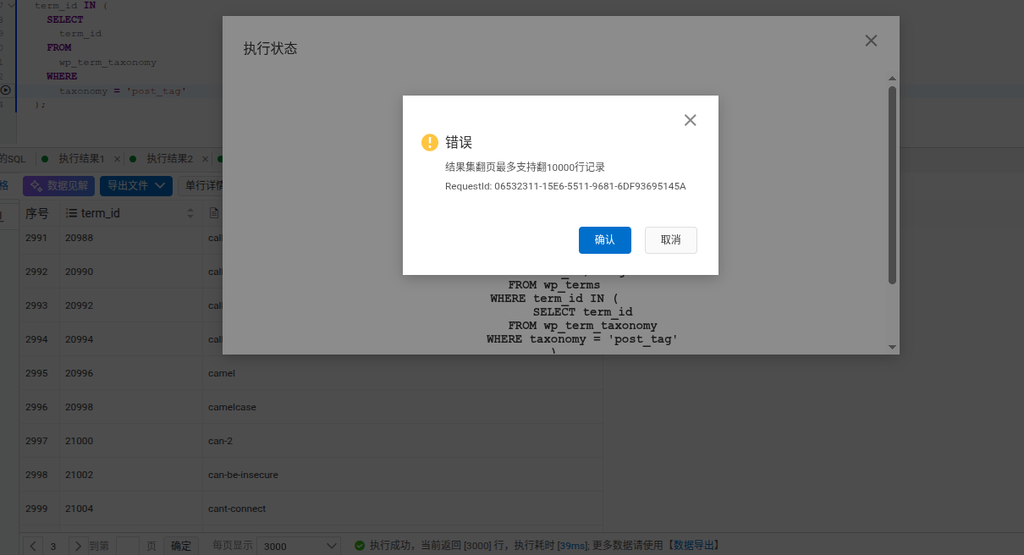
When querying large datasets in Alibaba Cloud DMS, you often encounter pagination limits. Once the data exceeds 10,000 rows, the system displays the message: “Result set pagination supports up to 10,000 rows.” For example, if a user displays 3,000 records per page, the limit is triggered on page 4 (see Figure 1). The traditional “Export all result sets” feature generates multiple Excel files (see Figure 4), which does not meet the requirement of merging into a single CSV file.
2. Solution
By using the DMS “Data Export” ticket system, you can bypass the pagination limit and directly export a complete CSV file. The specific workflow is as follows:
3. Detailed Steps
Step 1: Execute the basic query
Execute an SQL query in DMS, for example, to retrieve WordPress tag data:
SELECT term_id, slug
FROM wp_terms
WHERE term_id IN (
  SELECT term_id
  FROM wp_term_taxonomy
  WHERE taxonomy='post_tag'
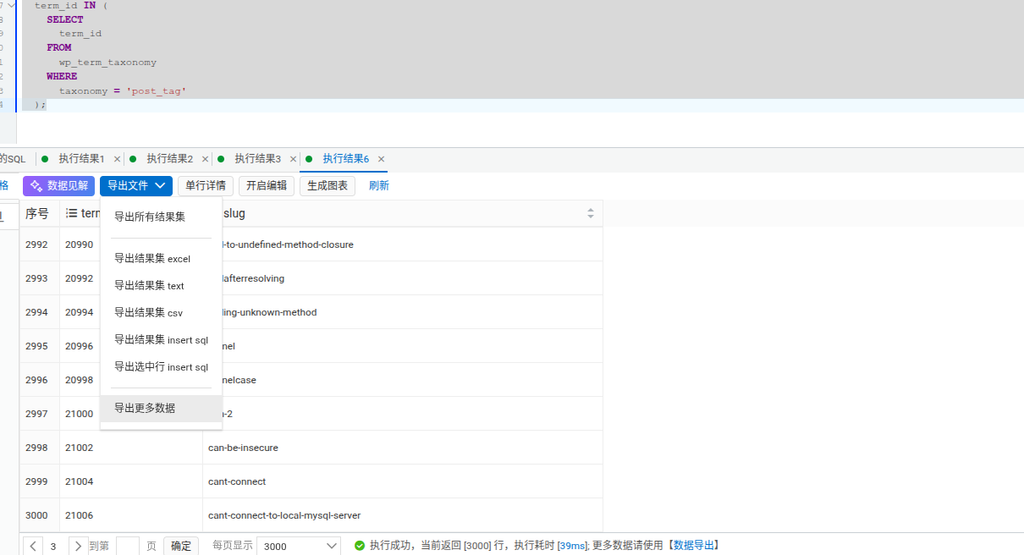
)The system returns the first 3,000 records and prompts: “For more data, please use [Data Export]” (see Figure 2).
Step 2: Create a data export ticket
- Click “Export File” → “Data Export Ticket”
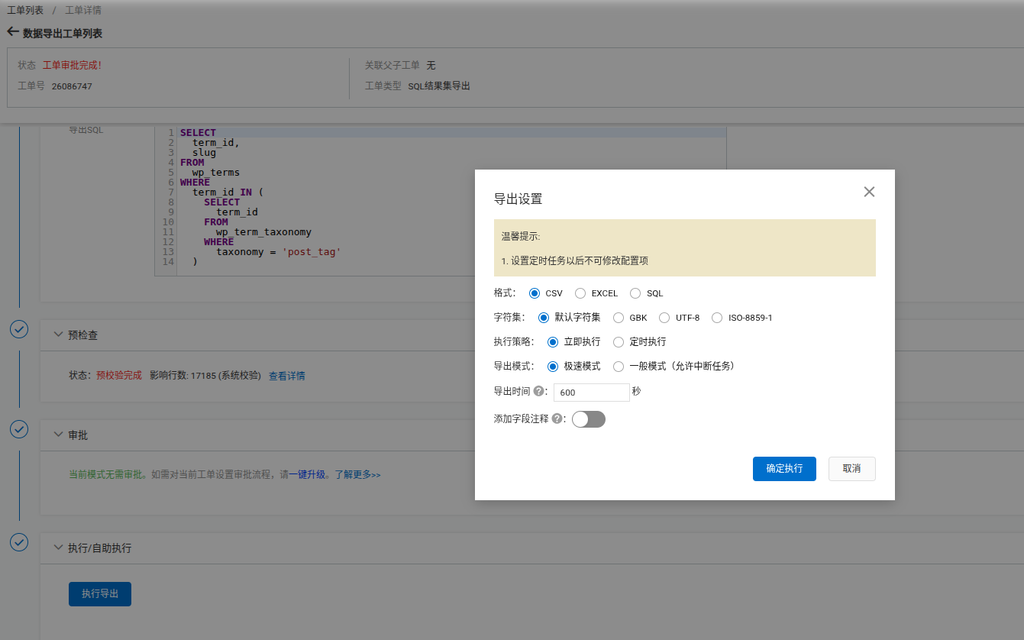
- The system automatically populates the query SQL (see Figure 3)
- Select the export format as CSV
- Set the execution strategy to “Execute Immediately”
- Click “Confirm Execution”
Step 3: Download the complete CSV file
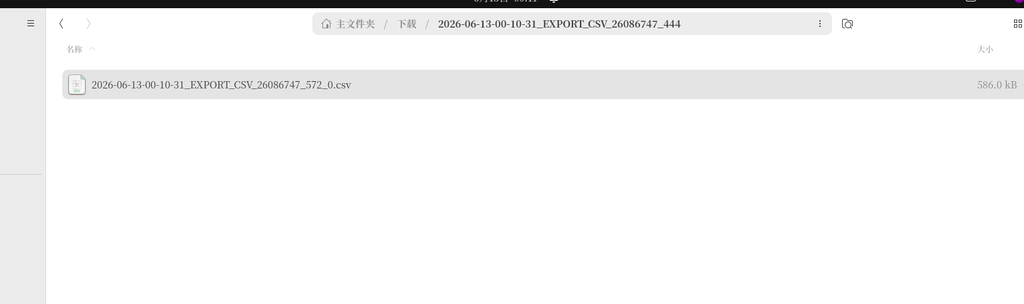
After the ticket finishes executing, a single CSV file is generated in the “Home Folder” (see Figure 4). The filename format is 2026-06-13-00-10-31_EXPORT_CSV_26086747_572_0.csv, its size is 586KB, and it contains all 17,185 records.
4. Key Advantages
- Bypasses pagination limits: The ticket system allows you to export complete result sets exceeding 10,000 rows
- Single-file export: Directly generates a single CSV file without the need for manual merging
- High efficiency: Exporting 17,185 records in extreme speed mode takes only 39ms
- Customizable format: Supports GBK/UTF-8/ISO-8859-1 character sets
5. Notes
- Configuration items cannot be modified after the ticket is submitted, so please confirm the export settings in advance
- For large datasets, it is recommended to use “Extreme Speed Mode” (Standard Mode allows task interruption)
- Before exporting, you can use “Pre-check” to view the number of affected rows (17,185 in the example)
This solution perfectly resolves the DMS pagination limit and export format issues, enabling efficient processing and standardized export of large datasets.