

When using WordPress Full Site Editing (FSE) themes, such as Twenty Twenty-Five (hereafter TT5), you often encounter limitations in the scope of block style control. This article documents a complete technical review of the <select> element within the category dropdown menu, covering the initial style failure, the troubleshooting logic, and the final resolution.
1. Initial Attempts with Native Styles and Block-Level Controls
The TT5 theme relies on the browser’s User Agent to render the native <select> element styles by default. This extremely rudimentary default appearance clashes sharply with the elegant overall style of the theme.
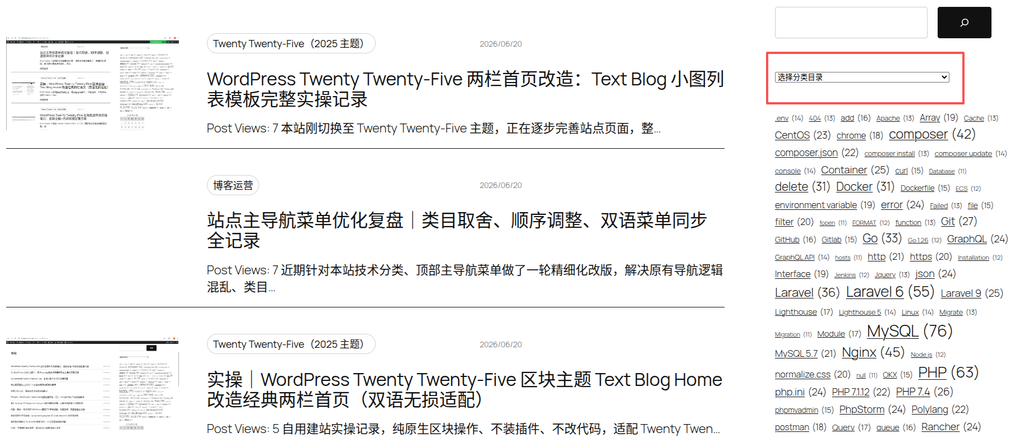
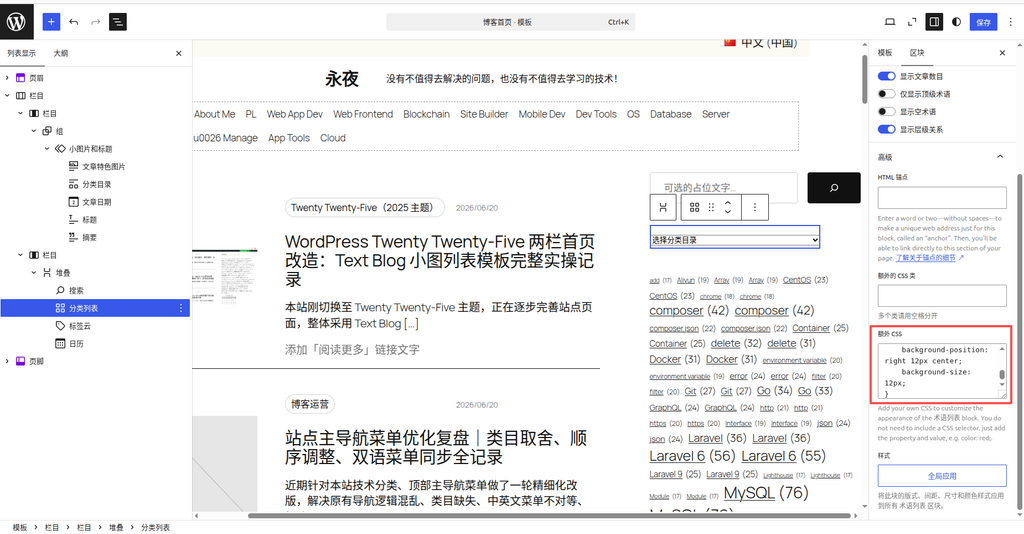
To resolve the styling issue, I first added styles in the Advanced -> Additional CSS panel of the “Categories List” block. Logically, a block’s own additional CSS should apply to the elements within that block. However, I did not want to rely on precise matching with dynamically generated IDs (such as wp-block-categories-1) at the time. I preferred to find a more general approach and also considered trying a third-party plugin.
2. Trial and Error with Third-Party Plugin Integration
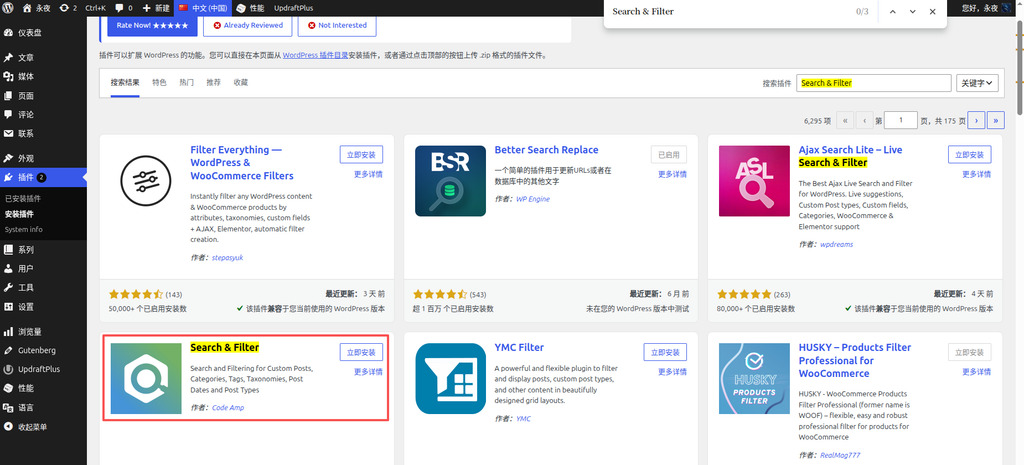
Following the idea to try a plugin, I decided to introduce a third-party search and filter plugin. In the plugin management panel, I searched for and installed the Search & Filter plugin.
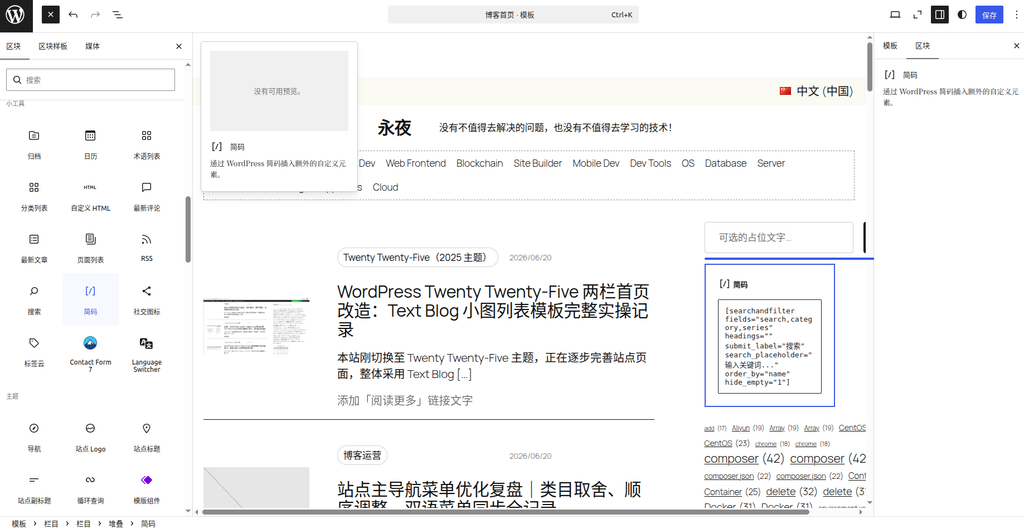
I deleted the original Categories List block, replaced it directly with a Shortcode block, and pasted the [searchandfilter fields="search,category,series" ...] structure according to the documentation, attempting to achieve a unified integration of search and category dropdown.
Front-end testing confirmed the limitations of this approach: the visual style of the plugin’s dropdown menu remained in the browser’s default state. Even when adding hierarchical="1" to the parameters, the underlying constraints of the native <select> component still prevented it from displaying a tree-like hierarchy.
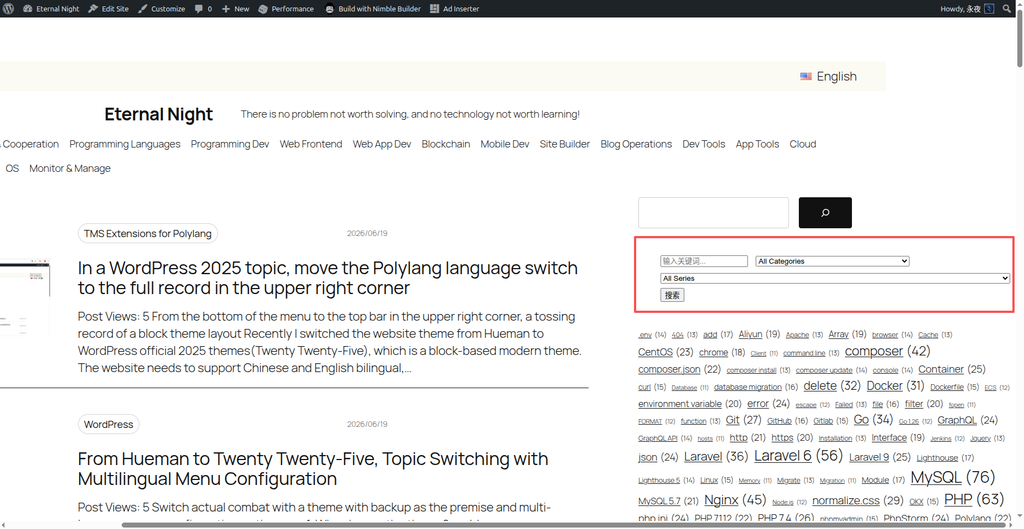
3. Identifying the Root Cause of “Styles Not Loading” via Browser-Level Inspection
Returning to my original intent, I tried again in the advanced panel of the native “Categories List” block, using the ID selector select#wp-block-categories-1 for precise targeting to forcefully override the original styles.
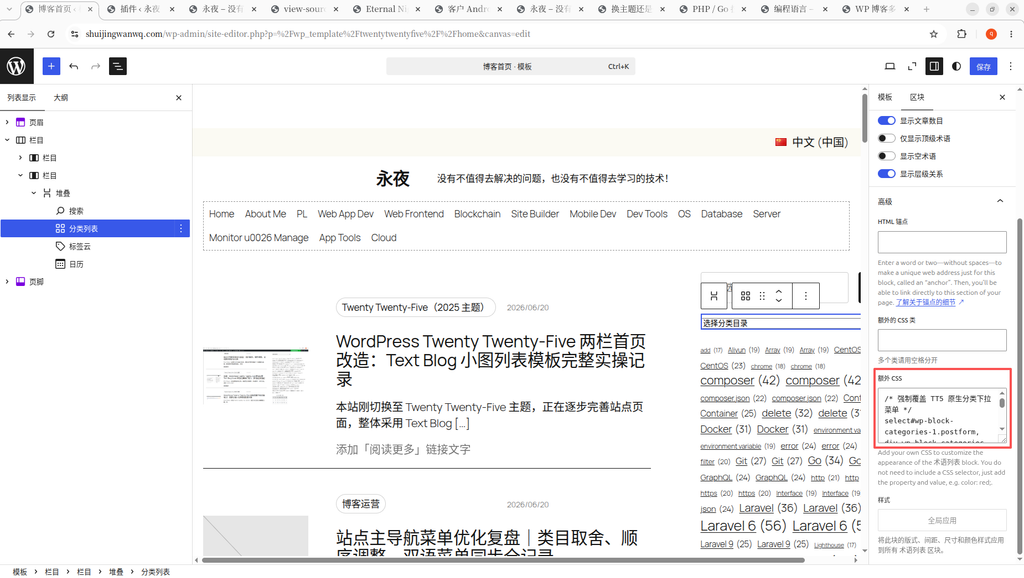
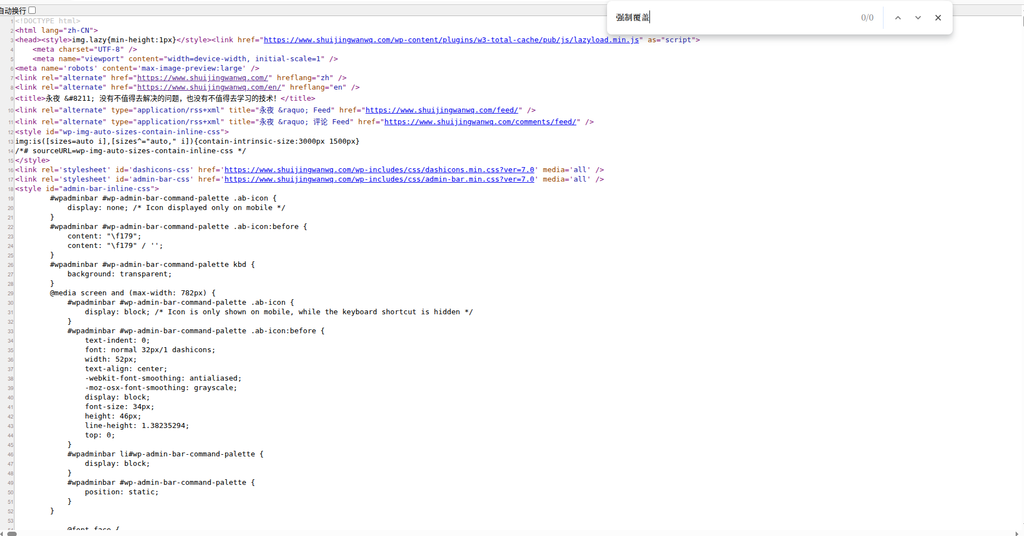
However, when I searched for this CSS using the browser’s 查看源代码 feature, I found that it did not exist in the current DOM structure at all.
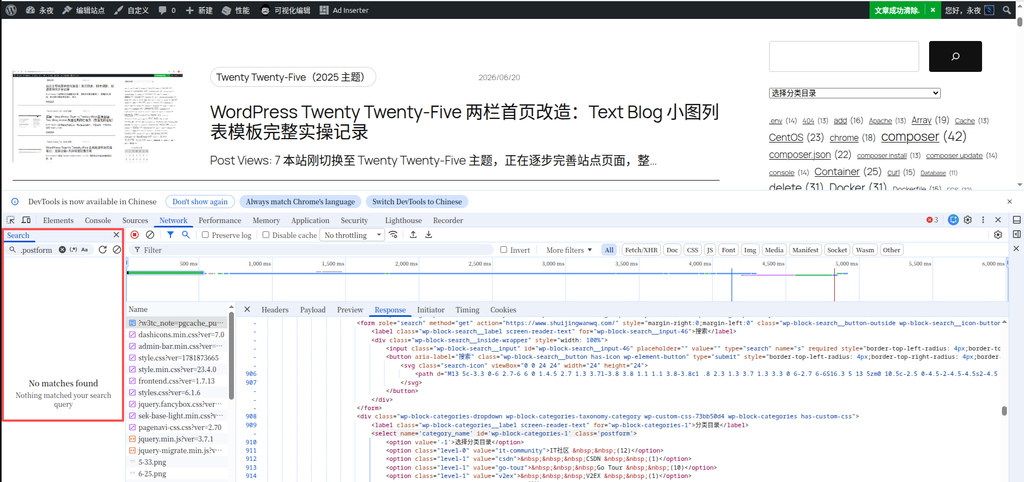
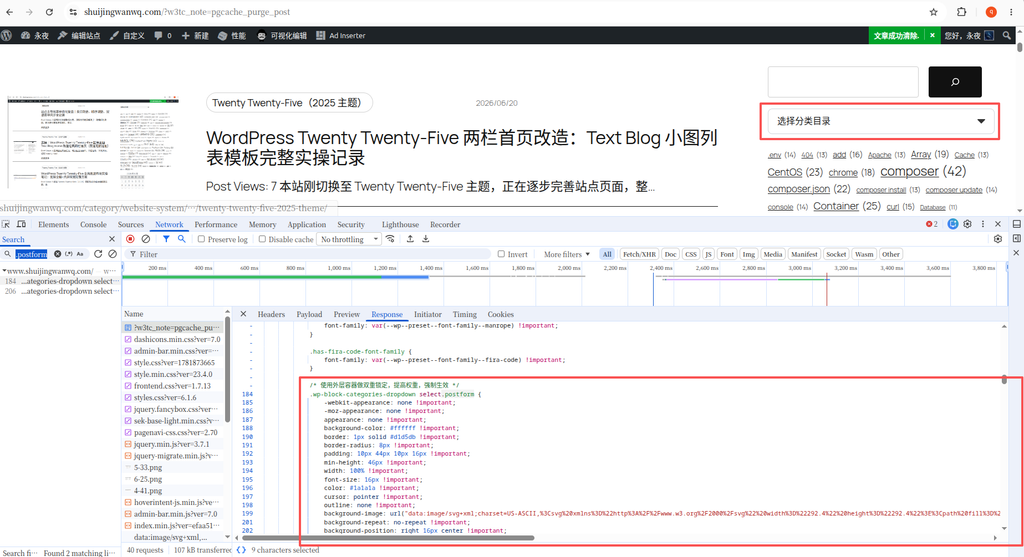
To verify this further, I opened the browser’s Network panel and searched for the keyword .postform; the results were still empty. This proved at a fundamental level: the CSS written in the block’s advanced panel is intercepted or isolated during the FSE rendering process and is never output to the front end.
4. Locating the Global CSS Injection Point to Override Styles
Based on my previous troubleshooting, I decided to change my approach. Instead of relying on block configurations, I explored TT5’s global styles panel. After some searching, I found that the actual global additional CSS entry is hidden here: click the [Styles] icon (the half-black, half-white circle) in the top right corner, then click the [three vertical dots] to its right. The menu that pops up is what actually contains [Additional CSS].
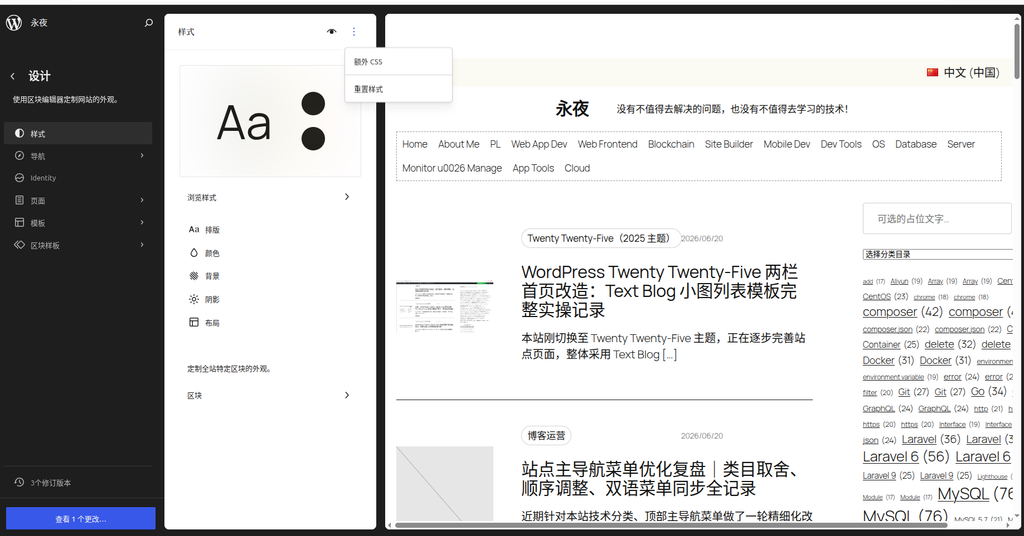
I pasted the final adapted code into this global entry. Later, when I searched again from the front end using the Network panel, .postform successfully matched several load records. The style file was successfully injected and took effect. The dropdown box on the page was now perfectly modernized and beautified.
💻 Appendix: Final CSS Code Injected into the Global Styles Panel
To beautify the dropdown menu in the TT5 theme, here is the exact code I ultimately injected into the [Top right three dots -> Additional CSS] section. It primarily uses the outer wrapper container .wp-block-categories-dropdown to doubly target the child element select.postform, and uses !important to forcefully override the browser’s default styles:
/* 使用外层容器做双重锁定,提高权重,强制生效 */
.wp-block-categories-dropdown select.postform {
    -webkit-appearance: none !important;
    -moz-appearance: none !important;
    appearance: none !important;

    background-color: #ffffff !important;
    border: 1px solid #d1d5db !important;
    border-radius: 4px !important;
    padding: 10px 44px 10px 16px !important;
    min-height: 46px !important;
    width: 100% !important;
    font-size: 16px !important;
    color: #1a1a1a !important;
    cursor: pointer !important;
    outline: none !important;

    background-image: url("data:image/svg+xml;charset=US-ASCII,%3Csvg%20xmlns%3D%22http%3A%2F%2Fwww.w3.org%2F2000%2Fsvg%22%20width%3D%22292.4%22%20height%3D%22292.4%22%3E%3Cpath%20fill%3D%22%23333333%22%20d%3D%22M287%2069.4a17.6%2017.6%200%200%200-13-5.4H18.4c-5%200-9.3%201.8-12.9%205.4A17.6%2017.6%200%200%200%200%2082.2c0%205%201.8%209.3%205.4%2012.9l128%20127.9c3.6%203.6%207.8%205.4%2012.8%205.4s9.2-1.8%2012.8-5.4L287%2095c3.5-3.5%205.4-7.8%205.4-12.8%200-5-1.9-9.2-5.5-12.8z%22%2F%3E%3C%2Fsvg%3E") !important;
    background-repeat: no-repeat !important;
    background-position: right 16px center !important;
    background-size: 14px !important;
}

.wp-block-categories-dropdown select.postform:hover {
    border-color: #000000 !important;
}5. Final Visual Presentation and Coming to Terms with Technical Limitations
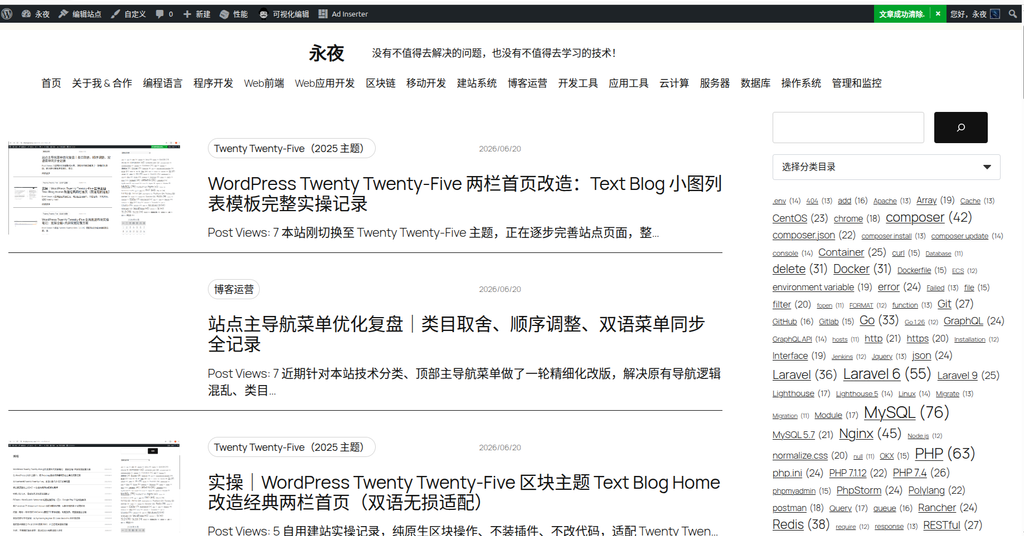
After rewriting the styles, the modern feel of the dropdown list improved significantly. However, upon expanding the dropdown items, sub-categories are still indented using a long string of spaces (such as the level-5 level). Due to the attribute limitations of the native HTML <option> tag, the native <select> cannot provide a collapsible tree-like hierarchy interaction; it can only rely on spaces ( ) for visual indentation.
Technical Summary:
- The block’s advanced “Additional CSS” is ineffective for specific elements like
<select>that are dynamically rendered via PHP in FSE themes, because their rendering logic completely bypasses Gutenberg’s React engine. - The Search & Filter plugin, while powerful, still outputs a dropdown menu whose default styles are constrained by the browser’s native rendering. Furthermore, the free version cannot overcome the hierarchical indentation limits of the native HTML
<select>. - The correct solution is to find the global CSS injection point (the top right three-dot menu) and use the
.wp-block-categories-dropdowncontainer selector to increase specificity and override the defaults. - Ultimately, multi-level categories (such as
level-4orlevel-5) can only accept space-based visual indentation for<select>interaction. Evaluated from a product trade-off perspective, the current presentation meets the minimum usability requirements.