

1. Troubleshooting: Not a Narrow Sidebar, but Automatic Column Shrinkage
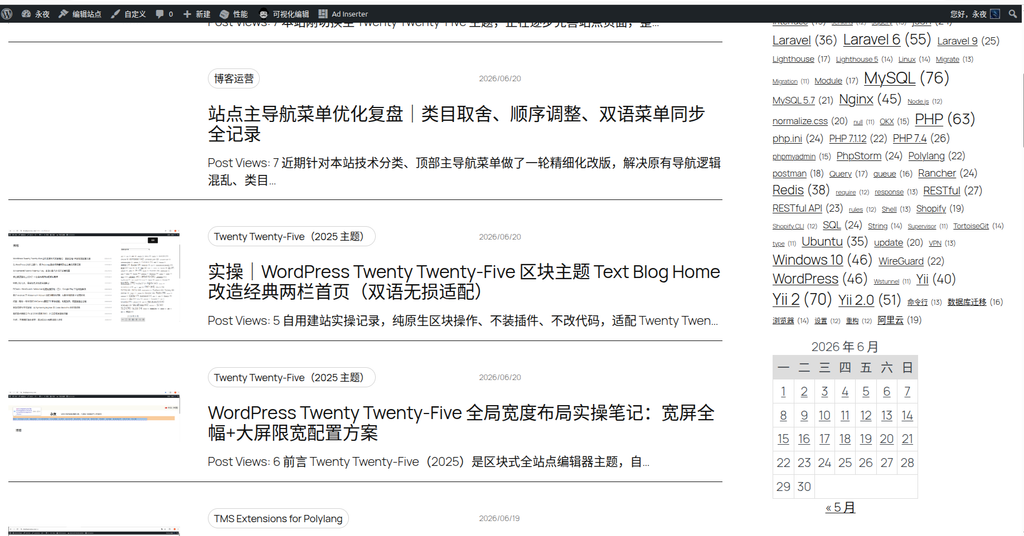
When I first looked at this sidebar calendar, it always felt out of place and looked very “cramped.” But my sidebar isn’t actually narrow, so what was the problem?
By examining the underlying HTML structure, I found the root cause: the default WordPress calendar table uses adaptive column widths (table-layout: auto). Because the date in each cell is just a single digit like “1, 2, 3,” the browser assumes the cells don’t need to be very wide and aggressively compresses the column widths to the minimum. As a result, the calendar takes up less than 2/3 of the sidebar width, leaving large blank areas on both sides.
2. Style Tracing: Locating the Core Element
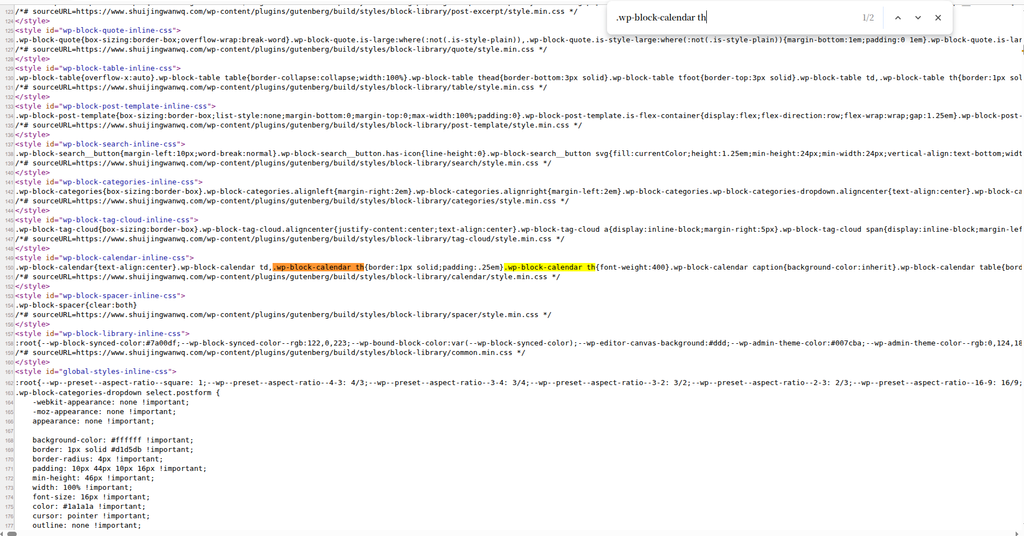
.wp-block-calendar th in the browser developer tools, found the Gutenberg system default style fileThe default system settings are very basic, with only a minimal padding of .25em. To completely overhaul this, the standard block panel adjustments were no longer effective, so I decided to directly enforce a global override in WordPress Dashboard → Design → Styles → Additional CSS.
3. Implementation: Core CSS Code (with Modification Notes)
I wrote the following CSS with the core objectives of:
- Force equal column widths: Use
table-layout: fixedto evenly distribute the sidebar width across the 7 days. - Enlarge font size and padding: Make the calendar look more spacious.
- Highlight days with posts: Remove the default underline, apply the theme color, and add a hover effect.
⚠️ Key Note:
The color #503aa8 used in the code is actually a fairly dark blue-purple (indigo). If you feel it leans too blue, you can change it to whatever color you need at any time.
Here is the final, complete, and modified CSS code (just copy and paste it into “Additional CSS”):
/* ==========================================================================
   🔥 侧边栏日历放大优化 (包含横撑满修复)
   解决:默认日历字体偏小、列宽没撑满侧边栏的问题。
   ========================================================================== */

/* 1. 放大月份标题 ("2026年 6月") */
.wp-block-calendar caption {
    font-size: 1.3em !important;
    font-weight: bold !important;
    margin-bottom: 12px !important;
    text-align: center !important;
}

/* 2. 放大日期格子 (单元格内边距和字体) */
.wp-block-calendar td,
.wp-block-calendar th {
    font-size: 17px !important;  /* 日期数字放大 */
    padding: 12px 8px !important; /* 格子上下左右拉开,变舒展 */
    text-align: center !important;
}

/* 3. 保证表格宽度占满侧边栏 (配合强制列宽平分) */
.wp-block-calendar table {
    width: 100% !important;
    table-layout: fixed !important; /* 👈 关键:强制星期一至星期日 7 列等宽平分,彻底撑满! */
    border-collapse: collapse !important;
}

/* 4. 消除日历外层左右内边距,让表格彻底贴紧侧边栏左右边缘 */
.wp-block-calendar {
    padding-left: 0 !important;
    padding-right: 0 !important;
}

/* 5. 放大底部导航 ("« 5月") */
.wp-calendar-nav {
    margin-top: 15px !important;
    font-size: 16px !important;
    display: flex !important;
    justify-content: space-between !important;
}
.wp-calendar-nav a {
    text-decoration: none !important;
    color: inherit !important;
}

/* 6. 换成主题自定义颜色、加粗 */
.wp-block-calendar td a {
    color: #503aa8 !important;        /* 👈 主题紫蓝色,觉得偏蓝可以改为纯黑 #000000 或亮红 #d63638 */
    font-weight: 700 !important;      /* 👈 加粗字体 */
    padding-bottom: 2px !important;
    transition: all 0.2s ease !important;
}

/* 7. 当鼠标放上去的时候,颜色变成全黑 */
.wp-block-calendar td a:hover {
    color: #000000 !important;
    border-bottom-color: #000000 !important;
}4. Final Result Showcase
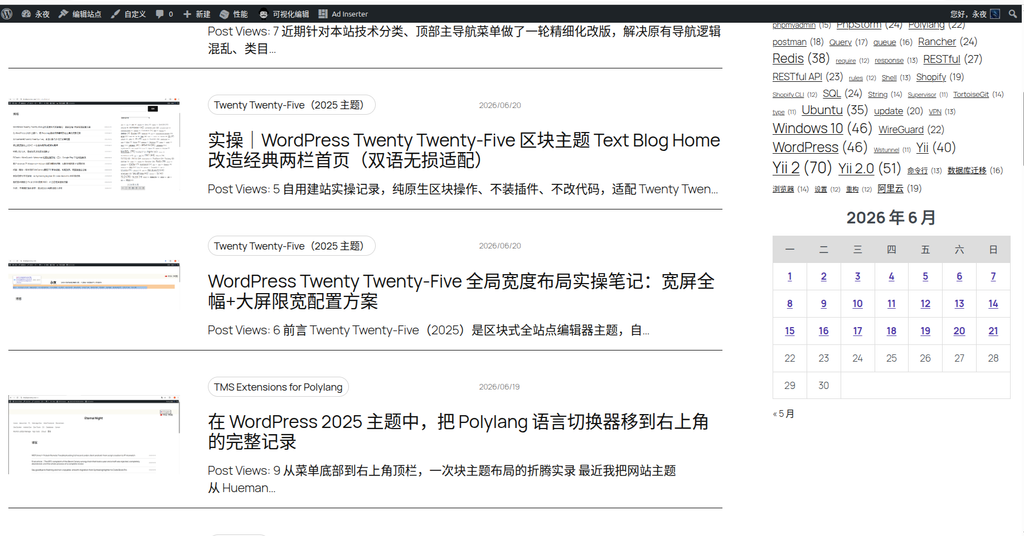
After applying the above code, the “cramped” calendar that was previously shrunk in the middle instantly transformed. Not only does the table now stretch across the entire sidebar, but it also immediately looks more spacious and elegant visually, significantly improving the reading experience.