

Introduction
In WordPress site development, WPCode is indeed a powerful code management tool. However, I believe many developers have encountered this frustrating problem: you clearly adjusted the Priority setting, but the insertion order of the code snippets still does not meet expectations. Today, I want to share a real situation I recently encountered and explain in detail the reasons behind this problem and the solution.
Problem Symptoms
Initial Configuration
- Ad code snippet: Location set to “Insert After Post”, Priority set to 10
- Custom description code snippet: Location set to “Insert After Content”, Priority set to 10
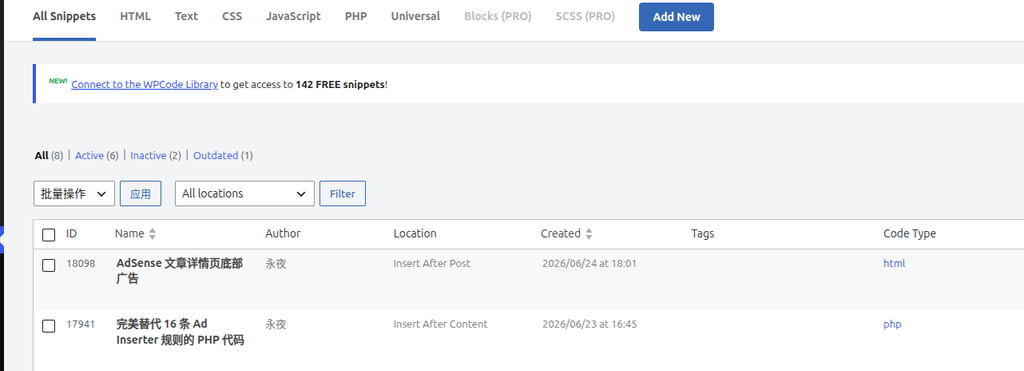
Observed Behavior
- The order displayed on the page was: custom description at the bottom, ad at the top
- This was completely not the display order I wanted!
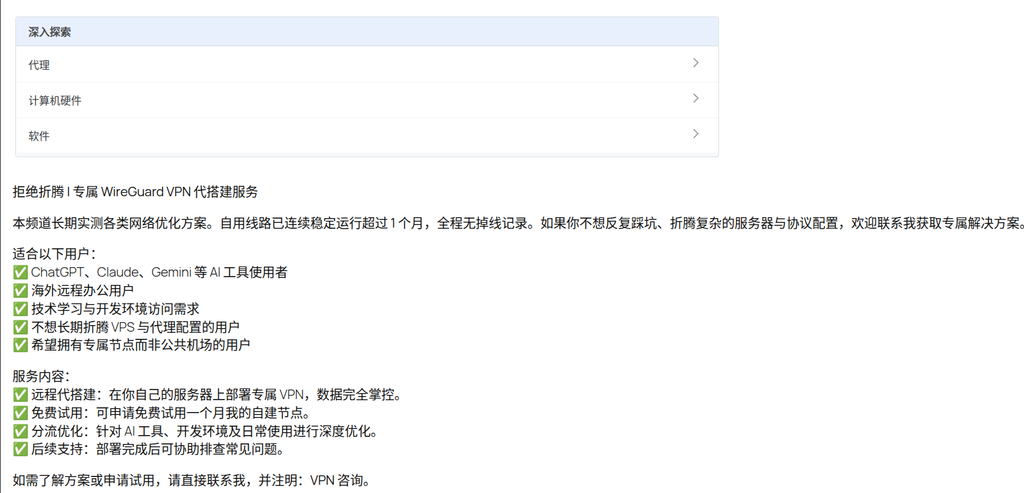
Attempting a Solution
- My first reaction was to adjust the Priority, thinking this should solve the problem
- I found that the Priority setting had no effect at all
- With no other options, I had to bite the bullet and change the Location settings:
- Ad code snippet: Location changed to “Insert After Content”
- Custom description code snippet: Location changed to “Insert After Post”
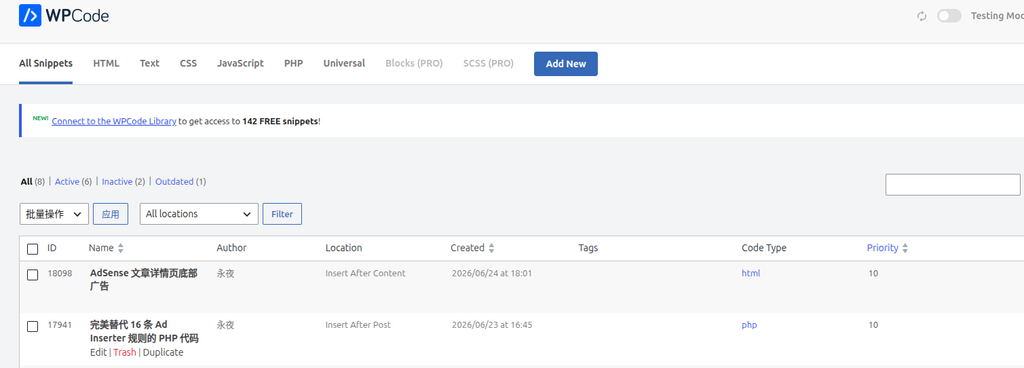
Final Result
- The order displayed on the page was finally correct: custom description at the top, ad at the bottom
- I finally achieved the display order I wanted!
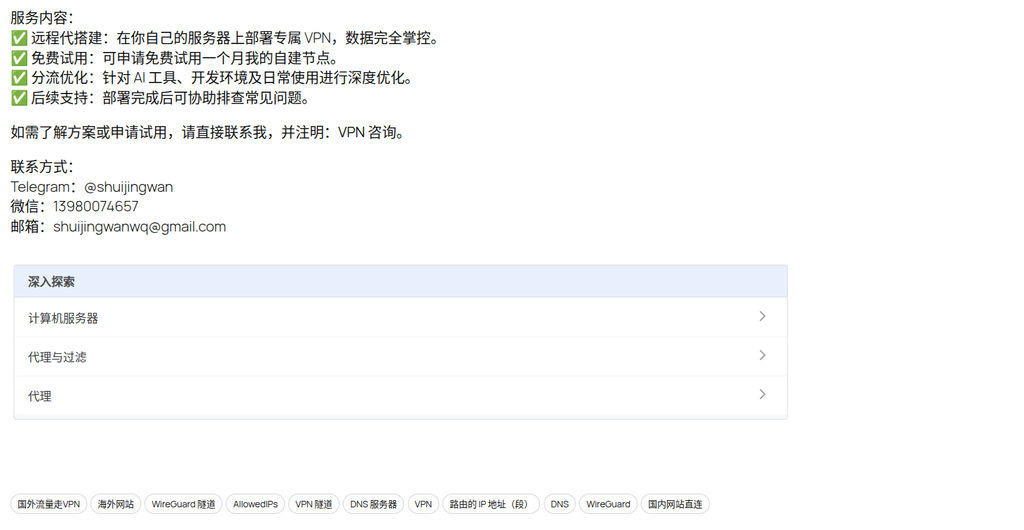
Practical Discovery: The Gap Between Theory and Reality
Actual Behavior of Insertion Locations
I initially thought that WordPress insertion locations followed this theoretical hierarchy:
Article structure:
[Article Title]
[Article Content]
  └── Insert After Content (after the content)
[Article Footer/Metadata]
└── Insert After Post (after the entire article)But in practice, I found that the actual situation can be more complex:
- The display order of “Insert After Content” and “Insert After Post” might be the opposite of theoretical expectations
- This may depend on the theme’s output method, interference from other plugins, or differences in WordPress versions
Possible Cause Analysis
- Theme template differences:
- Different themes may define “content” and “post” differently
- Some themes might output the footer immediately after the content, while others handle them separately
- Interference from other plugins:
- Other plugins might already be using these insertion locations
- Interactions between plugins could cause the order to change
- WordPress version differences:
- Different WordPress versions might handle insertion locations differently
Solution: Lessons from Practice
Prioritize Location Adjustments
Based on my practical experience, when encountering insertion order issues:
- Do not rely on Priority:
- Priority only works within the same Location
- When the Location is different, the Priority setting usually has no effect
- Adjust the Location directly:
- If A needs to be above B, try setting A’s Location to “Insert After Content”
- Set B’s Location to “Insert After Post”
- Or vice versa, adjusting based on the actual result
- Test and verify:
- After each adjustment, verify the actual result on the front-end page
- Do not rely solely on theoretical expectations
Practical Application Recommendations
Ad Configuration Best Practices
- Ad code snippet:
- Location: Insert After Post (ensures it is at the very bottom of the page)
- Priority: 10 (the default value is usually sufficient)
- Custom description code snippet:
- Location: Insert After Content (after the content, before the ad)
- Priority: 10 (if there is only one snippet of this type, Priority does not matter)
Verification Method
- Check the WPCode snippet list to confirm the Location is set correctly
- View the actual insertion order on the front-end page
- If necessary, adjust the Location instead of the Priority
Summary
The insertion order of WPCode snippets is primarily determined by the Location, not the Priority. This experience taught me an important lesson: when configuring WPCode snippets, you should focus on the Location setting first, and only consider the Priority when dealing with multiple snippets within the same Location.