

Adding sidebar ads in the WordPress 2025 theme used to be a challenge, but with the WPCode plugin, we can achieve precise ad placement. This article details how to successfully add AdSense display ads to the sidebar of the 2025 theme.
Problem Background
The WordPress 2025 theme uses a completely new block editor design, making the traditional PHP hook insertion method no longer applicable. In WPCode, because there is no fixed insertion location, we need to use shortcodes to achieve precise ad placement.
Solution: Using WPCode Shortcode
Step 1: Create a WPCode Ad Snippet
First, we need to create an ad code snippet in WPCode:
Create a new code snippet in WPCode, name it “[AdSense] Display Ad – Blog Homepage Sidebar Ad”, and paste the AdSense code into the code preview area.
![Create a new code snippet in WPCode, name it "[AdSense] Display Ad - Blog Homepage Sidebar Ad", and paste the AdSense code into the code preview area.](https://www.shuijingwanwq.com/wp-content/uploads/2026/06/1-86-1024x686.png)
Step 2: Set the Insertion Method to Shortcode
In the “Insert Method” section, select “Shortcode” mode: Copy the generated shortcode:
Step 3: Insert a Shortcode Block in the Sidebar
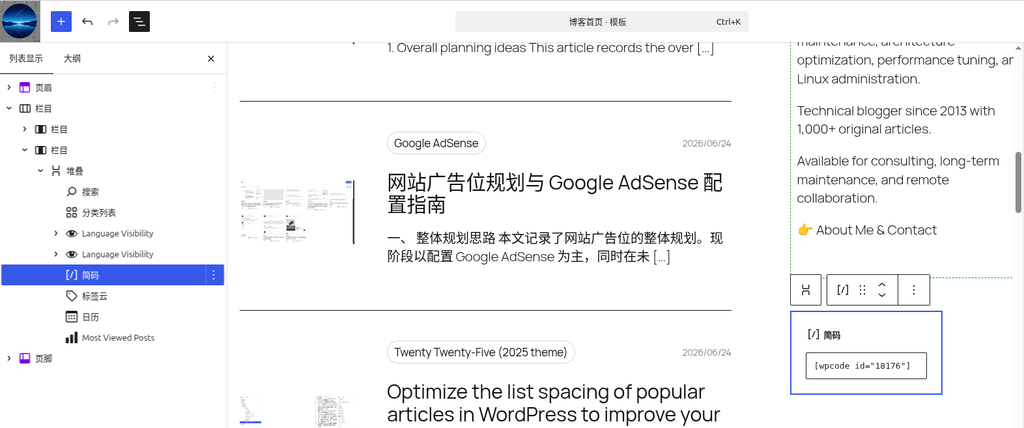
Go to the WordPress editor, add a “Shortcode” block in the sidebar area of the blog homepage template, and paste the copied shortcode into it:
Issues Encountered and Solutions
Issue 1: Ad Not Displaying
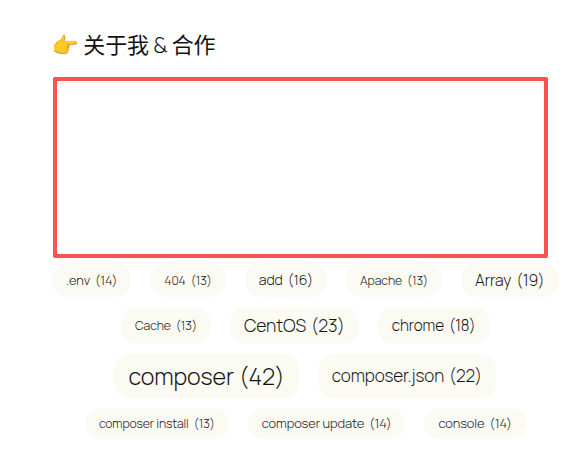
Initially, although the ad code was present, the ad did not display.
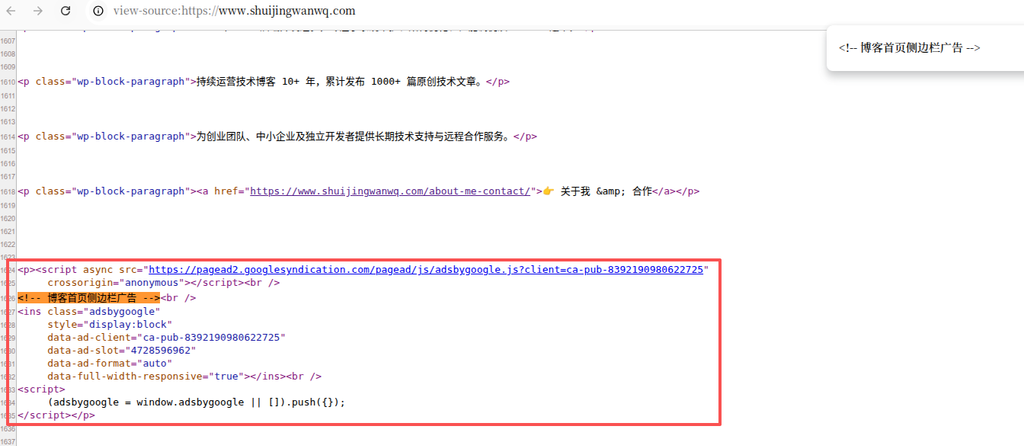
By inspecting the source code, we found that WordPress automatically added the <p> tag, but this was not the root cause of the ad not displaying:
The Real Problem: Console Error
Through the browser developer tools console, we found the actual error message:
Uncaught TagError: adsbygoogle.push() error: No slot size for availableWidth=0This error indicates that AdSense could not measure the width of the ad container, so it could not determine what size ad to display.
Solution: Modify the Ad Code Style
In the WPCode snippet, we modified the ad code’s style by adding a width setting:
style="display:block; width:300px; max-width:100%;"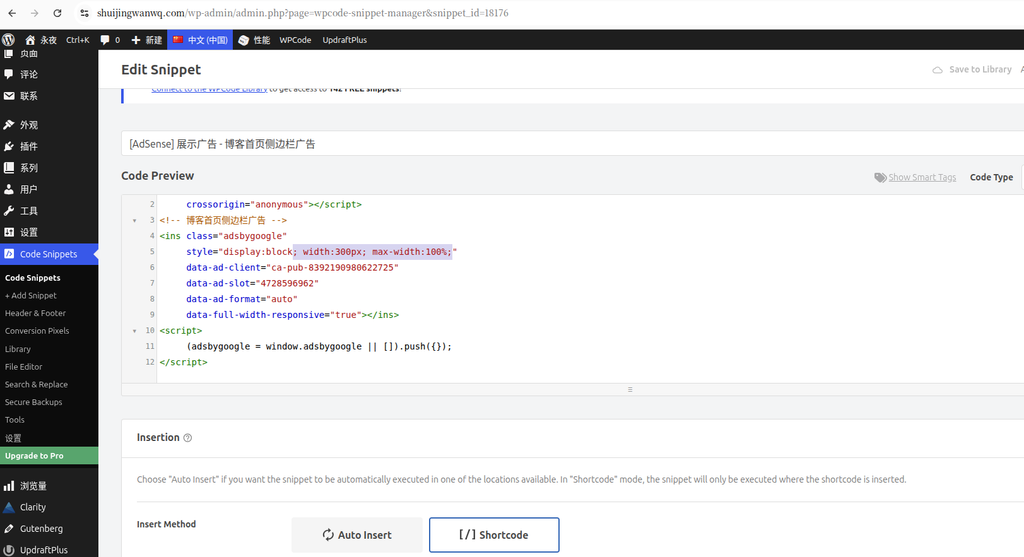
This modification resolved the No slot size for availableWidth=0 error, ensuring that the ad could correctly measure the container width and display.
Final Result
Desktop Result
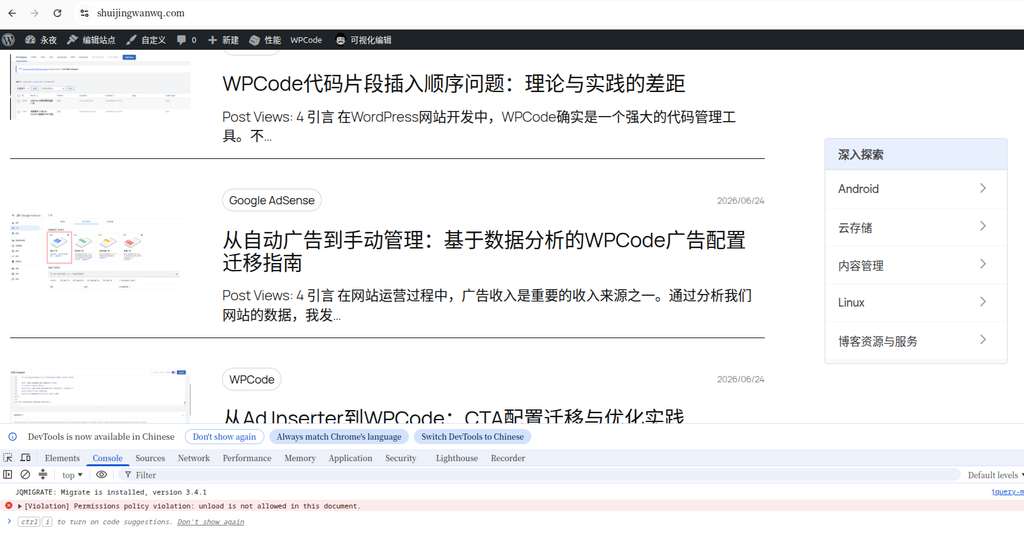
On desktop, the ad successfully displays in the sidebar.
Mobile Result
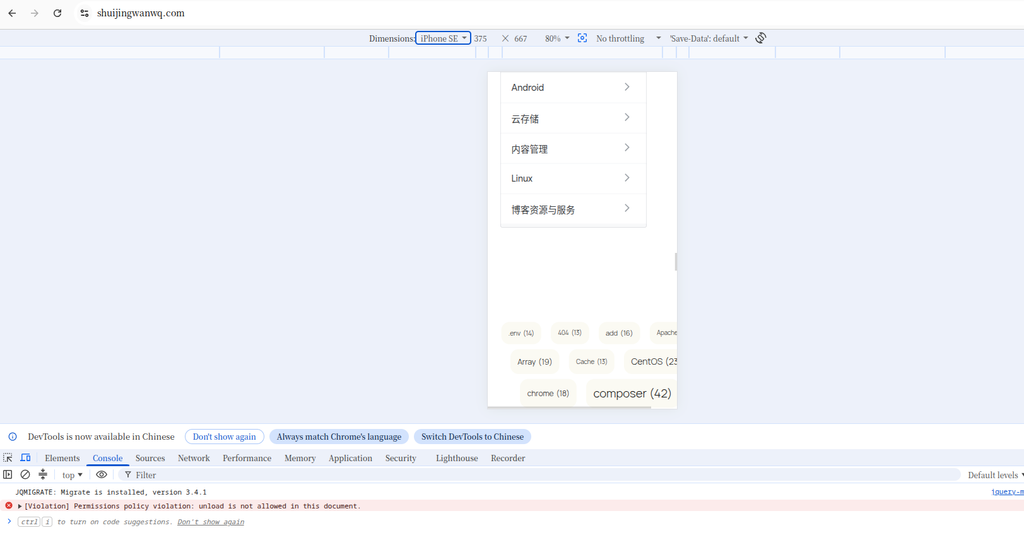
On mobile, the ad adapts to the screen width, although a horizontal scrollbar appears on the page. After disabling the ad code snippet, the horizontal scrollbar still appears. We initially confirmed that the horizontal scrollbar is not caused by the ad, so we will leave it as is for now.
Summary
Using the WPCode shortcode method, we successfully added AdSense display ads to the sidebar of the WordPress 2025 theme. The key points are:
- Using WPCode’s shortcode mode instead of auto insertion
- Accurately pinpointing the root cause of the issue through the console error
- Setting appropriate width and maximum width limits for the ad
- Conducting thorough testing on mobile devices
This approach is not only applicable to AdSense but can also be extended to other scenarios where code needs to be inserted at specific locations.