AD INSERTER 2.8.16 Free Edition Operation Practice: Farewell to Block 1 / Block 2, renamed to meaningful tags
If you are also managing ad slots or inserting code with Ad INSERTER, you can refer to the following operations.
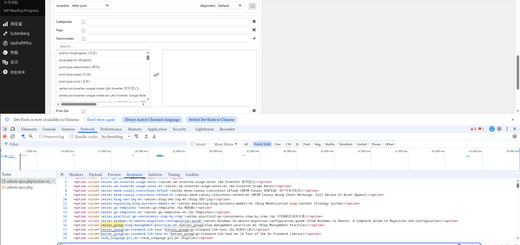
The default block 1, block 2… When there are dozens of series or hundreds of categories on the site, I can’t remember which one is which.
I will use it today AD INSERTER 2.8.16 Free Version Demonstrate how to rename Block 1 and Block 2 into a name that can be understood at a glance.
📌 Why should I rename it?
My blog has been sorted outSeries(series), such as:
- WordPress performance optimization hand
- WP blog multilingual practice
- Go concurrent programming practice step by step
- Ubuntu: Complete Guide to Migrate and Configuration from Windows
- AD Inserter usage notes …
There is also a largetechnical classification(categories), for example:
- Web Application Development (537 articles)
- Lighthouse (39 articles)
- Node.js extension (21)
- GraphQL (48)
- jQuery validation, html2canvas…
I need to target different languages, different series,Different categoriesFor related articles, insert different content (for example, the Chinese version recommends ‘self-built VPN tutorial’, and the English version recommends ‘self-hosted VPN’).
If two ad blocks are also called block 1 And block 2, every time you have to click to see the settings, it is too easy to confuse.
✅ AD INSERTER 2.8.16 Free Edition Rename Steps
Step 1: Go to the AD INSERTER settings page
Find it in the left menu of the WordPress background Settings → AD INSERTER.
Step 2: Find the default block 1 and block 2
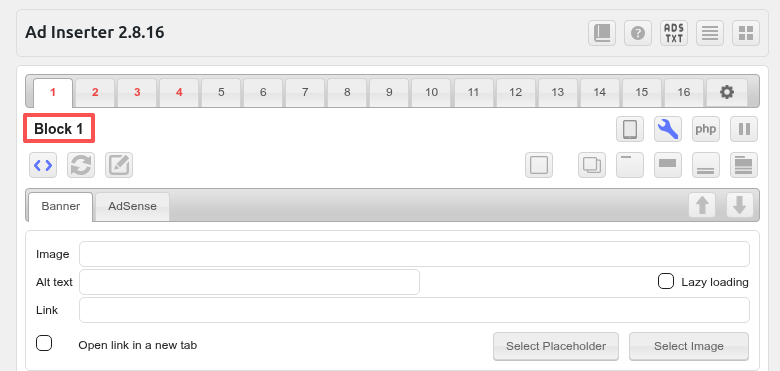
You will see a row of tabs, which are displayed by default block 1,block 2,block 3… as shown in Figure 1
Step 3: Click the title directly to edit
critical operation:
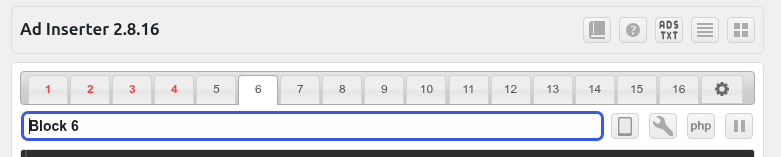
directly with the mouseclick block 1 These words will become an editable input box. as shown in Figure 2
No switch required, no need to upgrade the Pro version,Free version of native support.
Step 4: Enter a new name and press Enter to save
I changed block 1 to:Chinese (China) | Series | Self-built VPN
Block 2 is changed to:English | Series | Self-hosted VPN
After the input is complete,Press the Enter key directly(Or click elsewhere on the page), the name will be saved immediately. as shown in Figure 3
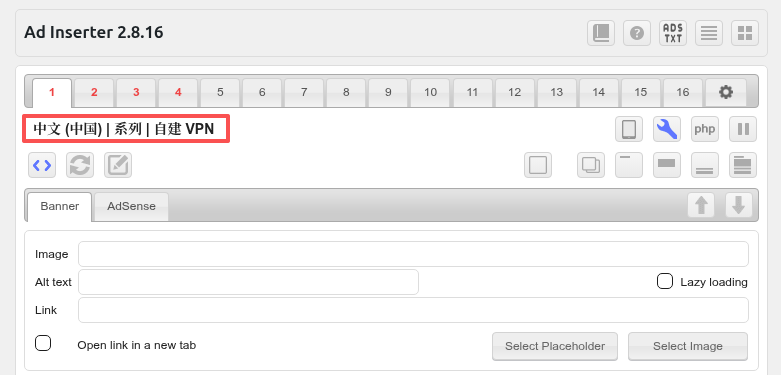
✅ Effect:
- The original ‘block 1’ disappeared and became my custom long name
- Support Chinese, English, spaces, vertical lines
| - There is no length warning (actual display may be folded, but does not affect usage)
🧠 Why do you have such a long name?
My naming rule is ‘Language | Content Types | Core Topics’:
| block name | Language version | Use scenarios | what to insert |
|---|---|---|---|
| Chinese (China) | Series | Self-built VPN | Chinese | A series of article pages, Chinese readers | Self-built VPN tutorial, recommend airport, build script |
| English | Series | Self-hosted VPN | English | Series Article Page (English version) | Self-built VPN English tutorial, VPS recommendation, WireGuard configuration |
So as soon as I see the block name, I know:
- This block should only beChinese series of articlesdisplay in
- The content is aboutSelf-built VPN Of
- Another block for the English series
📝 A few tips
- The name will not affect the front-end output
The rename is just the background display has changed, and the ad code and insert logic have not changed. - The problem of too long length
In the top tab bar of the AD INSERTER, if the name is very long (such as my example), it may be folded into two lines or displayed incomplete.
But the mouse hover can see the full name, or you can see it after clicking. I think it’s totally acceptable. - Other blocks can also be changed like this
For example, change the block 3 toSidebar | Total Site | Google AdSense, the block 4 is changed toEnd of the article | Mobile | Recommended internal chain.
🎯 Conclusion
The AD INSERTER free version is already very powerful, but the default ‘Block 1’ naming method is simply a disaster for multi-series and multi-category blogs.
Fortunately, the developers stayedClick Rename directlyThe hidden and convenient function – no need to write code, no need to change the database, click and press Enter, the world will be clear.
If you also manage dozens of series and hundreds of categories, it is strongly recommended to take 1 minute to change Block 1 and Block 2 to a name you can understand in seconds.
I changed to Chinese (China) | Series | Self-built VPN And English | Series | Self-hosted VPN After that, each insertion condition judgment is not missed again.