

Recently, my tech blog switched from the traditional Hueman theme to the official WordPress 2025 theme (Twenty Twenty-Five). This modern block editor-based theme is highly flexible, but I still ran into quite a few pitfalls and picked up some optimization tips while adapting it for a bilingual Chinese-English site and customizing the footer. Today, I’ve organized the specific modification process into an article to share with everyone.
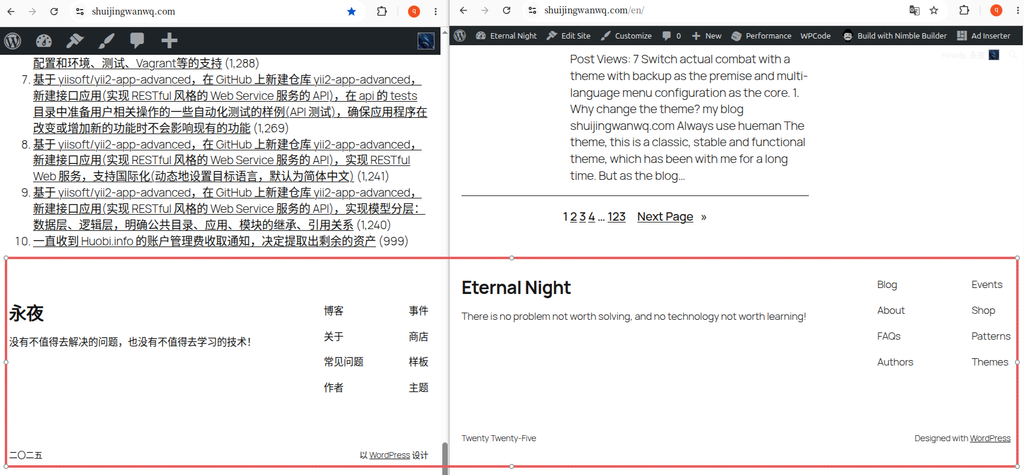
Step 1: Review the Original Theme Footer
After switching to the new theme, the default footer was rather “bare-bones,” filled with default placeholders and impractical links, which completely mismatched the tone of a tech blog. The Chinese and English versions also had content alignment issues.
Step 2: Customize Social Icons and Correctly Configure Redirect Links
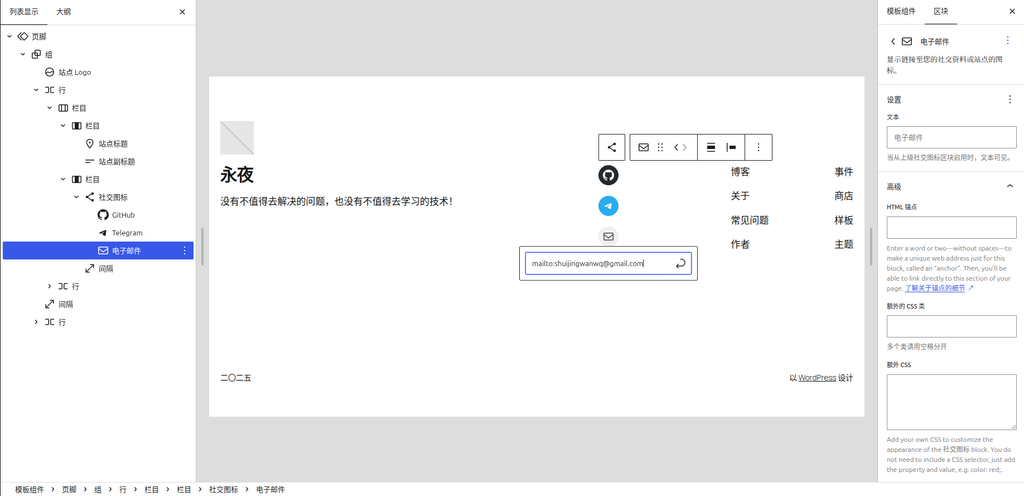
Based on the WordPress 社交图标 (Social Icons) block, we can easily add icons for GitHub, Telegram, and more.
Here is a particularly easy detail to get wrong: when configuring the email icon, you must never enter the email address directly as the link; instead, you must use the mailto: protocol.
The correct format is: mailto:shuijingwanwq@gmail.com. Once filled in, clicking the icon directly invokes the local email client to compose a message, providing an excellent user experience.
Step 3: Resolve the Differentiation Issue in Multilingual Navigation Menus
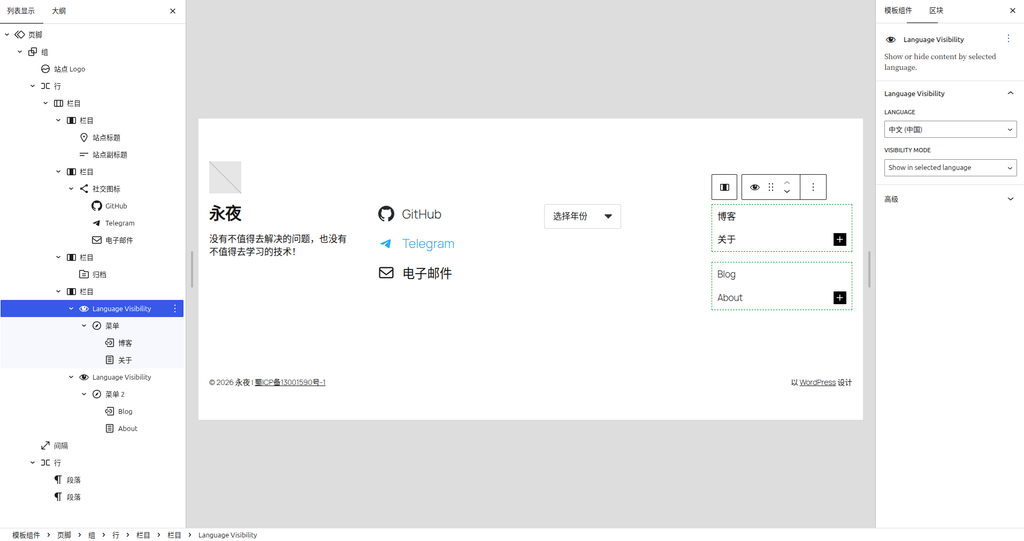
My blog uses the Polylang plugin to support bilingual Chinese and English content. In the Chinese version, the right side of the footer needs to display “博客” and “关于”, while in the English version, it needs to display “Blog” and “About”.
If a static menu block is used, the text will become garbled across multiple languages. To solve this, I introduced the Language Visibility block (which requires installing the TMS Extensions for Polylang plugin. The native Polylang plugin does not provide this block directly; you can only find it in the editor of an FSE block theme after installing this extension plugin).
I ultimately built a 4-column layout:
- Column 1: Brand name and slogan
- Column 2: GitHub, Telegram, and Email social icons
- Column 3: Archive dropdown menu
- Column 4: Navigation menu wrapped in
Language Visibility
Step 4: A Tool to Solve Tech Blog Pain Points — The Archive Dropdown Menu
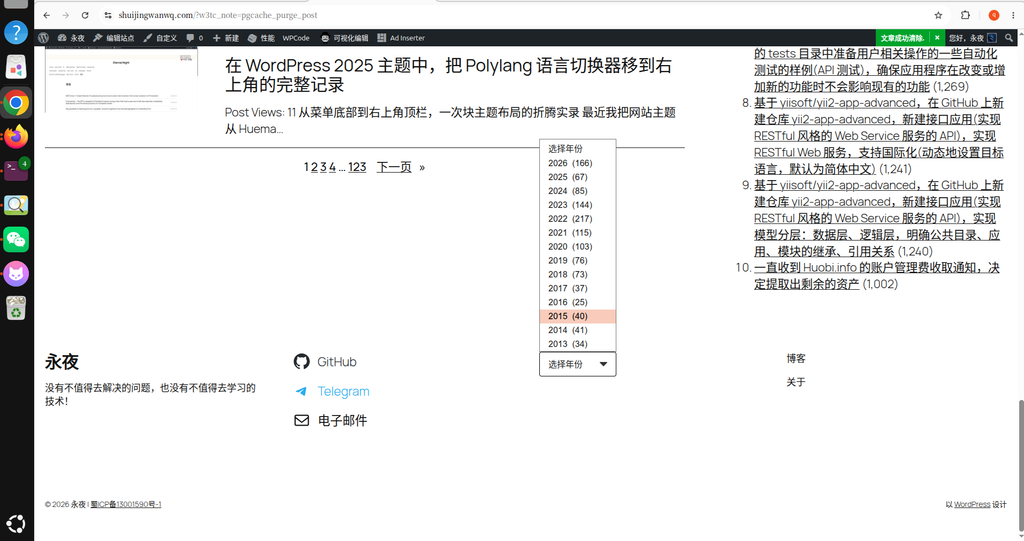
As a tech blog grows over time, the number of articles increases. If the archive list is displayed directly in the footer—spanning over a dozen years from 2013 (34), 2014 (41)... to 2026 (166)—it becomes extremely lengthy, stretching the footer to an excessive height, causing too much whitespace in the middle, and looking incredibly ugly.
My solution was to change the “Archives” into a dropdown menu. WordPress natively provides this option. However, the native dropdown menu style is very ugly (especially in browsers like Chrome, which display native buttons that clash with the theme).
I completely beautified this dropdown menu by defining a set of CSS styles.
Step 5: Apply CSS to Beautify the Dropdown Menu
Ultimately, the Chinese and English footers feature a very refined dropdown box with a custom black arrow, a compact frame, and a width that automatically adapts to the content.
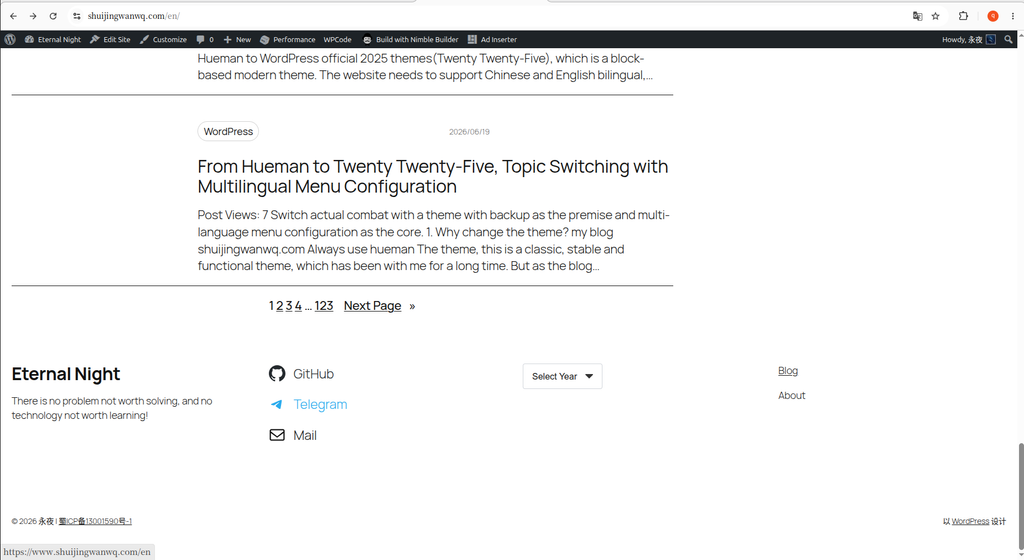
🎁 Appendix: Core CSS Code for the Dropdown Menu Compatible with Categories and Archives
If you encounter the same issue, you can copy the following code directly into the Appearance -> Customize -> Additional CSS section in the WordPress backend, and the dropdown menu will instantly look more sophisticated:
/* ==========================================================================
   🔥 分类/归档 下拉菜单样式优化
   ========================================================================== */
/* 联合选择器,同时锁定分类下拉和归档下拉 */
.wp-block-categories-dropdown select.postform,
select[name="archive-dropdown"],
.wp-block-archives select {
    -webkit-appearance: none !important;
    -moz-appearance: none !important;
    appearance: none !important;
    background-color: #ffffff !important;
    border: 1px solid #d1d5db !important;
    border-radius: 4px !important;
    padding: 10px 44px 10px 16px !important;
    min-height: 46px !important;
    min-width: 120px !important;  /* 保证文字不拥挤 */
    width: fit-content !important; /* 自适应宽度,解决太宽的问题 */
    font-size: 16px !important;
    color: #1a1a1a !important;
    cursor: pointer !important;
    outline: none !important;
    /* 自定义黑色下拉箭头 SVG */
    background-image: url("data:image/svg+xml;charset=US-ASCII,%3Csvg%20xmlns%3D%22http%3A%2F%2Fwww.w3.org%2F2000%2Fsvg%22%20width%3D%22292.4%22%20height%3D%22292.4%22%3E%3Cpath%20fill%3D%22%23333333%22%20d%3D%22M287%2069.4a17.6%2017.6%200%200%200-13-5.4H18.4c-5%200-9.3%201.8-12.9%205.4A17.6%2017.6%200%200%200%200%2082.2c0%205%201.8%209.3%205.4%2012.9l128%20127.9c3.6%203.6%207.8%205.4%2012.8%205.4s9.2-1.8%2012.8-5.4L287%2095c3.5-3.5%205.4-7.8%205.4-12.8%200-5-1.9-9.2-5.5-12.8z%22%2F%3E%3C%2Fsvg%3E") !important;
    background-repeat: no-repeat !important;
    background-position: right 16px center !important;
    background-size: 14px !important;
}

/* 鼠标悬浮边框变色 */
.wp-block-categories-dropdown select.postform:hover,
select[name="archive-dropdown"]:hover,
.wp-block-archives select:hover {
    border-color: #000000 !important;
}After these modification steps, my footer now not only retains the blog’s brand identity and provides clear social contact methods, but also resolves the pain points of multilingual navigation and archive display. If you are also tinkering with the WordPress 2025 theme, I hope this record provides some useful reference for you!