

Introduction
During website operations, ad revenue is one of the important sources of income. By analyzing our website data, I found that although the automatic ad system is convenient, it cannot achieve optimal results in certain situations. The data showed that automatic ads performed poorly on some pages and lacked precise control over ad placement and type. Therefore, I decided to turn off automatic ads and switch to a manual management approach, using the WPCode plugin to achieve more granular ad control.
Data-Driven Decision
Limitations of Automatic Ads
By analyzing the website data, I found the following issues with automatic ads:
- Suboptimal ad placement, which affects user experience
- Poor matching between ad types and content
- Significant fluctuations in ad revenue, making it difficult to predict
- Inability to optimize ad strategies for specific pages
Advantages of Manual Management
Based on data analysis, managing ads manually offers the following benefits:
- Precise control over ad placement, improving user experience
- Selecting the most appropriate ad type based on page content
- Optimizing ad revenue by increasing click-through and conversion rates
- Adjusting ad strategies more flexibly
Ad Configuration Process
Step 1: Ad Unit Setup
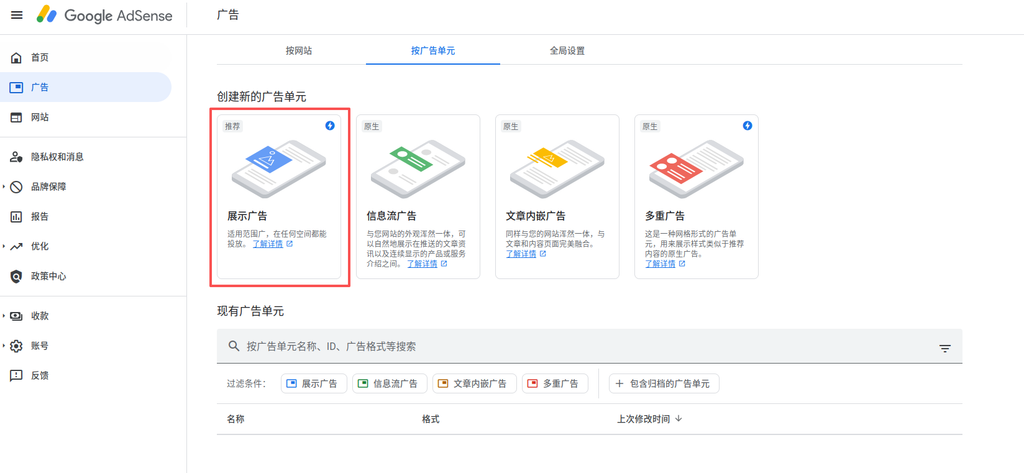
First, configure the ad unit in Google AdSense. Figure 1 shows the ad management interface, where we select the “Display ads” type. This is the most common ad format, suitable for displaying at the bottom of articles.
Step 2: Select Ad Format
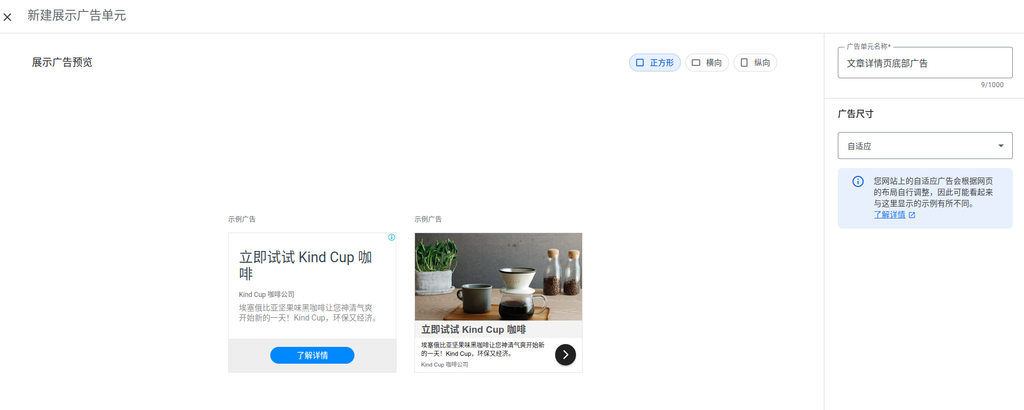
Figure 2 shows the selection of the square responsive ad format. This format offers the following advantages:
- Responsive design that adapts to various device screens
- Maintains ad proportions, enhancing the visual experience
- Suitable for display needs on both mobile and desktop
Step 3: Get Ad Code
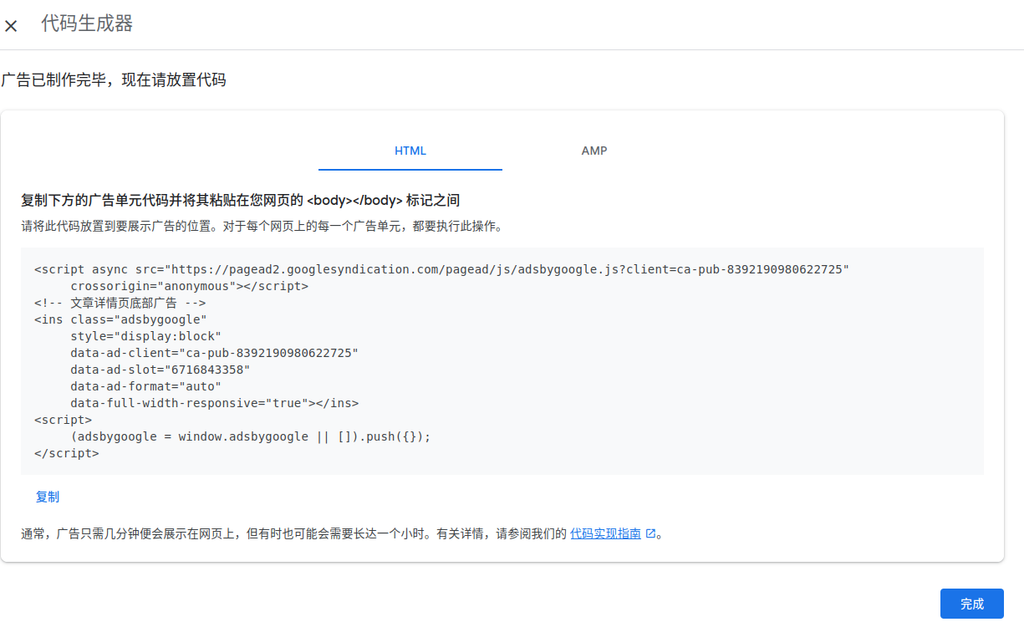
Figure 3 shows the steps for copying the HTML code. This step is crucial for manual ad management:
- Copy the generated HTML code from the ad platform
- Ensure the code contains the correct tracking and display logic
- Save the code for later use in WPCode
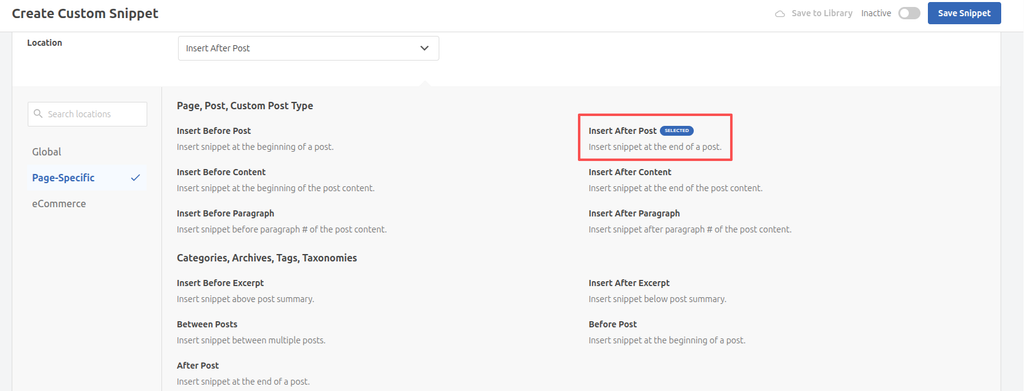
Step 4: Configure in WPCode (Figure 4)
The final step is to set up the ad code in WPCode:
- Select “HTML Snippet” as the code type
- Set the insertion location to “Insert After Post”
- Configure the display conditions and priority for the ad
WPCode Configuration Details
Create an HTML Snippet
Create a new HTML snippet in WPCode and paste the copied ad code into it.
Set Insertion Location
As shown in Figure 4, select the “Insert After Post” location to ensure the ad is displayed after the article content, without affecting the reading experience.
Optimize Ad Display
Through WPCode’s advanced settings, you can further optimize ad display:
- Set ad display conditions (such as specific categories or tags)
- Adjust ad priority
- Add lazy loading to improve page performance
Data-Driven Optimization Strategy
Adjustments Based on User Behavior
By analyzing user behavior data, we can:
- Increase ad displays on high-traffic pages
- Adjust ad types on pages with low conversion rates
- Optimize ad formats based on user device types
Revenue Maximization Strategy
Managing ads manually allows us to:
- Test different ad placements and formats
- Optimize the ad fill rate
- Increase the cost per thousand impressions (CPM)
Implementation Recommendations
Code Optimization
When configuring the ad code in WPCode, it is recommended to:
- Add appropriate conditional logic to ensure ads only appear on specific pages
- Optimize the code loading order to avoid blocking page rendering
- Consider using asynchronous loading to improve user experience
Testing and Validation
After implementation, be sure to conduct thorough testing:
- Verify ad display effects across different devices and browsers
- Check ad loading performance and tracking accuracy
- Monitor ad revenue and user feedback
Conclusion
Switching from automatic ads to manual management is a wise decision based on data analysis. Through the WPCode plugin, we can achieve more granular ad control, improving both ad performance and user experience. Although this process requires more manual operations, in the long run, it leads to better ad management and website performance.