

I recently decided to seriously run my tech blog, and the first step was submitting the sitemap to major search engines. I thought it would be a simple task, but I ran into quite a few pitfalls—Bing’s import came up empty, Baidu required linking an entity, and Sogou even asked for a composite photo of both sides of my ID card… Fortunately, I resolved them all in the end. This article documents my complete operational process, and I hope you find it helpful.
Background
My blog uses WordPress + the Hueman theme, and I had never actively submitted a sitemap before. I recently decided to run it properly, especially to improve traffic sources, so I decided to submit the site to the five major search engines: Google, Bing, Baidu, 360, and Sogou.
The sitemap URL is a standard WordPress index sitemap: https://www.shuijingwanwq.com/wp-sitemap.xml
1. Google Search Console (Smoothest)
Google’s submission process is the simplest. Just visit Google Search Console, add your site, and verify ownership (DNS verification is recommended).
Once verified, find “Sitemaps” in the left menu, enter /wp-sitemap.xml, and click submit (see Figure 1).
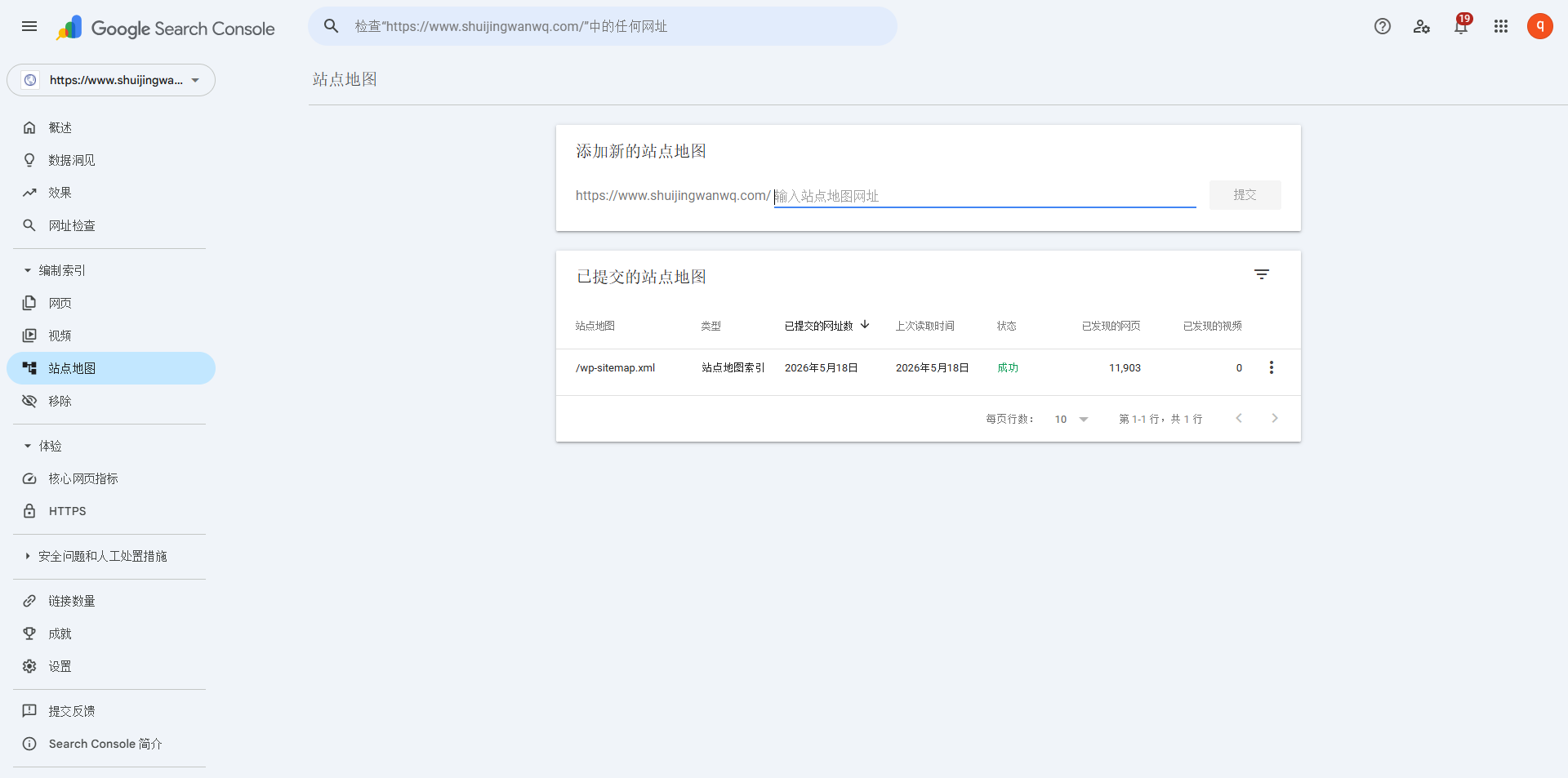
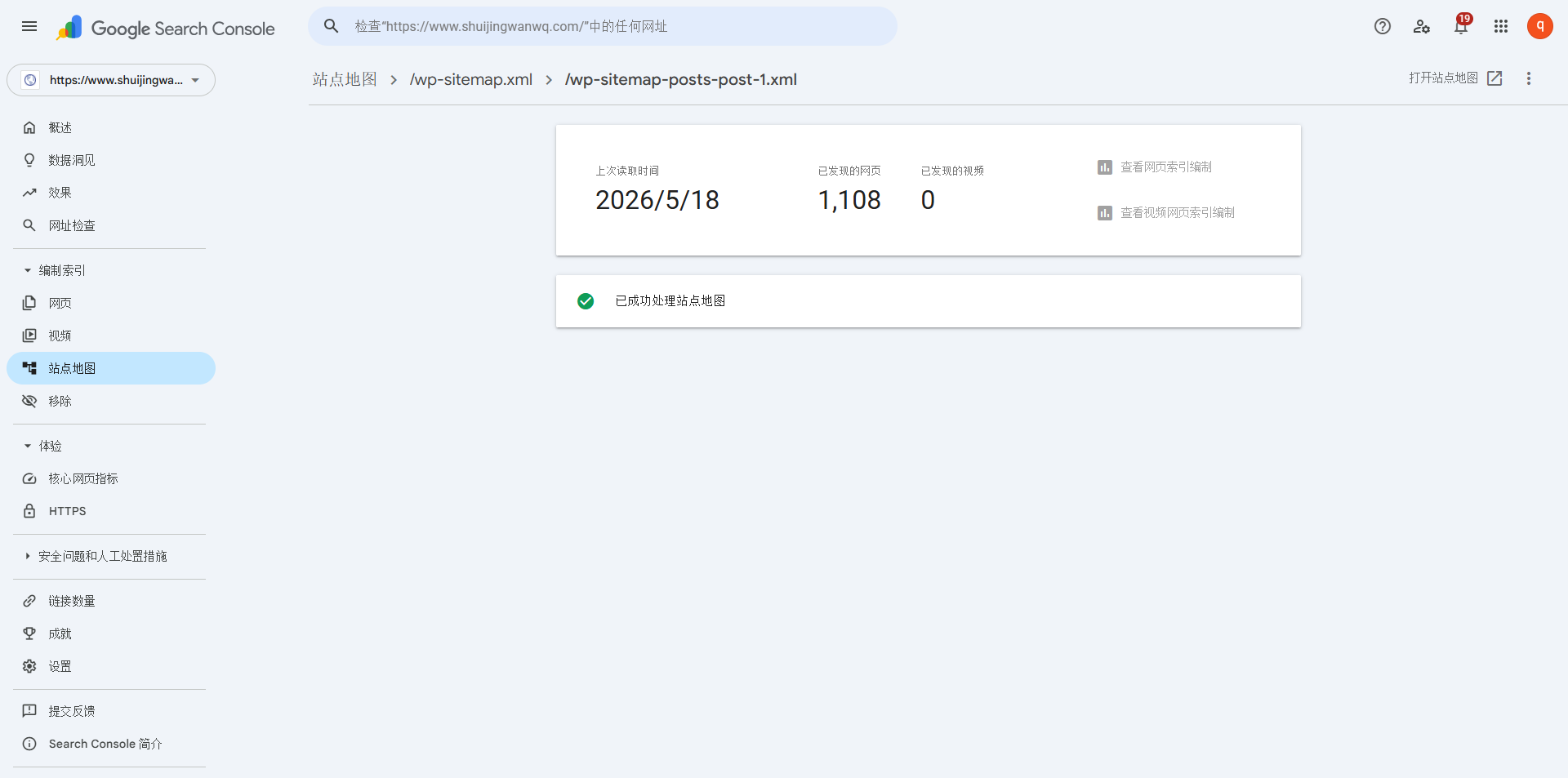
Google supports index sitemaps, so one submission did the trick. I previously encountered a 500 error, which I fixed later; after resubmitting, the status updated to normal in about two days. See Figure 11.
2. Bing Webmaster Tools (Imported from Google, with a few hiccups)
Bing has a very convenient feature: you can import your site directly from Google Search Console, saving you the hassle of repeating the verification.
Log in to Bing Webmaster Tools, click “Import”, select “Import from Google Search Console”, and authorize it as prompted.
⚠️ I hit a snag here: after the first import, the sitemap page was blank with no data at all.
So I decided to manually re-import—importing from Google again. After the second import succeeded, the site already existed, but the sitemap was still blank, so I ultimately decided to submit it manually. (See Figure 2).
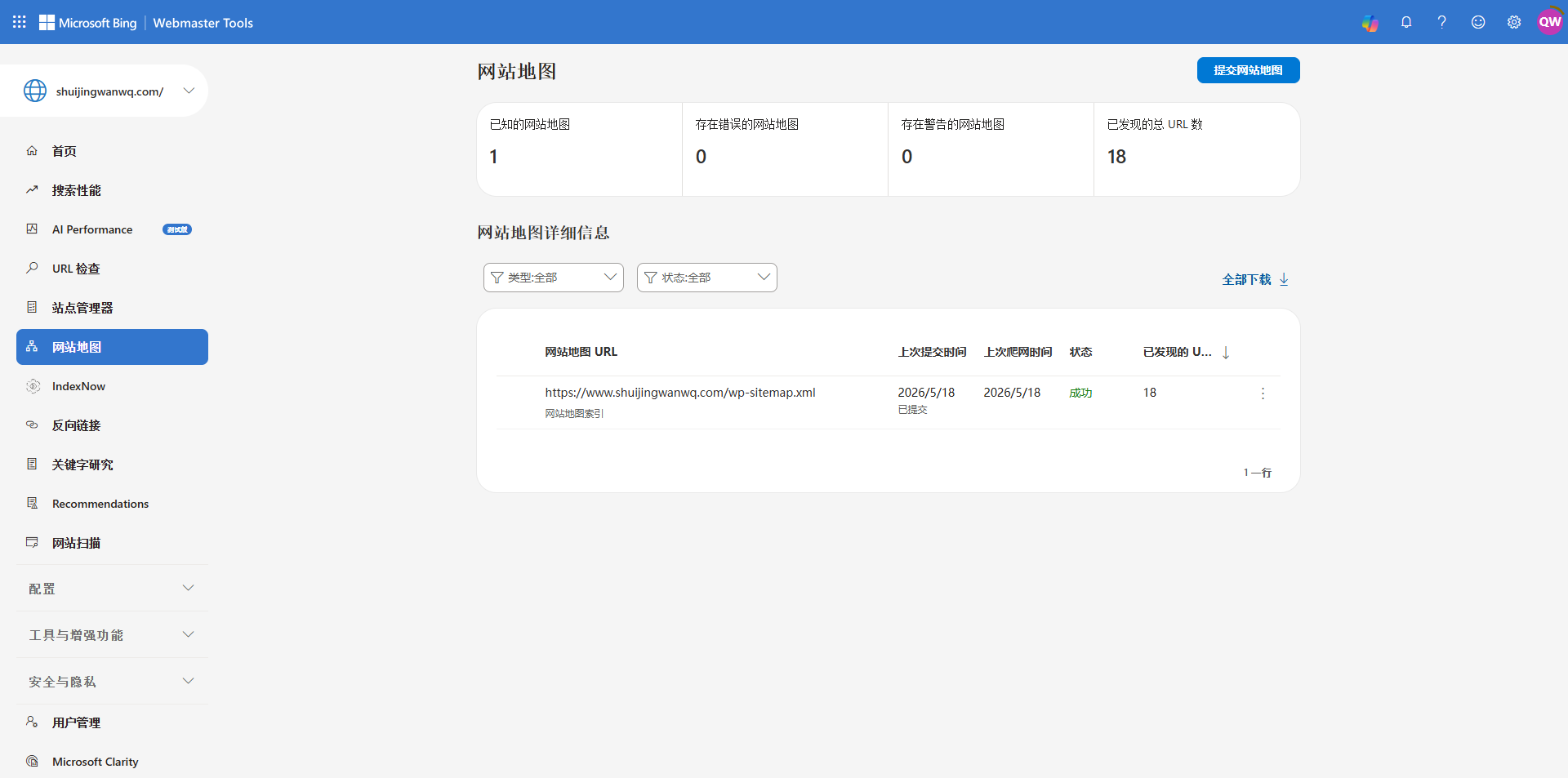
Tip: If your first import comes up empty, don’t just wait around—redo it, and it will likely succeed.
3. Baidu Search Resource Platform (Entity linking + unable to submit index sitemap)
Baidu was the most troublesome, mainly due to two hurdles.
- Site type setting
My Hueman theme is a responsive website, so I selected “Responsive site” under “Site properties” in the Baidu backend.
- Regular Inclusion – sitemap, prompt: Today’s submission limit: 0 items. Today’s submission quota: 0 items. See Figure 3
- Linking an entity
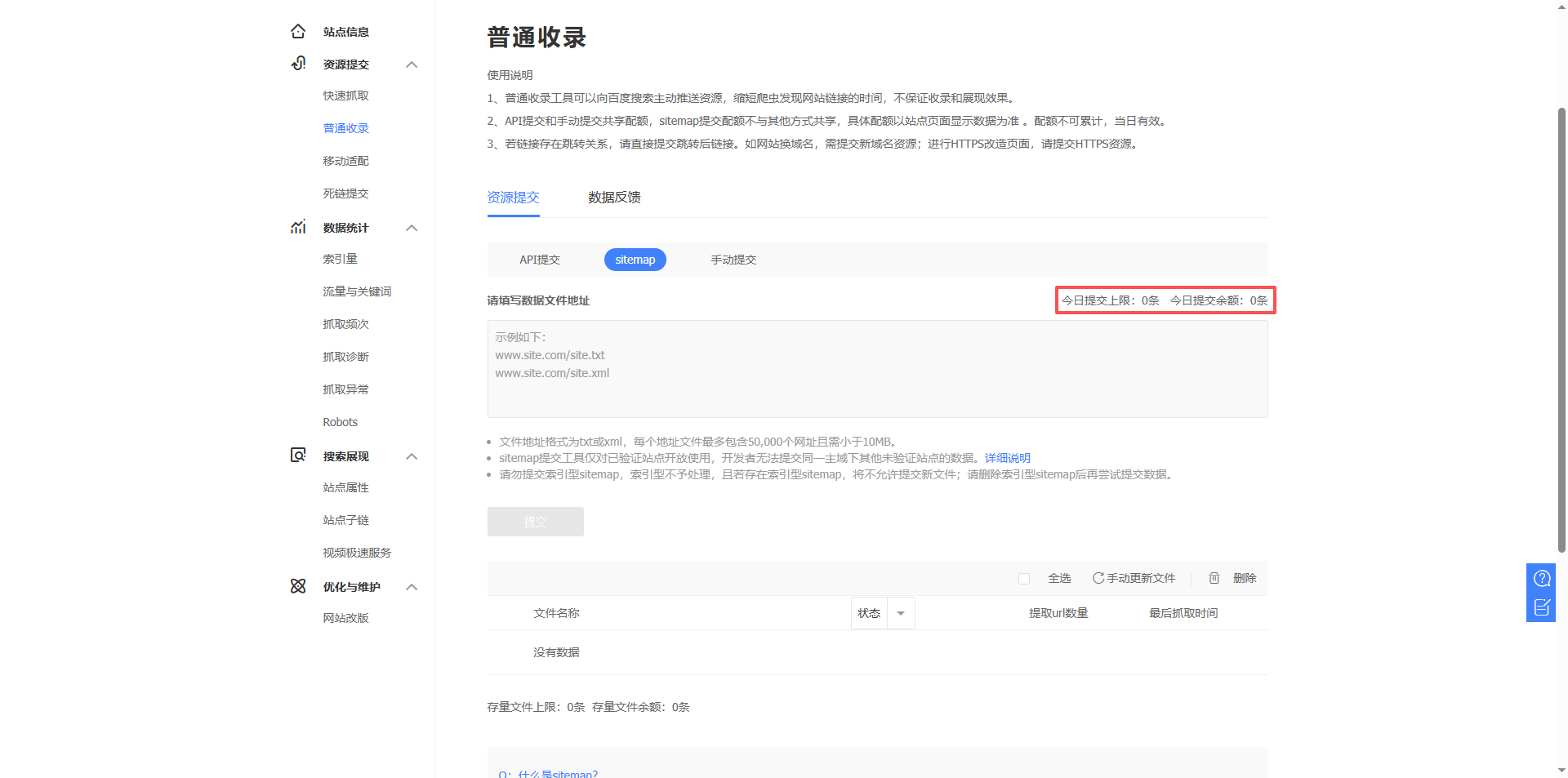
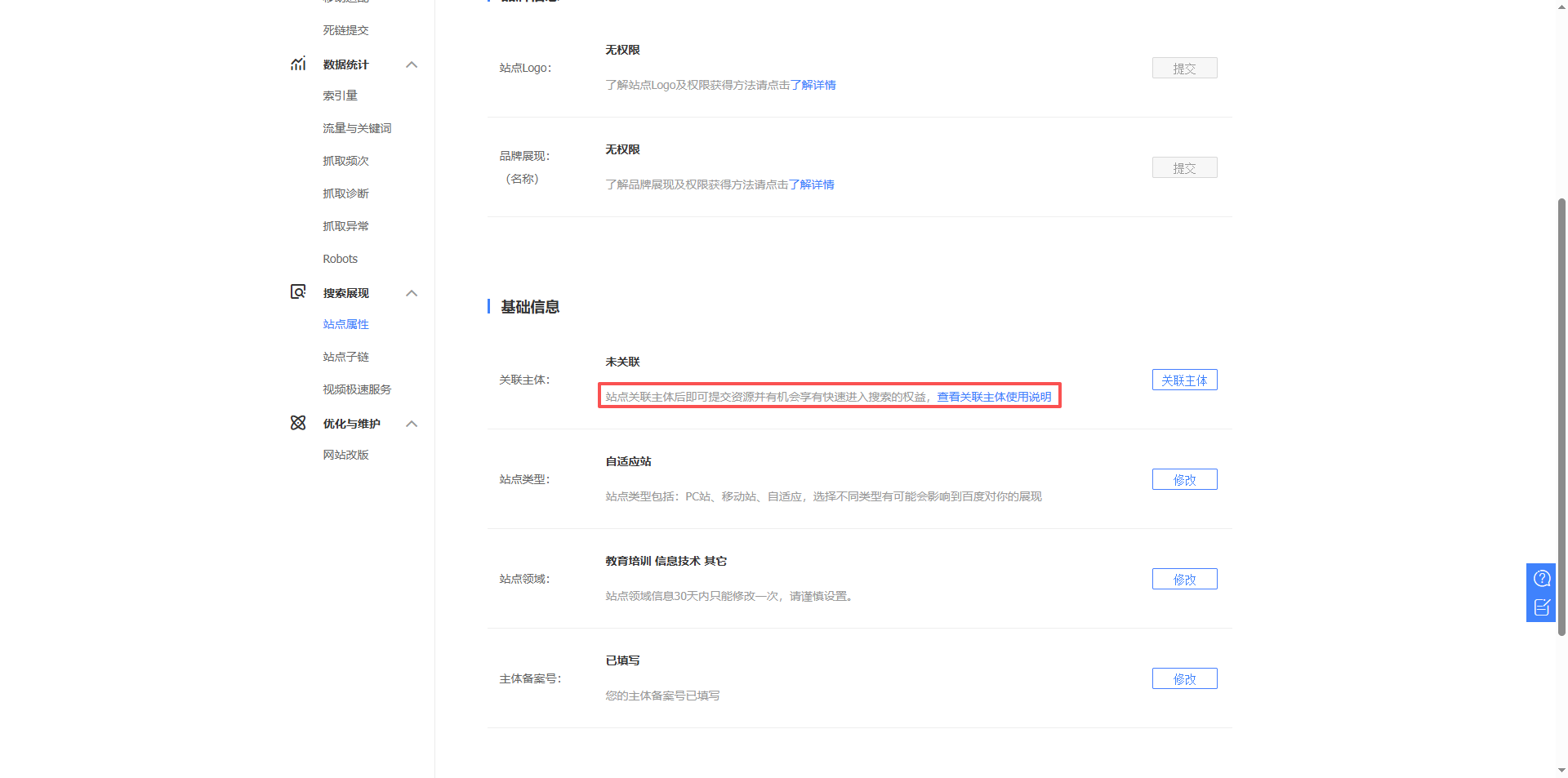
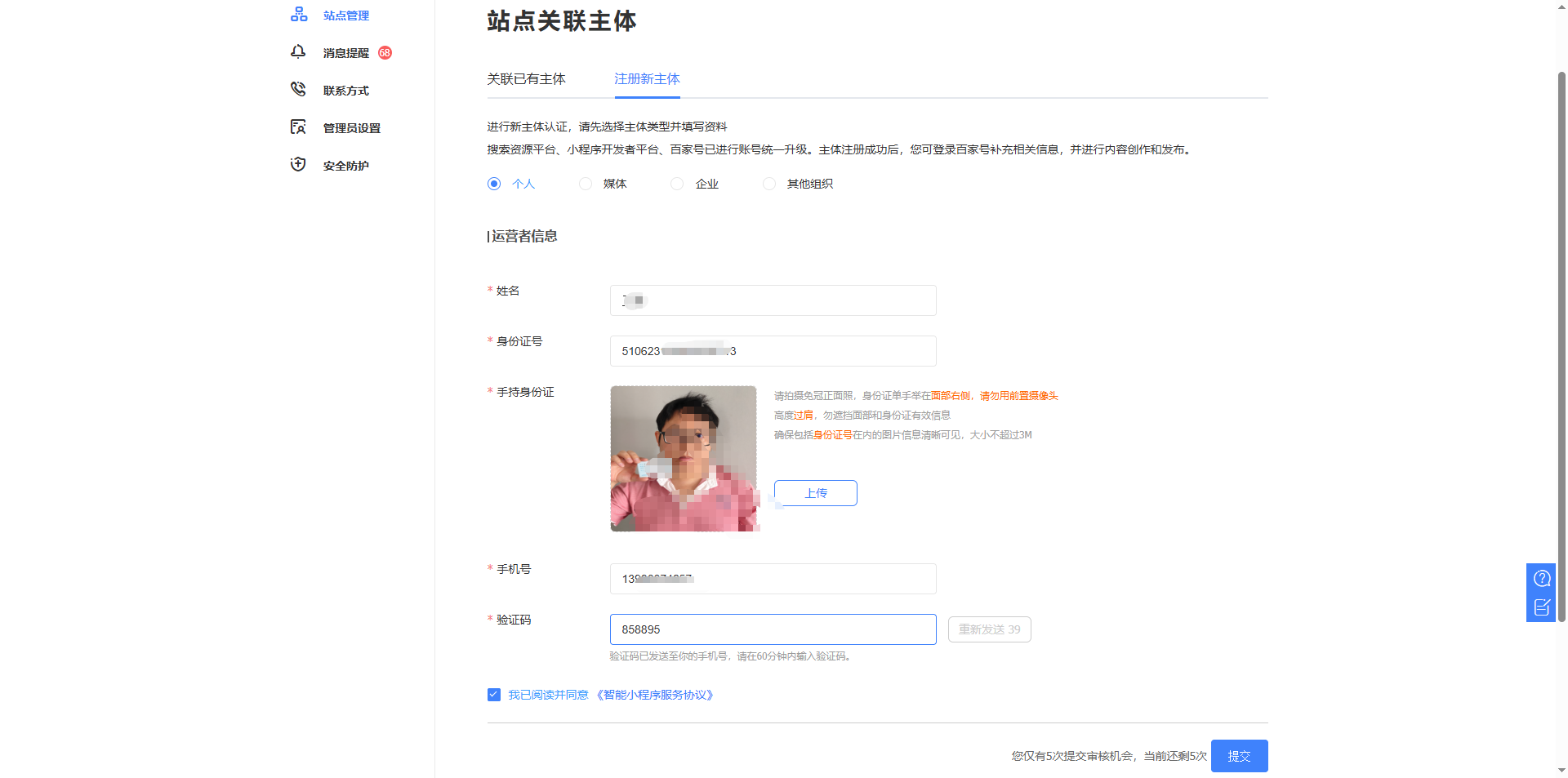
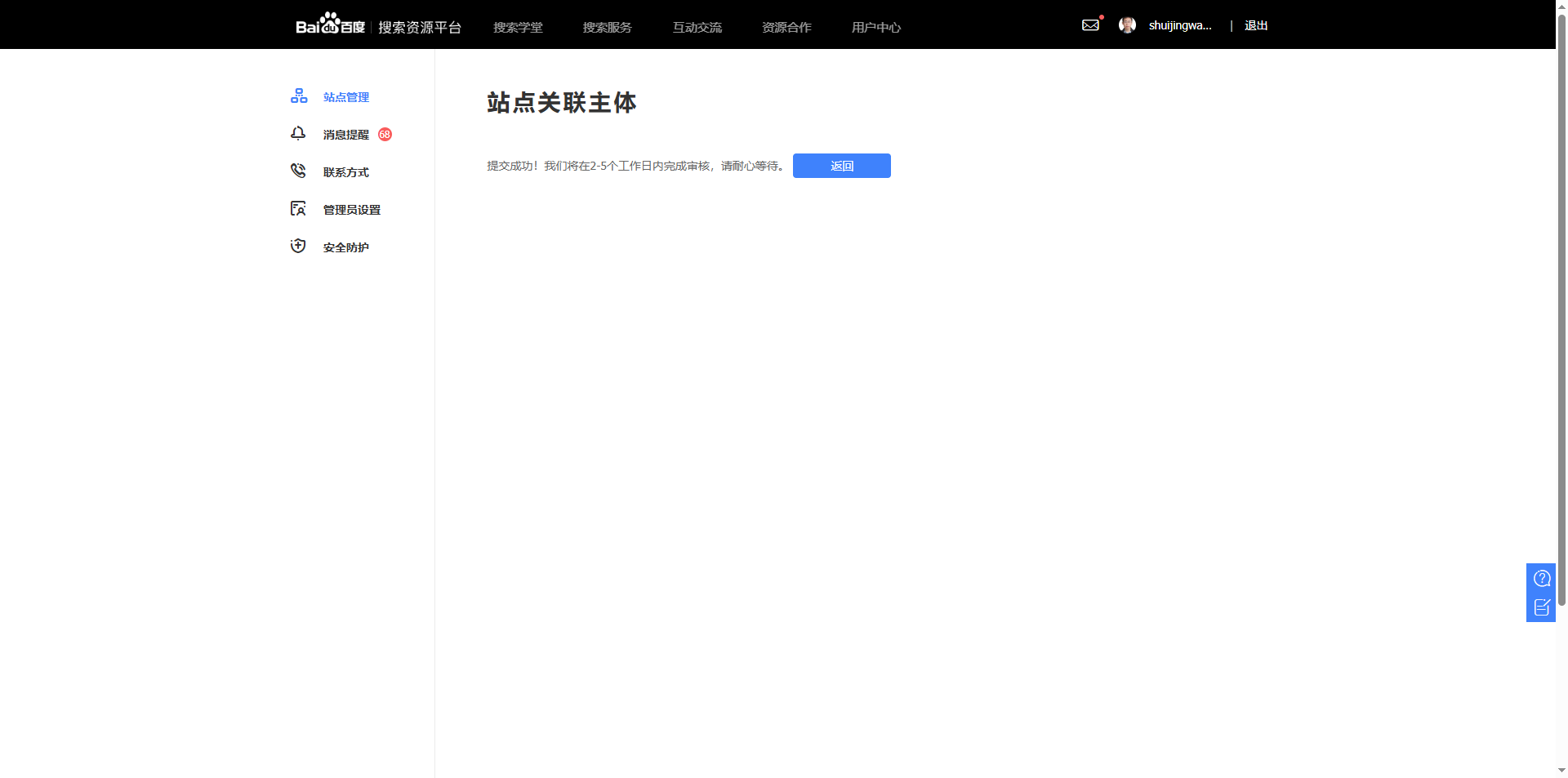
Baidu now requires sites to link an entity (personal or corporate) to use the Sitemap submission feature (presumably) (see Figure 4). I went to “Site Management” → “Link Entity”, registered a new entity, filled in my personal information, and submitted it for review (see Figure 5). The review takes 2-5 business days (see Figure 6), and I am currently still waiting.
- Unable to submit index sitemap
What’s more troublesome is that Baidu does not support index sitemaps (i.e., the /wp-sitemap.xml type). If you submit it directly, not only will it not be processed, but it will also cause the entire Sitemap feature to be locked.
The correct approach is to submit child sitemaps, such as:
https://www.shuijingwanwq.com/wp-sitemap-posts-post-1.xml(posts)https://www.shuijingwanwq.com/wp-sitemap-posts-page-1.xml(pages)
Once the entity review is approved, I will submit these child sitemaps.
4. 360 Webmaster Platform (Most hassle-free)
360’s submission process is very smooth, with no extra restrictions.
Log in to the 360 Webmaster Platform, add your site, and complete the verification (file verification is recommended). Then go to “Site Management” → “Sitemap” and directly submit the index sitemap https://www.shuijingwanwq.com/wp-sitemap.xml. See Figure 7.
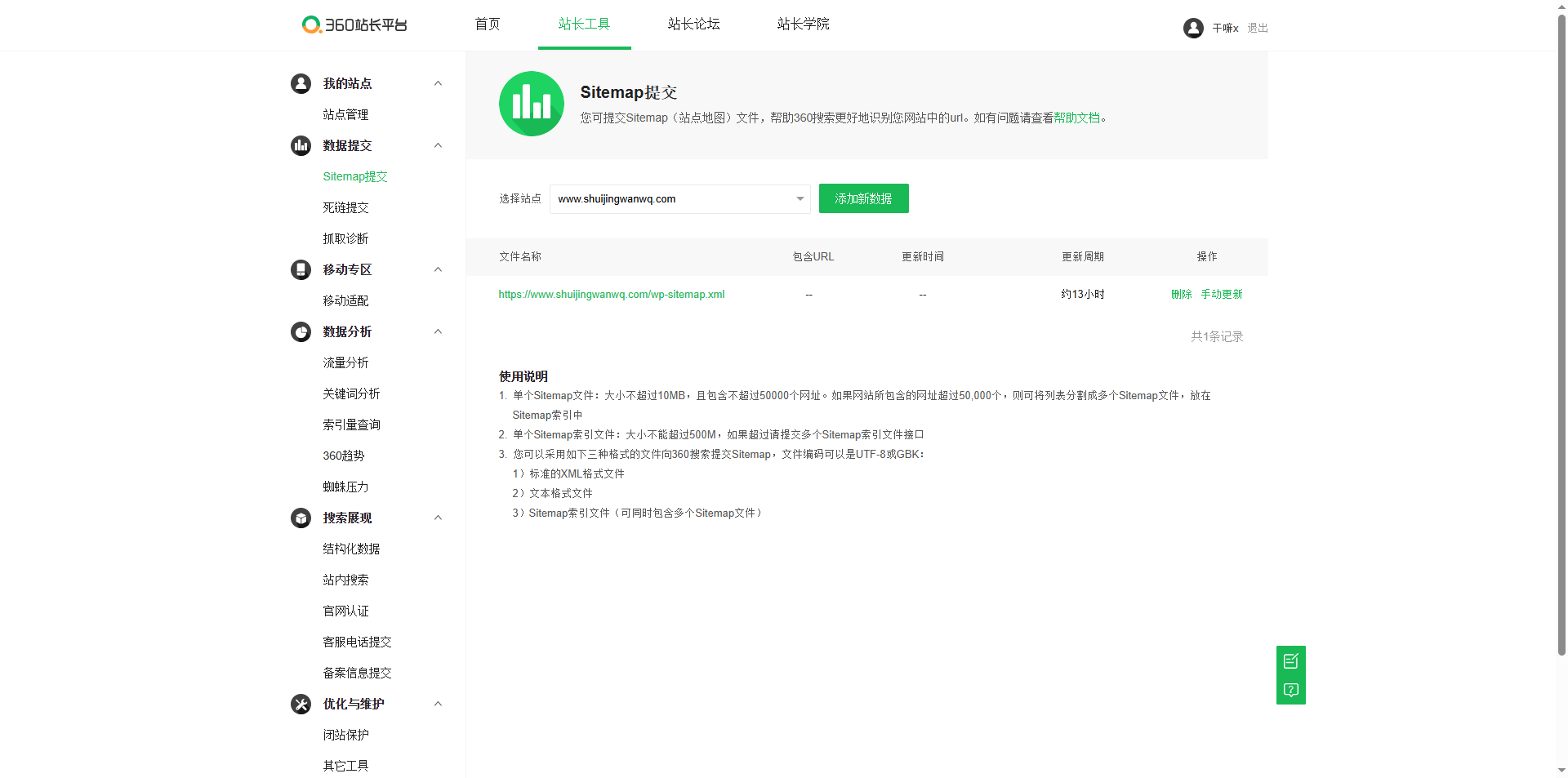
360 explicitly supports index sitemaps, which is clearly stated in their official documentation. It takes effect immediately upon submission, with no need to wait for a review.
5. Sogou Webmaster Platform (Strictest review, also requires a processed ID photo)
Sogou was the most troublesome one. Not only are features restricted, but it also requires real-name verification.
- Sitemap is invitation-only
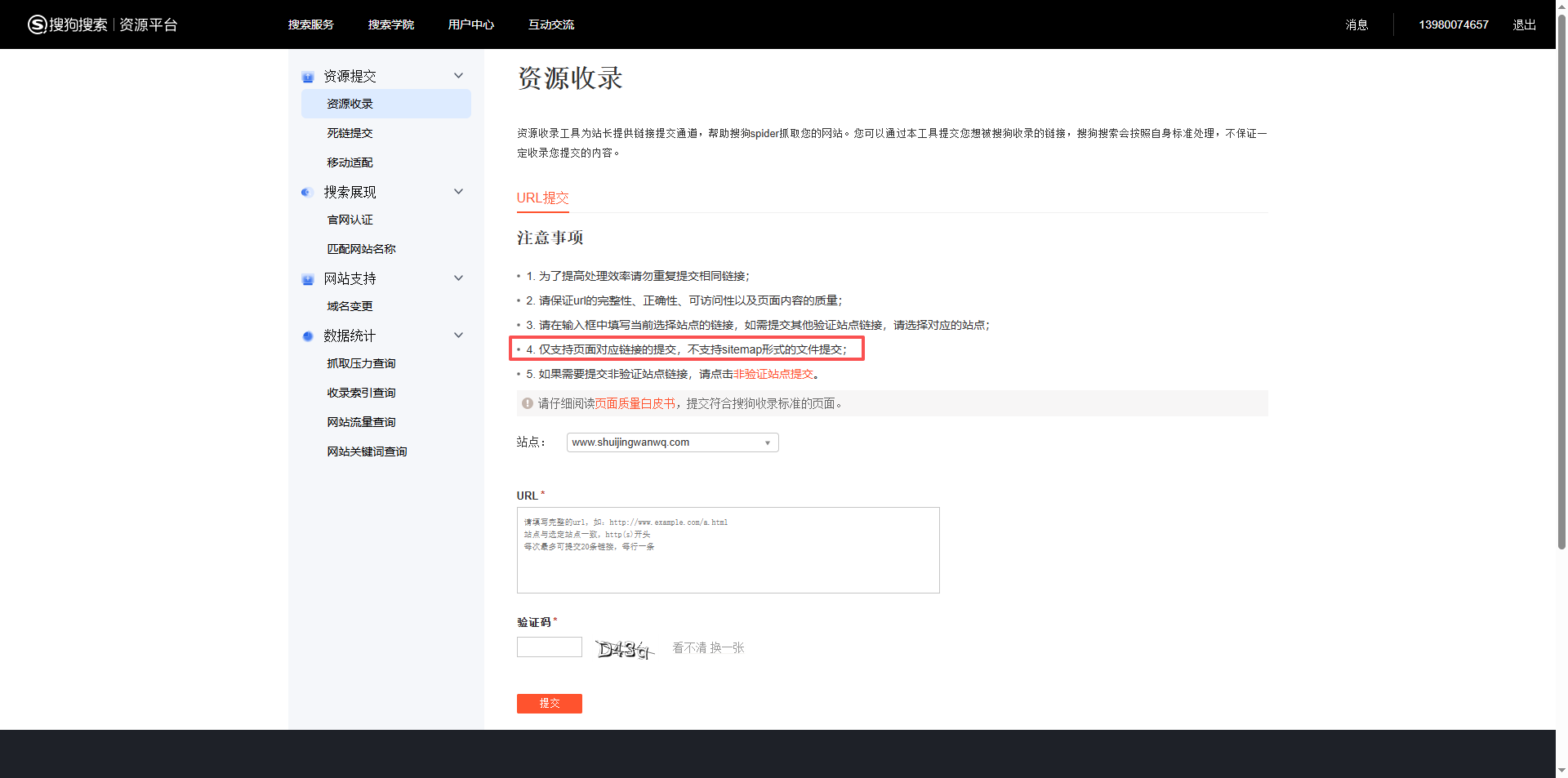
Sogou’s Sitemap submission feature is not open to everyone by default; it requires an invitation or application. I tried the standard entrance and found I couldn’t submit directly. See Figure 8.
- Must become a “Website Owner” first
To gain submission eligibility, you must first pass a qualification review. Go to the Sogou Webmaster Platform, find “Qualification Submission” under “Website Management”, and upload the following as required:
- A composite image of the front and back of your ID card on a single picture (only JPG/PNG supported, size not exceeding 5MB)
- Other website verification information
- ID card composite operation
I had two photos on hand: one of the front and one of the back. I needed to combine them into a single image (front on top, back on the bottom).
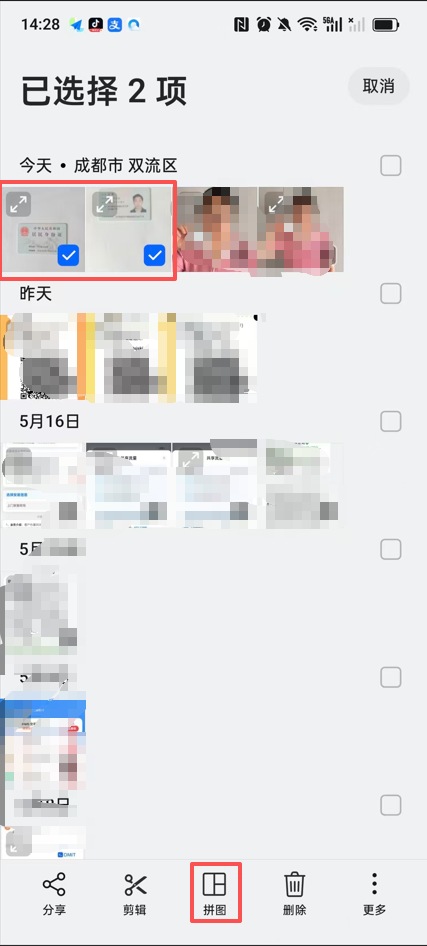
I used the built-in “Collage” feature in my phone’s photo album, selected the “Top-Bottom” layout, and it was done in a second (see Figure 9). If your phone doesn’t have this feature, you can also use the ID card composite feature in the “Lingqiao Xiaogongju” WeChat mini-program.
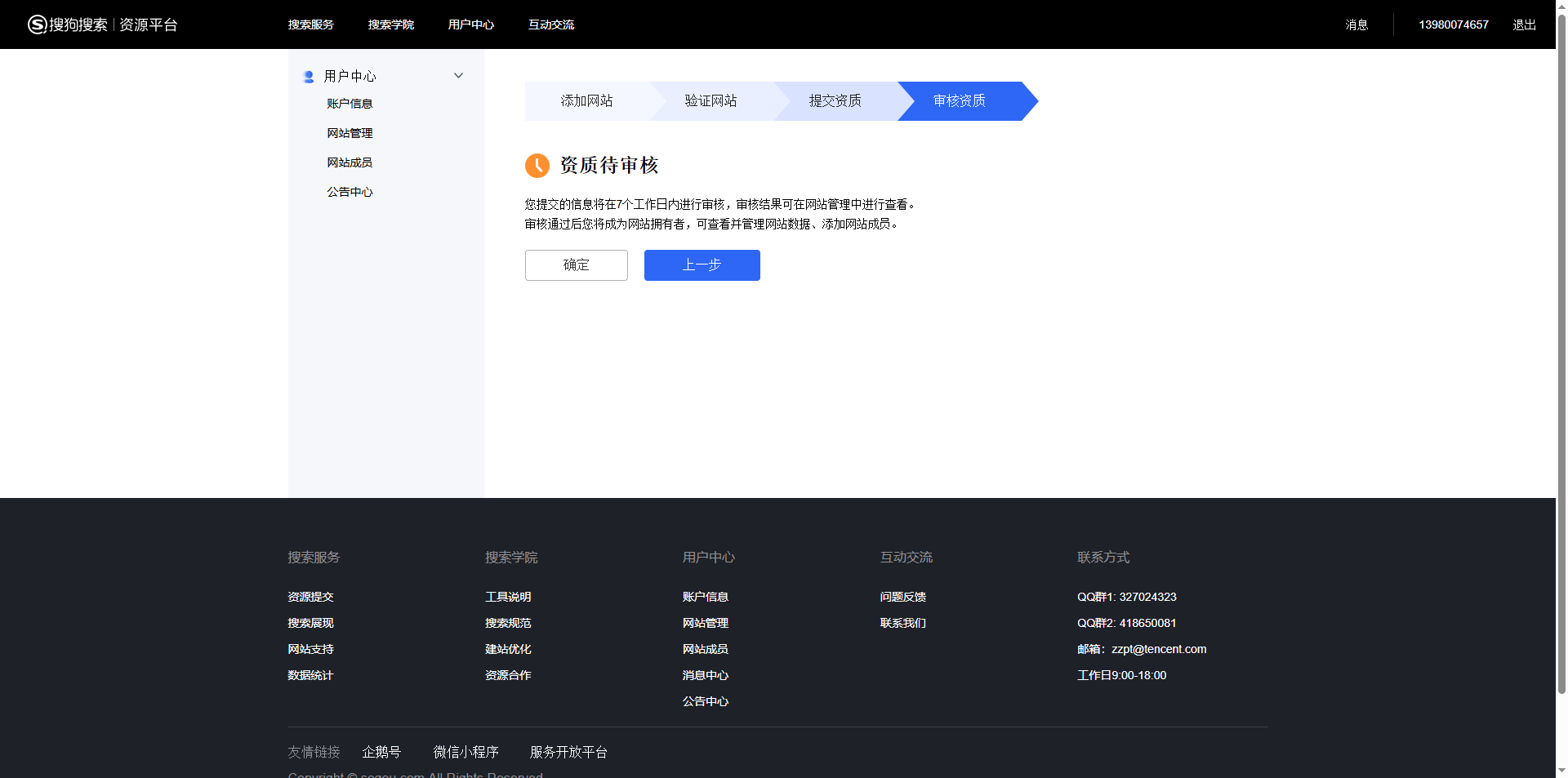
After submission, the system prompted: “Qualification pending review, will be completed within 7 business days” (see Figure 10). Only after passing can I become a website owner and subsequently use the Sitemap submission feature.
6. Summary and Tips
| Search Engine | Supports Index Sitemap | Requires Qualification Review | Difficulty |
|---|---|---|---|
| ✅ Yes | No | ⭐ Easy | |
| Bing | ✅ Yes (Imported from Google) | No | ⭐⭐ Watch out for empty import |
| Baidu | ❌ No | Yes (Link entity) | ⭐⭐⭐⭐ Complex |
| 360 | ✅ Yes | No | ⭐ Easy |
| Sogou | Invitation-only (Requires qualification review) | Yes (ID card) | ⭐⭐⭐⭐⭐ Most troublesome |
A few practical takeaways
- Don’t panic if Bing import is empty: re-import once, and it will likely succeed.
- Make sure to submit child sitemaps for Baidu: do not touch
/wp-sitemap.xml, or your quota will be locked. - 360 is the most hassle-free: just submit the index sitemap directly.
- Prepare your ID card composite photo for Sogou in advance: you can make it using your phone’s collage feature, no extra tools needed.
- Patience is mandatory: Baidu’s review takes about 2-5 business days, and Sogou’s review takes about 7 business days. This is the perfect time to focus on updating your content.
I hope my experience with these pitfalls helps you avoid some detours. If you are also submitting a sitemap, feel free to leave a comment and chat~