1. The installation and configuration of awstats7.4 under Windows 10 64 bit to support the log analysis of Apache 2.4;
2. Install Perl, open: https://www.perl.org/, as shown in Figure 1, under Windows, it is divided into two versions: Strawberry Perl and ActiveState Perl, select ActiveState Perl here;

3. Open: http://www.activestate.com/activeperl/downloads, as shown in Figure 2, download the 64-bit version;

4. Install perl; prompt error: As shown in Figure 3, the installation package cannot be opened. Please contact the application vendor to confirm this is a valid Windows Installer package.

5. Download the 64-bit version of 5.22.0.2200, as shown in Figure 4, the name is: ActivePerl- 5.22.0.2200-mswin32-x64-299195.msi, no more errors are prompted.

6. During the installation process, an error is reported: The selected directory contains an incompatible version of active perl, please choose a different installation location!
The selected directory contains versions that are not compatible with ActivePerl, please choose a different installation location! Uninstall first, then reinstall and install;


7. Run in cmd.exe: perl -v, run normally;

8. Open: http://www.awstats.org/ , download awstats-7.4, install awstats, copy awstats-7.4 to e:\wwwroot\awstats-7.4;
9. Run: E:\wwwroot\awstats-7.4\tools>perl awstats_configure.pl


10. Modification: C:/apache24/conf/httpd.conf
addhandler cgi-script .cgi
AddHandler CGI-Script .pl
#
# directives to allow use of awstats as a CGI
#
alias /awstatcclasses “e:/wwwroot/awstats-7.4/wwwroot/classes/”
alias /awstatscss “e:/wwwroot/awstats-7.4/wwwroot/css/”
alias /awstatsicons “e:/wwwroot/awstats-7.4/wwwroot/icon/”
scriptalias /awstats/ “e:/wwwroot/awstats-7.4/wwwroot/cgi-bin/”
#
# this is to permit url access to scripts/files in awstats directory.
#
<directory “e:/wwwroot/awstats-7.4/wwwroot”>
Options FollowSymlinks ExecCGI
AllowOverride None
order allow, deny
Allow from all
</directory>


11. Modification: E:\wwwroot\awstats-7.4\wwwroot\cgi-bin\awstats.kcuc.ygt.cm.conf
logfile=”c:/apache24/logs/kcuc.ygt.cm-access_log”
sitedomain=”kcuc.ygt.cm”
lang=”cn”
allowToUpdateStatsFromBrowser=1 //Settings can run the update process from your browser
12. Modification: E:\wwwroot\awstats-7.4\wwwroot\cgi-bin\awstats.pl
#!C:/Perl64/bin/Perl.exe

13. Run: perl awstats.pl -config=kcuc.ygt.cm -update, as shown in Figure 17

14. Open: http://localhost/awstats/awstats.pl?config=kcuc.ygt.cm , as shown in the figure

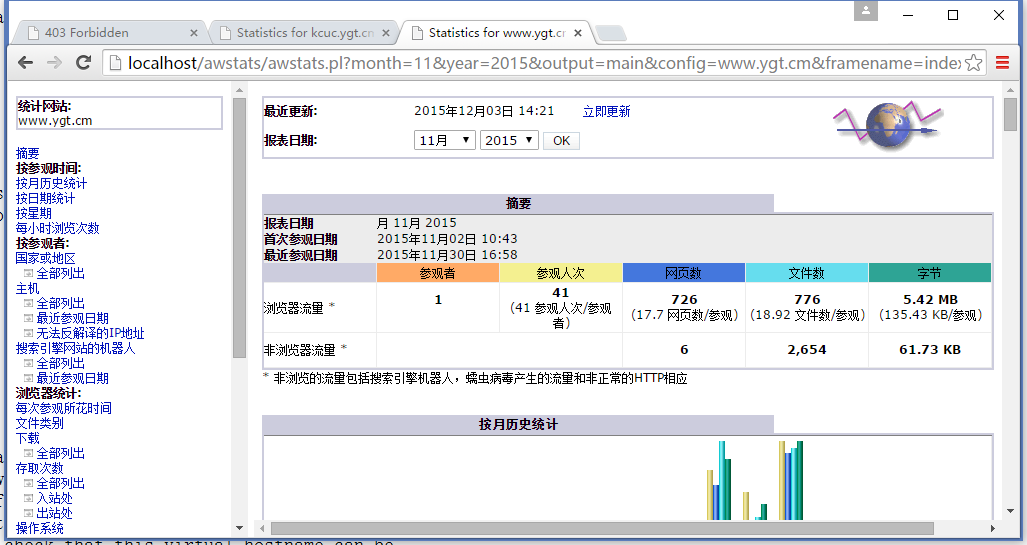
15. Let it support the statistics of multiple websites, copy: e:\wwwroot\awstats-7.4\wwwroot\cgi-bin\awstats.kcuc.ygt.cm.conf For: E:\wwwroot\awstats-7.4\wwwroot\cgi-bin\awstats.www.ygt.cm.conf
logfile=”c:/apache24/logs/www.ygt.cm-access_log”
sitedomain=”www.ygt.cm”
Leave a Reply