Debugging the implementation process of PHP source code in NetBeans IDE 8.1
1. When the debugging session is started, a set of debugger windows will be opened under the main editor window. In the debugger window, it keeps prompting waiting for the connection (netbeans-xdebug), as shown in Figure 1;

Figure 1
2. Analysis and discover the “debugging” tab of the “php” option, the session ID (session ID). Any name of the debug session. Default is netbeans-xdebug, as shown in Figure 2;

Figure 2
3. Set the xdebug.idekey attribute in php.ini, now it is: ppb07$, as shown in Figure 3;

Figure 3
4. Set the value of xdebug.idekey in php.ini to: netbeans-xdebug, as shown in Figure 4 and 5;

Figure 4

Figure 5
5. When the debugging session is started again, in the debugger window, it is still prompted to wait for the connection (netbeans-xdebug), as shown in Figure 6;

Figure 6
6, the general label of the “php” option, the php 5 interpreter is reset, as shown in Figure 7 and 8;

Figure 7

8
7. When the debugging session is started again, in the debugger window, it is still prompted to wait for the connection (netbeans-xdebug);
8. Set the value of xdebug.remote_enable in php.ini to: 1, as shown in Figure 9;

Figure 9
9. When the debugging session is started again, in the debugger window, it is still prompted to wait for the connection (netbeans-xdebug);
10. Set the value of xdebug.remote_host in php.ini to: 127.0.0.1, as shown in Figure 10;

Figure 10
11. When the debugging session is started again, in the debugger window, it has been prompted to run, as shown in Figure 11;
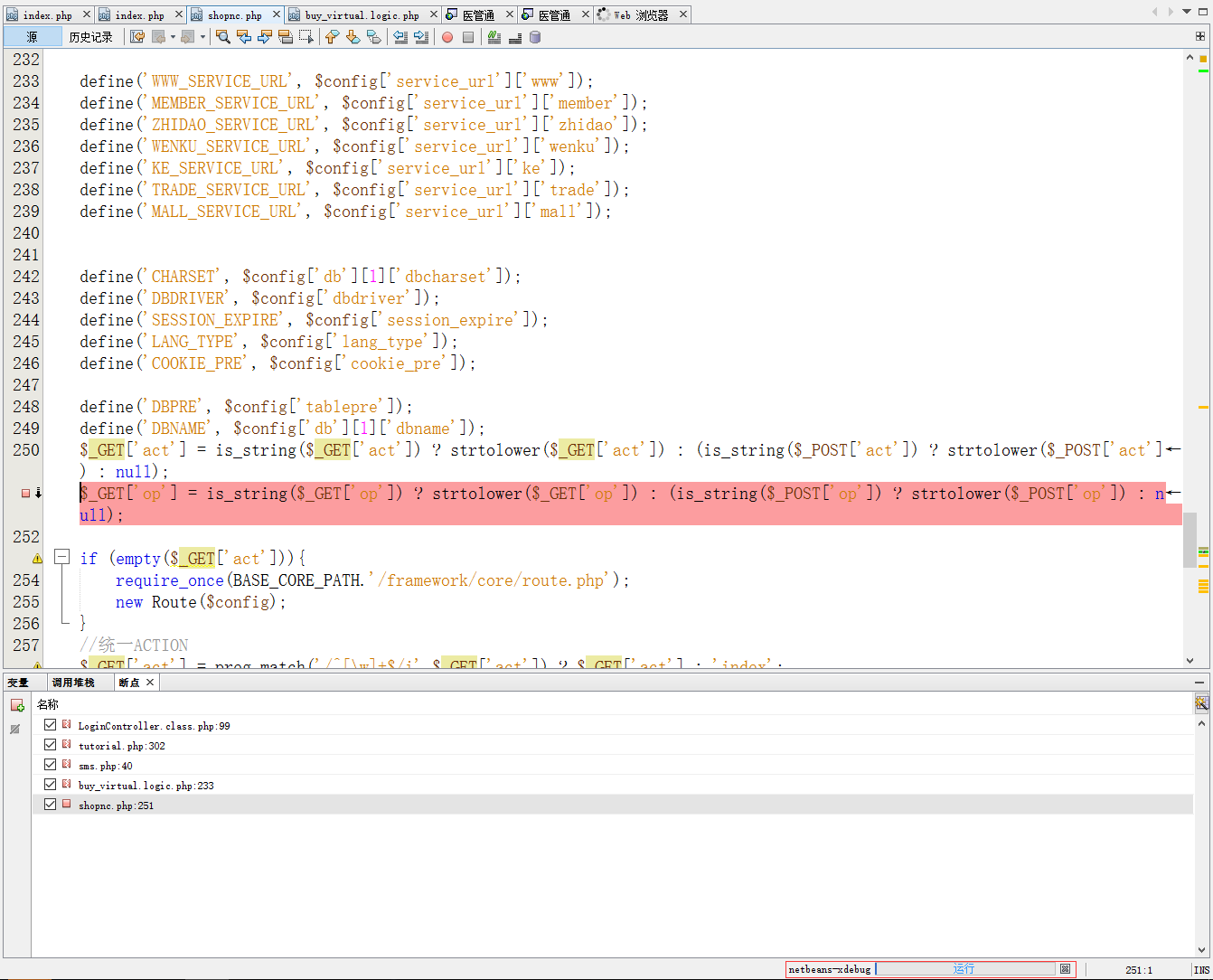
Figure 11
Note: The xdebug.idekey in php.ini can be commented out and can still run normally, but it is recommended to set it (such as in some remote debugging conditions), you must pay attention to this value;
![在 Navicat for MySQL 中,将表从一个数据库复制至另一个数据库时,报错:[ERR] 1292 - Incorrect datetime value: '0000-00-00 00:00:00' for column 'created_at_gmt' at row 1](https://www.shuijingwanwq.com/wp-content/uploads/2022/09/1-15-520x245.png)