Multi-tenant implementation of database migration in Yii 2 Starter Kit
1. The previous article:https://www.shuijingwanwq.com/2018/01/18/2328/
2. Refer to step 11, the DB component is moved to the development environment to facilitate the use of GII, \common\config\base.php, as shown in Figure 1
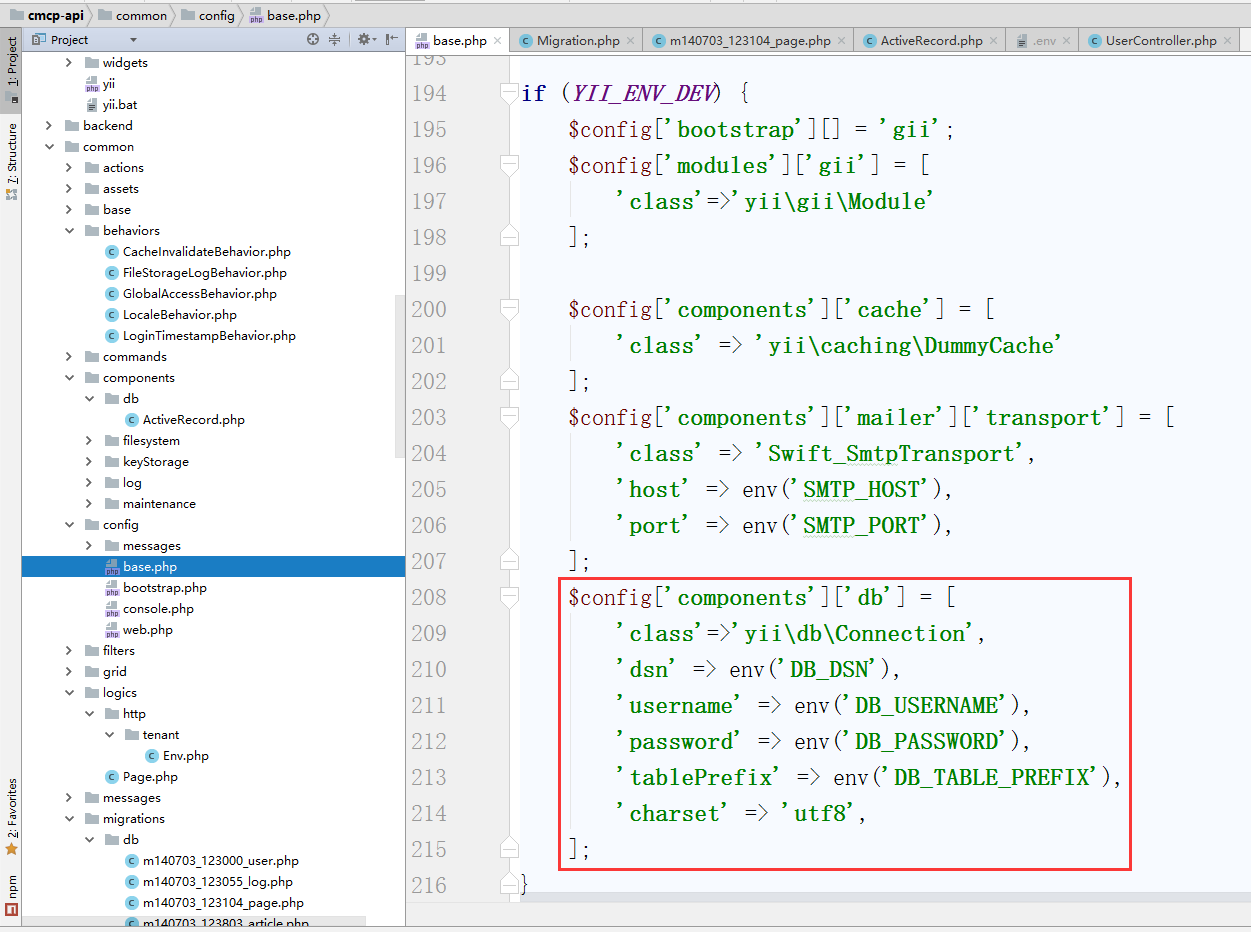
Figure 1
3. Configured as a production environment, so that the multi-tenant implementation of the test database migration is not dependent on the DB component, as shown in Figure 2
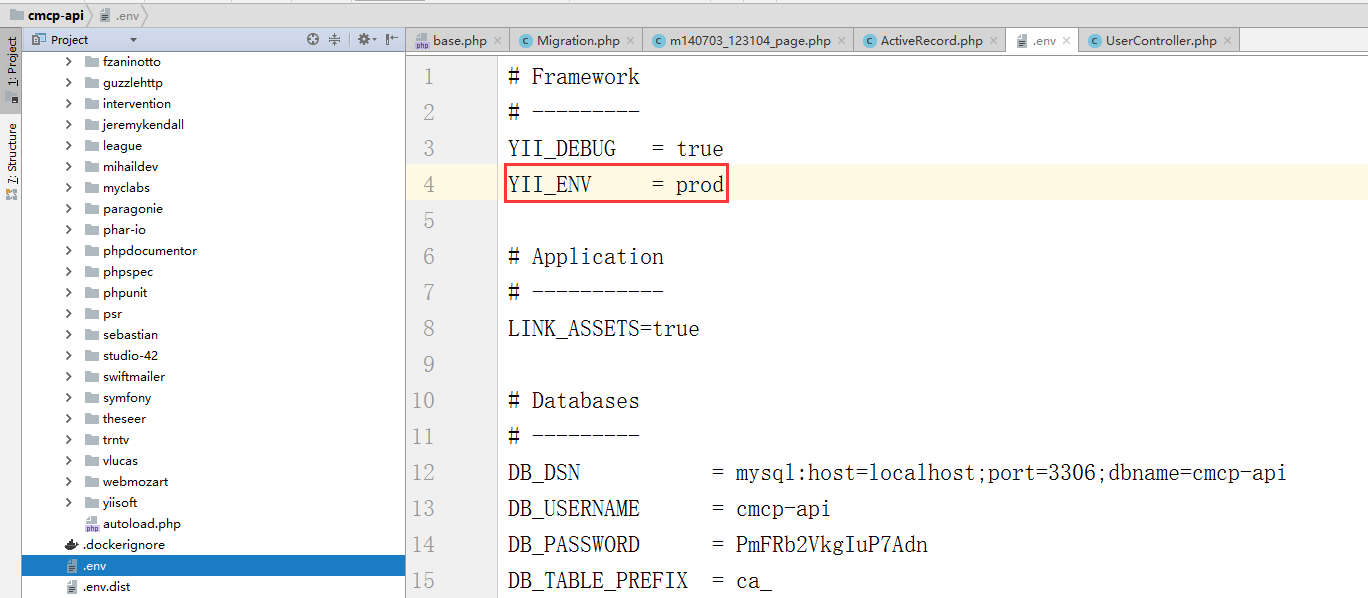
Figure 2
4. Run the command: .\yii app/setup, report an error: ExceptionYii\Base\InvalidConfigExceptionwith messageFailed to instantiate component or class “db”., as shown in Figure 3
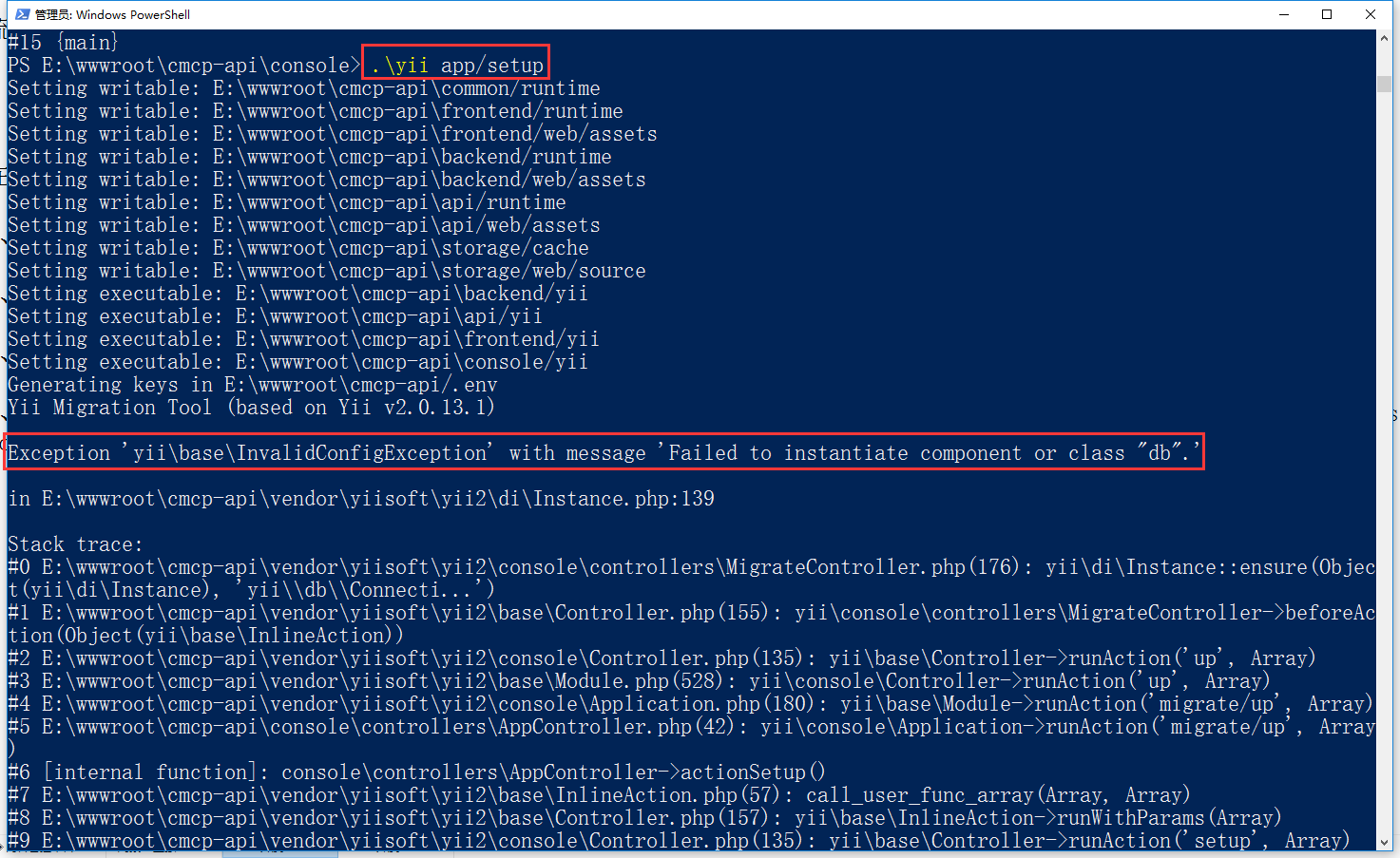
Figure 3
5. Based on the trait implementation, put the gettenantdb() method into trait, create a new \common\traits\tenantdb.php, through[[yii\di\ServiceLocator::setComponents()]] Method Registration Database Connection Components, RBAC Components
 * @since 1.0
 */

trait TenantDb
{
    /**
     * 数据库连接组件ID(基于多租户)
     *
     * @return string
     */
    public static function getTenantDb()
    {
        $env = new Env();
        $tenantEnv = $env->getTenantEnv();

        if ($tenantEnv === false) {
            if ($env->hasErrors()) {
                foreach ($env->getFirstErrors() as $message) {
                    $firstErrors = $message;
                }
                throw new ServerErrorHttpException(Yii::t('error', Yii::t('error', Yii::t('error', '20006'), ['firstErrors' => $firstErrors])), 20006);
            } elseif (!$env->hasErrors()) {
                throw new ServerErrorHttpException('Multi-tenant HTTP requests fail for unknown reasons.');
            }
        }

        $tenantDb = $tenantEnv['data']['tenantid'] . 'Db';

        // 检查数据库连接组件、RBAC组件是否被注册
        if (!(Yii::$app->has($tenantDb) && Yii::$app->has('authManager'))) {
            // 注册数据库连接组件、RBAC组件
            Yii::$app->setComponents([
                $tenantDb => [
                    'class' => 'yii\db\Connection',
                    'dsn' => 'mysql:host=' . $tenantEnv['data']['db_info']['host'] . ';port=3306;dbname=' . $tenantEnv['data']['db_info']['database'] . '',
                    'username' => $tenantEnv['data']['db_info']['login'],
                    'password' => $tenantEnv['data']['db_info']['password'],
                    'tablePrefix' => $tenantEnv['data']['db_info']['prefix'],
                    'charset' => 'utf8',
                    'enableSchemaCache' => YII_ENV_PROD,
                    'schemaCache' => 'redisCache',
                ],
                'authManager' => [
                    'class' => 'yii\rbac\DbManager',
                    'db' => $tenantDb,
                    'itemTable' => '{{%rbac_auth_item}}',
                    'itemChildTable' => '{{%rbac_auth_item_child}}',
                    'assignmentTable' => '{{%rbac_auth_assignment}}',
                    'ruleTable' => '{{%rbac_auth_rule}}'
                ],
            ]);
        }

        return $tenantDb;
    }
}
6. Edit \Common\Components\DB\ActiveRecord.php, import Common\Traits\tenantdb
 * @since 1.0
 */

class ActiveRecord extends \yii\db\ActiveRecord
{
    use TenantDb;

    /**
     * Returns the database connection used by this AR class.
     * By default, the "db" application component is used as the database connection.
     * You may override this method if you want to use a different database connection.
     * @return Connection the database connection used by this AR class.
     */
    public static function getDb()
    {
        $tenantDb = self::getTenantDb();
        return Yii::$app->$tenantDb;
    }
}
7. Based on the trait implementation, import common\traits\tenantdb, put the init() method into trait, create a new \common\traits\tenantmigration.php, $tenantdb is set as a database connection component
 * @since 1.0
 */

trait TenantMigration
{
    use TenantDb;

    /**
     * Initializes the migration.
     * This method will set [[db]] to be the 'db' application component, if it is `null`.
     */
    public function init()
    {
        $tenantDb = self::getTenantDb();
        $this->db = $tenantDb;
        parent::init();
    }
}
8. Create a new \common\components\db\migration.php and import common\traits\tenantmigration
 * @since 1.0
 */

class Migration extends \yii\db\Migration
{
    use TenantMigration;
}
9. Find in the directory \common\migrations: yii\db\migration, and batch is replaced with: common\components\db\migration, as shown in Figure 4
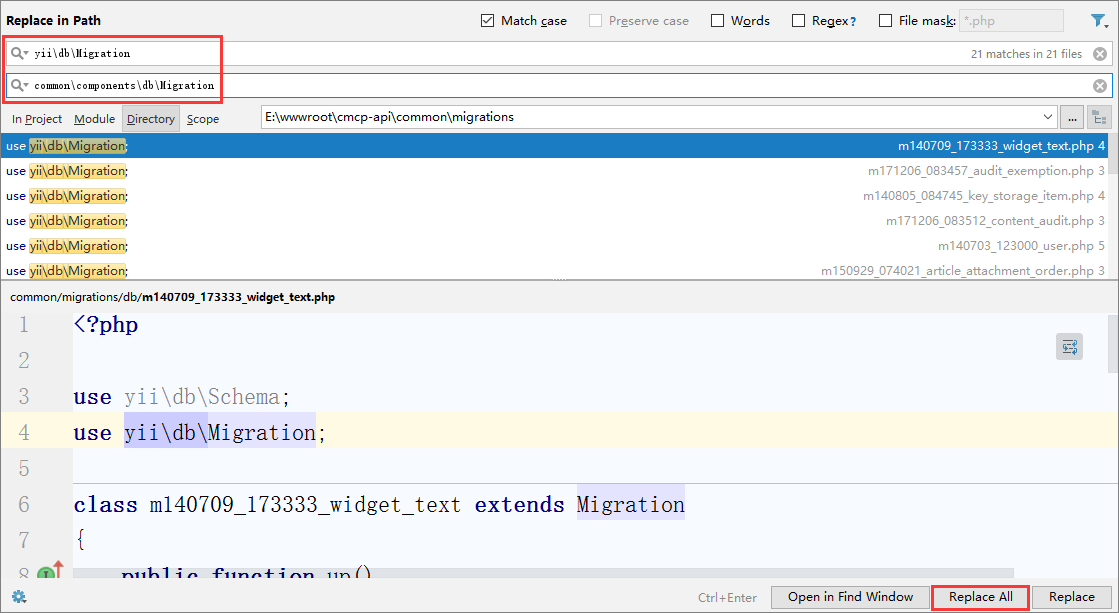
Figure 4
10. Edit \common\migrations\db\m140703_123055_log.php, import common\traits\tenantmigration
11. Edit \common\migrations\db\m140703_123813_rbac.php, import common\traits\tenantmigration
12. Create a new database migration class, \Console\Controllers\MigrateController.php
 * @since 1.0
 */

class MigrateController extends \yii\console\controllers\MigrateController
{
    use TenantMigration;
}
13. Adjust the database migration configuration and edit \console\config\console.php, as shown in Figure 5
        'migrate' => [
            'class' => 'console\controllers\MigrateController',
            'migrationPath' => '@common/migrations/db',
            'migrationTable' => '{{%system_db_migration}}'
        ],
14. Run the command: .\yii app/setup, report an error: ExceptionYii\Base\UnknownMethodExceptionwith messageCalling unknown method: yii\console\request::get(), as shown in Figure 6
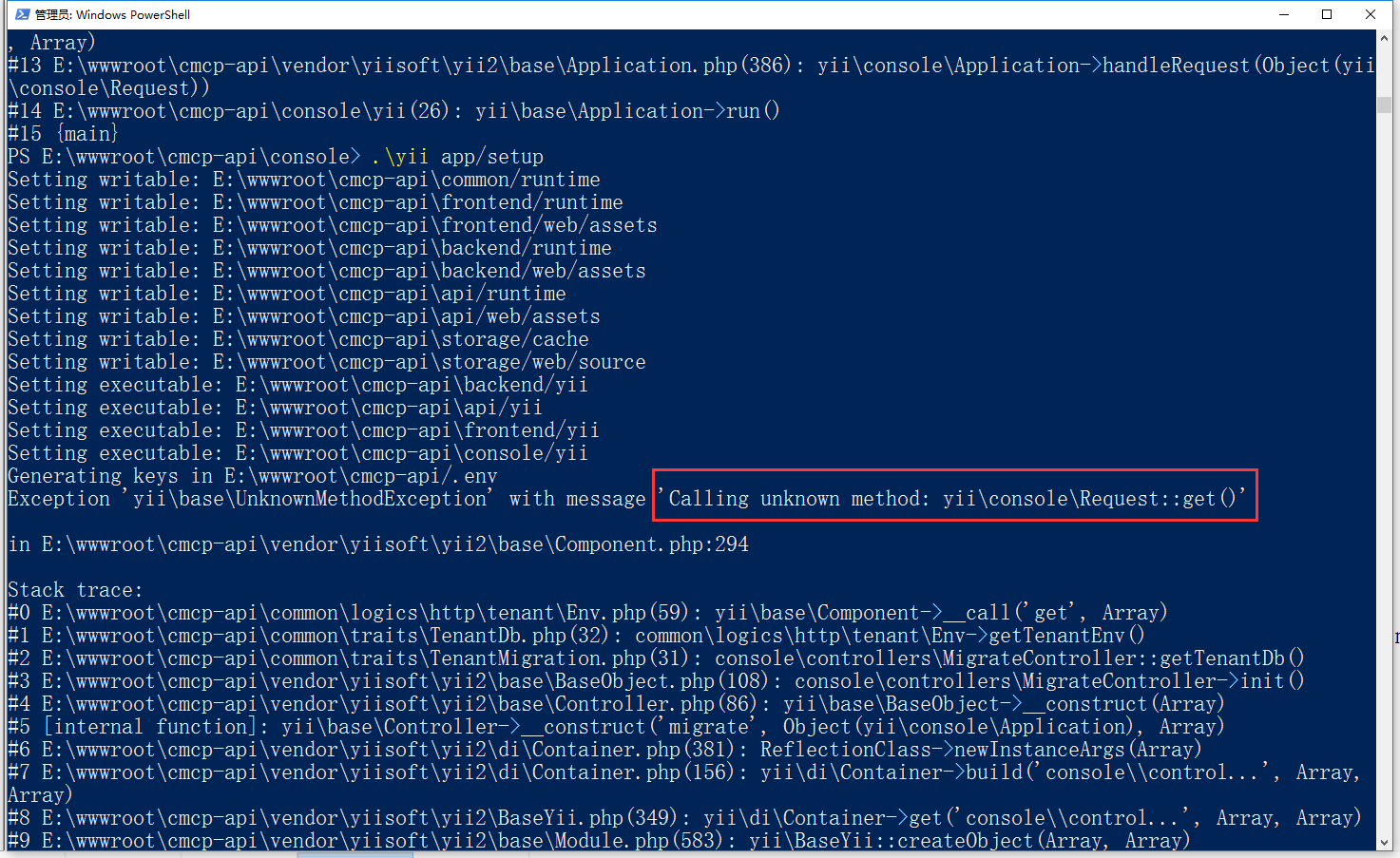
Figure 6
15. When obtaining the request parameters, determine whether the current request is made through the command line, edit \common\logics\http\tenant\env.php
 * @since 1.0
 */
class Env extends Model
{
    public $app_name;
    public $secret;
    public $tenant_id;

    public function attributeLabels()
    {
        return [
            'app_name' => \Yii::t('model/http/tenant/env', 'App Name'),
            'secret' => \Yii::t('model/http/tenant/env', 'Secret'),
            'tenant_id' => \Yii::t('model/http/tenant/env', 'Tenant ID'),
        ];
    }

    /**
     * 返回租户模块环境配置信息
     *
     * @return array|false
     *
     * 格式如下:
     *
     * 租户模块环境配置信息
     * [
     *     'message' => '', //说明
     *     'data' => [], //数据
     * ]
     *
     * 失败(将错误保存在 [[yii\base\Model::errors]] 属性中)
     * false
     *
     * @throws ServerErrorHttpException 如果响应状态码不等于20x
     */
    public function getTenantEnv()
    {
        /* 获取请求参数 */
        $request = Yii::$app->request;

        // 判断当前请求是否通过命令行进行
        if ($request->isConsoleRequest) {
            $get = $request->getParams();

            /* 判断请求参数中租户ID是否存在 */
            if (empty($get[1])) {
                // throw new BadRequestHttpException(Yii::t('error', '20007'), 20007);
                $get[1] = env('TENANT_DEFAULT_ID');
            }
            $this->tenant_id = $get[1];
        } else {
            $get = $request->get();

            /* 判断请求参数中租户ID是否存在 */
            if (empty($get['tenantid'])) {
                // throw new BadRequestHttpException(Yii::t('error', '20007'), 20007);
                $get['tenantid'] = env('TENANT_DEFAULT_ID');
            }
            $this->tenant_id = $get['tenantid'];
        }

        // 设置多租户数据的缓存键
        $redisCache = Yii::$app->redisCache;
        $tenantKey = 'tenant:' . $this->tenant_id;

        // 从缓存中取回多租户数据
        $tenantData = $redisCache[$tenantKey];

        if ($tenantData === false) {
            $this->app_name = env('TENANT_APP_NAME');
            $this->secret = env('TENANT_SECRET');

            $response = Yii::$app->tenantHttp->createRequest()
                ->setMethod('get')
                ->setUrl('getTenantEnv')
                ->setData([
                    'appname' => $this->app_name,
                    'secret' => $this->secret,
                    'tenantid' => $this->tenant_id,
                ])
                ->send();
            // 检查响应状态码是否等于20x
            if ($response->isOk) {
                // 检查业务逻辑是否成功
                if ($response->data['returnCode'] === 0) {
                    $tenantData = ['message' => $response->data['returnDesc'], 'data' => $response->data['returnData']];
                    // 将多租户数据存放到缓存供下次使用
                    $redisCache[$tenantKey] = $tenantData;
                    return $tenantData;
                } else {
                    $this->addError('tenant_id', $response->data['returnDesc']);
                    return false;
                }
            } else {
                throw new ServerErrorHttpException(Yii::t('error', Yii::t('error', Yii::t('error', '20005'), ['statusCode' => $response->getStatusCode()])), 20005);
            }
        } else {
            return $tenantData;
        }

    }

}
16. Delete all the tables in the database, run the command: .\yii app/setup, report an error: Exceptionyii\db\exceptionwith messagesqlstate[42S02]: base table or view not found: 1146 tablecmcp-api.ca_system
_db_migrationdoesn’tT EXIST, as shown in Figure 7
![删除数据库中所有表,运行命令:.\yii app/setup,报错:Exception 'yii\db\Exception' with message 'SQLSTATE[42S02]: Base table or view not found: 1146 Table 'cmcp-api.ca_system _db_migration' doesn't exist'](https://www.shuijingwanwq.com/wp-content/uploads/2018/01/7-3.png)
Figure 7
SE targets before executing., as shown in Figure 8
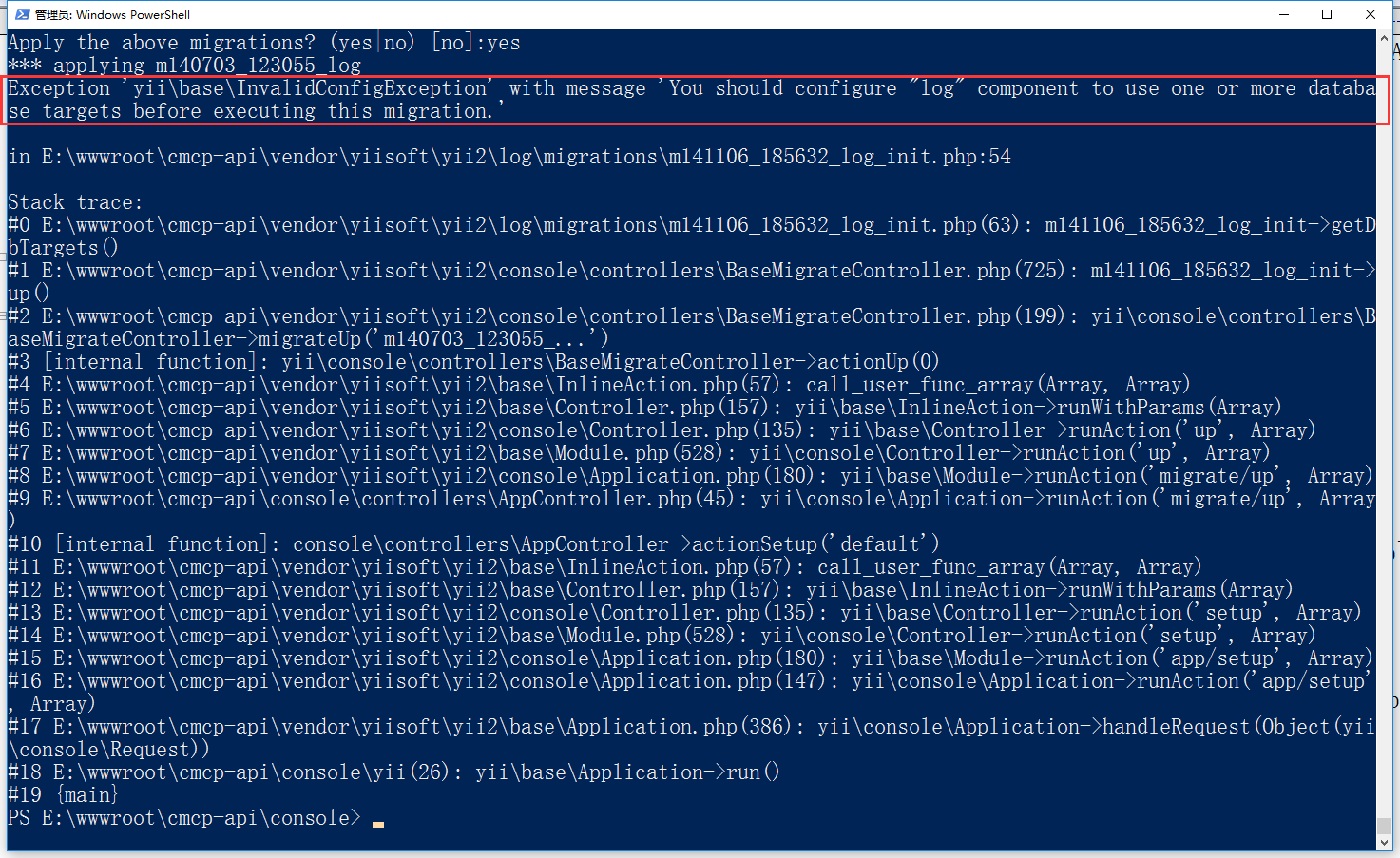
8
18. Delete e:\wwwroot\cmcp-api\common\migrations\db\m140703_123055_log.php, because the log component has been configured for file-based storage.
19. Delete all the tables in the database, run the command: .\yii app/setup, report an error: Exception: undefined class constantstatus_published(E:\wwwroot\cmcp-api\common\migrations\db\m150725_192740_seed_dat
a.php:63), as shown in Figure 9
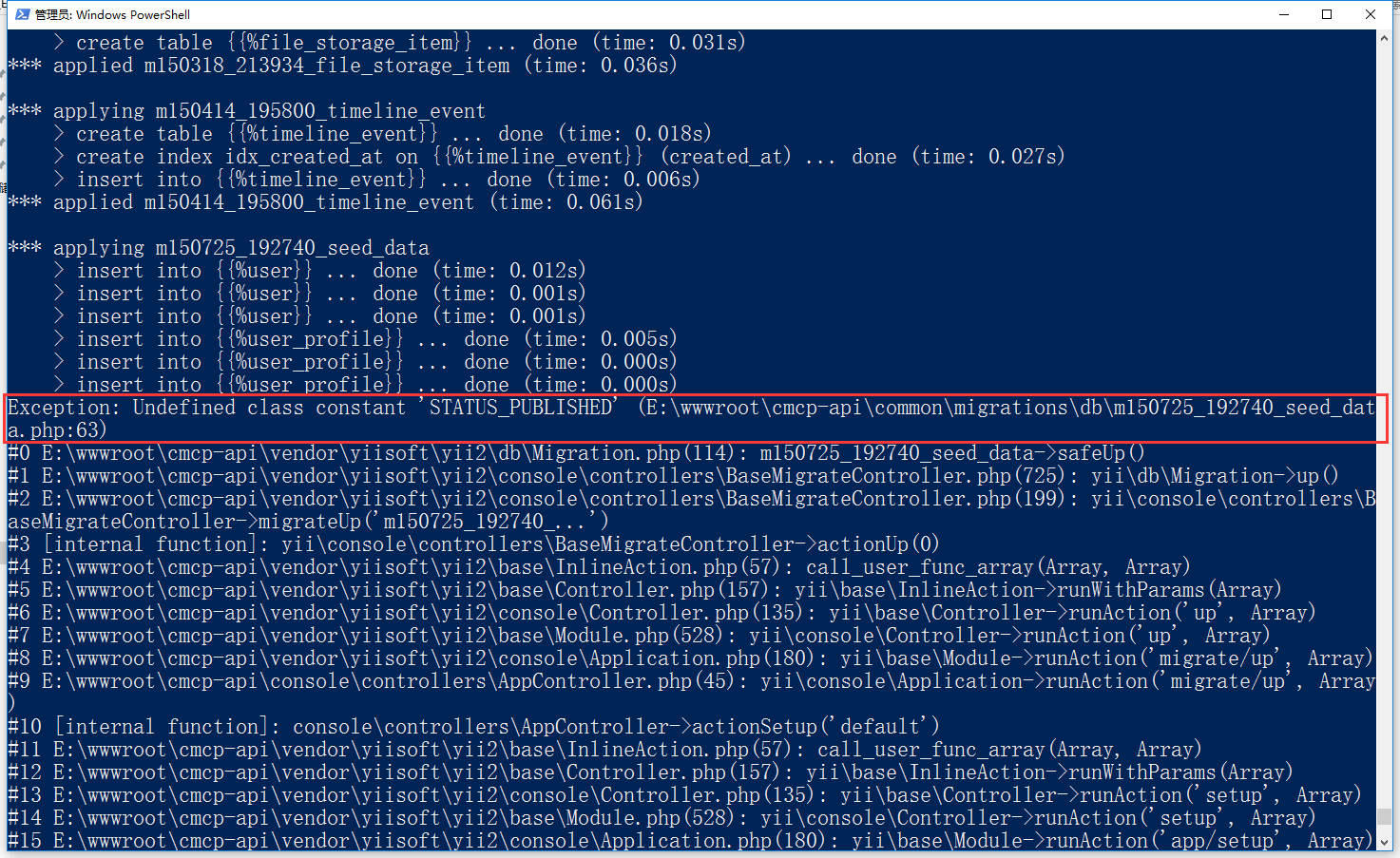
Figure 9
20. Edit \common\migrations\db\m150725_192740_seed_data.php, \common\models\page is replaced with \common\logics\page, as shown in Figure 10
        $this->insert('{{%page}}', [
            'slug' => 'about',
            'title' => 'About',
            'body' => 'Lorem ipsum dolor sit amet, consectetur adipiscing elit.',
            'status' => \common\logics\Page::STATUS_PUBLISHED,
            'created_at' => time(),
            'updated_at' => time(),
        ]);
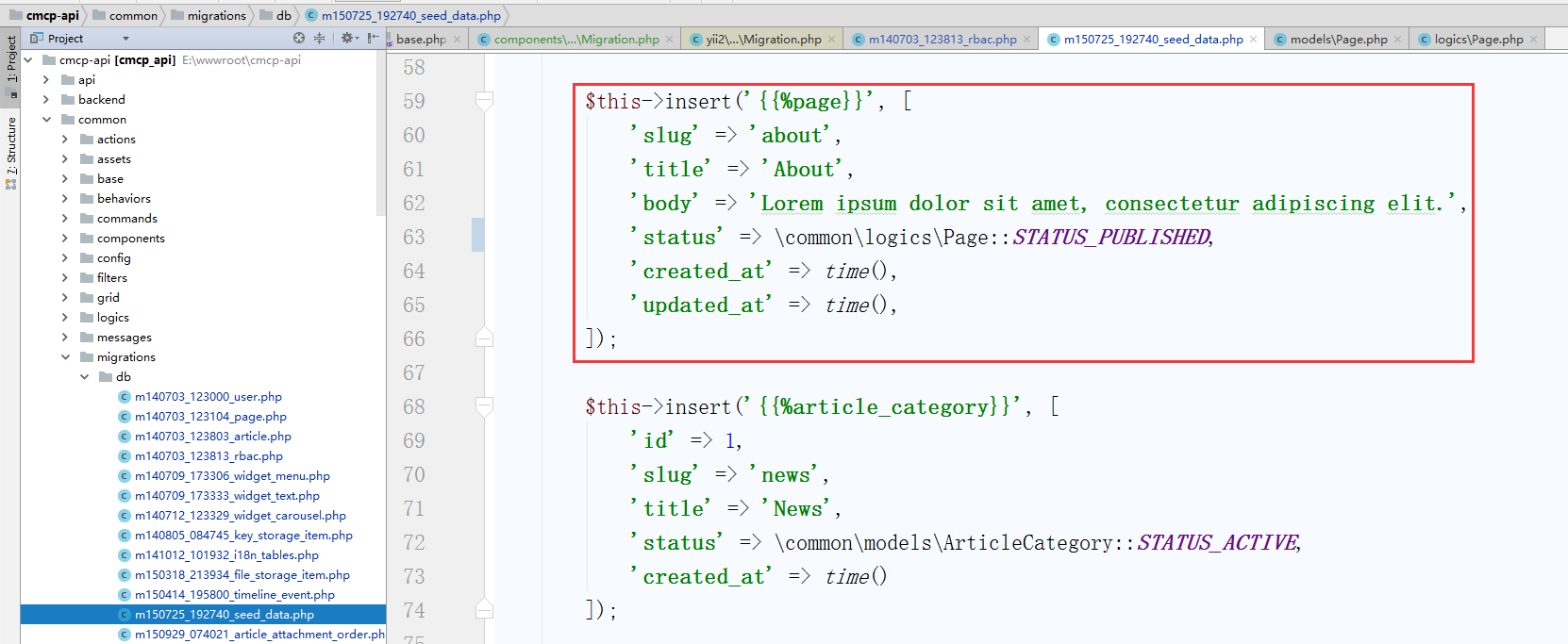
Figure 10
21. Delete all the tables in the database, run the command: .\yii app/setup, report an error: ExceptionYii\Base\UnknownPropertyExceptionwith messageGetting Unknown Property: Yii\Console\Application::TenNanthtt
p, as shown in Figure 11
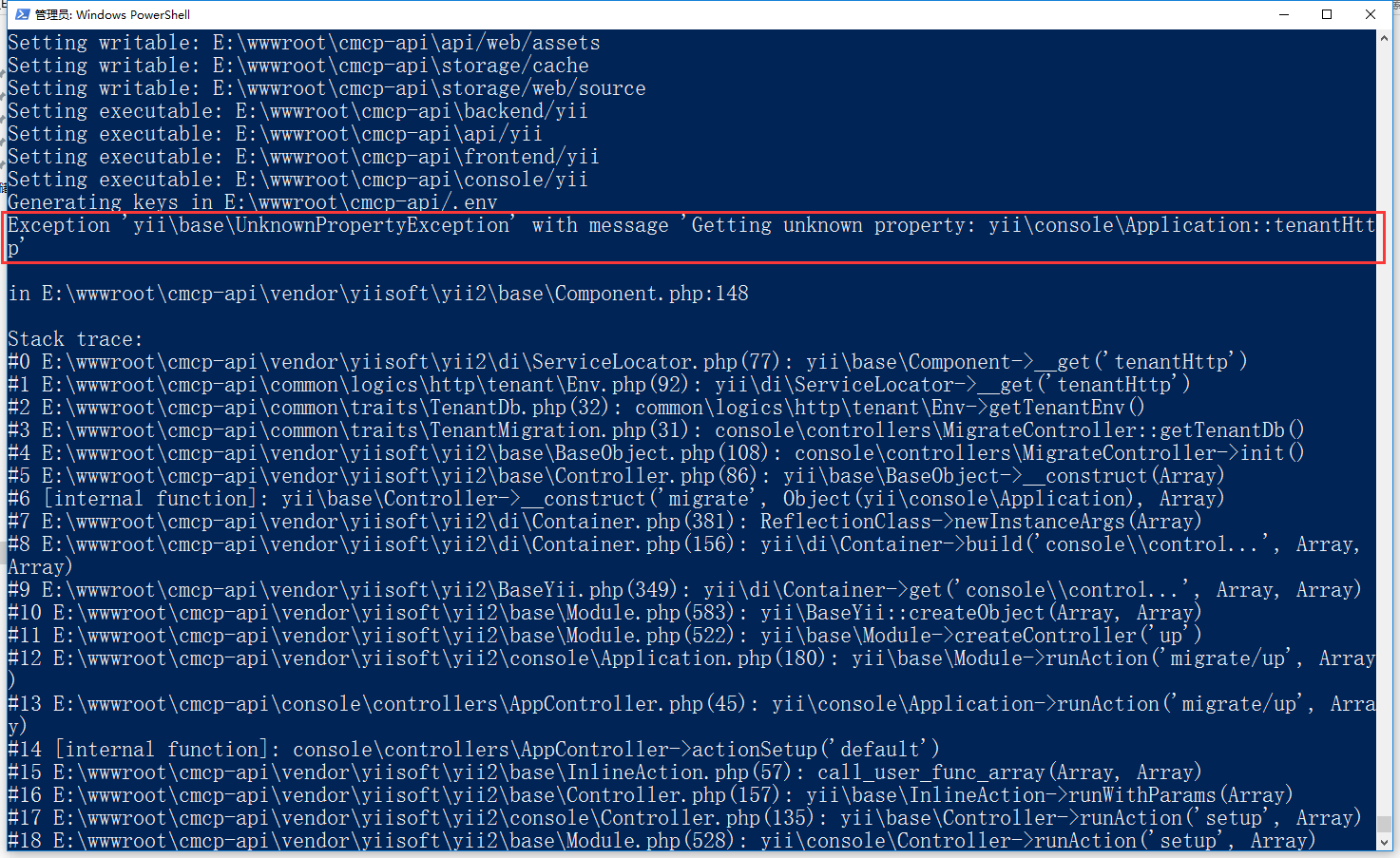
Figure 11
22. Configure the client through the application component, edit \common\config\web.php, and move the tenanthttp component to \common\config\base.php, as shown in Figure 12
        'tenantHttp' => [
            'class' => 'yii\httpclient\Client',
            'baseUrl' => Yii::getAlias('@tenantUrl'),
            'transport' => 'yii\httpclient\CurlTransport'
        ],
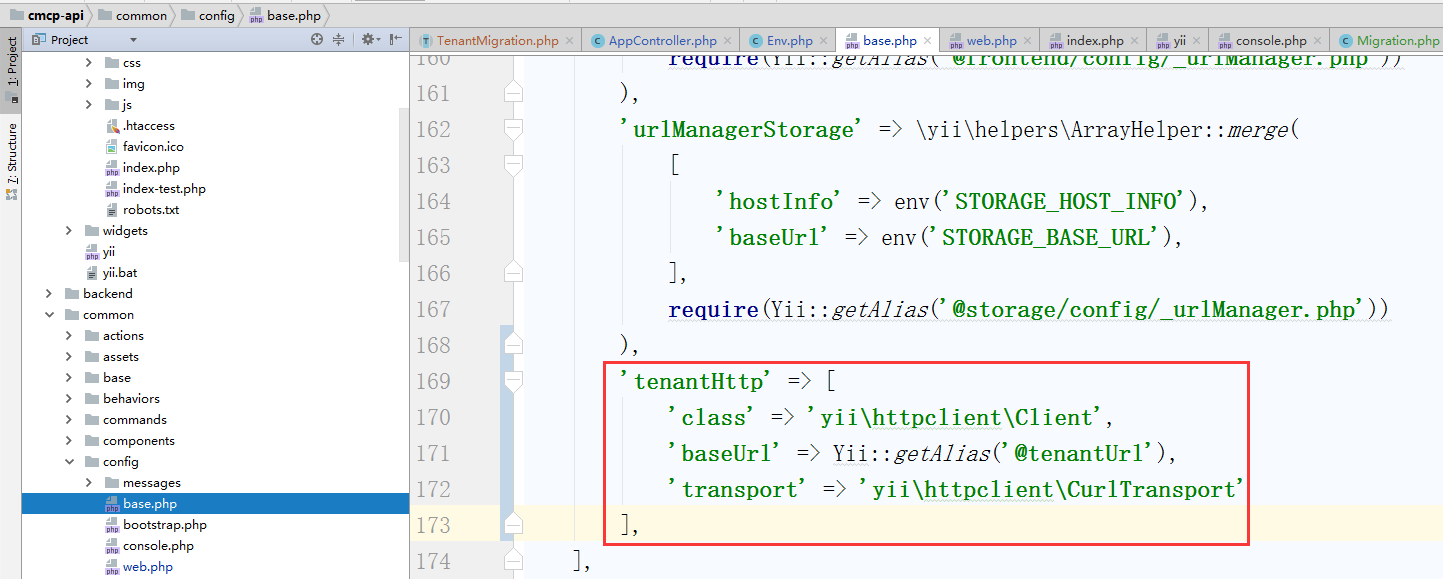
Figure 12
23. Delete all the tables in the database and run the command: .\yii app/setup default, migrated up successfully. As shown in Figure 13
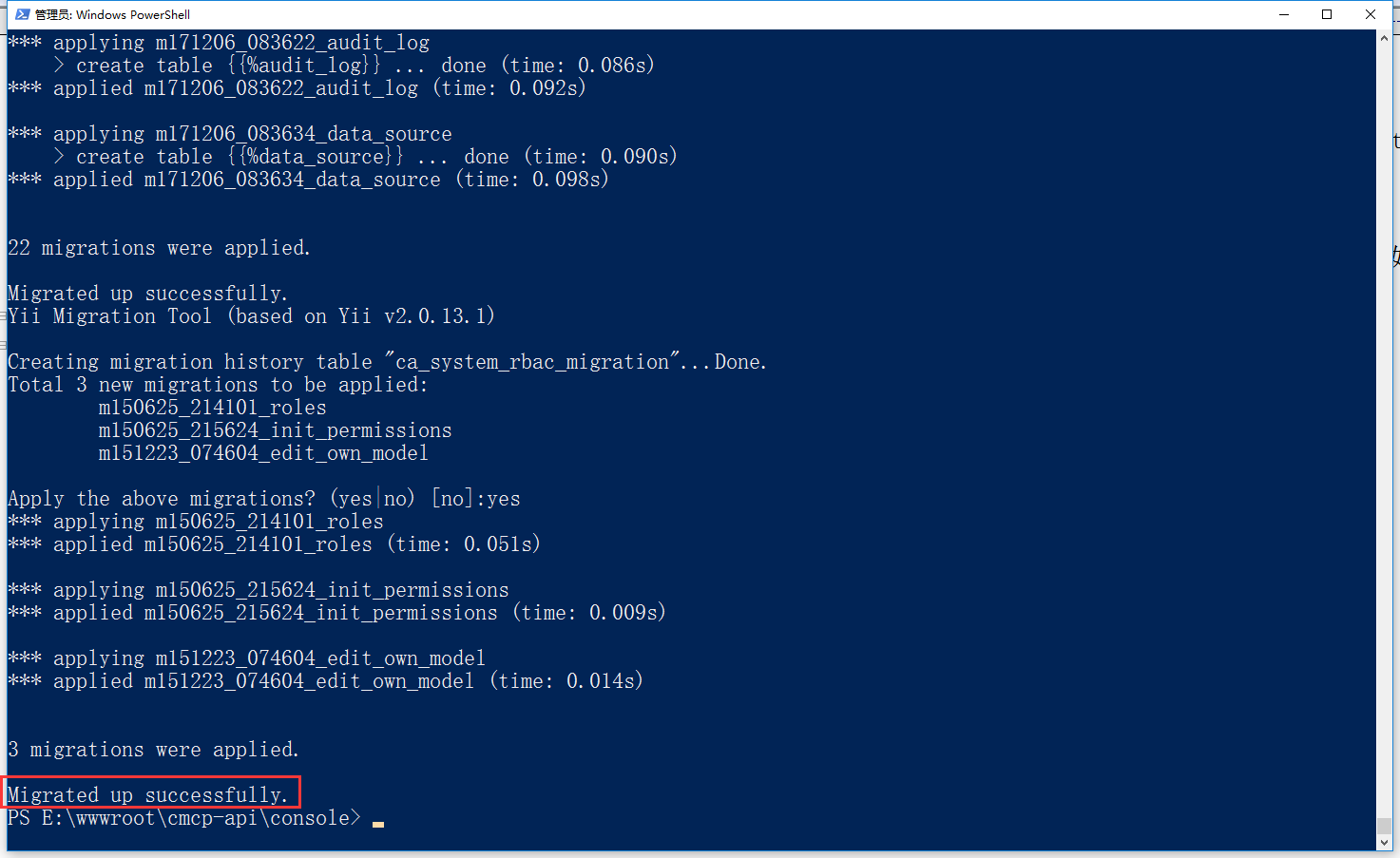
Figure 13
24. Delete all the tables in the database and run the command: .\yii migrate default, migrated up successfully.
25. Continue to run the command: .\yii rbac-migrate default, error: ExceptionYii\Base\InvalidConfigExceptionwith messageFailed to instantiate component or class “db”., as shown in Figure 14
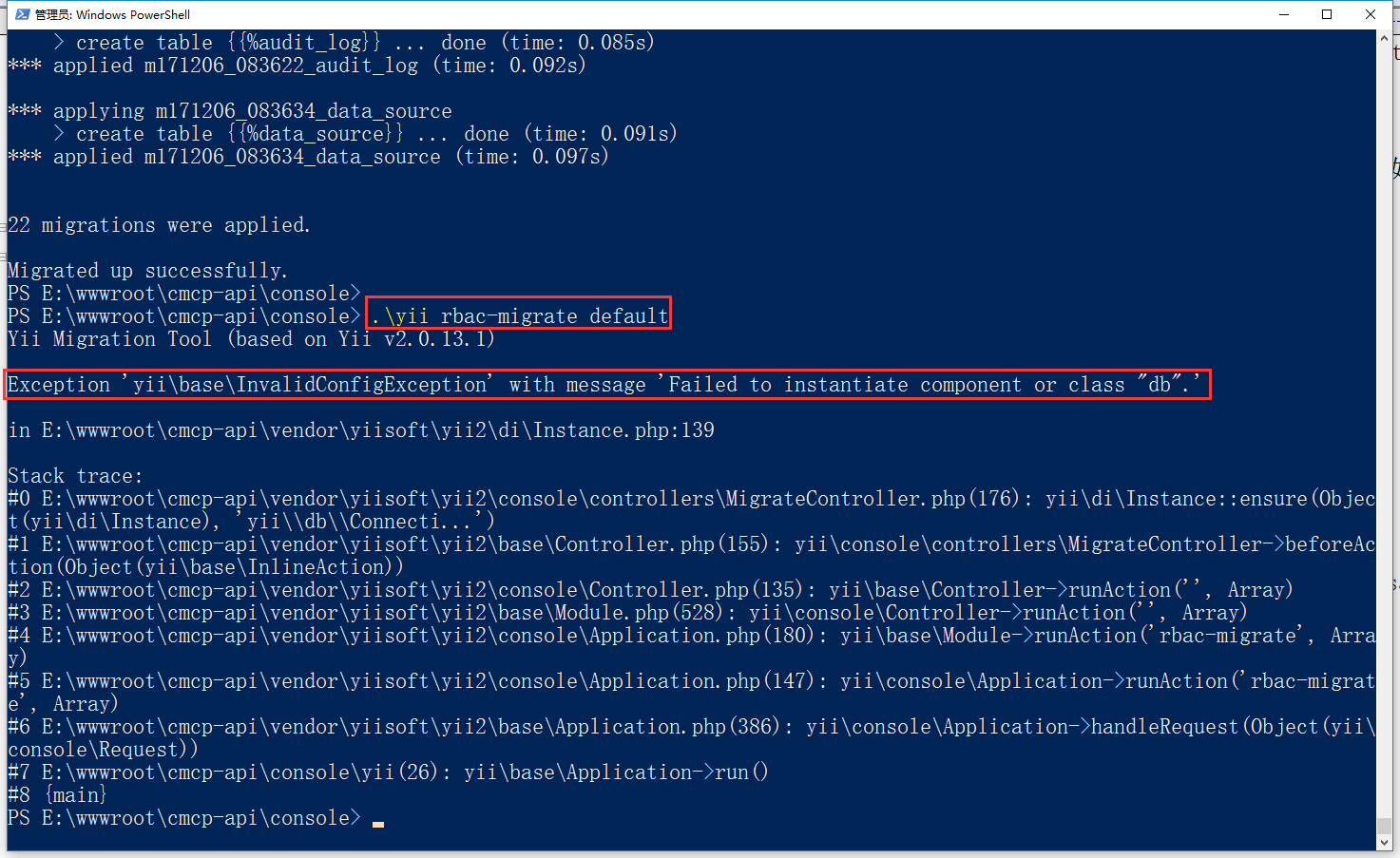
Figure 14
26. Edit the RBAC database migration class, \console\controllers\rbacmigrateController.php,
 */
class RbacMigrateController extends MigrateController
{
    use TenantMigration;

    /**
     * Creates a new migration instance.
     * @param string $class the migration class name
     * @return \common\rbac\Migration the migration instance
     */
    protected function createMigration($class)
    {
        $file = $this->migrationPath . DIRECTORY_SEPARATOR . $class . '.php';
        require_once($file);

        return new $class();
    }
}
27. Continue to run the command: .\yii rbac-migrate default, migrated up successfully. As shown in Figure 15
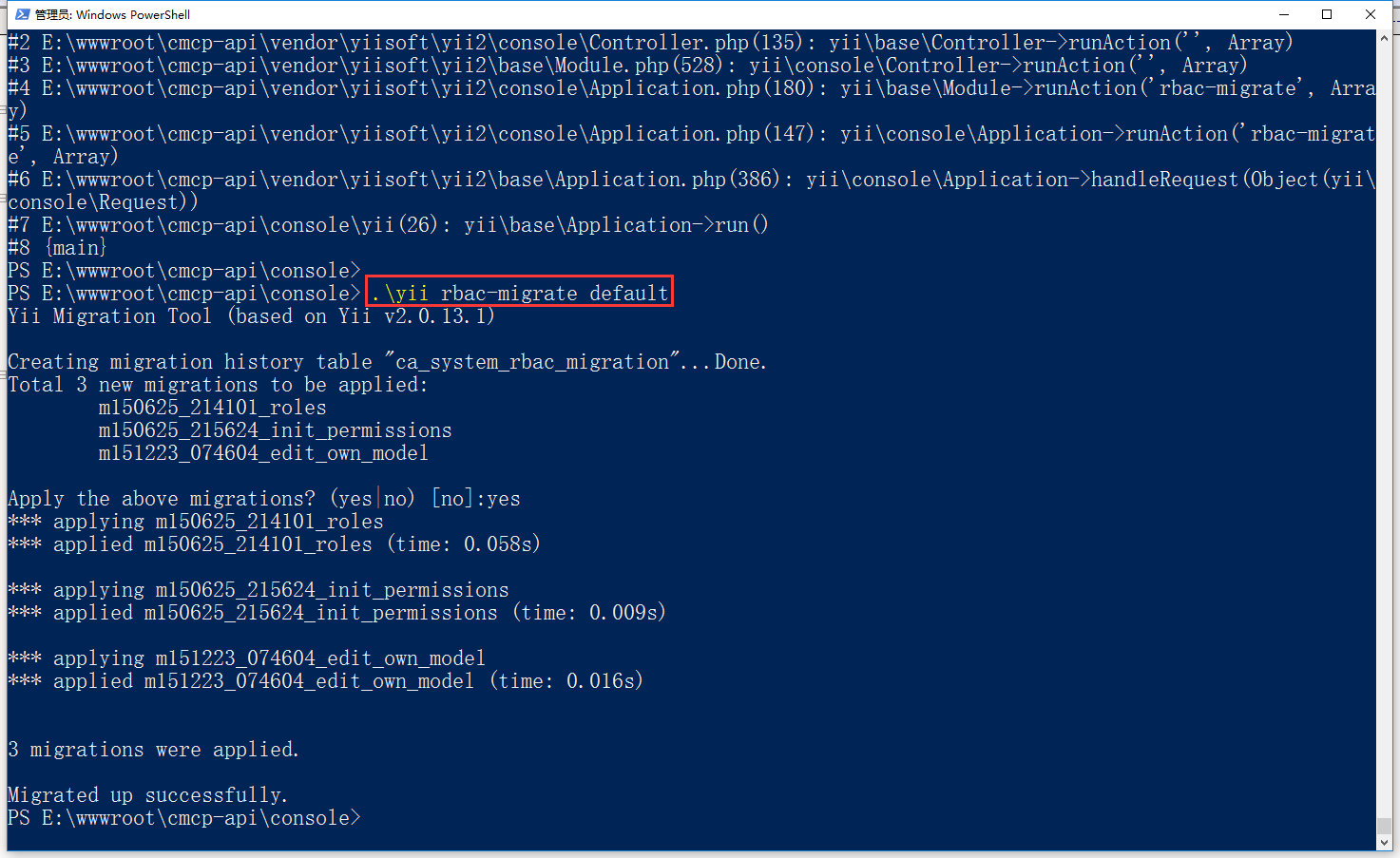
Figure 15
28. Open the URL:http://backend.cmcp-api.localhost/, error: sqlstate[42S02]: base table or view not found: 1146 tablecmcp-api.ca_system_logdoesn’tT EXIST
The sql being execute was: select count(*) from `CA_SYSTEM_LOG`, as shown in Figure 16
![打开网址:http://backend.cmcp-api.localhost/ ,报错:SQLSTATE[42S02]: Base table or view not found: 1146 Table 'cmcp-api.ca_system_log' doesn't exist The SQL being executed was: SELECT COUNT(*) FROM `ca_system_log`](https://www.shuijingwanwq.com/wp-content/uploads/2018/01/16-2.png)
Figure 16
30. Run the command: .\yii migrate/create create_news_table, report an error: ExceptionYii\Web\ServerErrorHttpExceptionwith messageMulti-tenant HTTP request failed: module information not configured, as shown in Figure 17
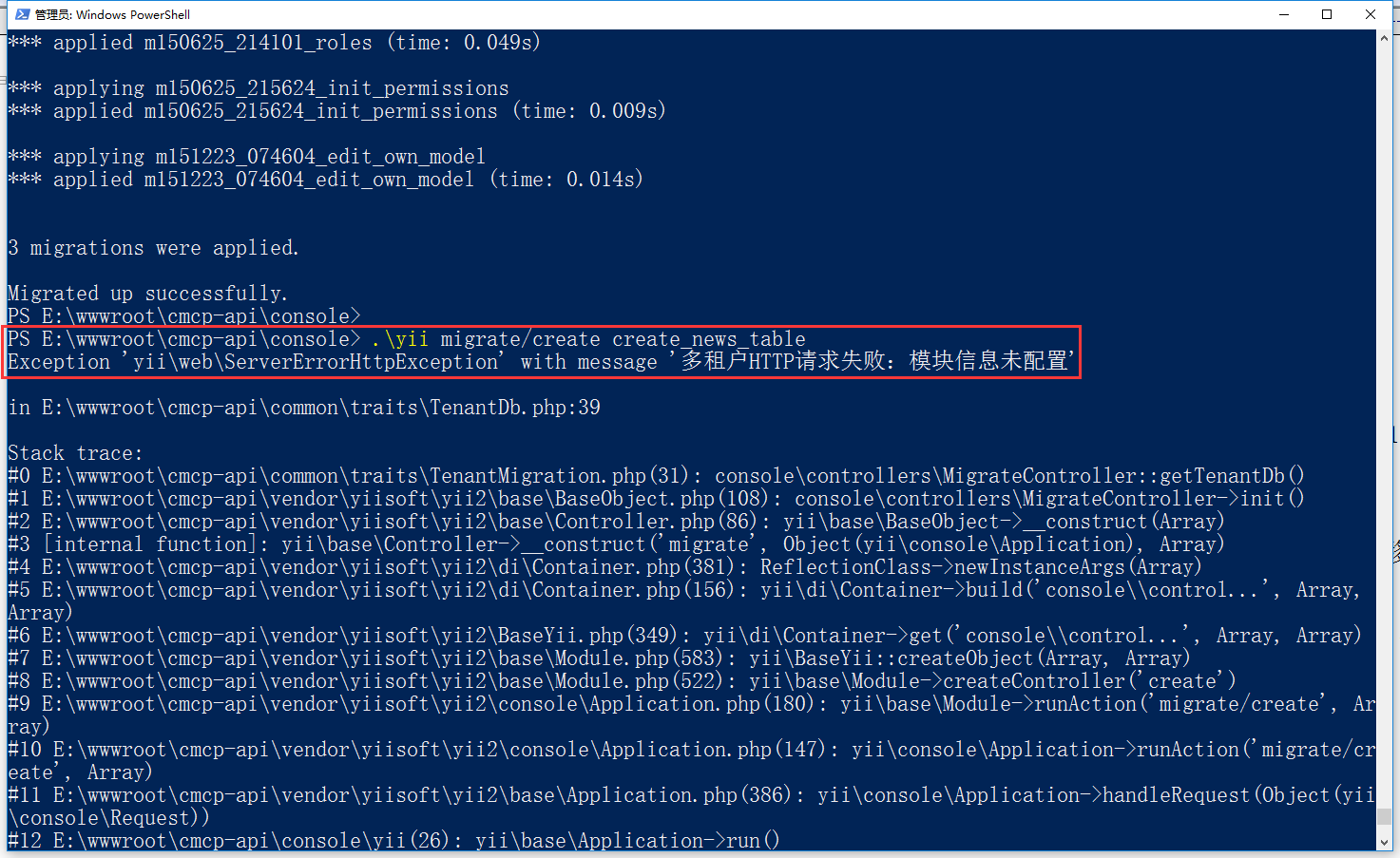
Figure 17
31. Decide to convert the tenant ID from parameter form to option, such as –tenantid=default, edit \common\logics\http\tenant\env.php
        // 判断当前请求是否通过命令行进行
        if ($request->isConsoleRequest) {
            $get = $request->getParams();

            foreach ($get as $value) {
                $option = explode('=', $value);
                if ($option[0] == '--tenantid') {
                    $optionValue = $option[1];
                    break;
                }
            }

            /* 判断请求参数中租户ID是否存在 */
            if (empty($optionValue)) {
                // throw new BadRequestHttpException(Yii::t('error', '20007'), 20007);
                $optionValue = env('TENANT_DEFAULT_ID');
            }
            $this->tenant_id = $optionValue;
        } else {
            $get = $request->get();

            /* 判断请求参数中租户ID是否存在 */
            if (empty($get['tenantid'])) {
                // throw new BadRequestHttpException(Yii::t('error', '20007'), 20007);
                $get['tenantid'] = env('TENANT_DEFAULT_ID');
            }
            $this->tenant_id = $get['tenantid'];
        }
32. By covering the[[yii\console\Controller::options()]] method to specify the option that can be used for the console command (controller/actionId). Edit \Console\Controllers\AppController.php
 */
class AppController extends Controller
{
    public $writablePaths = [
        '@common/runtime',
        '@frontend/runtime',
        '@frontend/web/assets',
        '@backend/runtime',
        '@backend/web/assets',
        '@api/runtime',
        '@api/web/assets',
        '@storage/cache',
        '@storage/web/source'
    ];

    public $executablePaths = [
        '@backend/yii',
        '@api/yii',
        '@frontend/yii',
        '@console/yii',
    ];

    public $generateKeysPaths = [
        '@base/.env'
    ];

    public $tenantid;

    public function options($actionID)
    {
        return ['color', 'interactive', 'help', 'tenantid'];
    }

    public function actionSetup()
    {
        $this->runAction('set-writable', ['interactive' => $this->interactive]);
        $this->runAction('set-executable', ['interactive' => $this->interactive]);
        $this->runAction('set-keys', ['interactive' => $this->interactive]);
        \Yii::$app->runAction('migrate/up', ['interactive' => $this->interactive]);
        \Yii::$app->runAction('rbac-migrate/up', ['interactive' => $this->interactive]);
    }

    public function actionSetWritable()
    {
        $this->setWritable($this->writablePaths);
    }

    public function actionSetExecutable()
    {
        $this->setExecutable($this->executablePaths);
    }

    public function actionSetKeys()
    {
        $this->setKeys($this->generateKeysPaths);
    }

    public function setWritable($paths)
    {
        foreach ($paths as $writable) {
            $writable = Yii::getAlias($writable);
            Console::output("Setting writable: {$writable}");
            @chmod($writable, 0777);
        }
    }

    public function setExecutable($paths)
    {
        foreach ($paths as $executable) {
            $executable = Yii::getAlias($executable);
            Console::output("Setting executable: {$executable}");
            @chmod($executable, 0755);
        }
    }

    public function setKeys($paths)
    {
        foreach ($paths as $file) {
            $file = Yii::getAlias($file);
            Console::output("Generating keys in {$file}");
            $content = file_get_contents($file);
            $content = preg_replace_callback('//', function () {
                $length = 32;
                $bytes = openssl_random_pseudo_bytes(32, $cryptoStrong);
                return strtr(substr(base64_encode($bytes), 0, $length), '+/', '_-');
            }, $content);
            file_put_contents($file, $content);
        }
    }
}
33. By covering the[[yii\console\Controller::options()]] method to specify the option that can be used for the console command (controller/actionId). Edit \Console\Controllers\MigrateController.php, \Console\Controllers\rBacmigrateController.php
\Console\Controllers\MigrateController.php
 * @since 1.0
 */

class MigrateController extends \yii\console\controllers\MigrateController
{
    use TenantMigration;

    public $tenantid;

    public function options($actionID)
    {
        return ['color', 'interactive', 'help', 'tenantid'];
    }
}
\Console\Controllers\rBacmigrateController.php
 */
class RbacMigrateController extends MigrateController
{
    use TenantMigration;

    public $tenantid;

    public function options($actionID)
    {
        return ['color', 'interactive', 'help', 'tenantid'];
    }

    /**
     * Creates a new migration instance.
     * @param string $class the migration class name
     * @return \common\rbac\Migration the migration instance
     */
    protected function createMigration($class)
    {
        $file = $this->migrationPath . DIRECTORY_SEPARATOR . $class . '.php';
        require_once($file);

        return new $class();
    }
}
34. Delete all the tables in the database, adjust the commands of steps 24, 25, and 26, .\yii app/setup –tenantid=default, .\yii migrate –tenantid=default, .\yii rbac-migrate –tenantid=default, run successfully
35. Run the command: .\yii migrate/create create_news_table, .\yii migrate/create create_news_table –tenantid=default, run successfully, as shown in Figure 18
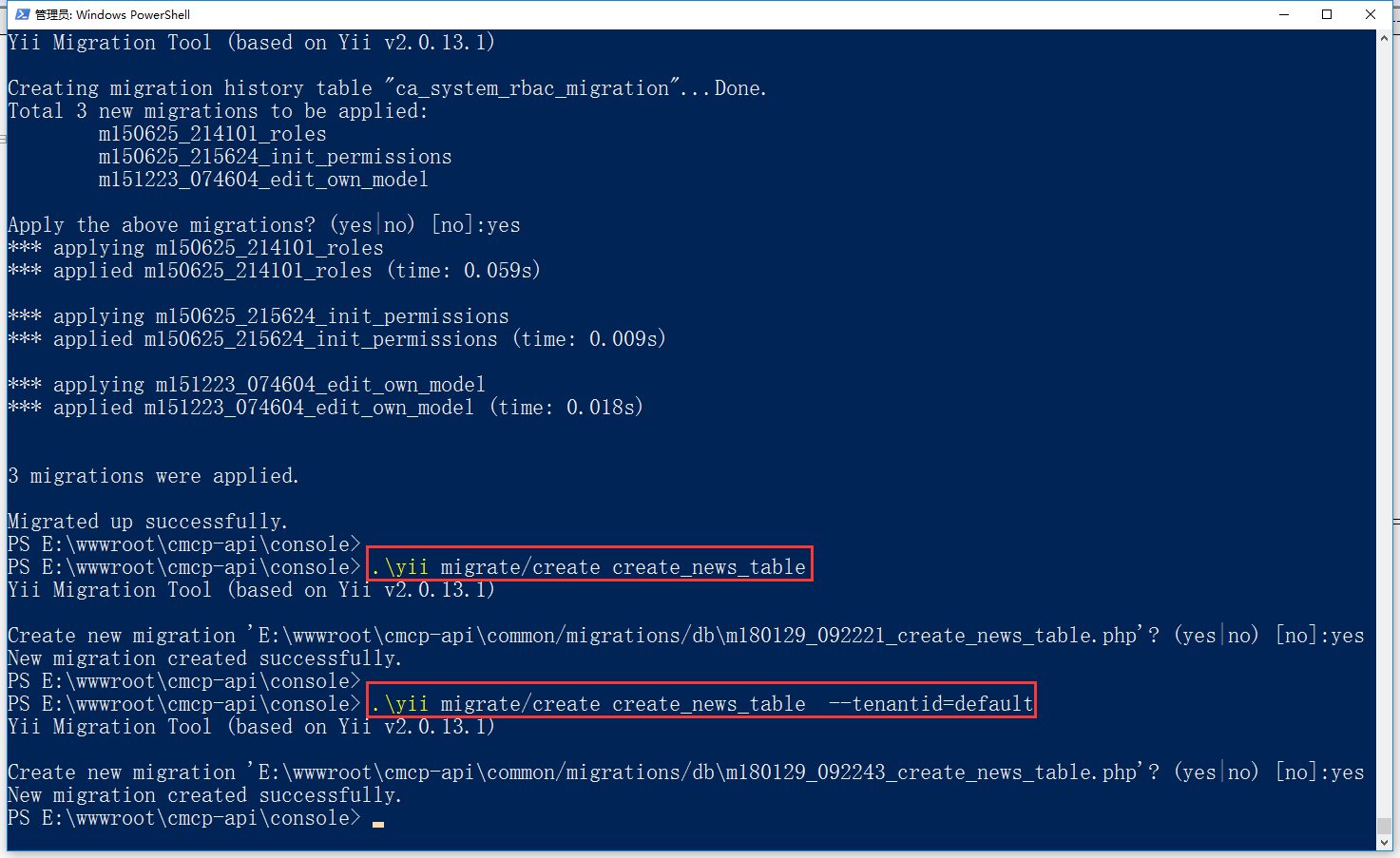
18
36. Since the id of the database application component has been defined in the controller, restore steps 8 (delete \common\components\db\migration.php), 9, 11, and in the directory Find in \common\migrations: common\components\db\migration, in batches to: yii\db\migration, as shown in Figure 19
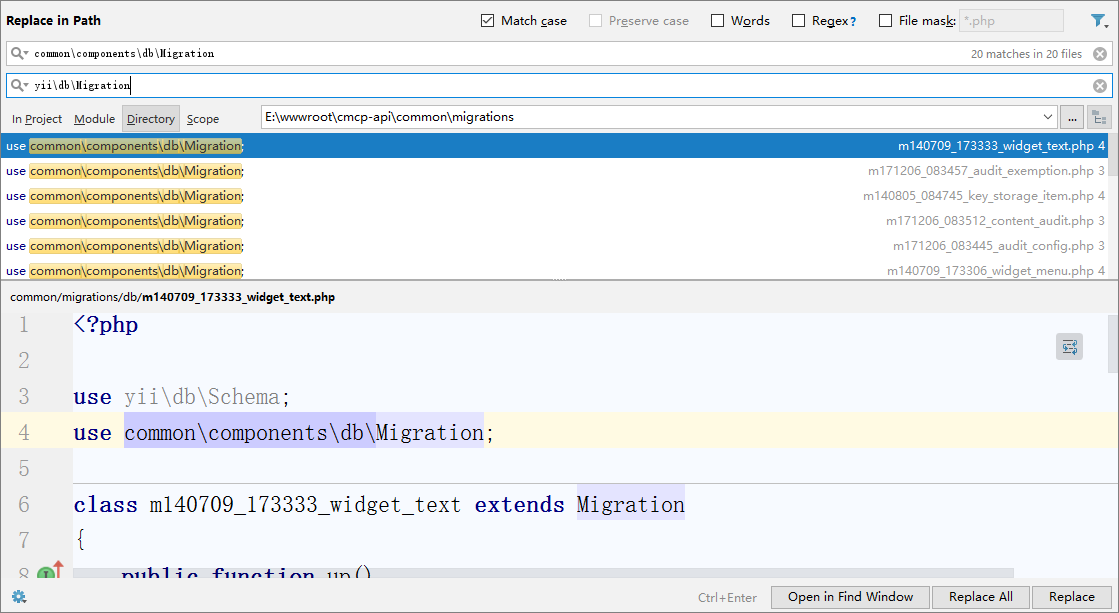
Figure 19