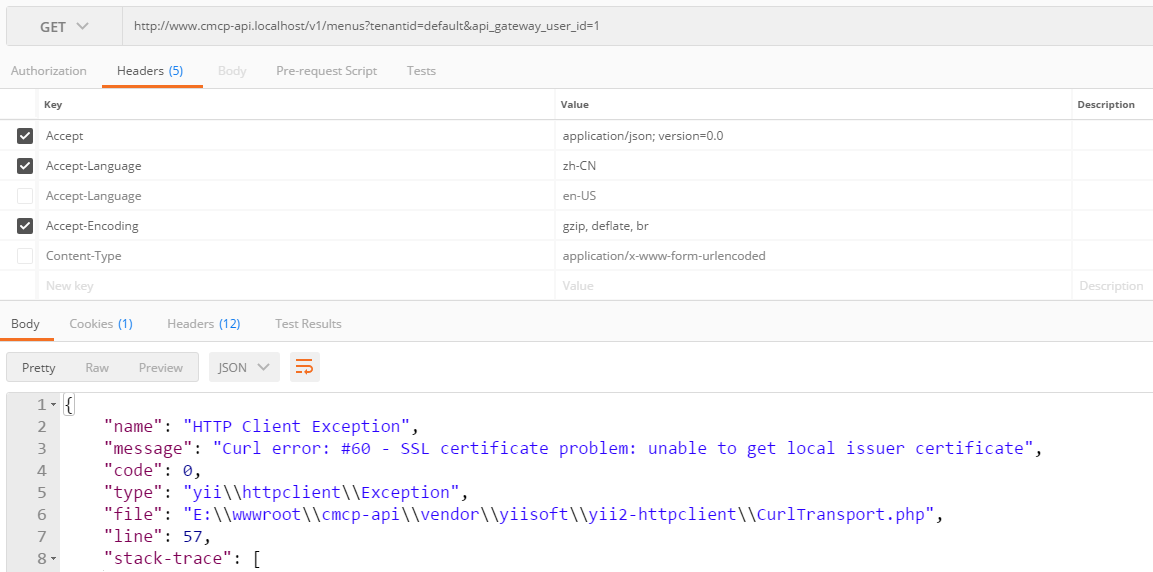
1. HTTP client extension based on Yii 2, request https, and report an error: “curl error: #60 – SSL Certificate Problem: Unable to get local Issuer certificate”, as shown in Figure 1
2. Configure the client through the application formation, deletedeal=>Yii\HttpClient\CurlTransportThis configuration, as shown in Figure 2

3. HTTP client extension based on Yii 2, request HTTPS, normal, as shown in Figure 3

4. View the document: https://github.com/yiisoft/yii2-httpClient /blob/master/docs/guide-en-en/usage-transports.md , CURLTransport can support advanced functions, such as batch requests (so, due to the needs of batch requests, the transmission method used by the client must be configured as CURLTransport), as shown in Figure 4

5. Open the URL: https://curl.haxx.se/docs/caextract.html , download and extract cacert.pem (a clean file format/data) here, copy it to: C:\PHP-7.1.12\Extras\SSL\Cacet.pem, as shown in Figure 5

6. Edit php.ini, modify ; curl.cainfo = curl.cainfo = “C:\php-7.12\extras\ssl\cacert.pem”, restart php, as shown in Figure 6

7. Since cookies have been disabled for RESTful applications, cookies are only transmitted as request header information, as shown in Figure 7

8. Configure the client through the application formation, restoredeal=>Yii\HttpClient\CurlTransportThis configuration, request https, normal, as shown in Figure 8

9. Check the log information of the debug, the settings of the cookie are as expected, as shown in Figure 9
cookie: login_chinamcloud_id=13980074657; login_chinamcloud_tid=c7a8106ea2da1d5c01a13234c69ea8

Leave a Reply