1. Execute the update statement in mysql workbench, the statement is as follows:
UPDATE `cpa_channel_app_source` SET `group_id` = '015ce30b116ce86058fa6ab4fea4ac63' WHERE (`group_id` = 'spider');
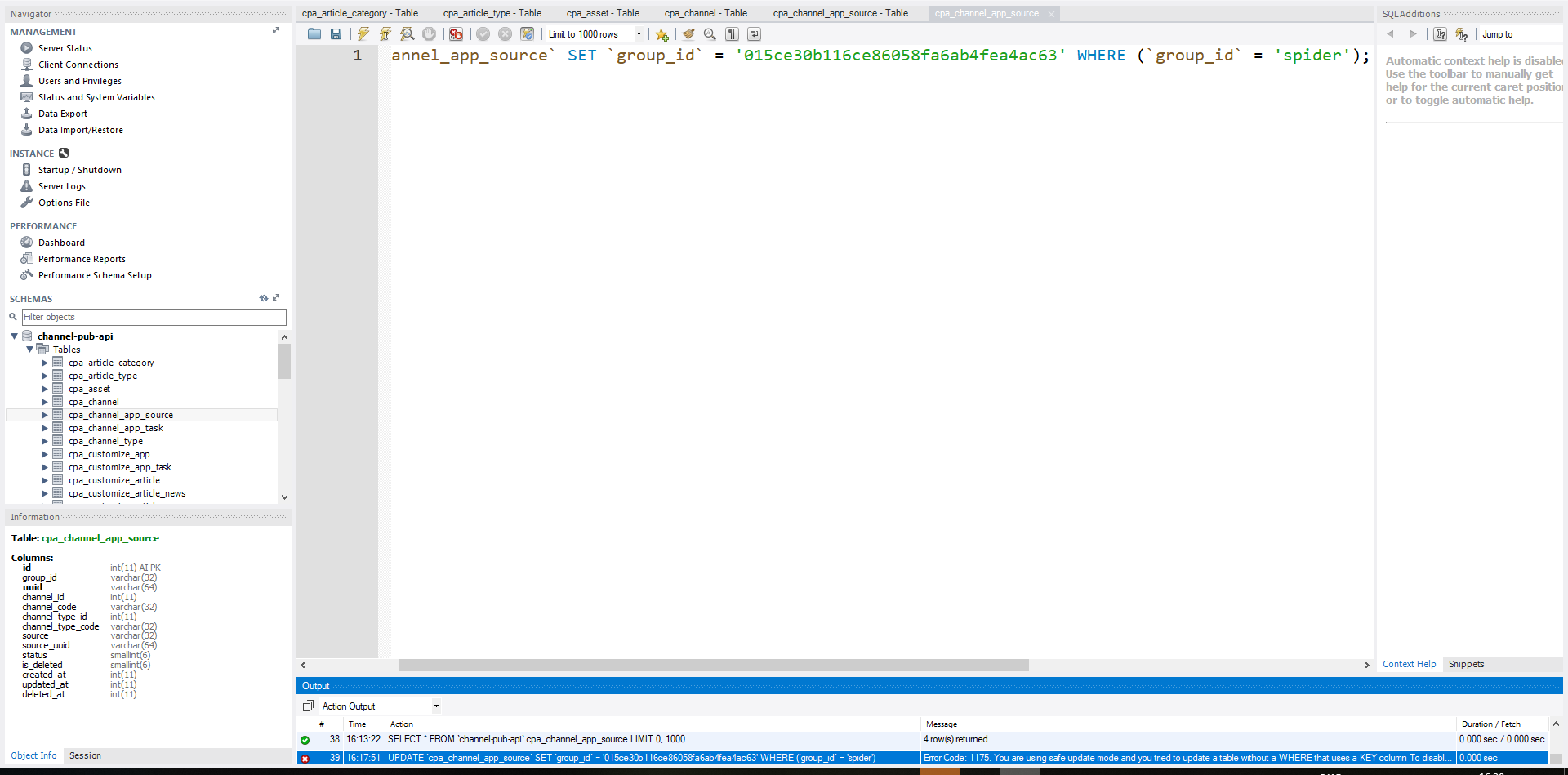
2. Error code: 1175, the specific error information is as follows:, as shown in Figure 1
Figure 1
UPDATE `cpa_channel_app_source` SET `group_id` = '015ce30b116ce86058fa6ab4fea4ac63' WHERE (`group_id` = 'spider')
Error Code: 1175. You are using safe update mode and you tried to update a table without a WHERE that uses a KEY column
 To disable safe mode, toggle the option in Preferences -> SQL Editor and reconnect.
3. Execute the update statement in phpmyadmin, the statement is as follows: the execution is successful, as shown in Figure 2
Figure 2
UPDATE `cpa_channel_app_source` SET `group_id` = '015ce30b116ce86058fa6ab4fea4ac63' WHERE (`group_id` = 'spider');
4. According to the prompts, to disable Safe Mode, switch options and reconnect in Preferences – >SQL Editor. Uncheck the security update options, as shown in Figure 3
Figure 3
Safe Updates (rejects UPDATEs and DELETEs with no restrictions)
5. After closing the connection, reconnect and execute the update statement, the statement is as follows: the execution is successful, as shown in Figure 4
Figure 4
UPDATE `cpa_channel_app_source` SET `group_id` = '015ce30b116ce86058fa6ab4fea4ac63' WHERE (`group_id` = 'spider');
UPDATE `cpa_channel_app_source` SET `group_id` = '015ce30b116ce86058fa6ab4fea4ac63' WHERE (`group_id` = 'spider')
1 row(s) affected Rows matched: 1  Changed: 1  Warnings: 0


Leave a Reply