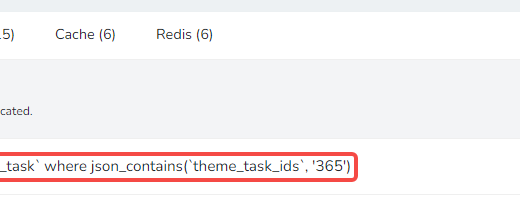
In Yii 2.0, the method is constructed based on the mapping filter condition keyword. Added implementation of specific condition builder (FIS) to support the mysql find_in_set() function
1. Open the URL in Postman:http://api.pcs-api.localhost/v1/plans/have?login_id=2e368664c41b8bf511bcc9c65d86dbc3&login_tid=f347ba5bb18cb3fbef94c0b37c796bf5&filter[and][0][or][0][title][like]=Shenzhen &Filter[status][neq]=0&filter[and][0][or][1][keyword]= keyword, as shown in Figure 1
![在 Postman 中打开网址:http://api.pcs-api.localhost/v1/plans/have?login_id=2e368664c41b8bf511bcc9c65d86dbc3&login_tid=f347ba5bb18cb3fbef94c0b37c796bf5&filter[and][0][or][0][title][like]=深圳市&filter[status][neq]=0&filter[and][0][or][1][keyword]=关键字](https://www.shuijingwanwq.com/wp-content/uploads/2019/08/1-7.png)
Figure 1
filter[and][0][or][0][title][like]:深圳市
filter[status][neq]:0
filter[and][0][or][1][keyword]:关键字
2. Print request parameter: $requestParams
Array
(
    [filter] => Array
        (
            [and] => Array
                (
                    [0] => Array
                        (
                            [or] => Array
                                (
                                    [0] => Array
                                        (
                                            [title] => Array
                                                (
                                                    [like] => 深圳市
                                                )

                                        )

                                    [1] => Array
                                        (
                                            [keyword] => 关键字
                                        )

                                )

                        )

                )

            [status] => Array
                (
                    [neq] => 0
                )

        )

)
3. Print the filter: $filter
Array
(
    [0] => AND
    [1] => Array
        (
            [0] => AND
            [1] => Array
                (
                    [0] => OR
                    [1] => Array
                        (
                            [0] => LIKE
                            [1] => {{%plan}}.[[title]]
                            [2] => 深圳市
                        )

                    [2] => Array
                        (
                            [{{%plan}}.[[keyword]]] => 关键字
                        )

                )

        )

    [2] => Array
        (
            [0] => !=
            [1] => {{%plan}}.[[status]]
            [2] => 0
        )

)
4. The final generated SQL is as follows, as shown in Figure 2

Figure 2
SELECT `pa_plan`.* FROM `pa_plan` WHERE (((`pa_plan`.`title` LIKE '%深圳市%') OR (`pa_plan`.`keyword`='关键字')) AND (`pa_plan`.`status` != '0')) GROUP BY `pa_plan`.`id` ORDER BY `pa_plan`.`id` DESC LIMIT 20
5. The current requirement is that the field keyword, keywords, multiple uses, and numbers are separated, and accurate matching is required, rather than fuzzy matching, and it is not equal to. as shown in Figure 3

Figure 3
6. Open the URL:https://www.yiiframework.com/doc/api/2.0/yii-data-activedatafilter#$conditionBuilders-detail, based on the mapping filter condition keyword to build the method. BuildCondition() uses these methods to build the actual filter condition. The implementation of a specific condition builder can be specified using the php callback, as shown in Figure 4

Figure 4
7. Copy \Vendor\yiisoft\yii2\data\activedatafilter.php to \common\components\data\activedatafilter.php, edit to support mysql find_in_set() function
 * @since 1.0
 */
class ActiveDataFilter extends \yii\data\ActiveDataFilter
{
    /**
     * @var array keywords or expressions that could be used in a filter.
     * Array keys are the expressions used in raw filter value obtained from user request.
     * Array values are internal build keys used in this class methods.
     *
     * Any unspecified keyword will not be recognized as a filter control and will be treated as
     * an attribute name. Thus you should avoid conflicts between control keywords and attribute names.
     * For example: in case you have control keyword 'like' and an attribute named 'like', specifying condition
     * for such attribute will be impossible.
     *
     * You may specify several keywords for the same filter build key, creating multiple aliases. For example:
     *
     * ```php
     * [
     *     'eq' => '=',
     *     '=' => '=',
     *     '==' => '=',
     *     '===' => '=',
     *     // ...
     * ]
     * ```
     *
     * > Note: while specifying filter controls take actual data exchange format, which your API uses, in mind.
     * > Make sure each specified control keyword is valid for the format. For example, in XML tag name can start
     * > only with a letter character, thus controls like `>`, '=' or `$gt` will break the XML schema.
     */
    public $filterControls = [
        'and' => 'AND',
        'or' => 'OR',
        'not' => 'NOT',
        'lt' => '<',
        'gt' => '>',
        'lte' => '<=',
        'gte' => '>=',
        'eq' => '=',
        'neq' => '!=',
        'in' => 'IN',
        'nin' => 'NOT IN',
        'like' => 'LIKE',
        'fis' => 'FIND_IN_SET',
    ];
    /**
     * @var array maps filter condition keywords to validation methods.
     * These methods are used by [[validateCondition()]] to validate raw filter conditions.
     */
    public $conditionValidators = [
        'AND' => 'validateConjunctionCondition',
        'OR' => 'validateConjunctionCondition',
        'NOT' => 'validateBlockCondition',
        '<' => 'validateOperatorCondition',
        '>' => 'validateOperatorCondition',
        '<=' => 'validateOperatorCondition',
        '>=' => 'validateOperatorCondition',
        '=' => 'validateOperatorCondition',
        '!=' => 'validateOperatorCondition',
        'IN' => 'validateOperatorCondition',
        'NOT IN' => 'validateOperatorCondition',
        'LIKE' => 'validateOperatorCondition',
        'FIND_IN_SET' => 'validateOperatorCondition',
    ];
    /**
     * @var array specifies the list of supported search attribute types per each operator.
     * This field should be in format: 'operatorKeyword' => ['type1', 'type2' ...].
     * Supported types list can be specified as `*`, which indicates that operator supports all types available.
     * Any unspecified keyword will not be considered as a valid operator.
     */
    public $operatorTypes = [
        '<' => [self::TYPE_INTEGER, self::TYPE_FLOAT, self::TYPE_DATETIME, self::TYPE_DATE, self::TYPE_TIME],
        '>' => [self::TYPE_INTEGER, self::TYPE_FLOAT, self::TYPE_DATETIME, self::TYPE_DATE, self::TYPE_TIME],
        '<=' => [self::TYPE_INTEGER, self::TYPE_FLOAT, self::TYPE_DATETIME, self::TYPE_DATE, self::TYPE_TIME],
        '>=' => [self::TYPE_INTEGER, self::TYPE_FLOAT, self::TYPE_DATETIME, self::TYPE_DATE, self::TYPE_TIME],
        '=' => '*',
        '!=' => '*',
        'IN' => '*',
        'NOT IN' => '*',
        'LIKE' => [self::TYPE_STRING],
        'FIND_IN_SET' => [self::TYPE_STRING],
    ];
    /**
     * @var array maps filtering condition keywords to build methods.
     * These methods are used by [[buildCondition()]] to build the actual filtering conditions.
     * Particular condition builder can be specified using a PHP callback. For example:
     *
     * ```php
     * [
     *     'XOR' => function (string $operator, mixed $condition) {
     *         //return array;
     *     },
     *     'LIKE' => function (string $operator, mixed $condition, string $attribute) {
     *         //return array;
     *     },
     * ]
     * ```
     */
    public $conditionBuilders = [
        'AND' => 'buildConjunctionCondition',
        'OR' => 'buildConjunctionCondition',
        'NOT' => 'buildBlockCondition',
        '<' => 'buildOperatorCondition',
        '>' => 'buildOperatorCondition',
        '<=' => 'buildOperatorCondition',
        '>=' => 'buildOperatorCondition',
        '=' => 'buildOperatorCondition',
        '!=' => 'buildOperatorCondition',
        'IN' => 'buildOperatorCondition',
        'NOT IN' => 'buildOperatorCondition',
        'LIKE' => 'buildOperatorCondition',
        'FIND_IN_SET' => 'buildFindInSetCondition',
    ];

    /**
     * Builds an findInSet condition.
     * @param string $operator operator keyword.
     * @param mixed $condition attribute condition.
     * @param string $attribute attribute name.
     * @return string actual condition.
     */
    protected function buildFindInSetCondition($operator, $condition, $attribute)
    {
        if (isset($this->queryOperatorMap[$operator])) {
            $operator = $this->queryOperatorMap[$operator];
        }
        return "" . $operator . "('" . $this->filterAttributeValue($attribute, $condition) . "', " . $attribute . ")";
    }
}
8. Edit \api\rests\plan\haveaction.php to support filtering of field keyword
    public $dataFilter = [
        'class' => 'common\components\data\ActiveDataFilter',
        'searchModel' => 'api\models\PlanSearch',
        'attributeMap' => [
            'created_at' => '{{%plan}}.[[created_at]]',
            'status' => '{{%plan}}.[[status]]',
            'title' => '{{%plan}}.[[title]]',
            'keyword' => '{{%plan}}.[[keyword]]',
        ],
    ];
9. Open the URL in Postman:http://api.pcs-api.localhost/v1/plans/have?login_id=2e368664c41b8bf511bcc9c65d86dbc3&login_tid=f347ba5bb18cb3fbef94c0b37c796bf5&filter[and][0][or][0][title][like]= Shenzhen 2&filter[status][neq]=0&filter[and][0][or][1][keyword][fis]= Keyword 3, as shown in Figure 5
![filter[and][0][or][1][keyword][fis]=关键字3](https://www.shuijingwanwq.com/wp-content/uploads/2019/08/6.png)
Figure 5
filter[and][0][or][0][title][like]:深圳市2
filter[status][neq]:0
filter[and][0][or][1][keyword][fis]:关键字3
10. The final generated SQL is as follows, which is as expected, as shown in Figure 6

Figure 5
SELECT `pa_plan`.* FROM `pa_plan` WHERE (((`pa_plan`.`title` LIKE '%深圳市2%') OR (FIND_IN_SET('关键字3', `pa_plan`.`keyword`))) AND (`pa_plan`.`status` != '0')) GROUP BY `pa_plan`.`id` ORDER BY `pa_plan`.`id` DESC LIMIT 20