Change the WordPress theme: After the maximum width of the Hueman’s website, the thumbnail view is not clear enough to solve
1. Change the maximum width of the website of the WordPress theme: 1680 px, as shown in Figure 1
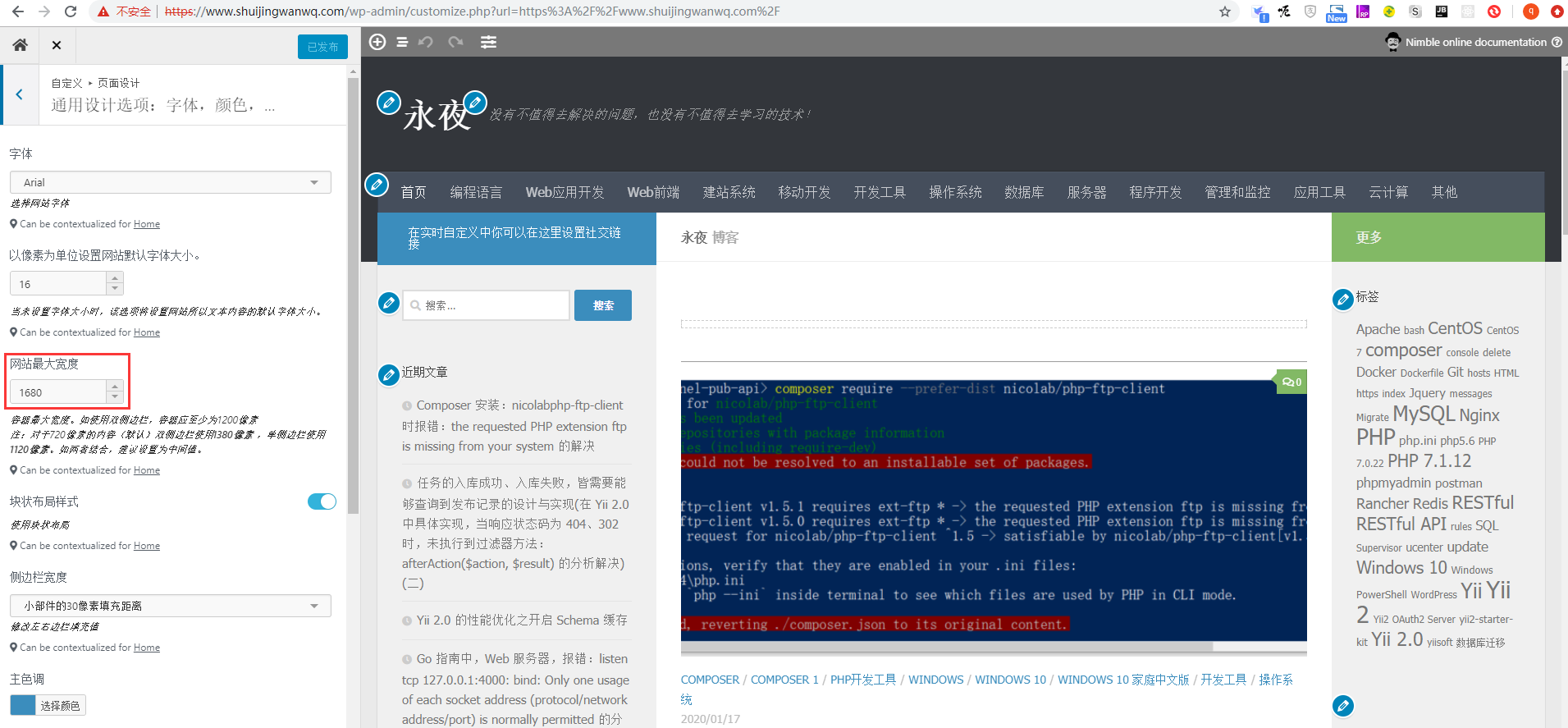
Figure 1
2. Check the thumbnail image of the home page, its original size is: 720 * 340 px, which has now been enlarged to: 1020 * 360 px, which has become not clear enough, as shown in Figure 2
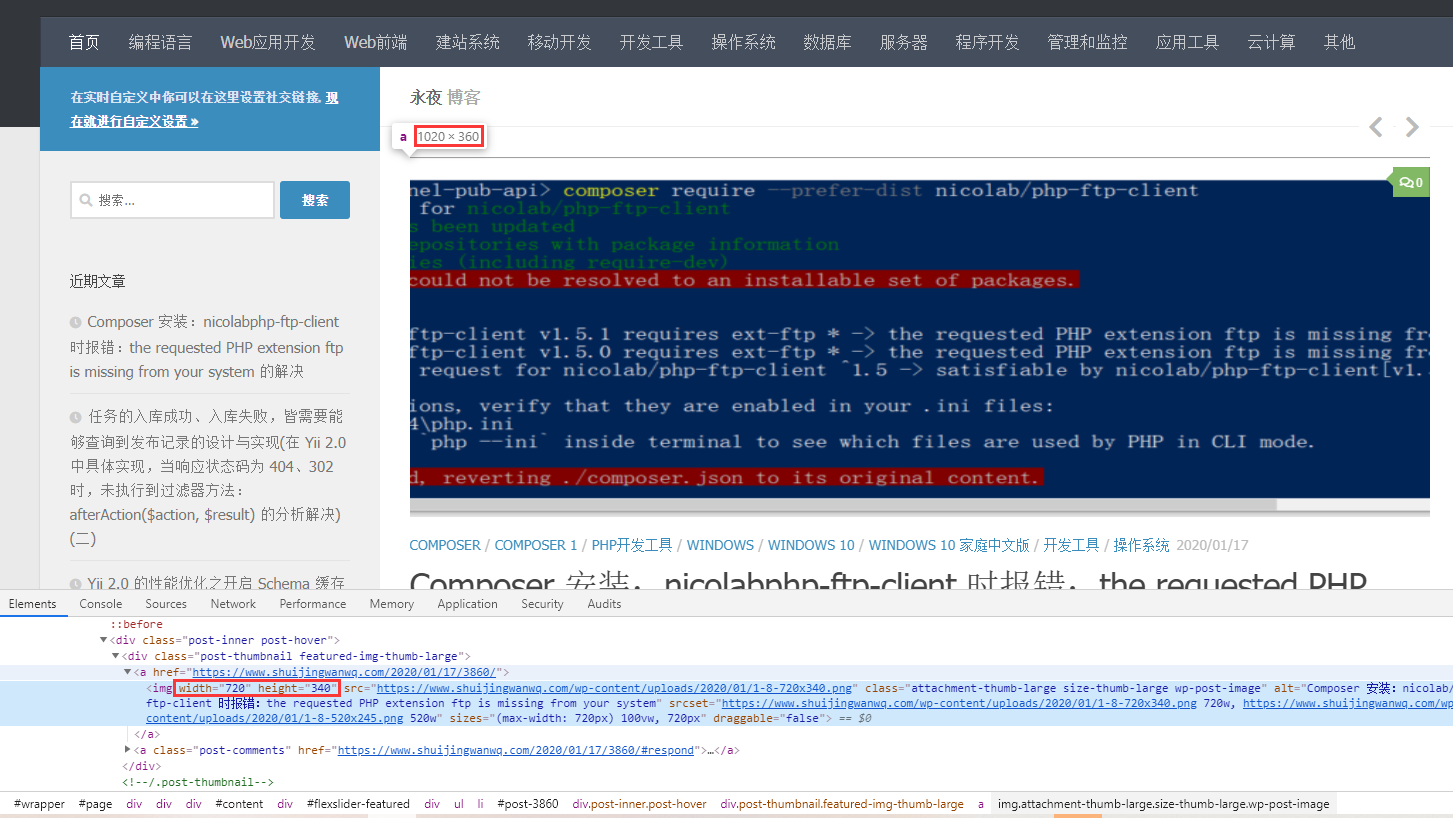
Figure 2
3. The address of the picture:https://www.shuijingwanwq.com/wp-content/uploads/2020/01/1-8-720×340.png, its size is: 720 * 340 px, so, you should use a picture of size: 1320 × 500 px, as shown in Figure 3
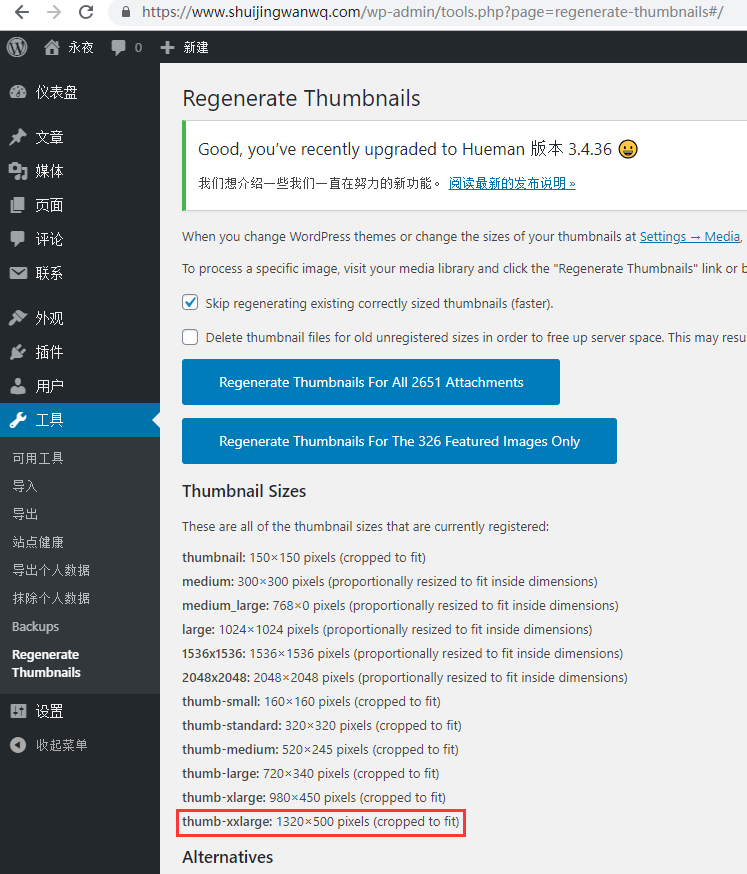
Figure 3
4. The featured picture regenerate thumbnails, at this time, the address of the picture:https://www.shuijingwanwq.com/wp-content/uploads/2020/01/1-8-1320×481.png, as shown in Figure 4
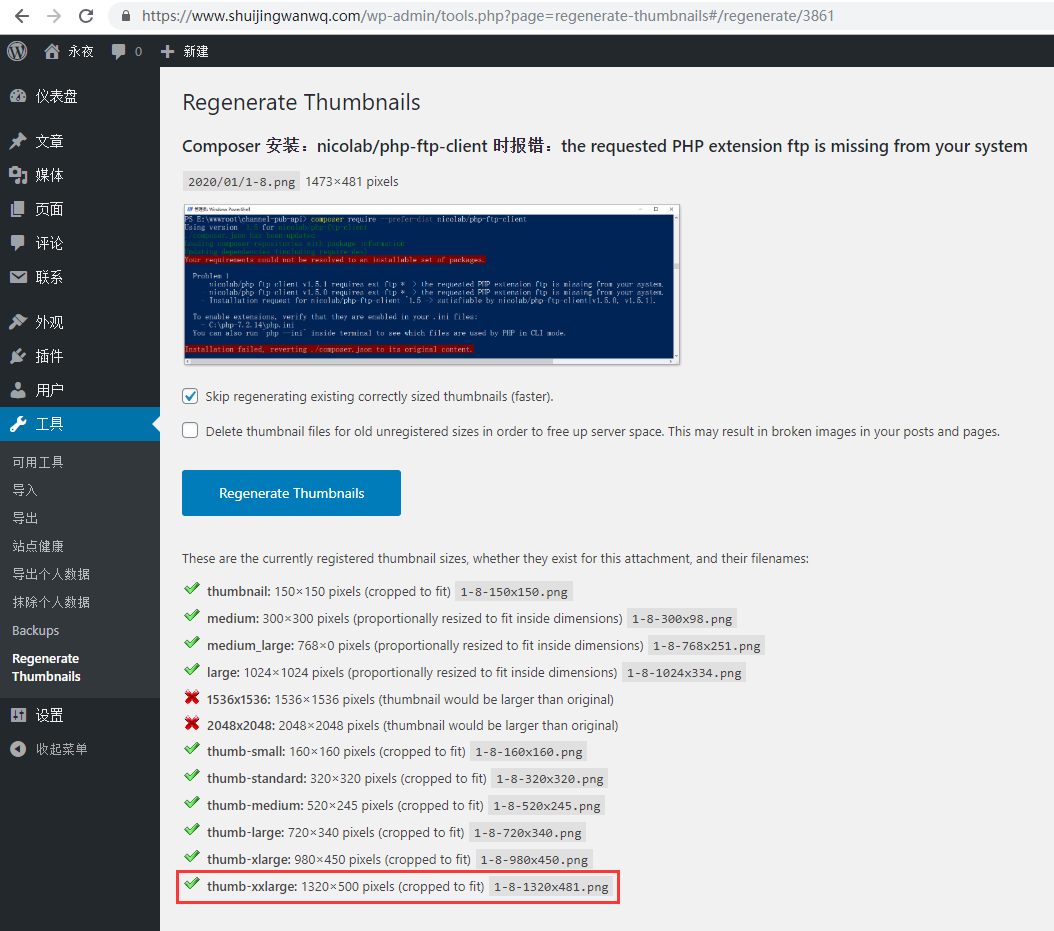
Figure 4
5. Check the theme editor, the file should be edited: /wp-content/themes/hueman/content-featured.php, the value of col-3cm is from: thumb-large Modified to: thumb-xxlarge, note: After each upgrade of the theme, you need to repeat and update this file, as shown in Figure 5

Figure 5
$map = array(
      'col-1c'  => 'thumb-xxlarge',
      'col-2cl' => 'thumb-xlarge',
      'col-2cr' => 'thumb-xlarge',
      'col-3cm' => 'thumb-xxlarge',
      'col-3cl' => 'thumb-large',
      'col-3cr' => 'thumb-large'
);
6. Check the thumbnail of the home page, the address of the picture:https://www.shuijingwanwq.com/wp-content/uploads/2020/01/1-8-1320×481.png, its original size is: 1320 * 481 px, which has now been reduced to: 1020 * 371.67 px, which becomes clear enough to meet expectations, as shown in Figure 6
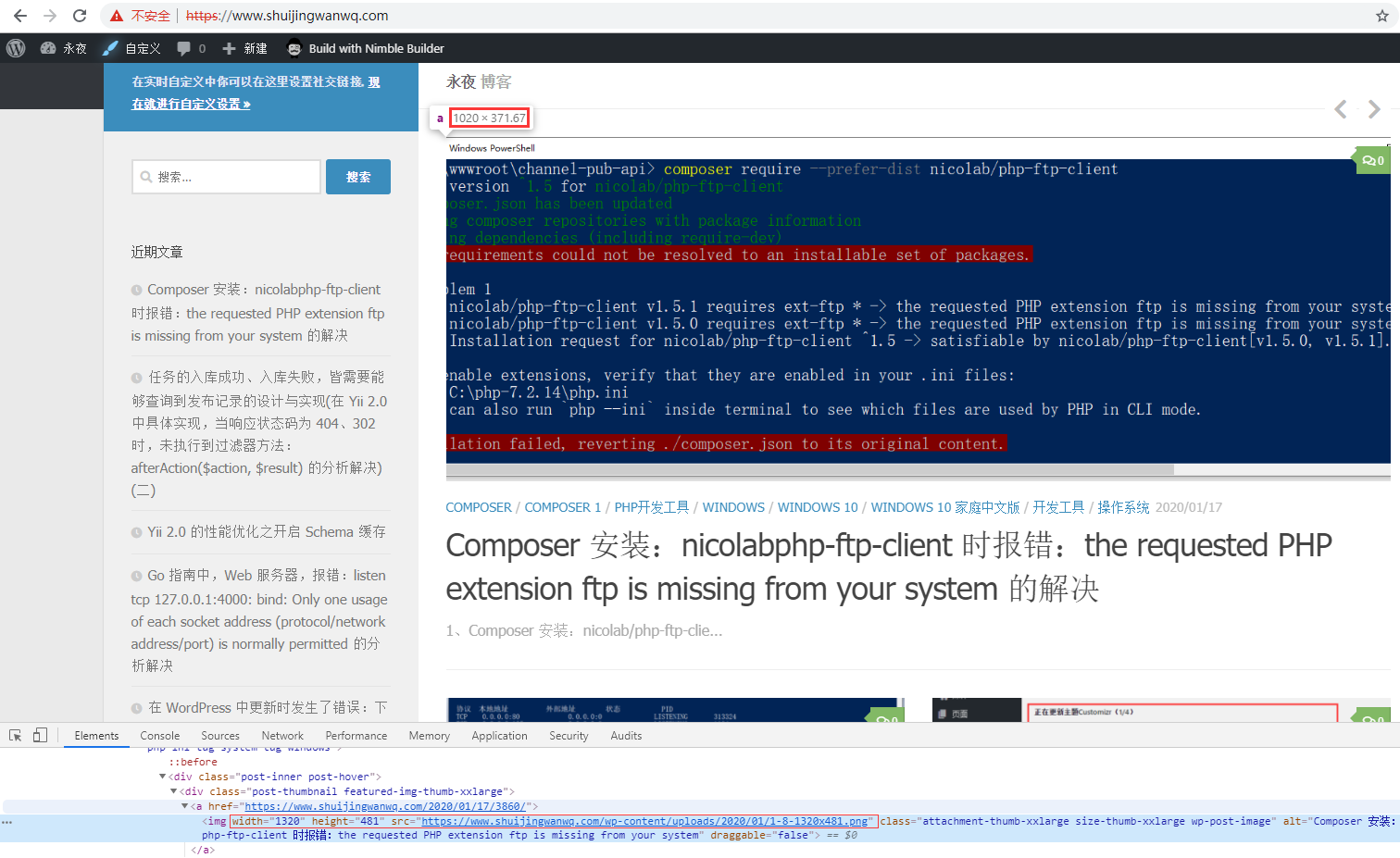
Figure 6
7. Note: Step 4 can be ignored, there is no need to manually generate the corresponding thumbnail, the picture will be automatically generated after the picture is uploaded, as shown in Figure 7
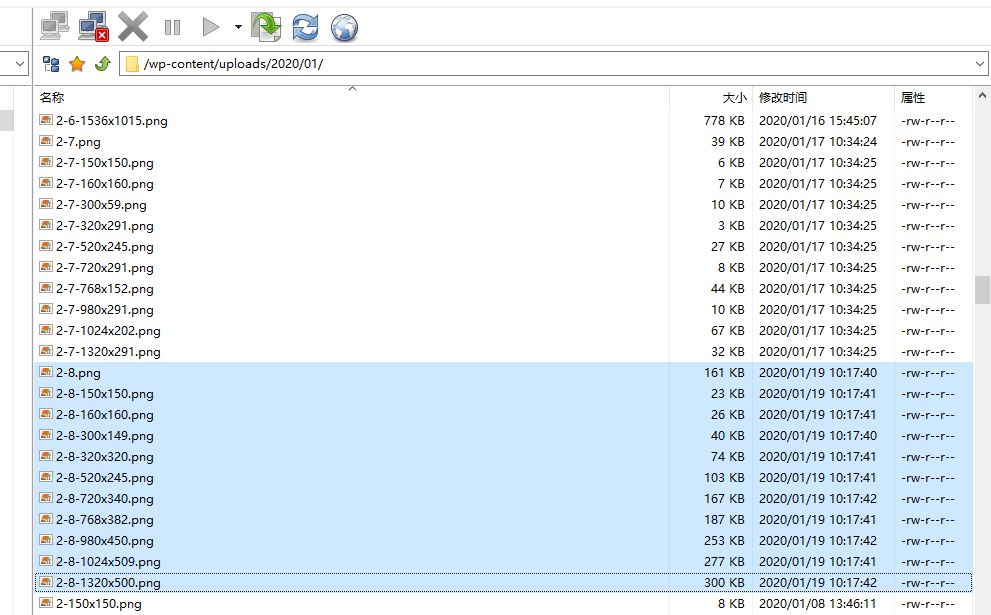
Figure 7