Manually modify the implementation process of HTTPS to HTTP in Opera browser
1. In the Opera browser, the opened URL:https://cmcconsole.flydev.chinamcloud.cn/#/chzh/pcs/da666d1d2d43df871c1804f632d8795d, as shown in Figure 1
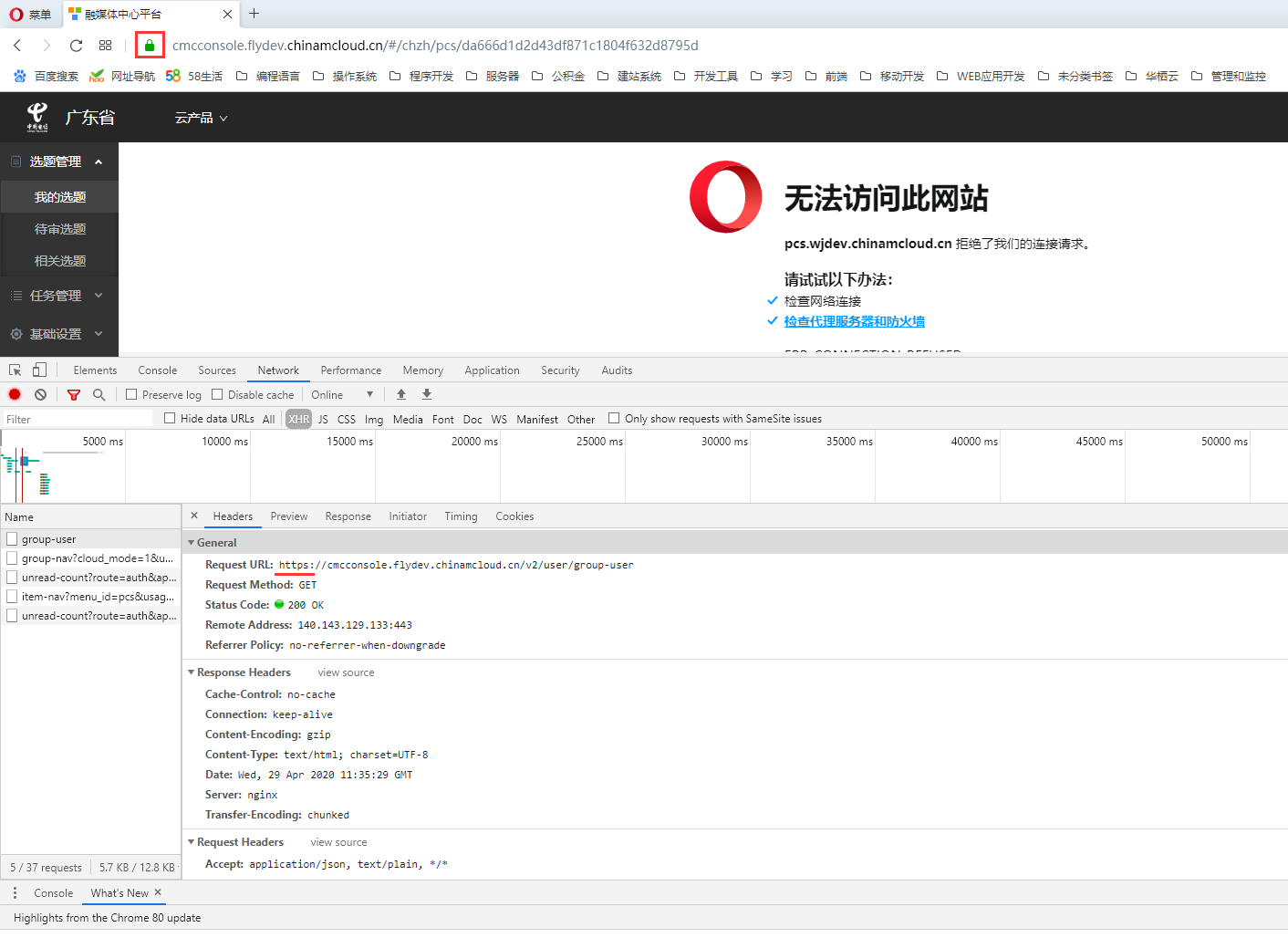
Figure 1
2. Prepare to manually modify it to:http://cmcconsole.flydev.chinamcloud.cn/#/chzh/pcs/da666d1d2d43df871c1804f632d8795d, the reason is that some links inside are not supported: https .
3. In the Chrome browser, you can enter: http:// prefix in the address bar to achieve the goal of modifying to http, as shown in Figure 2
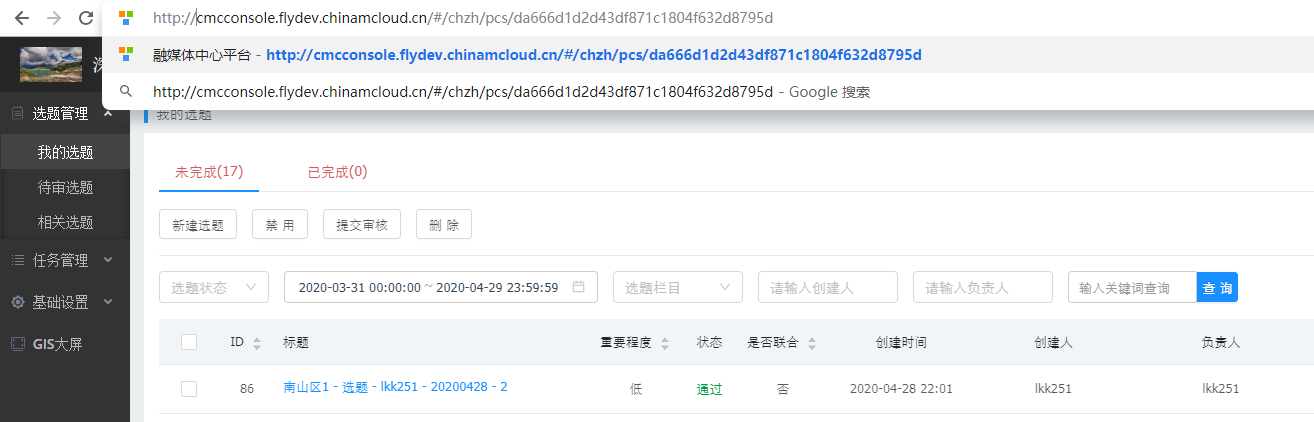
Figure 2
4. But in the Opera browser, the same method cannot be used to achieve it. In Opera settings, the user interface – display the full URL in the combined search and address bar, turn on this function, as shown in Figure 3
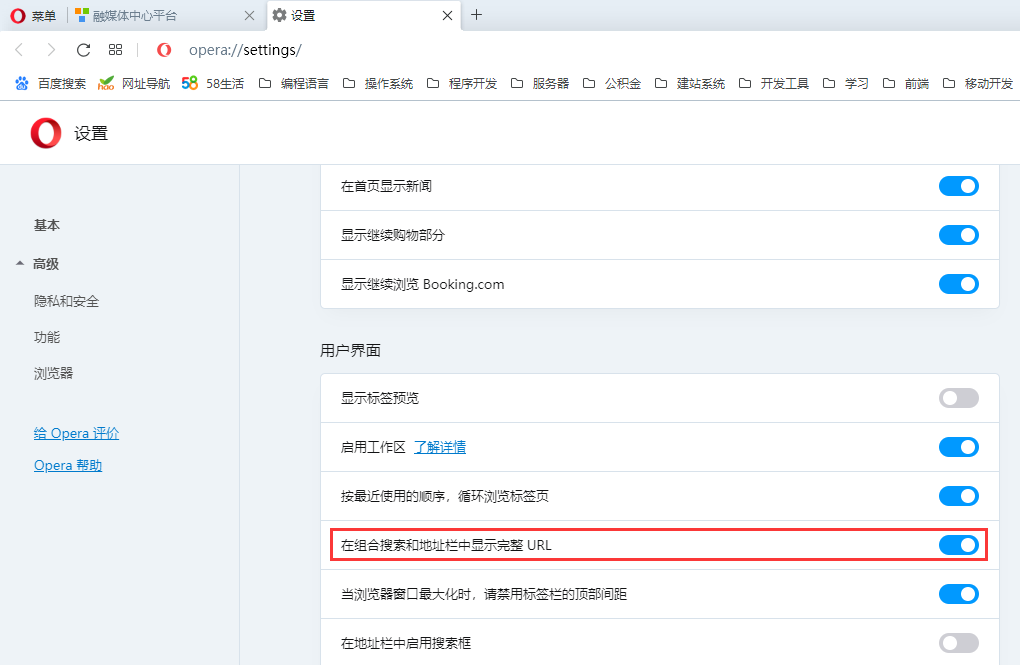
Figure 3
5. At this time, it is fully displayed in the address bar:https://cmcconsole.flydev.chinamcloud.cn/#/chzh/pcs/da666d1d2d43df871c1804f632d8795d, as shown in Figure 4
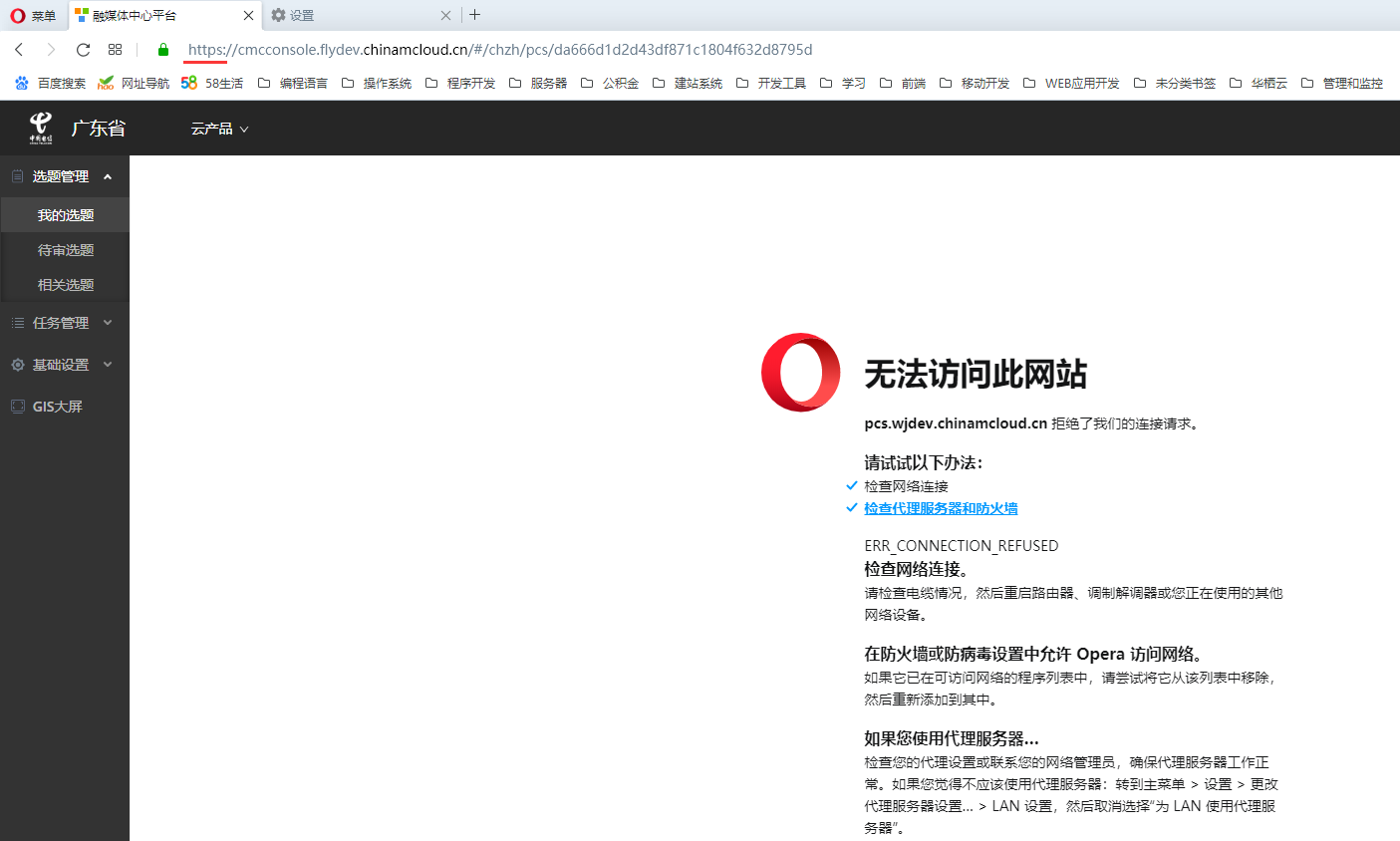
Figure 4
6. Manually modify it to:http://cmcconsole.flydev.chinamcloud.cn/#/chzh/pcs/da666d1d2d43df871c1804f632d8795d, enter, still automatically jump to https, not as expected. as shown in Figure 5
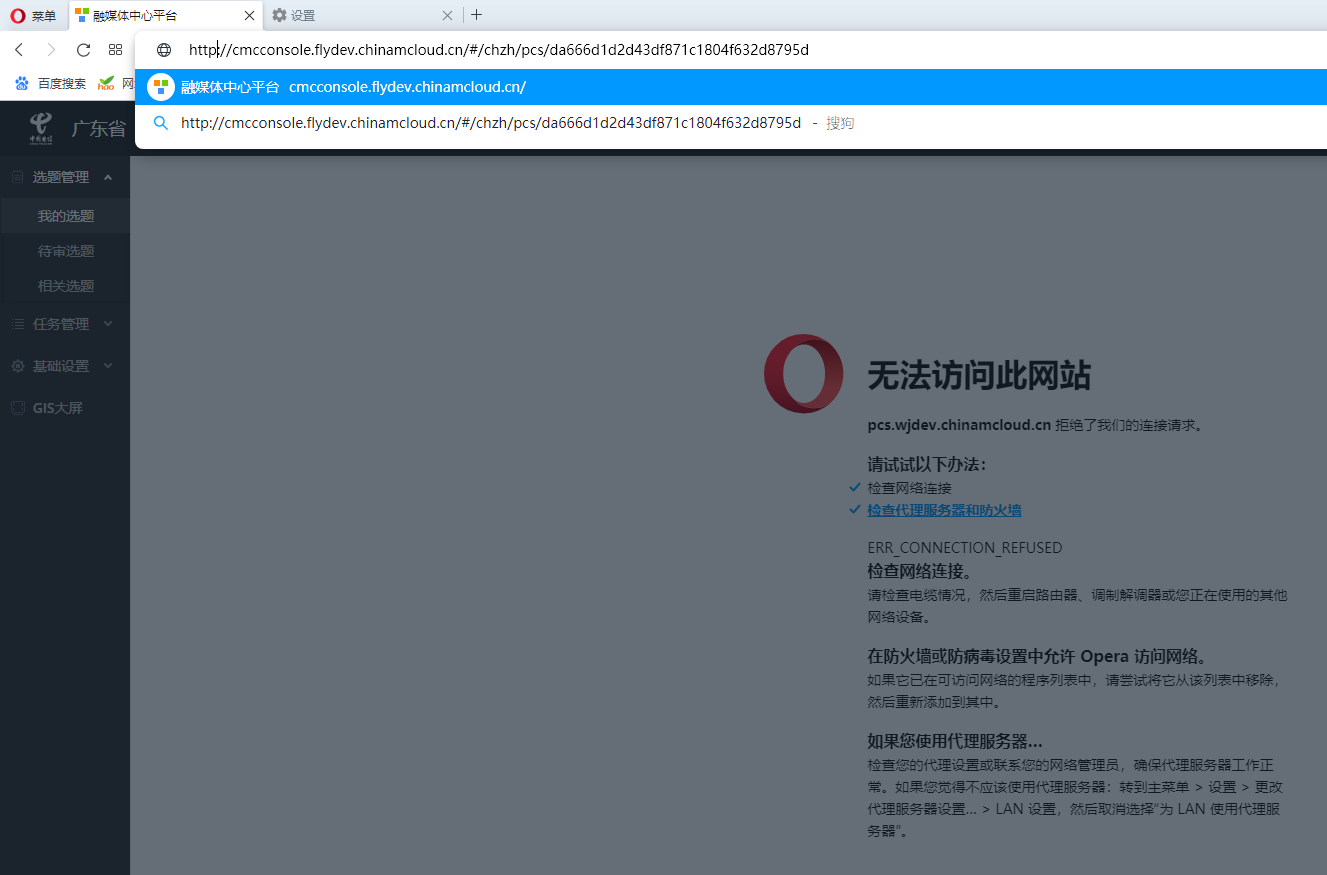
Figure 5
7. Clear browsing data, as shown in Figure 6
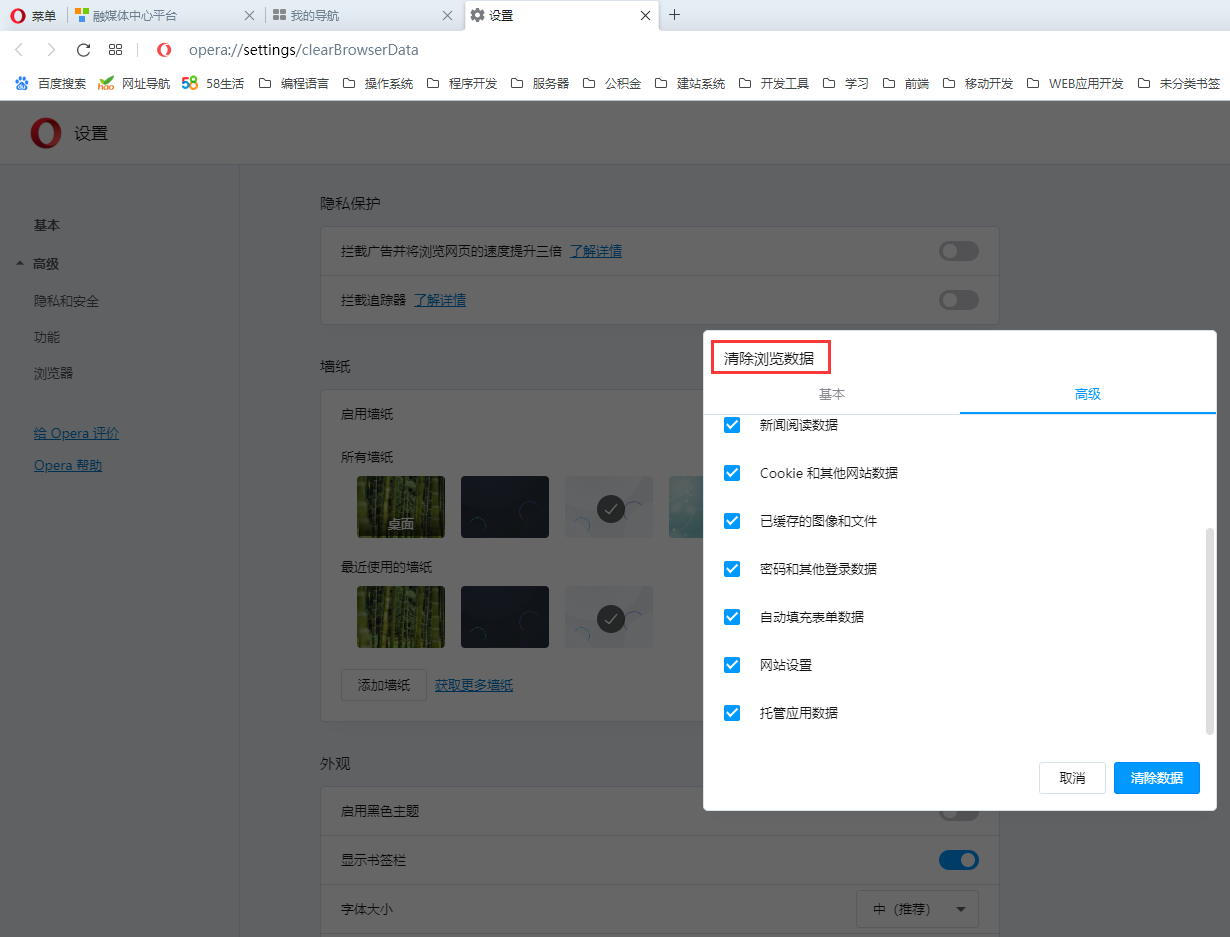
Figure 6
8. Repeat the 6th step again, and successfully modify it to http, as shown in Figure 7
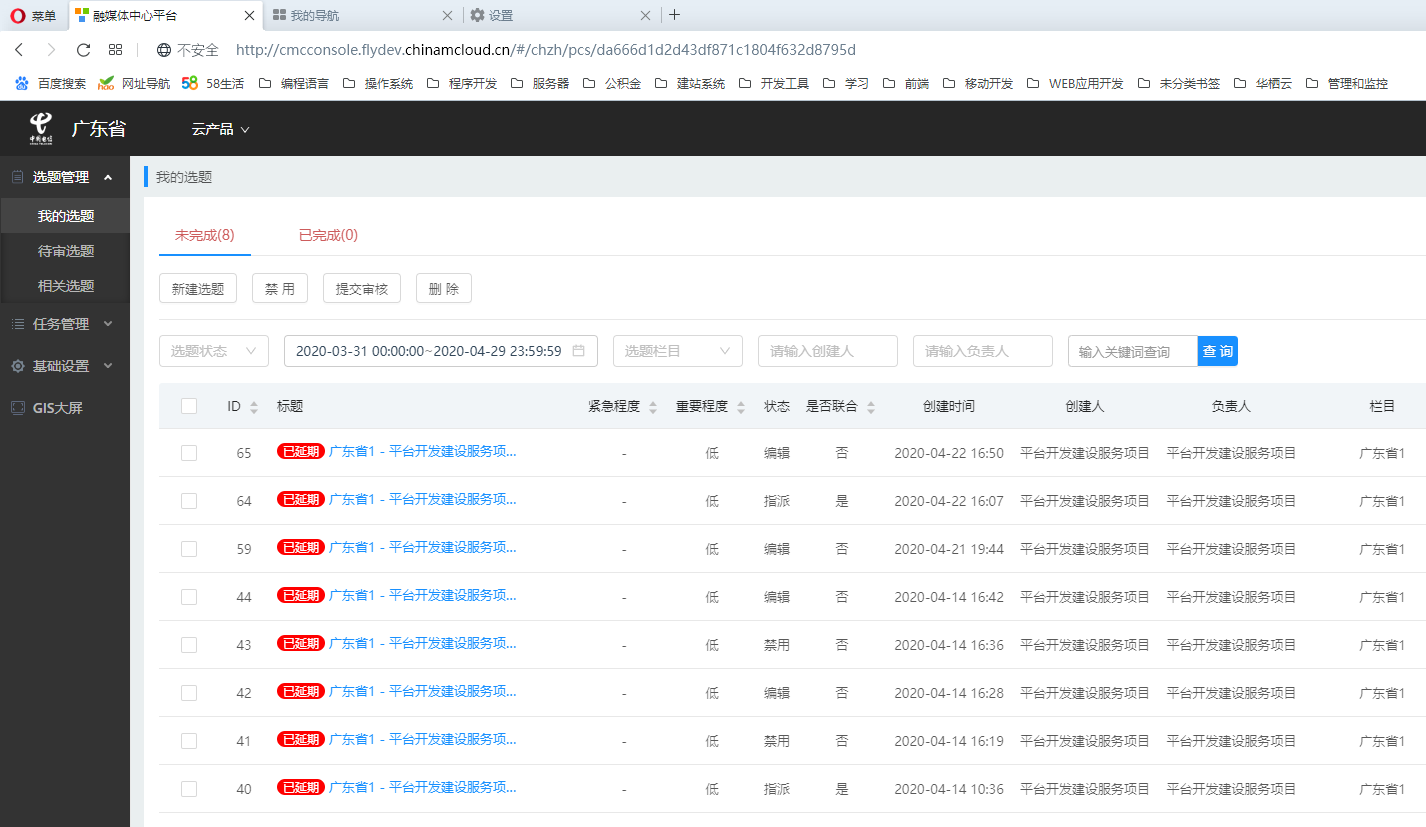
Figure 7