After adding /vendor to the git repository, docker deploys, the analysis of the upgrade failed
1. Edit .gitignore and add /vendor to the git warehouse, as shown in Figure 1
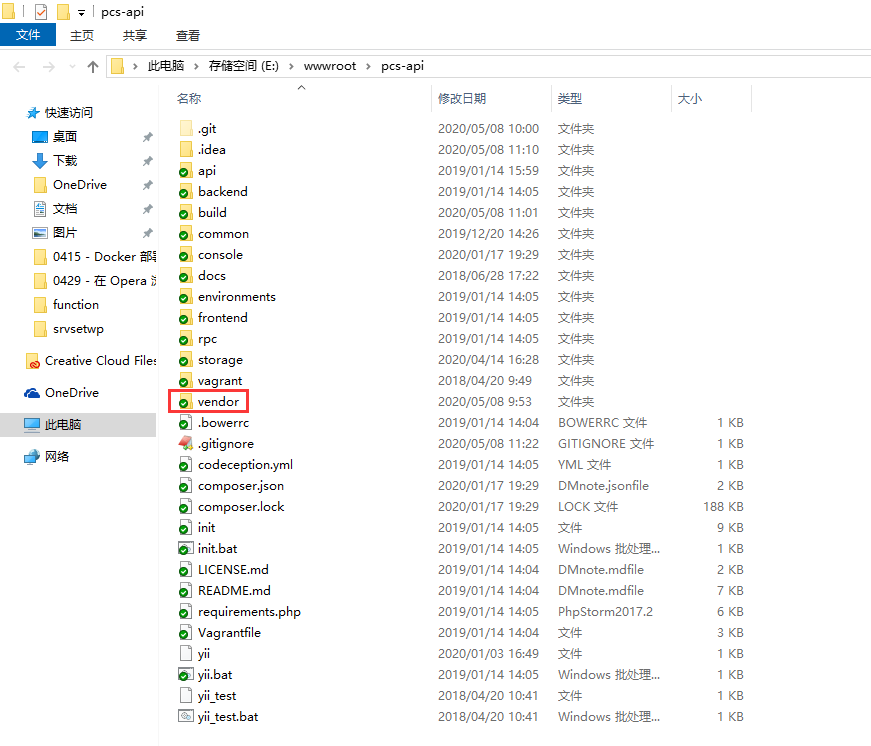
Figure 1
# composer vendor dir
# /vendor
2. Failed to build in Jenkins, check Console output. as shown in Figure 2
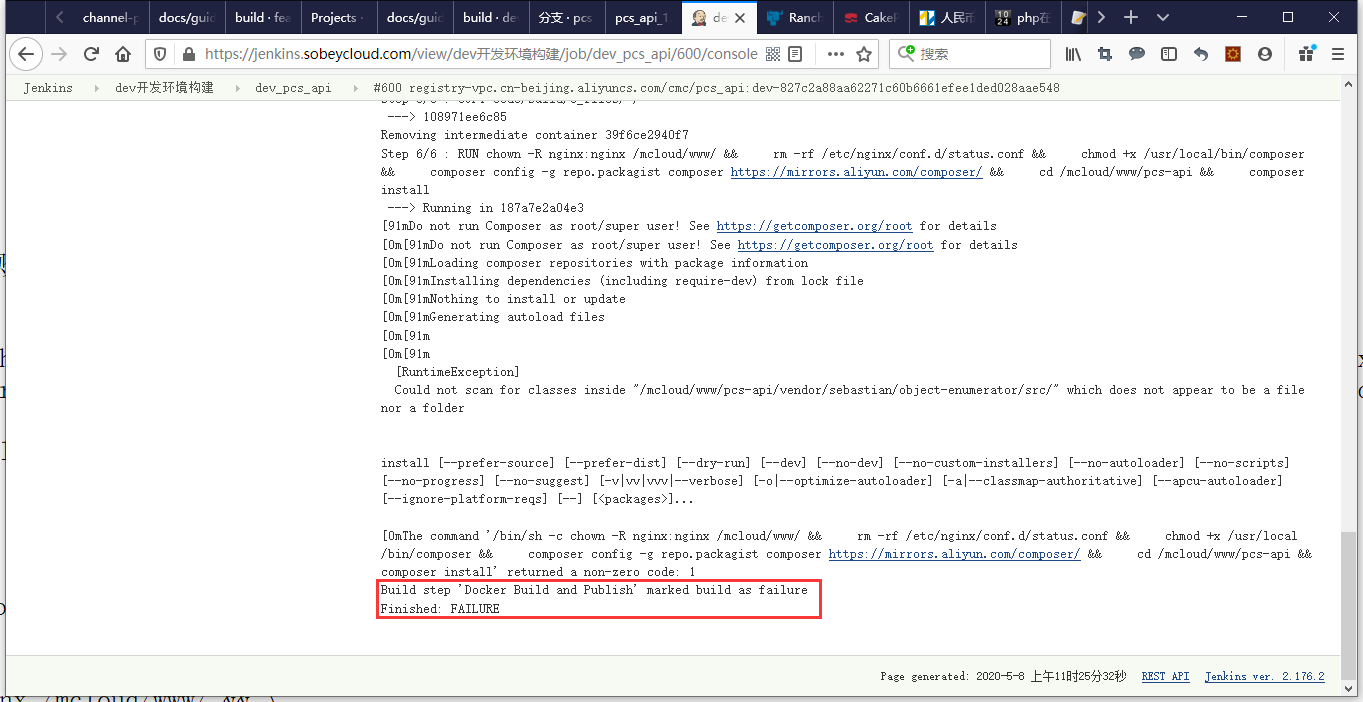
Figure 2
[0mThe command '/bin/sh -c chown -R nginx:nginx /mcloud/www/ &&     rm -rf /etc/nginx/conf.d/status.conf &&     chmod +x /usr/local/bin/composer &&     composer config -g repo.packagist composer https://mirrors.aliyun.com/composer/ &&     cd /mcloud/www/pcs-api &&     composer install' returned a non-zero code: 1
Build step 'Docker Build and Publish' marked build as failure
Finished: FAILURE
3. Docker deployment, delete the composer install. Edit Dockerfile. as shown in Figure 3
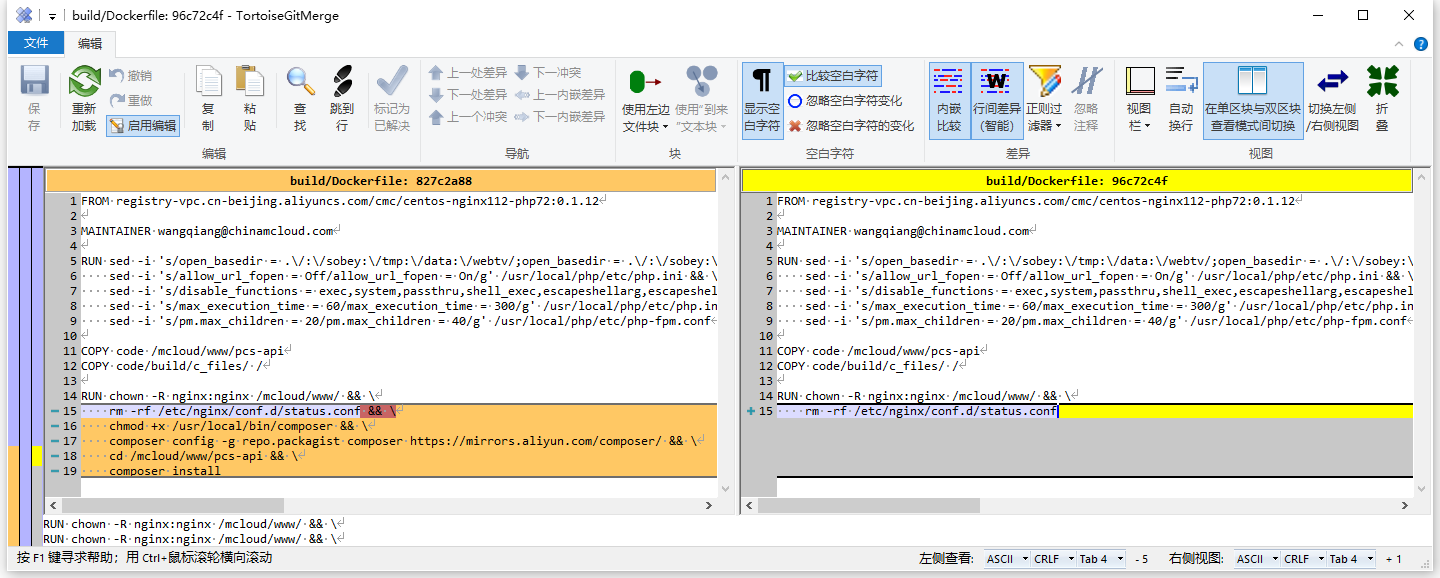
Figure 3
RUN chown -R nginx:nginx /mcloud/www/ && \
    rm -rf /etc/nginx/conf.d/status.conf && \
    chmod +x /usr/local/bin/composer && \
    composer config -g repo.packagist composer https://mirrors.aliyun.com/composer/ && \
    cd /mcloud/www/pcs-api && \
    composer install
RUN chown -R nginx:nginx /mcloud/www/ && \
    rm -rf /etc/nginx/conf.d/status.conf
4. Build successfully in Jenkins. as shown in Figure 4
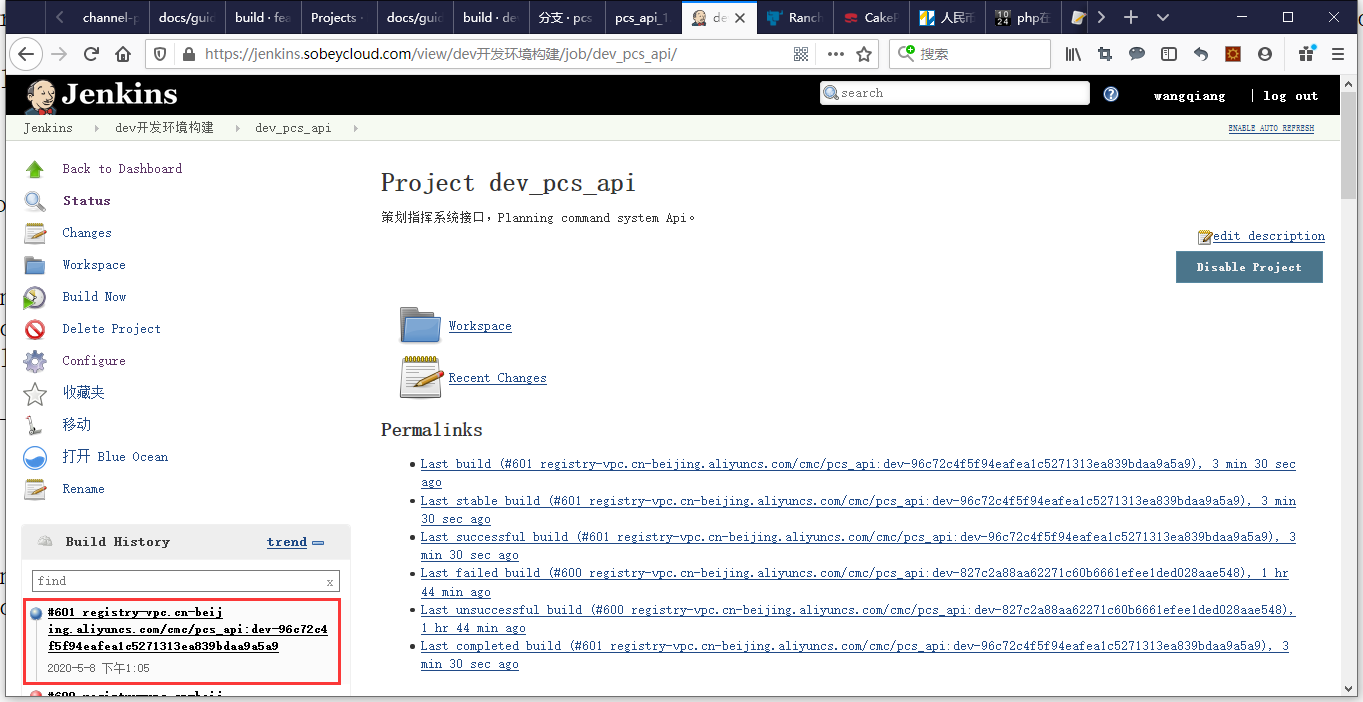
Figure 4
5. Failed to start in Rancher, check the log. as shown in Figure 5
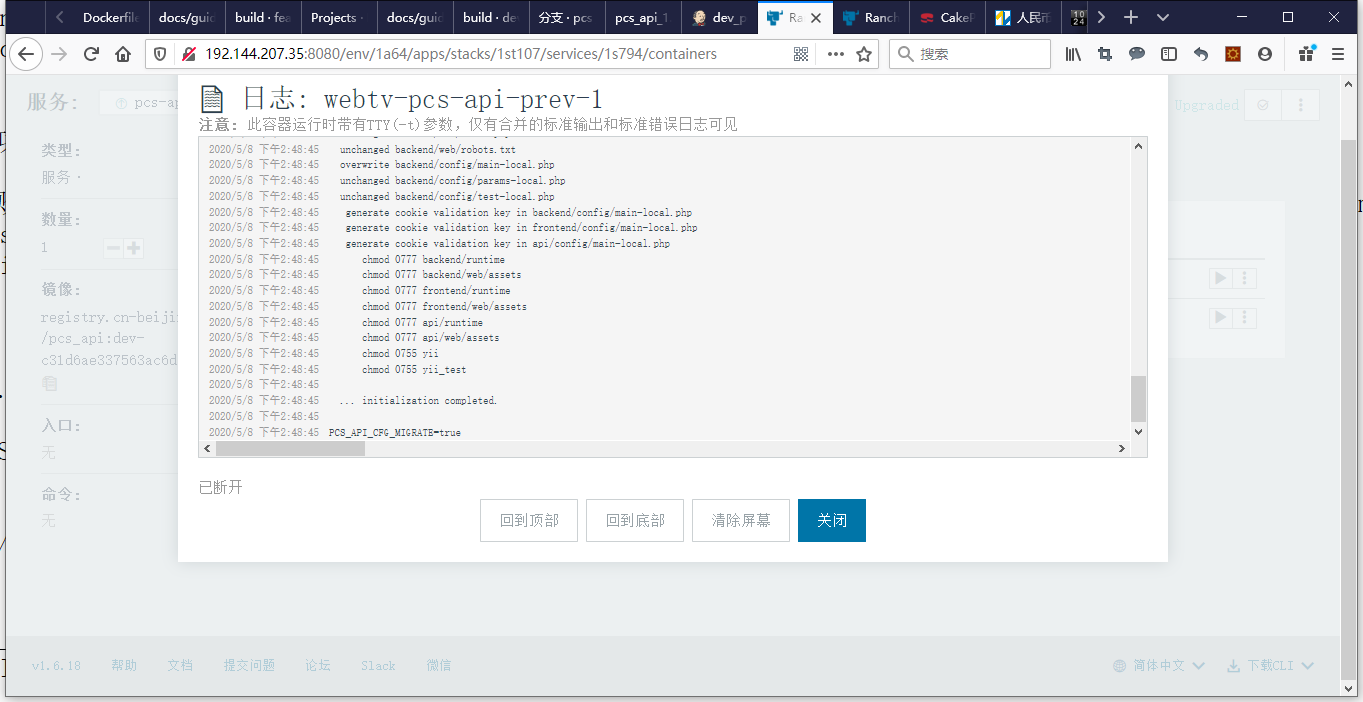
Figure 5
2020/5/8 下午2:48:45
2020/5/8 下午2:48:45  ... initialization completed.
2020/5/8 下午2:48:45
2020/5/8 下午2:48:45 PCS_API_CFG_MIGRATE=true
6. Edit build/c_files/config/init/console_init.sh. Delete the related commands for $PCS_API_CFG_MIGrate == “true”. as shown in Figure 6
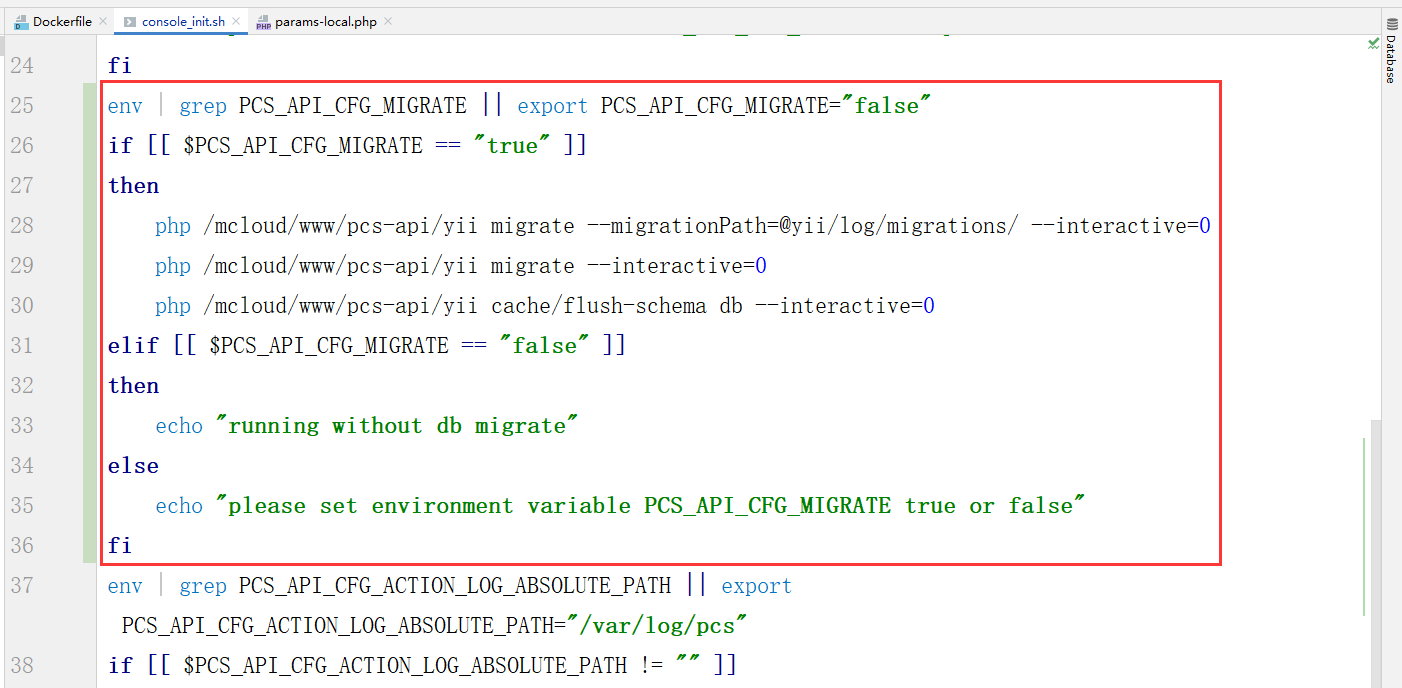
Figure 6
7. Start successfully in Rancher, check the log. as shown in Figure 7
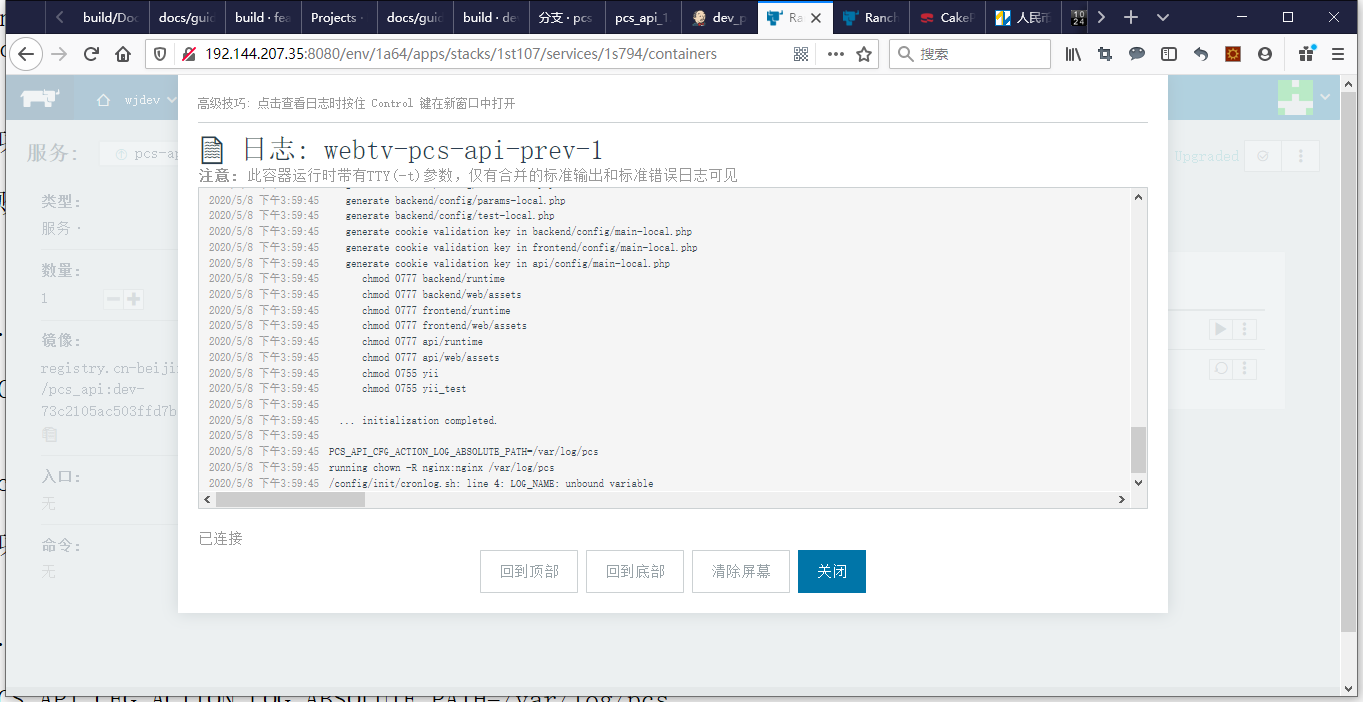
Figure 7
2020/5/8 下午2:48:45
2020/5/8 下午2:48:45  ... initialization completed.
2020/5/8 下午2:48:45
2020/5/8 下午2:48:45 PCS_API_CFG_MIGRATE=true
8. Enter the container and manually execute the related commands of $PCS_API_CFG_MIGrate == “true”. It didn’t run successfully because there is no corresponding output. as shown in Figure 8
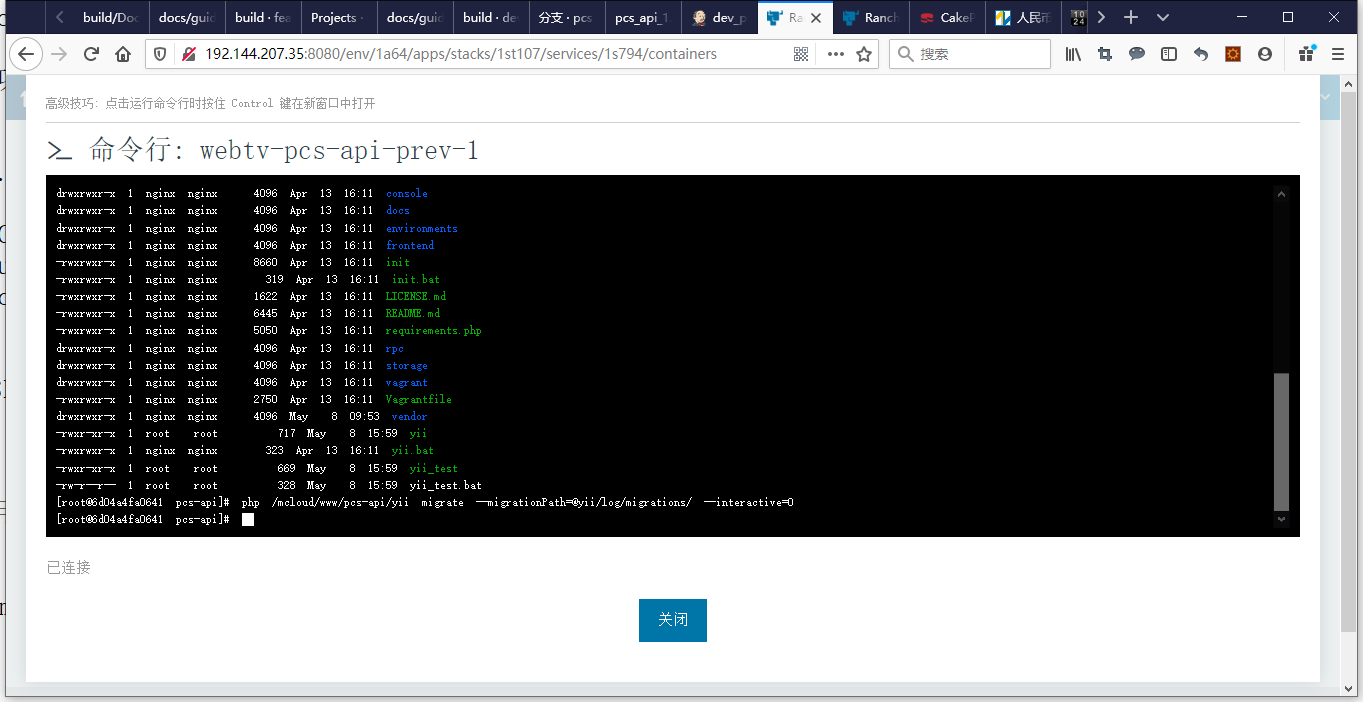
8
9. Enter the container that adds /vendor to the git warehouse. Manually execute the relevant commands of $PCS_API_CFG_MIGrate == “true”. Run successfully, because there is a corresponding output. as shown in Figure 9
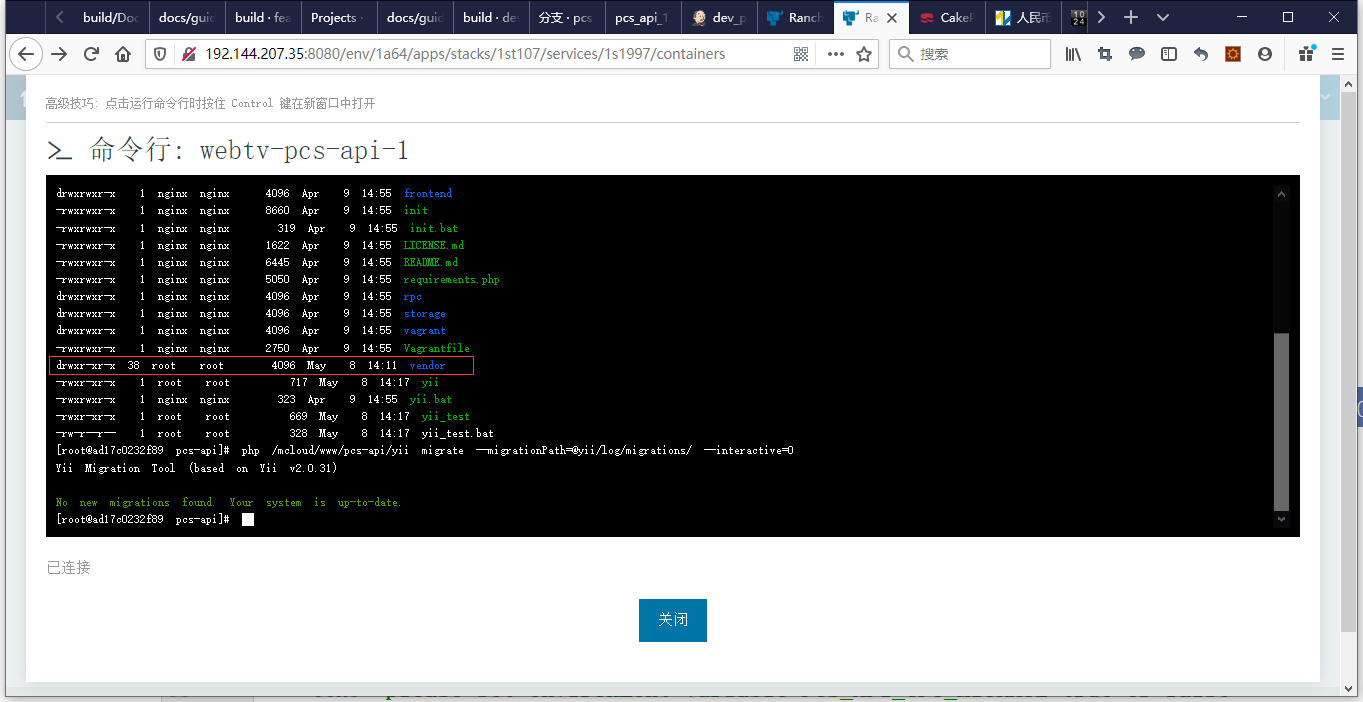
Figure 9
10. New deployment in the local environment, manually execute the relevant commands of $PCS_API_CFG_MIGrate == “true”. Failed to run successfully, an error is reported. As shown in Figure 10
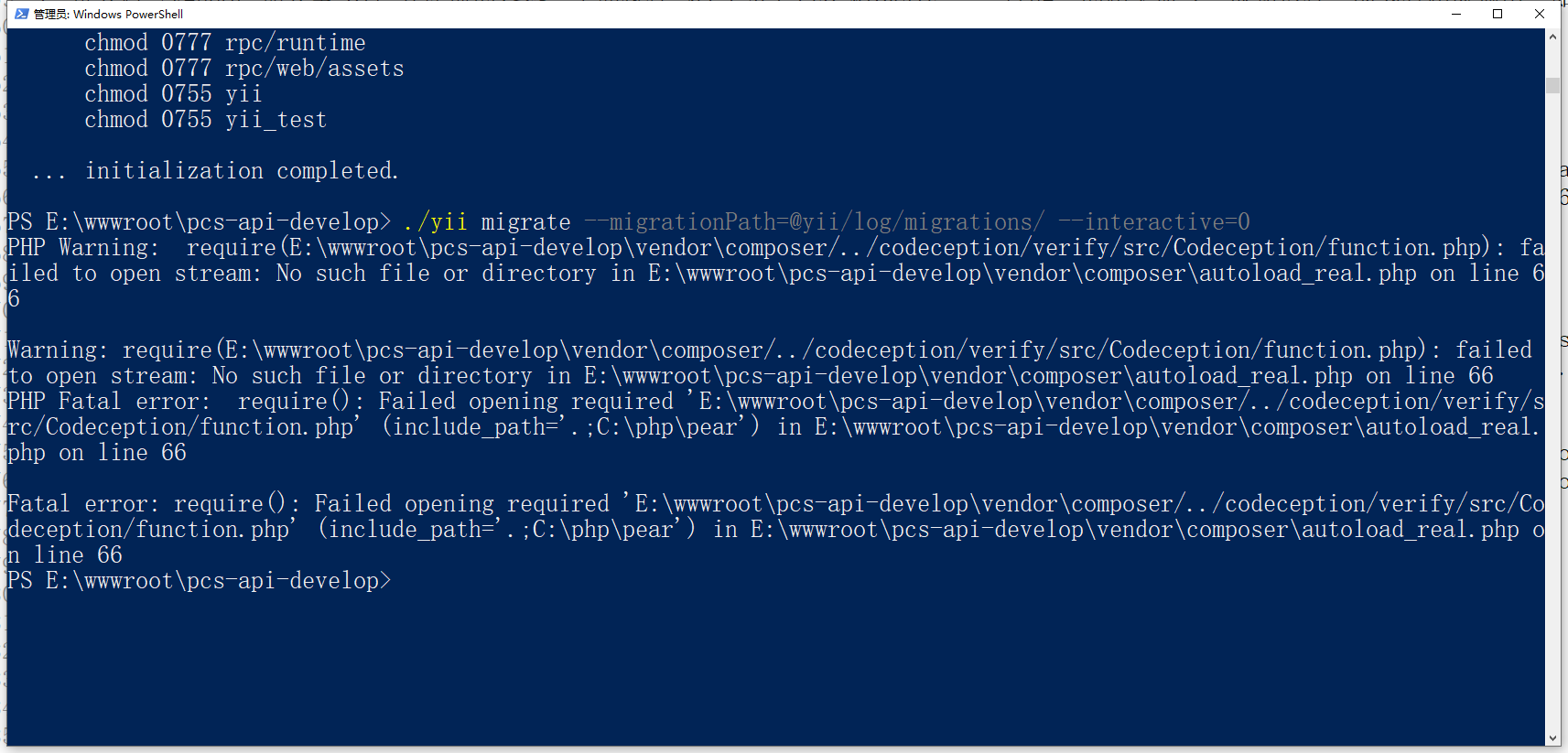
Figure 10
PS E:\wwwroot\pcs-api-develop> ./yii migrate --migrationPath=@yii/log/migrations/ --interactive=0
PHP Warning:  require(E:\wwwroot\pcs-api-develop\vendor\composer/../codeception/verify/src/Codeception/function.php): fa
iled to open stream: No such file or directory in E:\wwwroot\pcs-api-develop\vendor\composer\autoload_real.php on line 6
6

Warning: require(E:\wwwroot\pcs-api-develop\vendor\composer/../codeception/verify/src/Codeception/function.php): failed
to open stream: No such file or directory in E:\wwwroot\pcs-api-develop\vendor\composer\autoload_real.php on line 66
PHP Fatal error:  require(): Failed opening required 'E:\wwwroot\pcs-api-develop\vendor\composer/../codeception/verify/s
rc/Codeception/function.php' (include_path='.;C:\php\pear') in E:\wwwroot\pcs-api-develop\vendor\composer\autoload_real.
php on line 66

Fatal error: require(): Failed opening required 'E:\wwwroot\pcs-api-develop\vendor\composer/../codeception/verify/src/Co
deception/function.php' (include_path='.;C:\php\pear') in E:\wwwroot\pcs-api-develop\vendor\composer\autoload_real.php o
n line 66
11. File E:\wwwroot\pcs-api-develop\vendor\composer/../codeception/verify/src/codeception/function.php does not exist, as shown in Figure 11
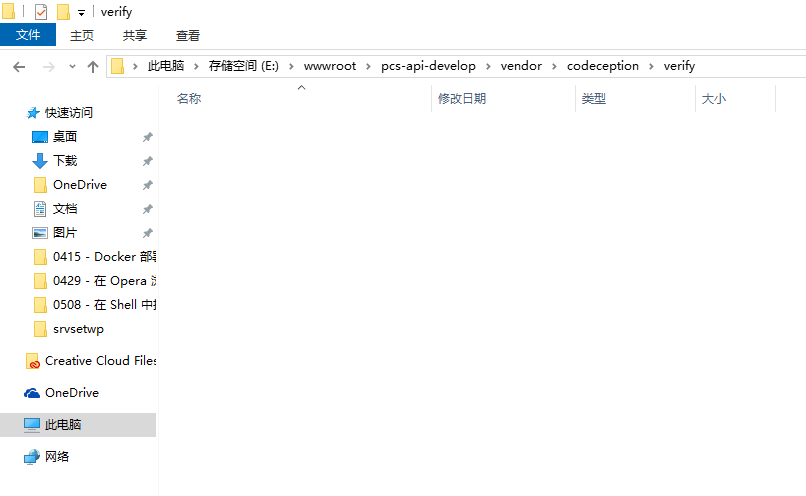
Figure 11
12. Enter the container that adds /vendor to the git warehouse. The file \vendor\composer/../codeception/verify/src/codeception/function.php exists. as shown in Figure 12
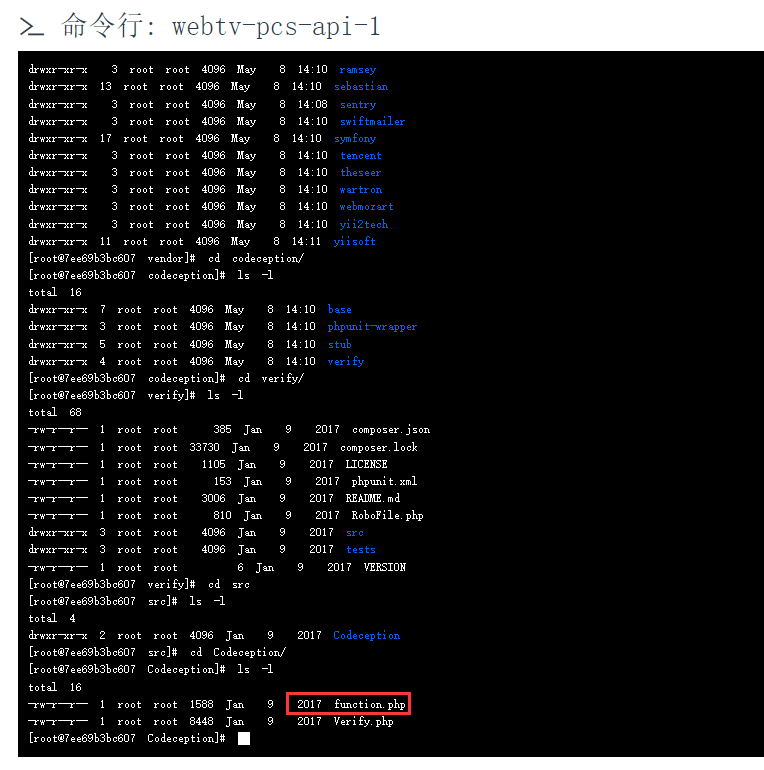
Figure 12
13. Check e:\wwwroot\pcs-api\vendor\codeception\verify, there are corresponding files in its directory. And git shows that it has been submitted to the warehouse. as shown in Figure 13
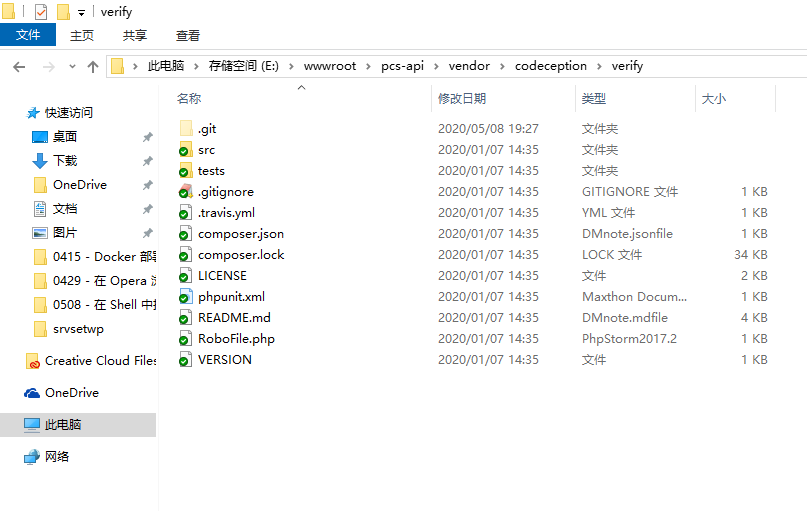
Figure 13
14. Enter the local environment before adding /vendor to the git warehouse. Discover that \vendor\codeception\verify already exists in git. It’s just the master branch. Figure 14
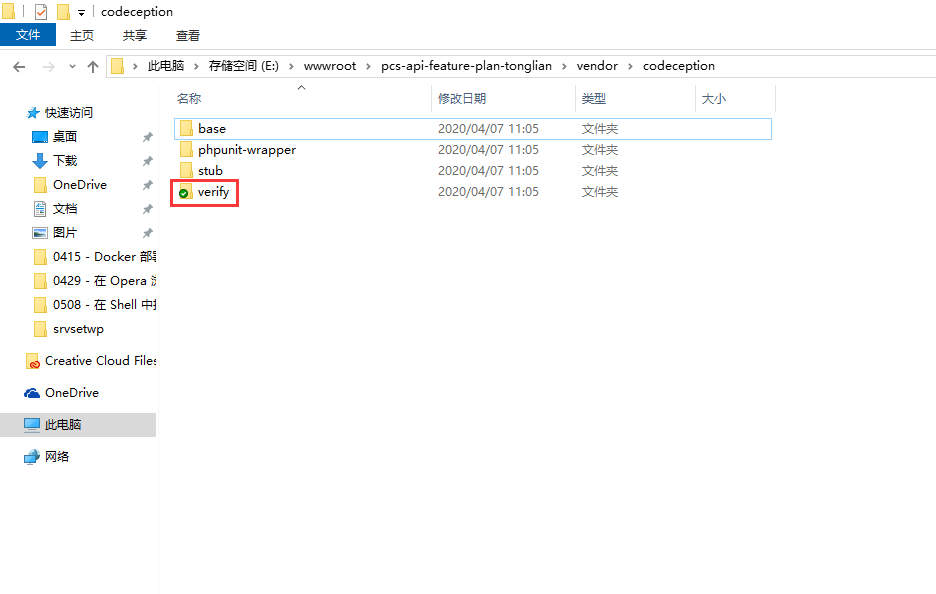
Figure 14
15. Finally decide to switch to the master branch and merge the code of the develop branch. Push to the remote master branch. File in the remote repository:\vendor\composer/../codeception/verify/src/codeception/function.php still does not exist. as shown in Figure 15
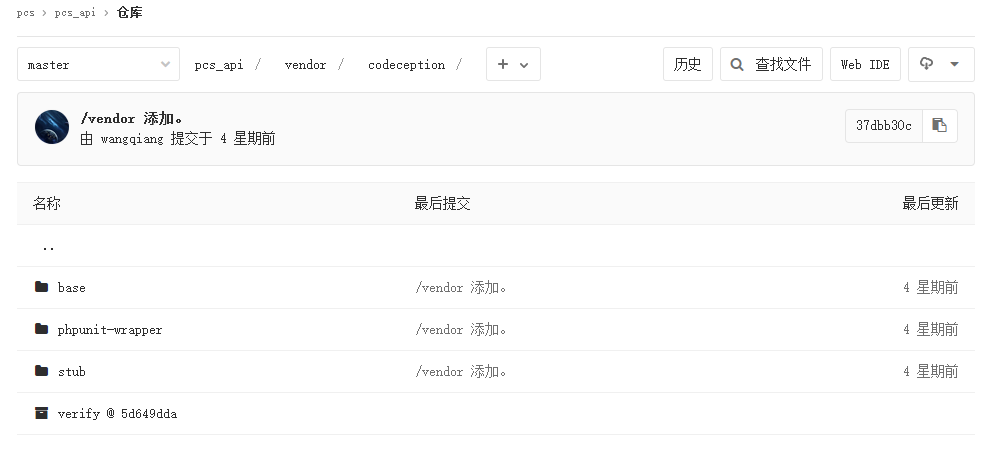
Figure 15
16. Delete the directory: E:\wwwroot\pcs-api\vendor\codeception\verify\.git, add the files that have not been submitted to the warehouse, and add them to the warehouse. As shown in Figure 16, 17
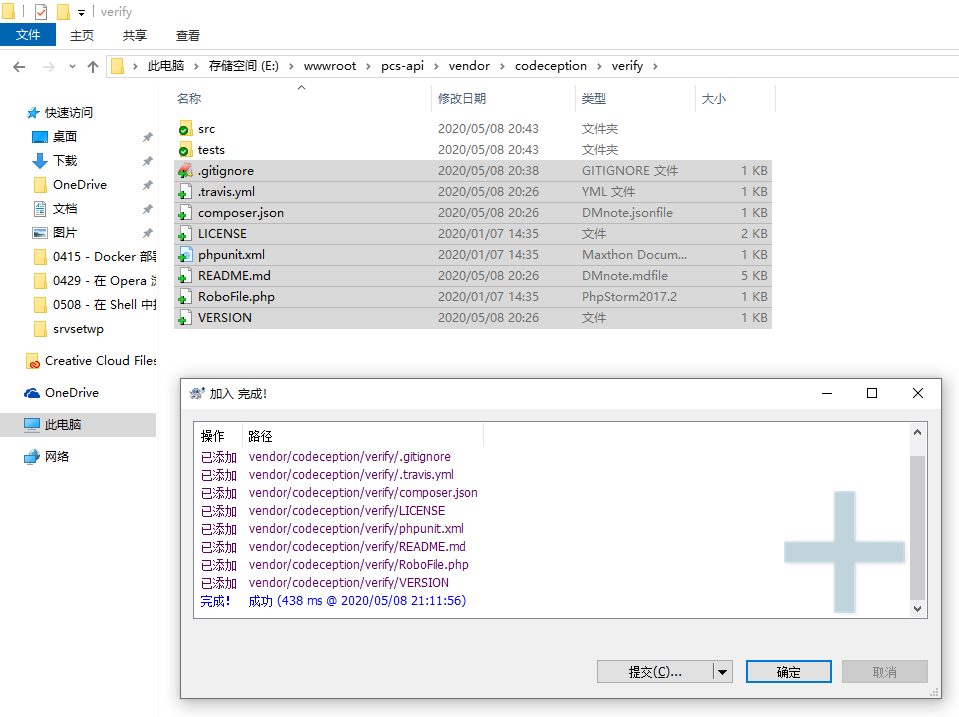
Figure 16
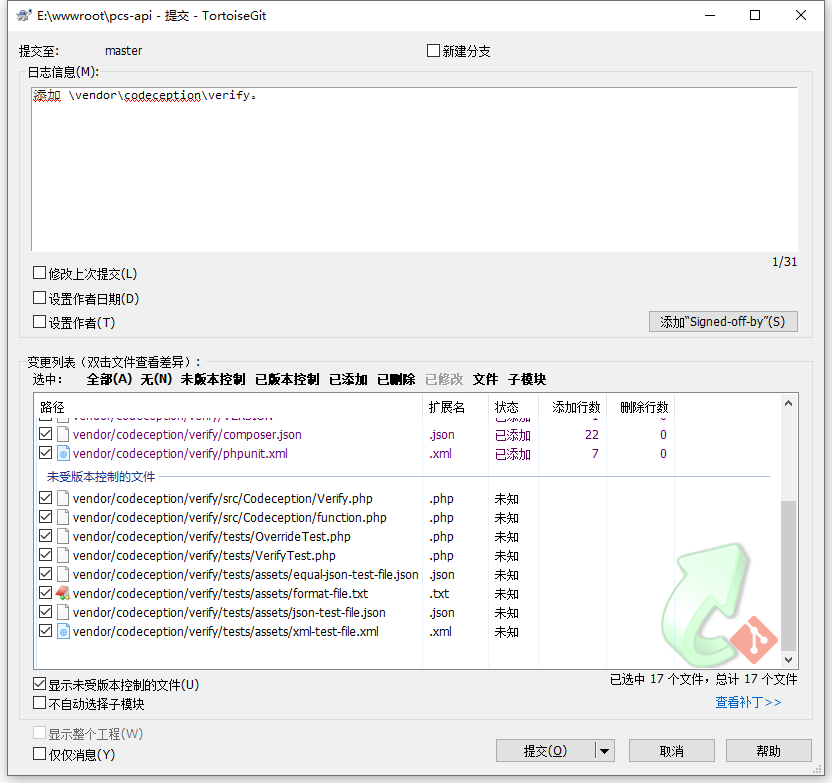
Figure 17
17. New deployment in the local environment, manually execute the relevant commands of $PCS_API_CFG_MIGrate == “true”. The error is not run successfully, but the corresponding error of /codeception/verify has been resolved. Refer to step 16 for the same processing. Any similar problems that follow the error when running the command can be handled in this way.
PS E:\wwwroot\pcs-api-develop> ./yii migrate --migrationPath=@yii/log/migrations/ --interactive=0
PHP Warning:  require(E:\wwwroot\pcs-api-develop\vendor\composer/../myclabs/deep-copy/src/DeepCopy/deep_copy.php): faile
d to open stream: No such file or directory in E:\wwwroot\pcs-api-develop\vendor\composer\autoload_real.php on line 66

Warning: require(E:\wwwroot\pcs-api-develop\vendor\composer/../myclabs/deep-copy/src/DeepCopy/deep_copy.php): failed to
open stream: No such file or directory in E:\wwwroot\pcs-api-develop\vendor\composer\autoload_real.php on line 66
PHP Fatal error:  require(): Failed opening required 'E:\wwwroot\pcs-api-develop\vendor\composer/../myclabs/deep-copy/sr
c/DeepCopy/deep_copy.php' (include_path='.;C:\php\pear') in E:\wwwroot\pcs-api-develop\vendor\composer\autoload_real.php
 on line 66

Fatal error: require(): Failed opening required 'E:\wwwroot\pcs-api-develop\vendor\composer/../myclabs/deep-copy/src/Dee
pCopy/deep_copy.php' (include_path='.;C:\php\pear') in E:\wwwroot\pcs-api-develop\vendor\composer\autoload_real.php on l
ine 66
18. New deployment in the local environment, manually execute the relevant commands of $PCS_API_CFG_MIGrate == “true”. run successfully. as shown in Figure 18
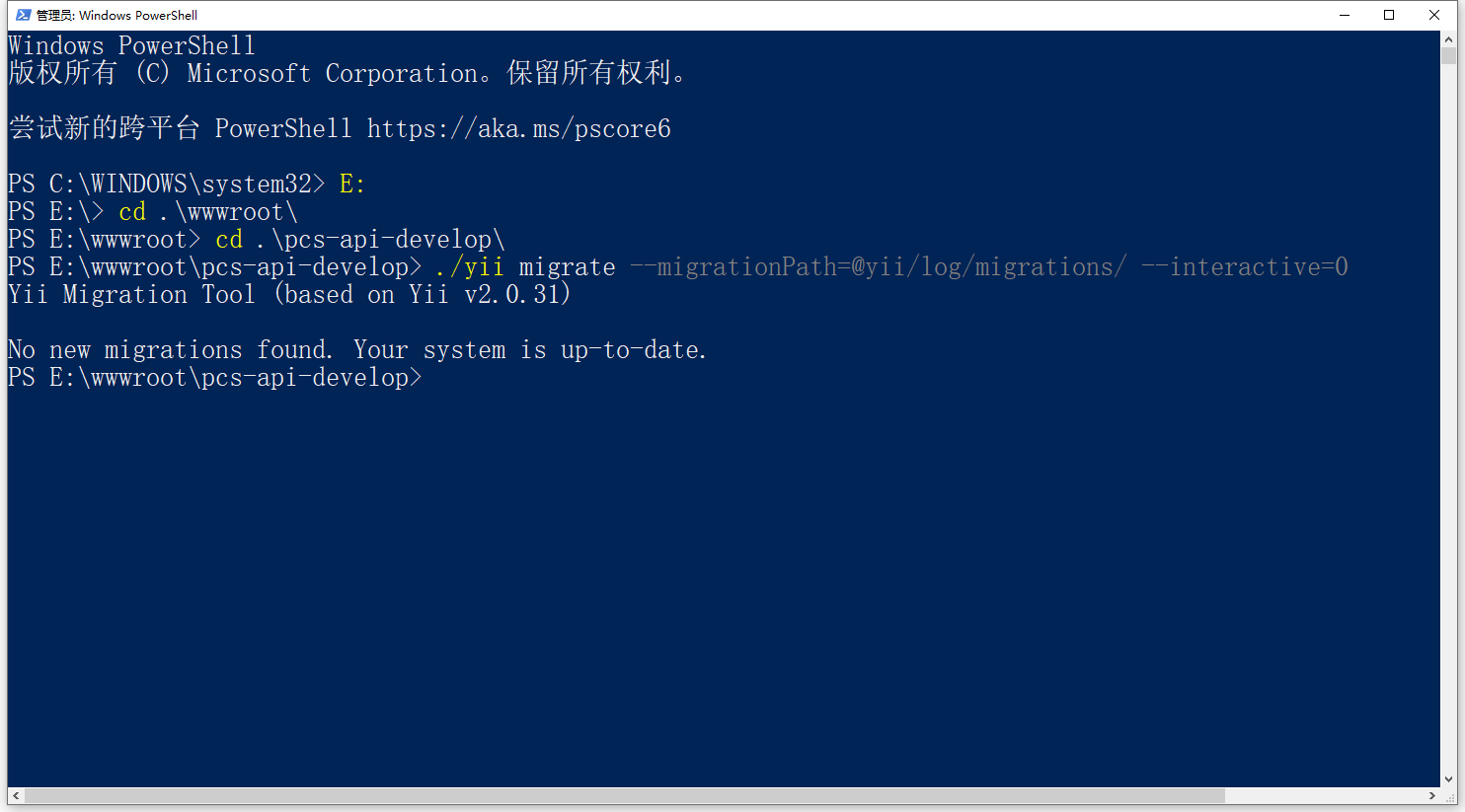
18
19. Enter the local environment before adding /vendor to the git warehouse. Execute the command: composer install. run successfully. as shown in Figure 19
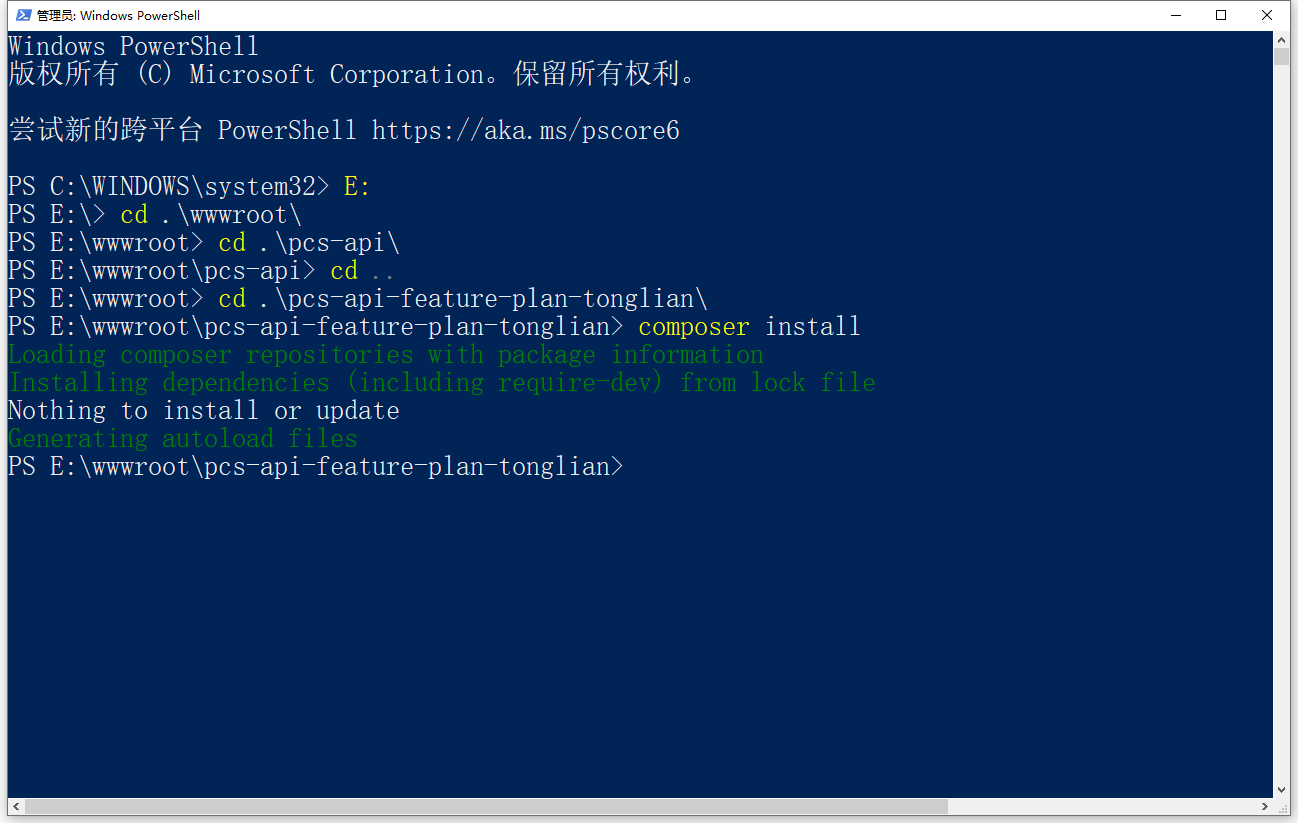
Figure 19
PS E:\wwwroot\pcs-api-feature-plan-tonglian> composer install
Loading composer repositories with package information
Installing dependencies (including require-dev) from lock file
Nothing to install or update
Generating autoload files
20. New deployment in the local environment, execute the command: composer install. failed to run successfully. As shown in Figure 20
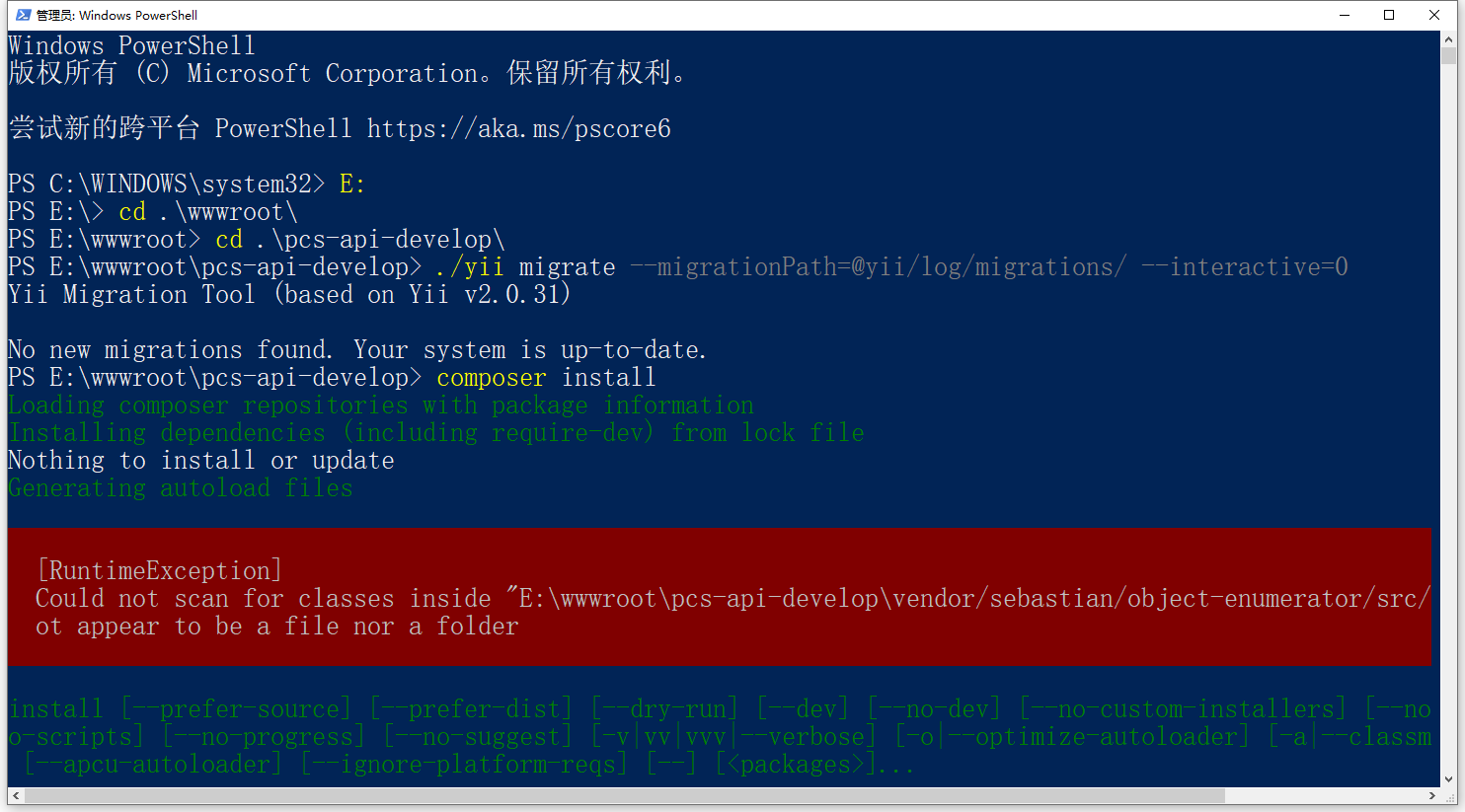
Figure 20
PS E:\wwwroot\pcs-api-develop> composer install
Loading composer repositories with package information
Installing dependencies (including require-dev) from lock file
Nothing to install or update
Generating autoload files


  [RuntimeException]
  Could not scan for classes inside "E:\wwwroot\pcs-api-develop\vendor/sebastian/object-enumerator/src/" which does n
  ot appear to be a file nor a folder


install [--prefer-source] [--prefer-dist] [--dry-run] [--dev] [--no-dev] [--no-custom-installers] [--no-autoloader] [--n
o-scripts] [--no-progress] [--no-suggest] [-v|vv|vvv|--verbose] [-o|--optimize-autoloader] [-a|--classmap-authoritative]
 [--apcu-autoloader] [--ignore-platform-reqs] [--] []...
21. In fact, steps 16 and 17 can be solved by executing the command: composer require codeception/verify mylabs/deep-copy, without having to submit these 2 packages to in git repository. However, even with this scheme, there are still problems with the 20th step. And it will also change other files in /vendor/composer . This scheme is not very desirable. as shown in Figure 21
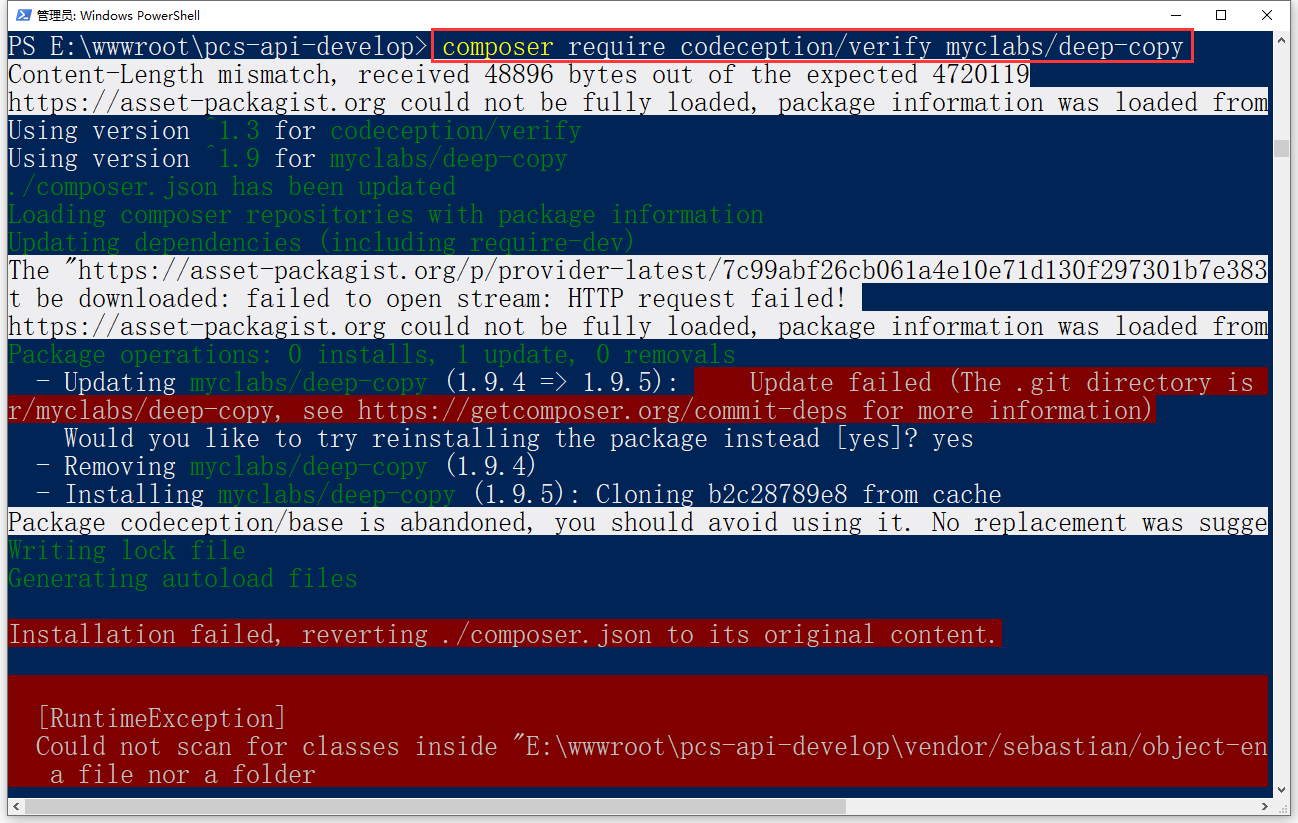
Figure 21
22. In the final decision, first delete /vendor, submit it to the git repository, and execute the command: composer install –no-dev. –no-dev: Skip the packages listed in the require-dev field. Submit /vendor to the git repository again. Because, it has been determined, –dev: install the package listed in the require-dev field (this is a default). Submit to the Git repository can only submit empty directories. Figure 22
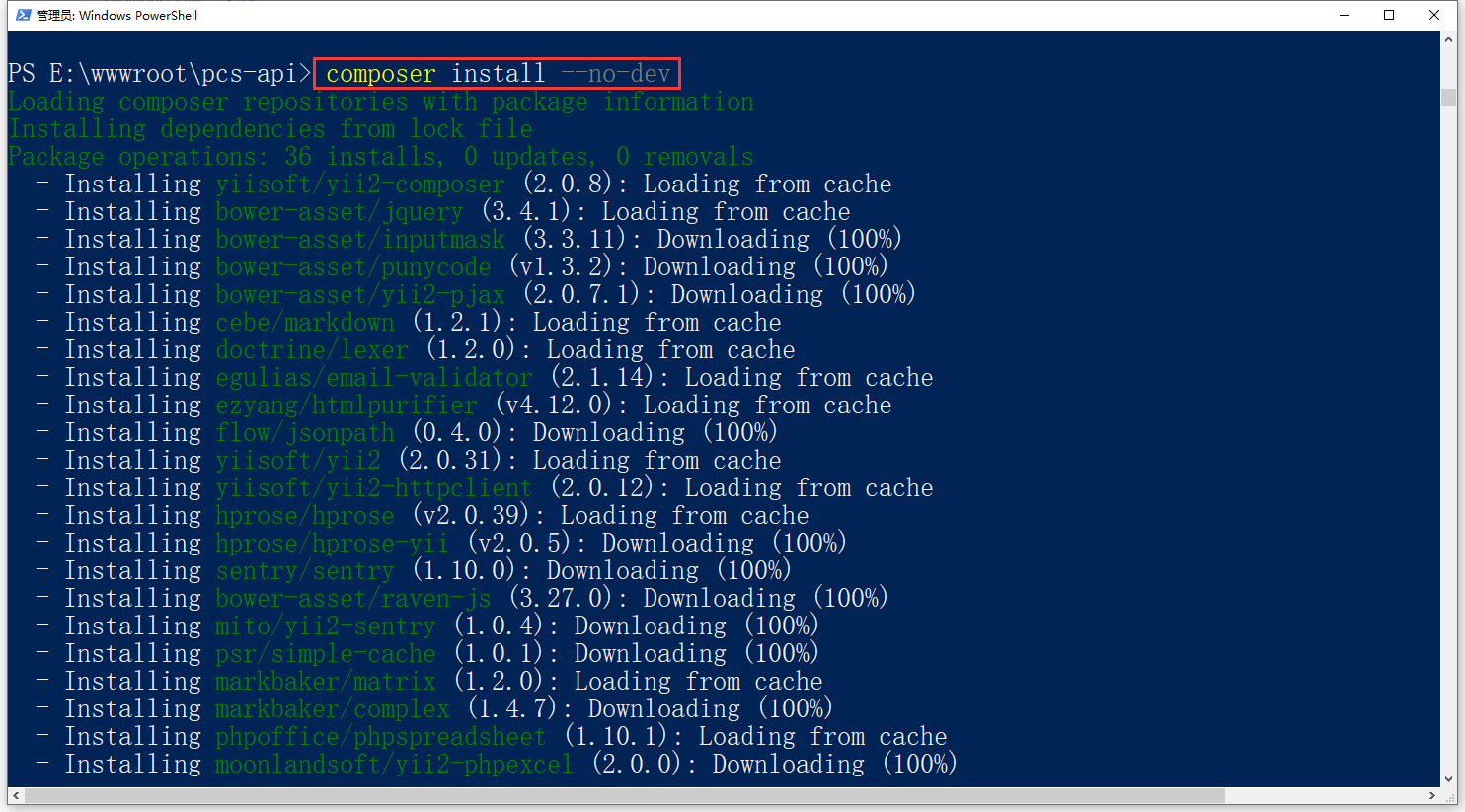
Figure 22
23. Execute the command: composer install. Install the packages listed in the require-dev field. Submit /vendor to the git repository again. Figure 23
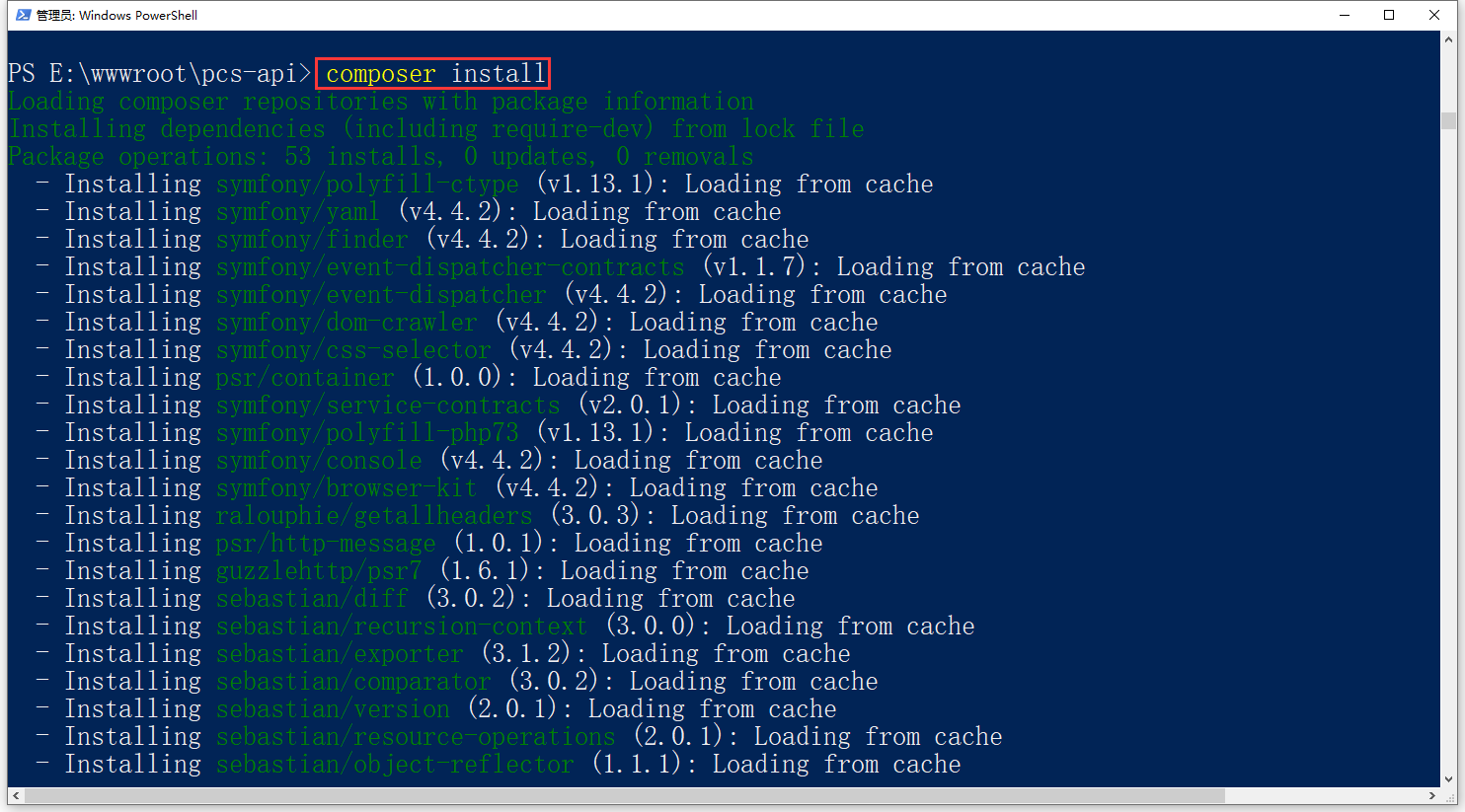
Figure 23
24. New deployment in the local environment, manually execute the relevant commands of $PCS_API_CFG_MIGrate == “true”. run successfully. Not as expected. Figure 24
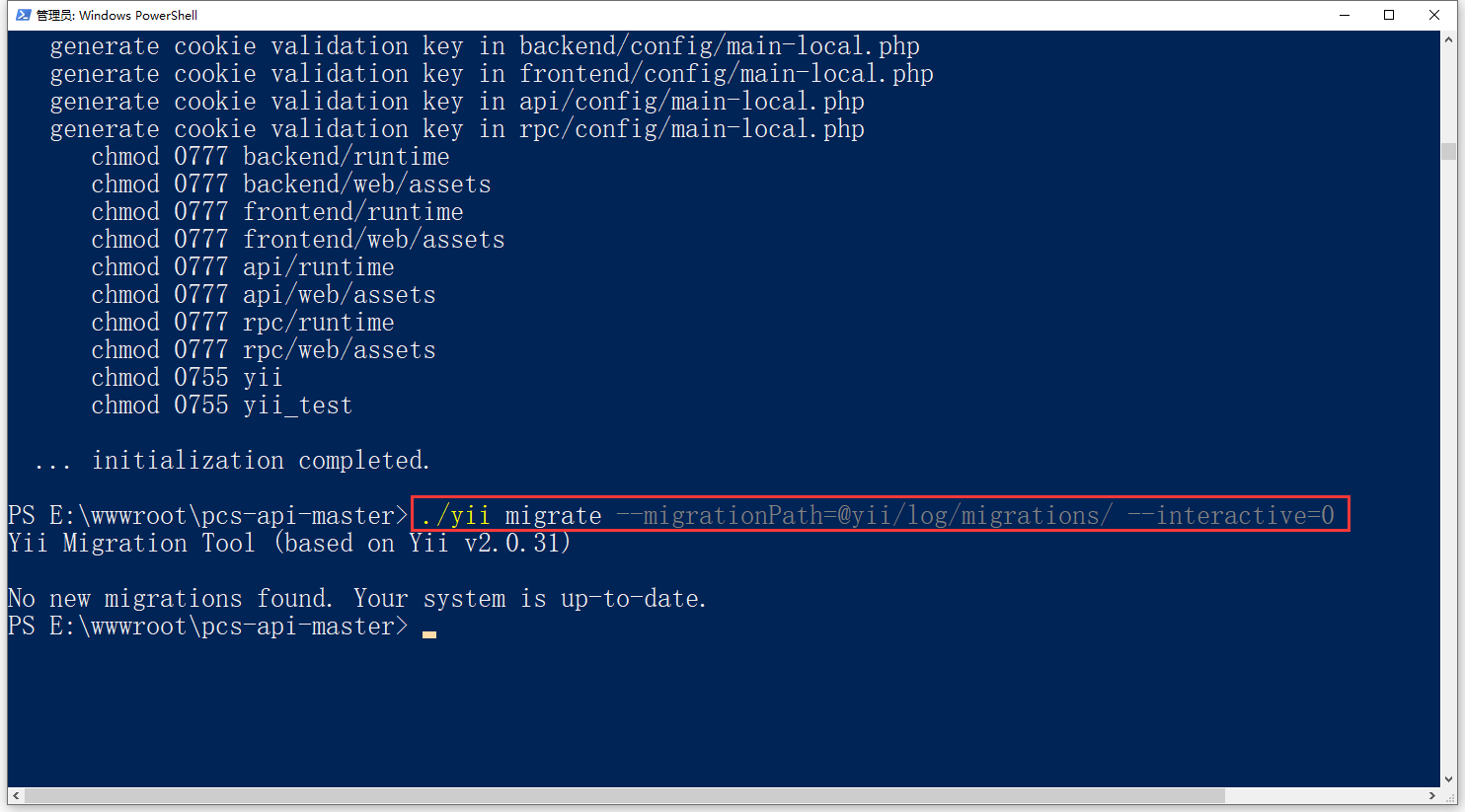
Figure 24
25. Check the newly deployed files, the directory: \codeception\verify, \vendor\myclabs\deep-copy all exist. as shown in Figure 25
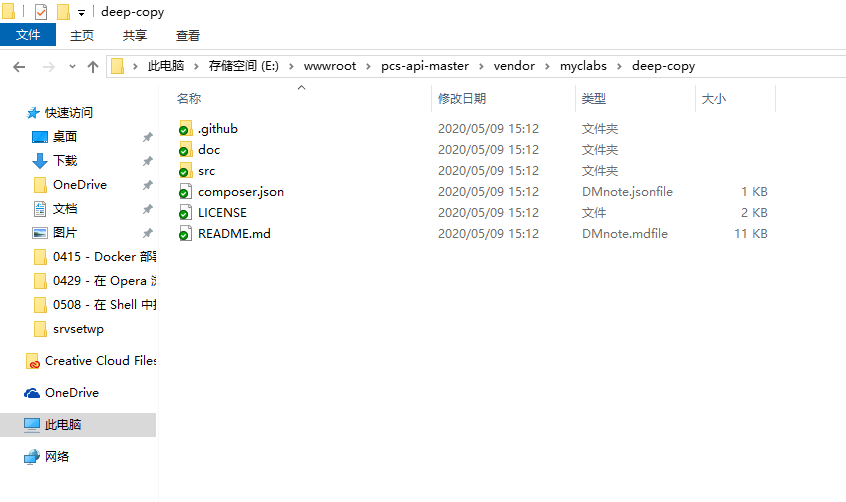
Figure 25
26. Search in the /vendor directory: .git, there is no corresponding directory. And the command is executed before: composer install. failed to run successfully. Search in the /vendor directory: .git, the corresponding directory exists. Figure 26
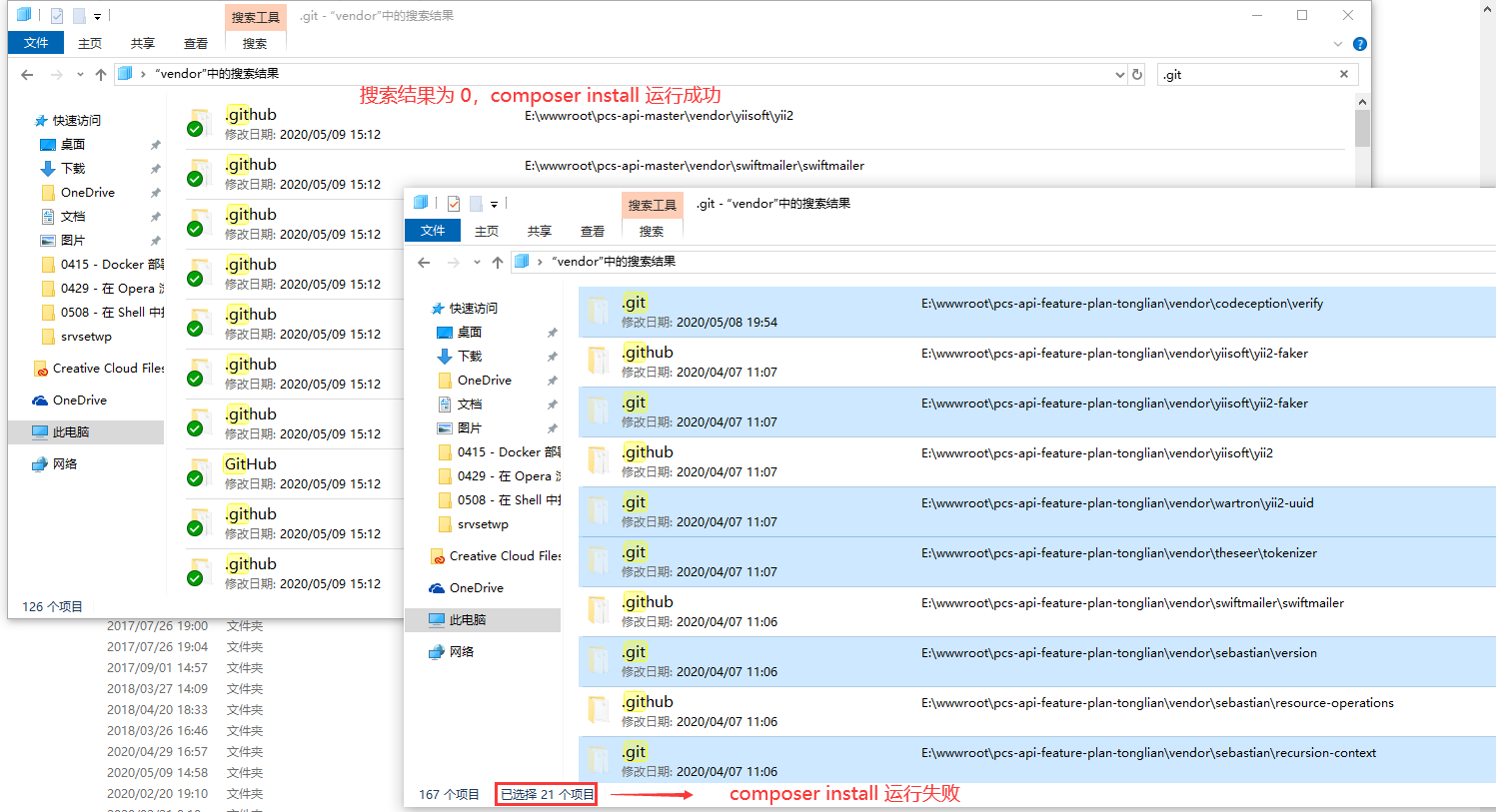
Figure 26
27. Edit build/c_files/config/init/console_init.sh. Restore the related commands for $PCS_API_CFG_MIGrate == “true”. Start successfully in Rancher, check the log. Figure 27
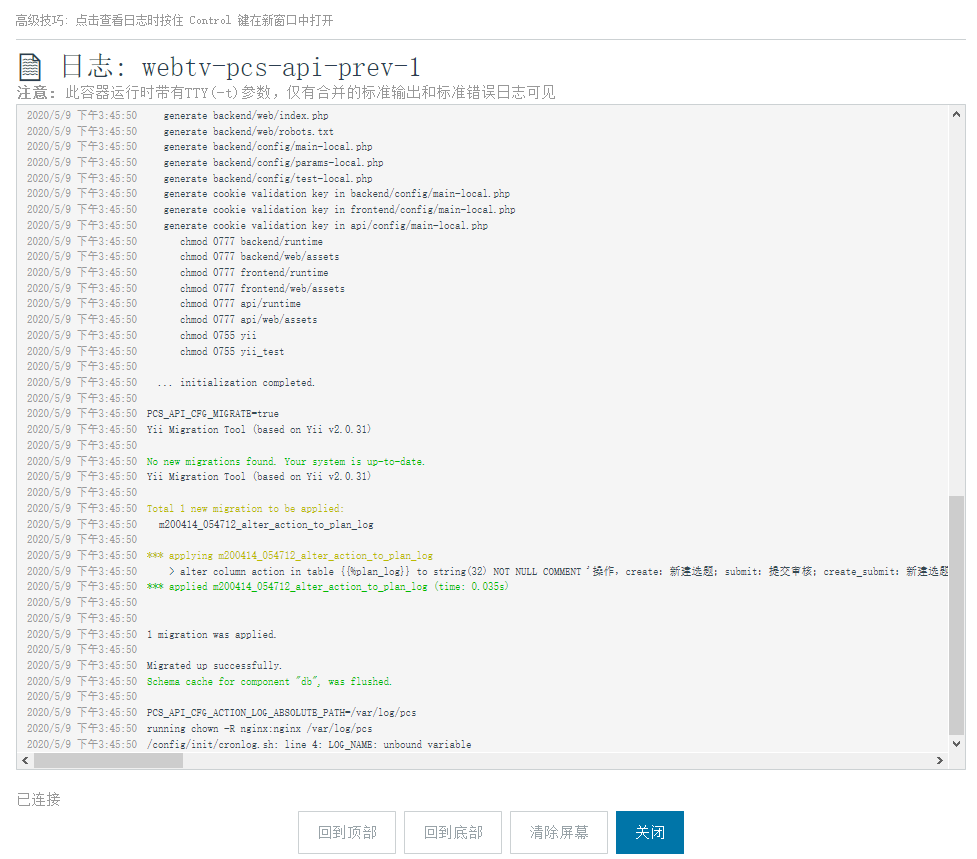
Figure 27
28. In another product, search in the /vendor directory: .git, there is a corresponding directory. as shown in Figure 28
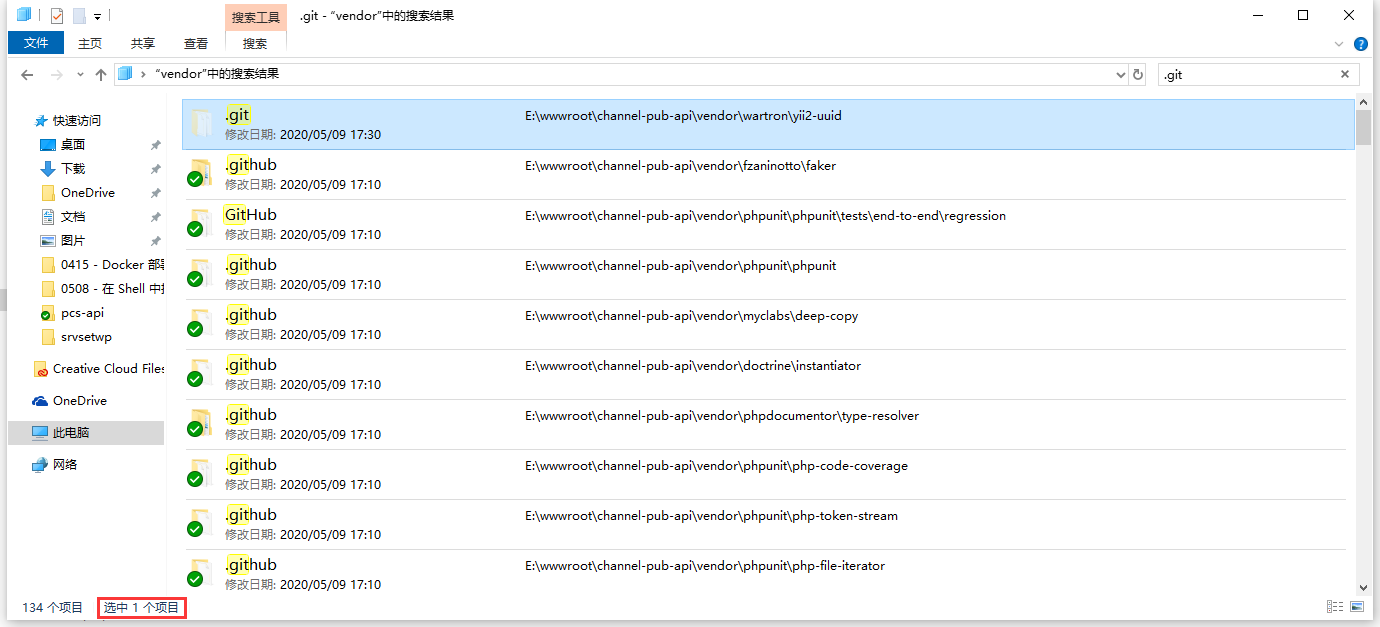
Figure 28
29. Failed to start in Rancher, check the log. as shown in Figure 29
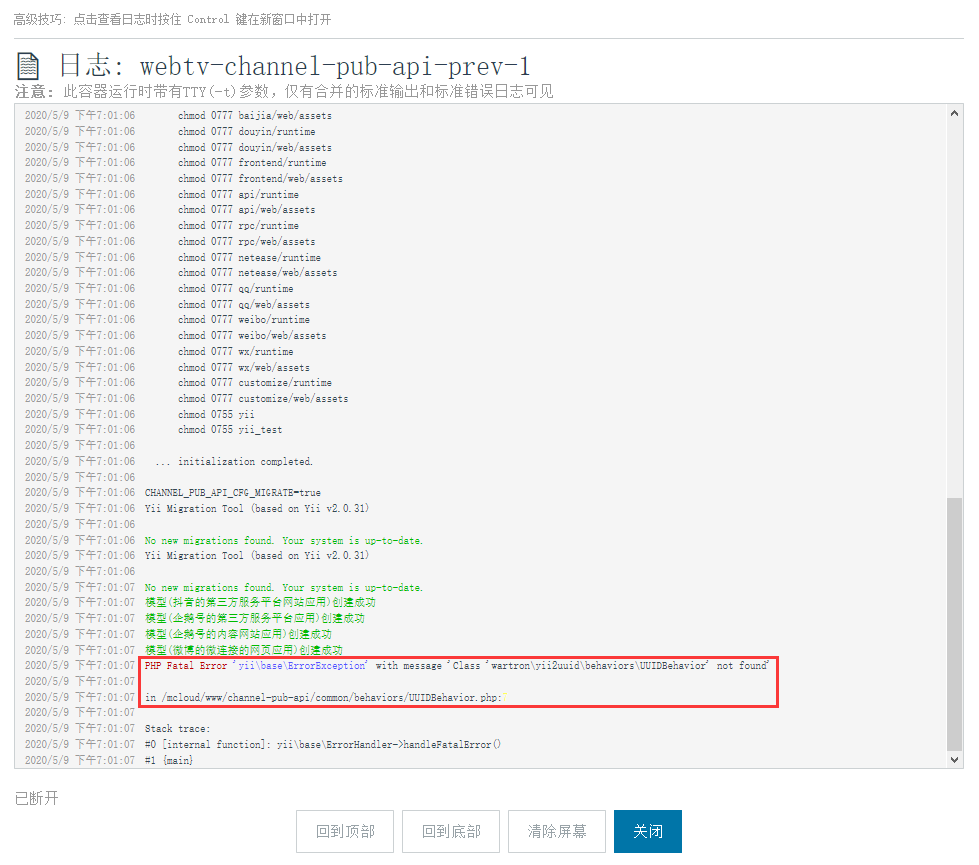
Figure 29
2020/5/9 下午7:01:07 PHP Fatal Error 'yii\base\ErrorException' with message 'Class 'wartron\yii2uuid\behaviors\UUIDBehavior' not found'
2020/5/9 下午7:01:07
2020/5/9 下午7:01:07 in /mcloud/www/channel-pub-api/common/behaviors/UUIDBehavior.php:7
2020/5/9 下午7:01:07
2020/5/9 下午7:01:07 Stack trace:
2020/5/9 下午7:01:07 #0 [internal function]: yii\base\ErrorHandler->handleFatalError()
2020/5/9 下午7:01:07 #1 {main}
30. Since there is only one directory: .git, it is decided to adopt the scheme of steps 16 and 17. Start successfully in Rancher, check the log. as shown in Figure 30
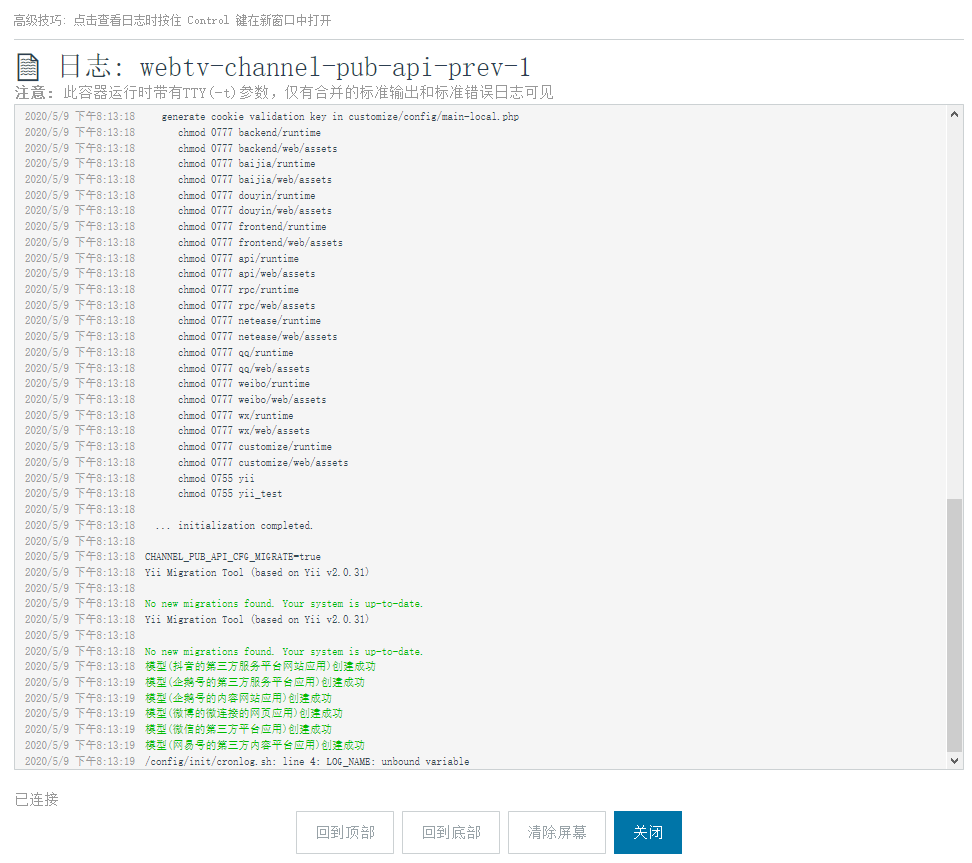
Figure 30
31. The before and after comparison of the construction time in Jenkins are: 13 minutes and 43 seconds respectively. as shown in Figure 31
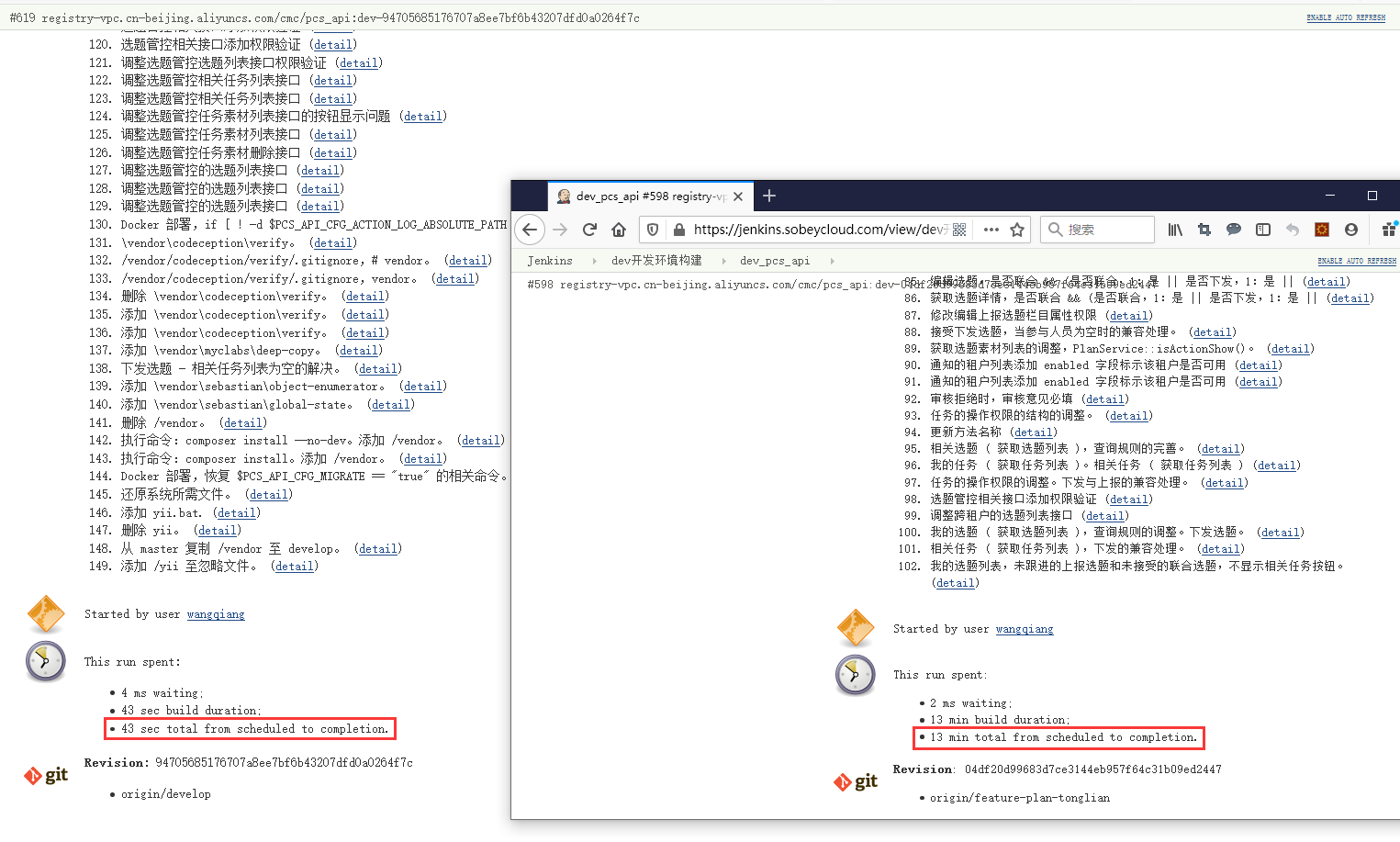
Figure 31