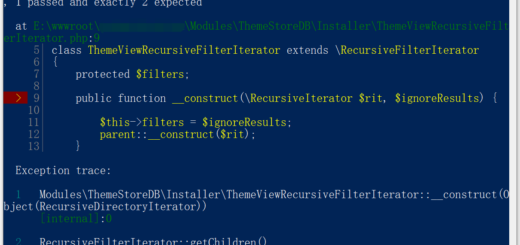
In Windows 10 64-bit, PHP 7.4.6, an error is reported: php warning: php startup: unable to load dynamic libraryimagick(Tried: c:/php-7.4.6/ext\imagick solution
1. In Windows 10 64-bit, PHP 7.4.6, an error is reported: php warning: php startup: unable to load dynamic libraryimagick(Tried: c:/php-7.4.6/ext\imagick, as shown in Figure 1
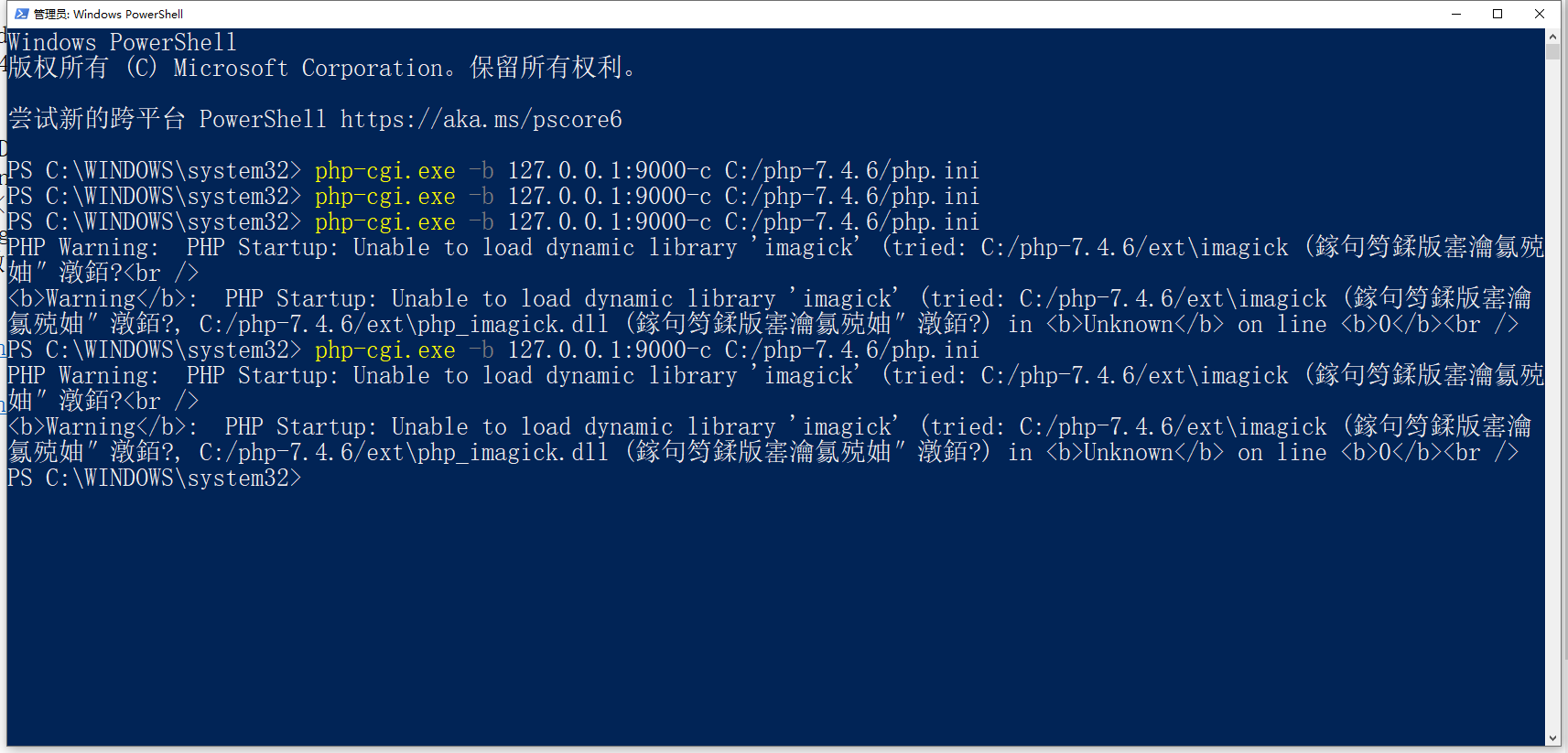
Figure 1
PS C:\WINDOWS\system32> php-cgi.exe -b 127.0.0.1:9000-c C:/php-7.4.6/php.ini
PHP Warning:  PHP Startup: Unable to load dynamic library 'imagick' (tried: C:/php-7.4.6/ext\imagick (鎵句笉鍒版寚瀹氱殑
妯″潡銆?
Warning:  PHP Startup: Unable to load dynamic library 'imagick' (tried: C:/php-7.4.6/ext\imagick (鎵句笉鍒版寚瀹
氱殑妯″潡銆?, C:/php-7.4.6/ext\php_imagick.dll (鎵句笉鍒版寚瀹氱殑妯″潡銆?) in Unknown on line 0
2. Reference:https://www.shuijingwanwq.com/2017/08/30/1768/, had a similar problem in PHP 7.0 before
3. Open:http://windows.php.net/downloads/pecl/deps/, download: imagemagick-7.0.7-11-vc15-x64.zip, as shown in Figure 2
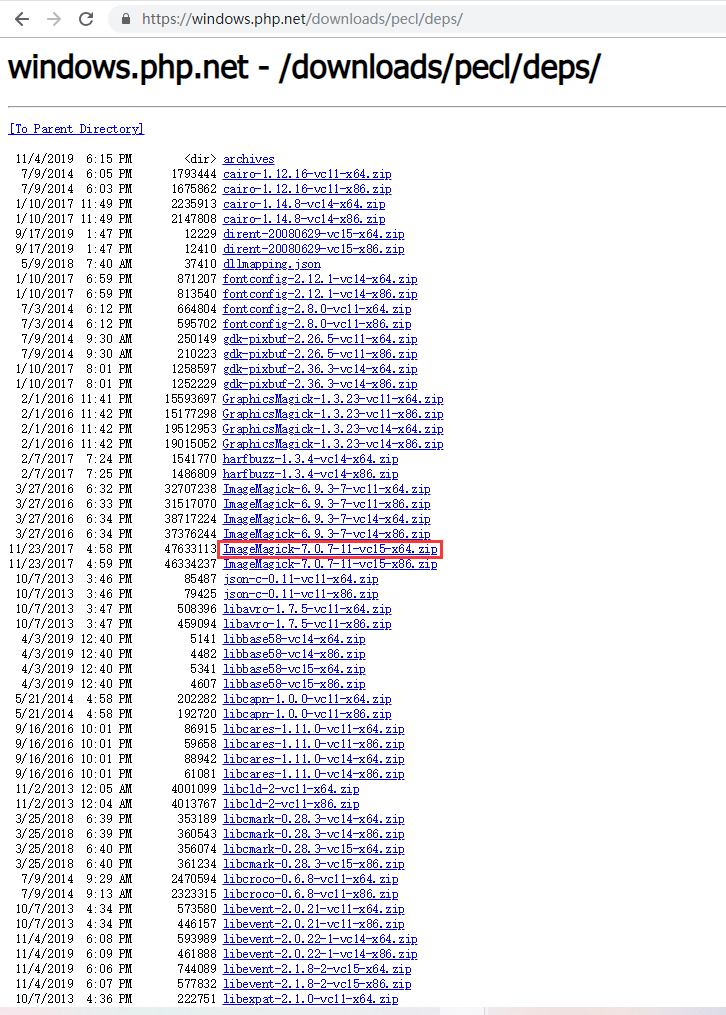
Figure 2
4. Create a new directory: C:\imagemagick-7.0.7, copy the directory: d:\soft\imagemagick-7.0.7-11-vc15-x64\bin All files below to the directory: C:\ImageMagick-7.0.7, as shown in Figure 3
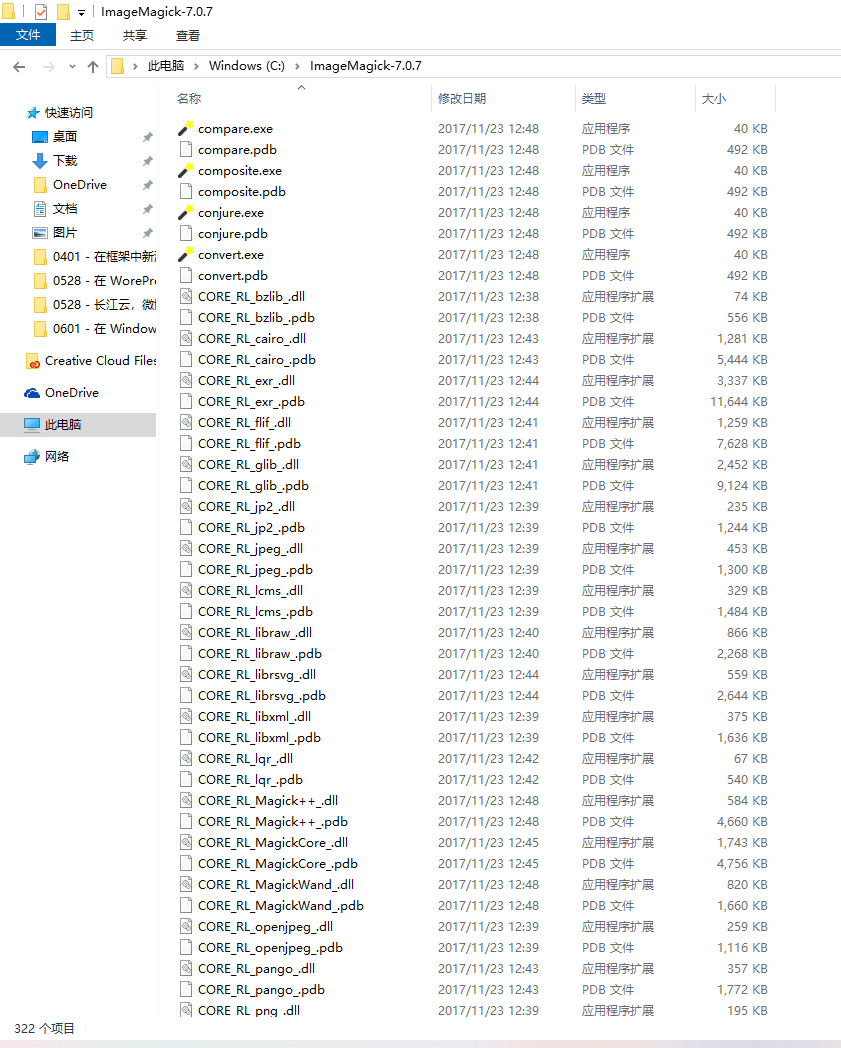
Figure 3
5. Update environment variables: C:\imagemagick-6.9.3-7-vc14-x64 is C:\imagemagick-7.0.7, as shown in Figure 4
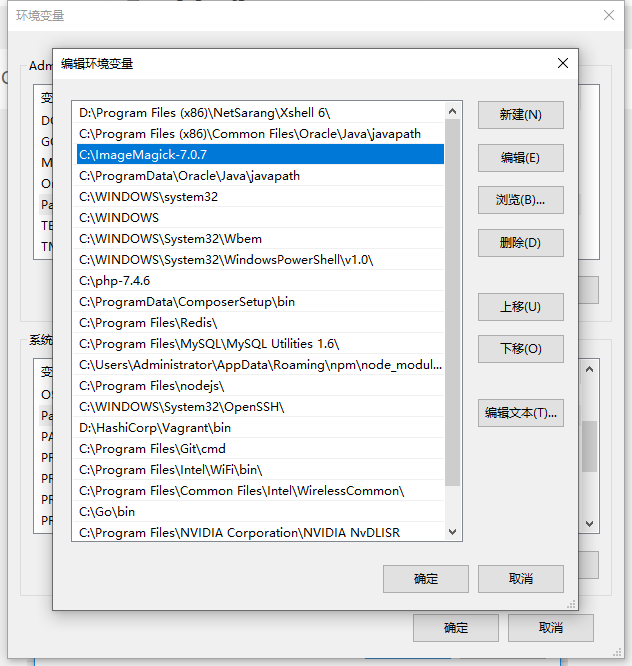
Figure 4
6. Update system variable: magick_home, its value is: C:\imagemagick-6.9.3-7-vc14-x64, the update is: C:\imagemagick-7.0.7, as shown in Figure 5
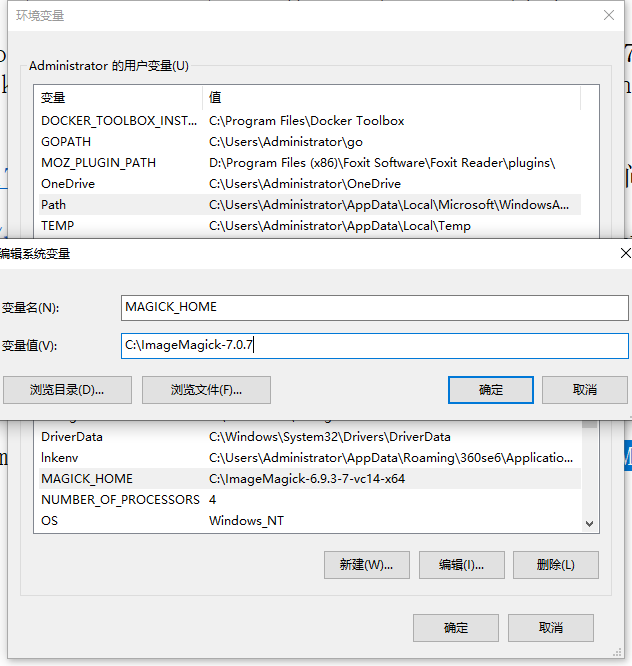
Figure 5
7. Restart the machine, run: php-cgi.exe -b 127.0.0.1:9000-c c:/php-7.4.6/php.ini, normal
8. Run: convert –version, normal, version update to: ImageMagick 7.0.7-11 Q16 x64, as shown in Figure 6
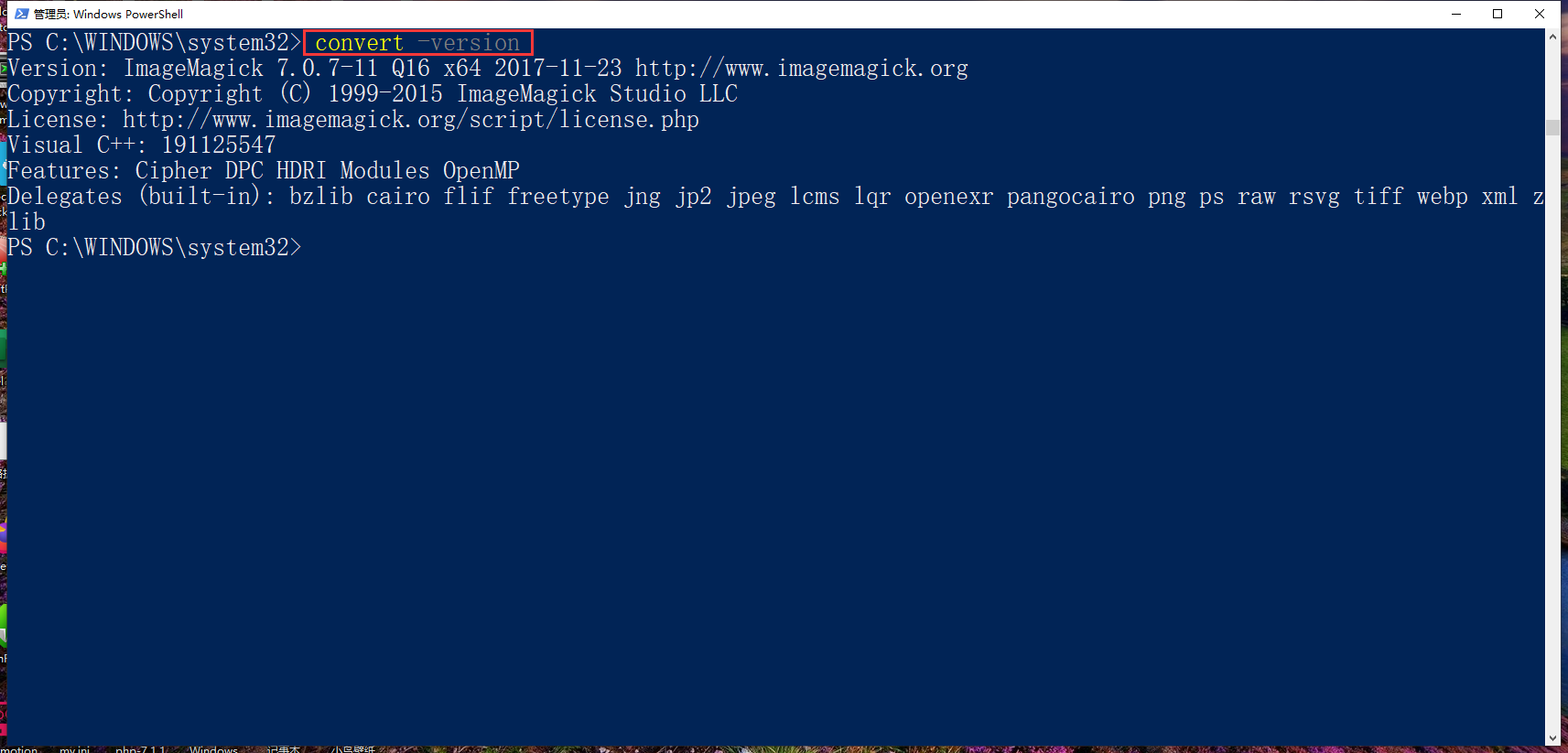
Figure 6
PS C:\WINDOWS\system32> convert -version
Version: ImageMagick 7.0.7-11 Q16 x64 2017-11-23 http://www.imagemagick.org
Copyright: Copyright (C) 1999-2015 ImageMagick Studio LLC
License: http://www.imagemagick.org/script/license.php
Visual C++: 191125547
Features: Cipher DPC HDRI Modules OpenMP
Delegates (built-in): bzlib cairo flif freetype jng jp2 jpeg lcms lqr openexr pangocairo png ps raw rsvg tiff webp xml z
lib
9. Check phpinfo(), normal, as shown in Figure 7
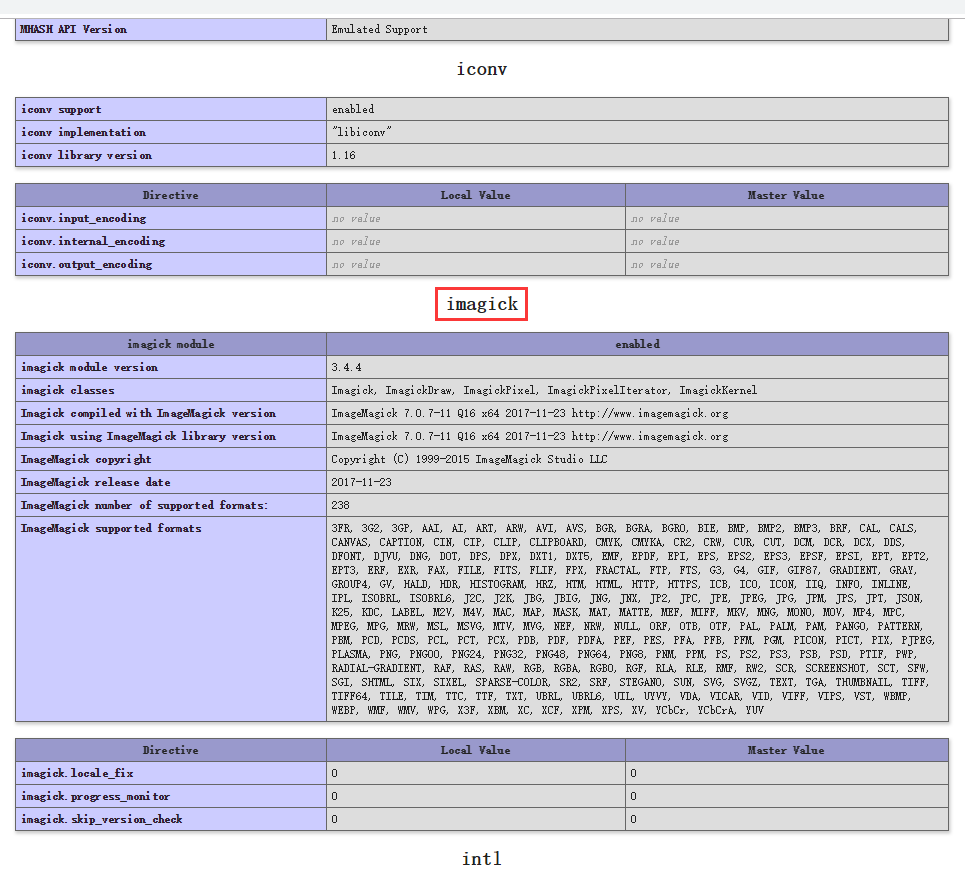
Figure 7
![测试翻译结果,invalid image size hint: [flp8Ba0298w689] rid: 610a6969-72bb79c0-4b069755 已经被翻译为:invalid image size hint: [flp8Ba0298w689] rid: 610a6969-72bb79c0-4b069755。蓝框中是翻译前的英文信息,红框中是翻译后的中文信息。符合预期](https://www.shuijingwanwq.com/wp-content/uploads/2021/08/6-1-520x245.png)