There is no problem not worth solving, and no technology not worth learning!
Forcibly push to the master branch on GitLab, error: Remote GitLab you are not allowed to force push code to a protected branch on this Analysis of Project.
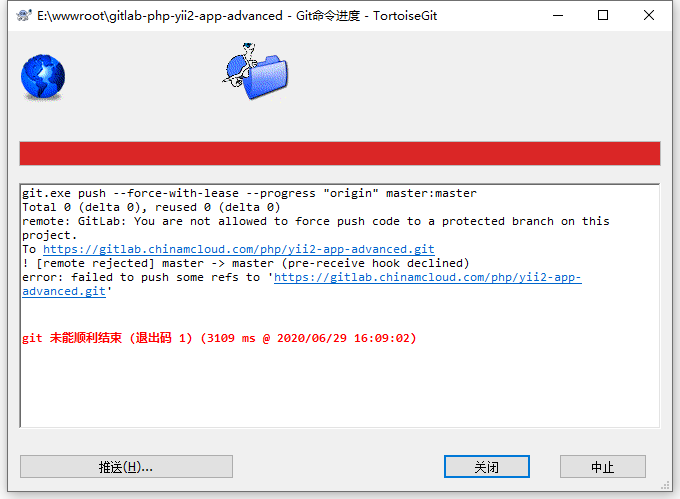
1. Force push on GitLab, and report an error: Remote GitLab you are not allowed to push code to a protected branch on this project. as shown in Figure 1
Figure 1
git.exe push --force-with-lease --progress "origin" master:master
Total 0 (delta 0), reused 0 (delta 0)
remote: GitLab: You are not allowed to force push code to a protected branch on this project.
To https://gitlab.chinamcloud.com/php/yii2-app-advanced.git
! [remote rejected] master -> master (pre-receive hook declined)
error: failed to push some refs to 'https://gitlab.chinamcloud.com/php/yii2-app-advanced.git'


git 未能顺利结束 (退出码 1) (3109 ms @ 2020/06/29 16:09:02)
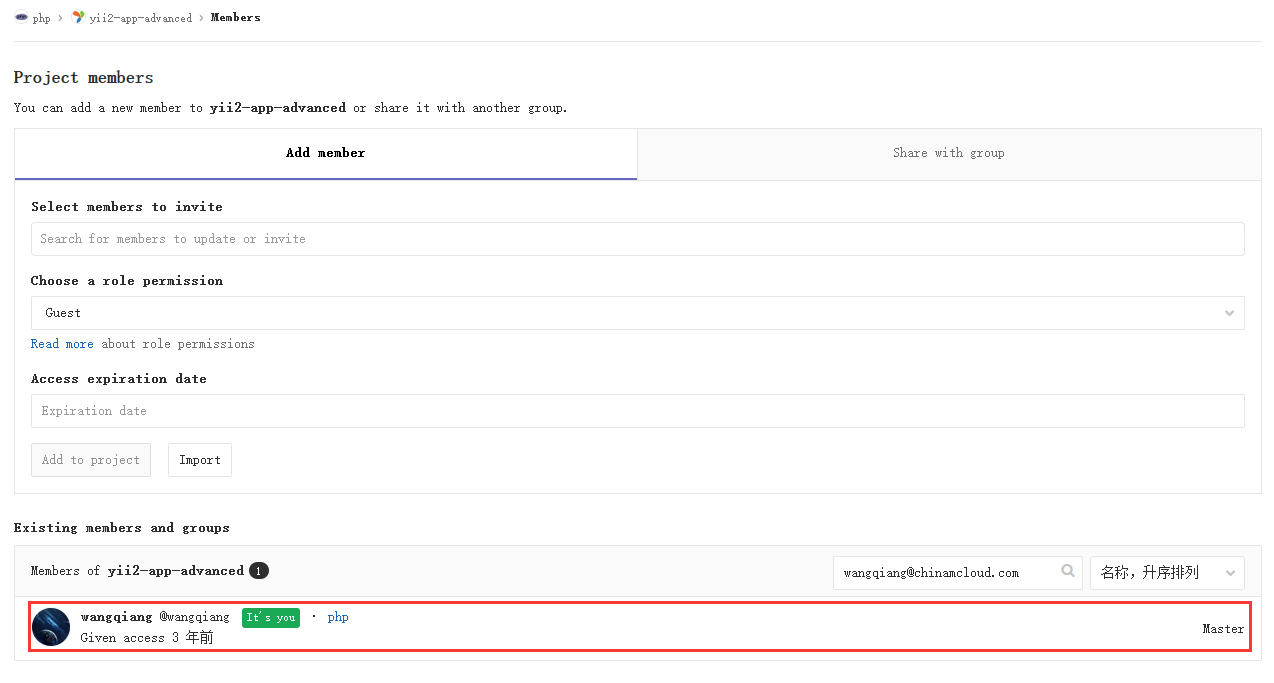
2. Check GitLab – Members – Existing Members and Groups. Master, in theory, has permissions. as shown in Figure 2
Figure 2
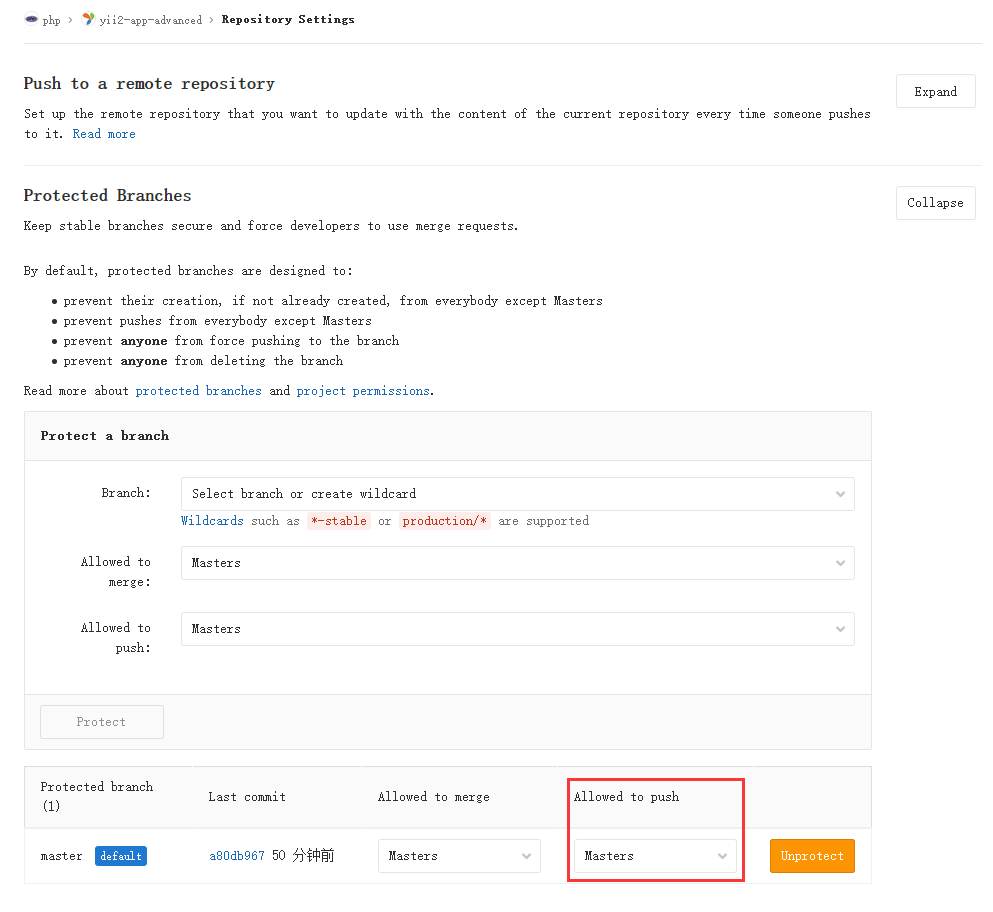
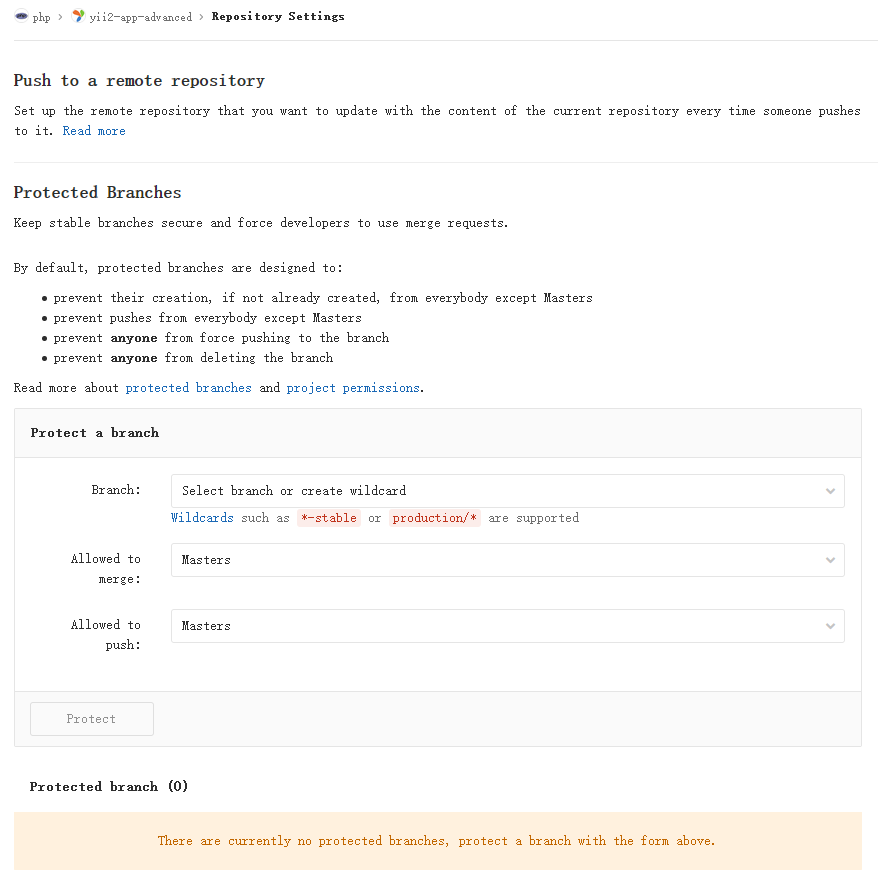
3. Repository settings – protected branches – allowed to push. for: masters. as shown in Figure 3
Figure 3
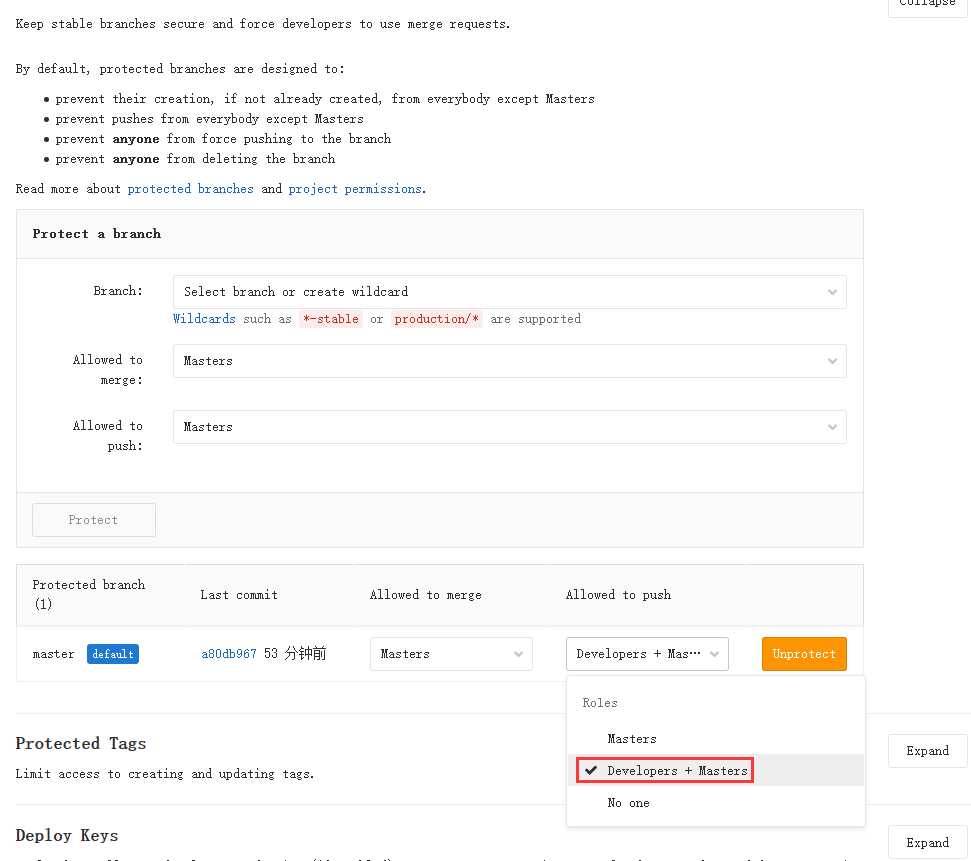
4. Repository settings – protected branches – allowed to push. Adjusted to: developers + masters. as shown in Figure 4
Figure 4
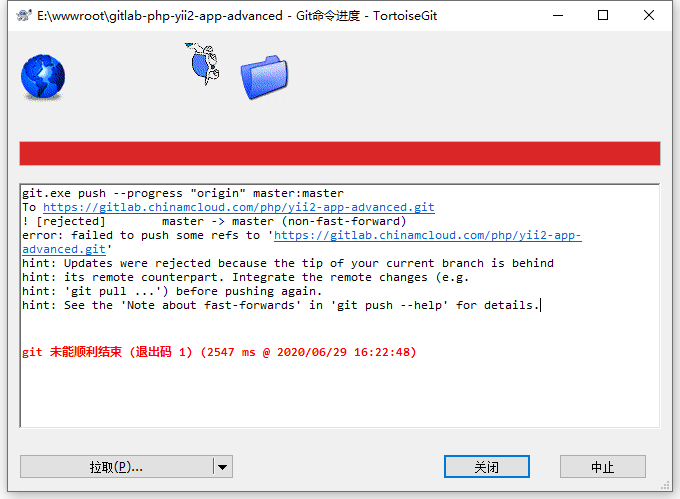
5. Push again, report an error: error: failed to push some refs to. as shown in Figure 5
Figure 5
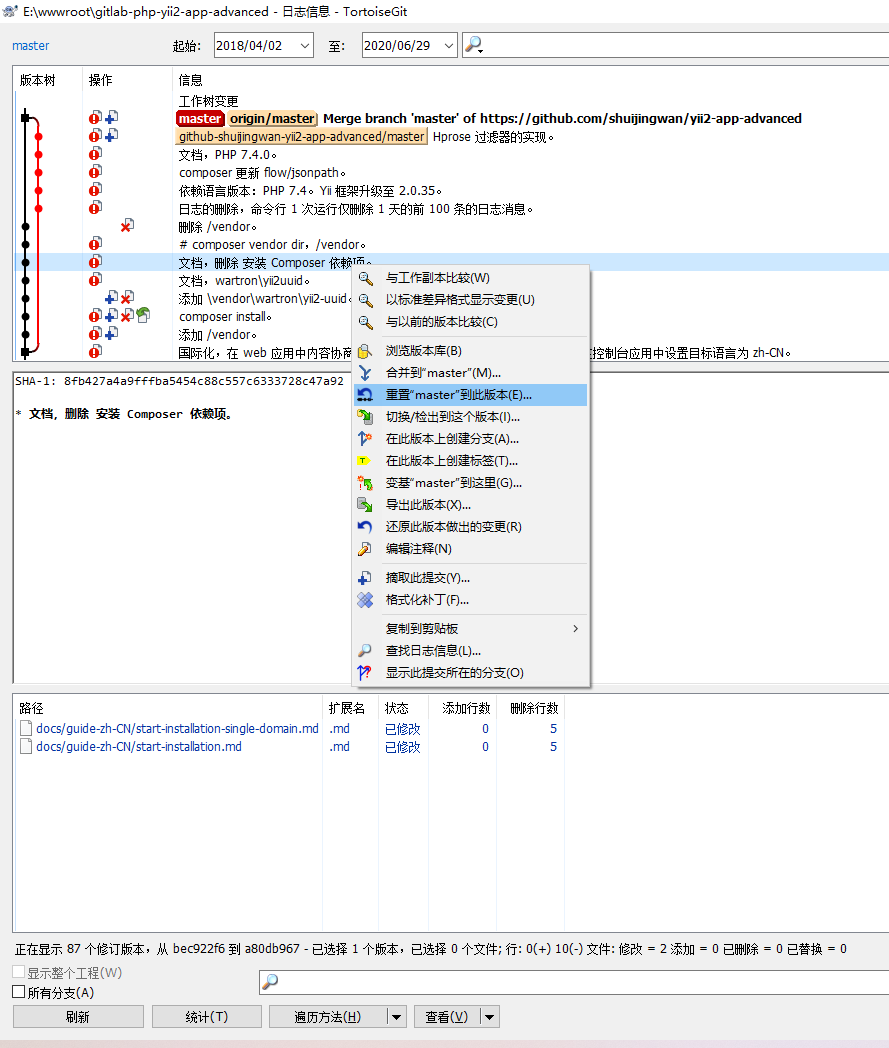
6. Check the commit record and reset to the latest version before the merge of the master branch. as shown in Figure 6
Figure 6
7. Repository settings – protected branches. Delete the branch master and click the button unprotect. as shown in Figure 7
Figure 7
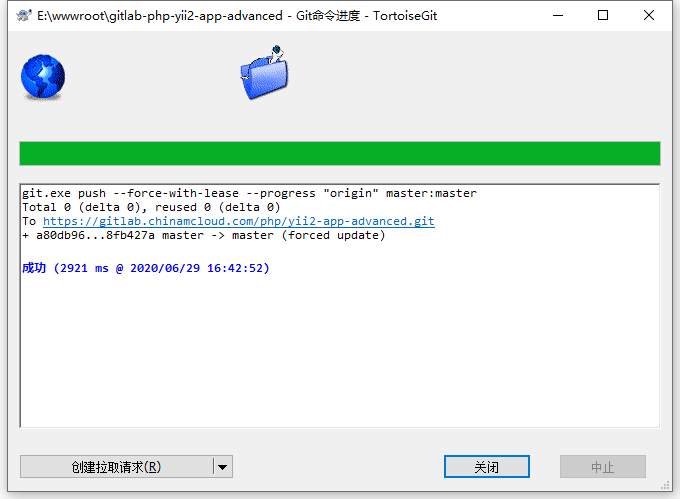
8. Push again, the push is successful. Restore the operations done in Step 7 and Step 4. as shown in Figure 8
8
git.exe push --force-with-lease --progress "origin" master:master
Total 0 (delta 0), reused 0 (delta 0)
To https://gitlab.chinamcloud.com/php/yii2-app-advanced.git
+ a80db96...8fb427a master -> master (forced update)

成功 (2921 ms @ 2020/06/29 16:42:52)
Leave a Reply