The process of adding new rows to the code within a certain time range based on TortoiseGit 2.10
1. TortoiseGit -> Display log, as shown in Figure 1
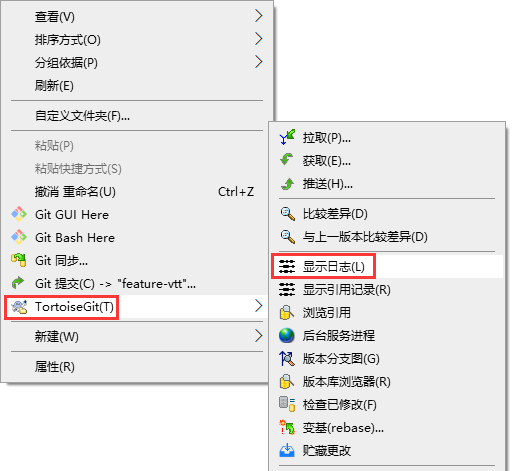
Figure 1
2. Start: 2019/01/01 to: 2019/12/31, as shown in Figure 2

Figure 2
3. Click the Statistics button, the statistics dialog box will pop up, and click the calculation button. as shown in Figure 3
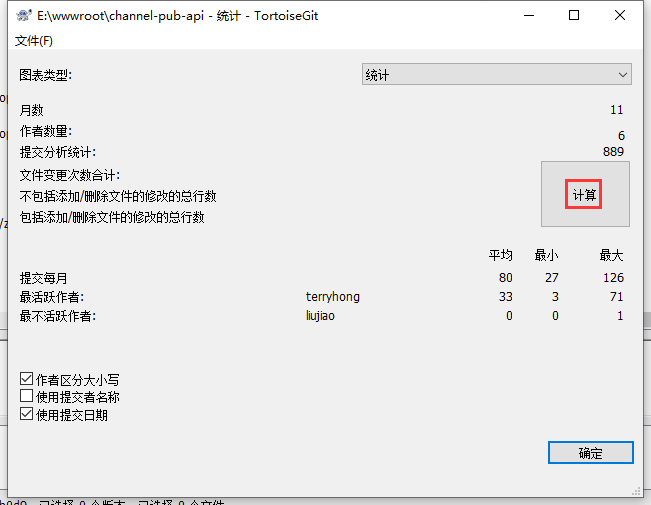
Figure 3
4. The total number of changes that do not include adding/deleted files: 58807 (38411 (+) 20396 (-)). Includes total number of changes to add/remove files: 161078 (128299 (+) 32779 (-)). as shown in Figure 4
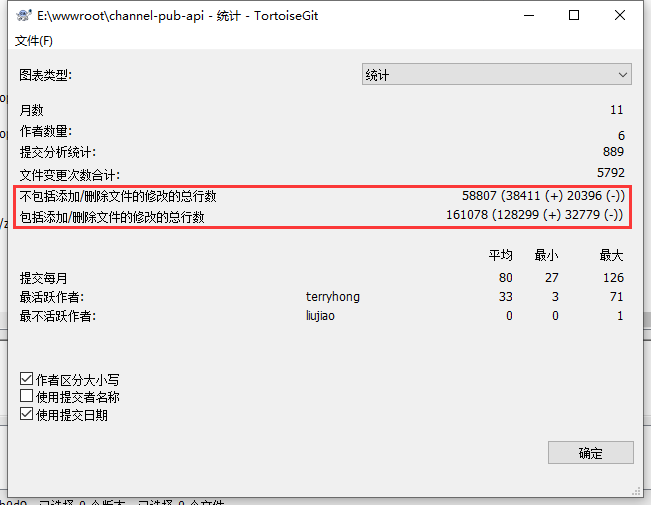
Figure 4
5. Directory: /vendor is a third-party package that contains the relevant third-party software packages. The number of rows of this directory needs to be subtracted. Right-click on the directory: /vendor -> TortoiseGit -> Display the log. as shown in Figure 5
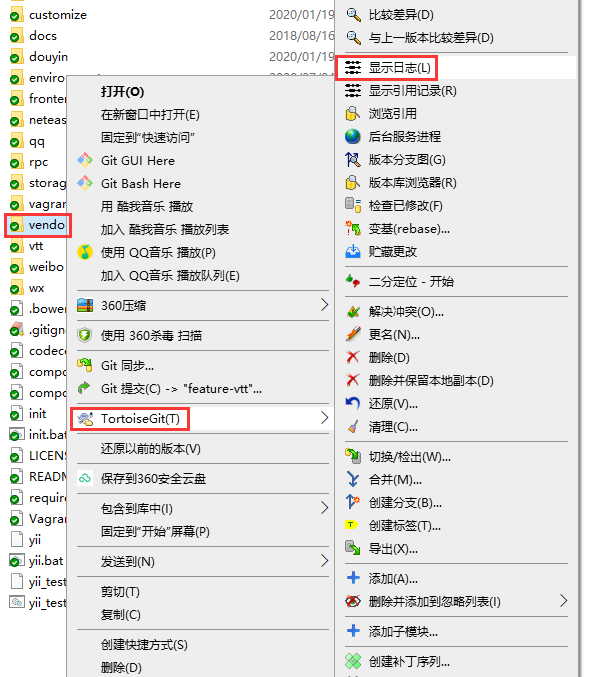
Figure 5
6. Start: 2019/01/01 to: 2019/12/31, the result is blank, indicating that no directory is added within this time range: /vendor. There is no need to subtract the number of rows of this directory. as shown in Figure 6
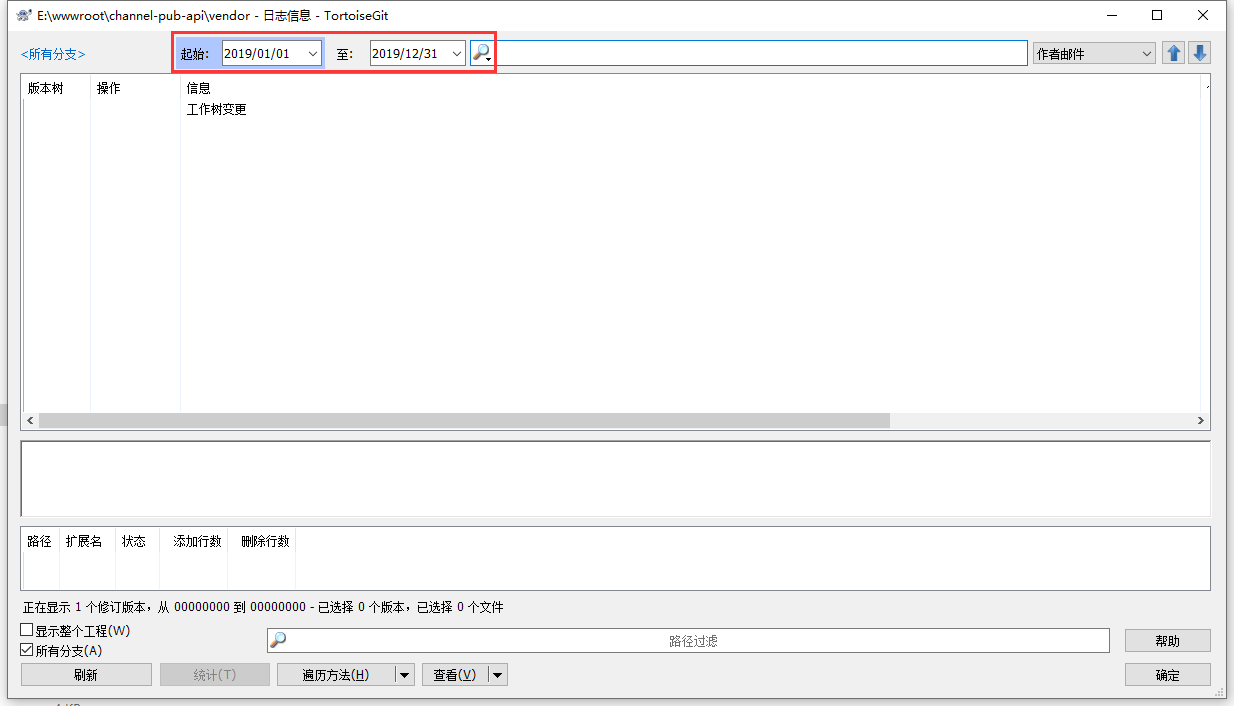
Figure 6
![使用 Composer 从 Yii 2.0.x 升级时,报错: [ErrorException] Undefined variable: nameMatchesRequiredPackage](https://www.shuijingwanwq.com/wp-content/uploads/2019/02/1-520x245.png)