FROM registry-vpc.cn-beijing.aliyuncs.com/cmc/centos-nginx:2.2.20

MAINTAINER shuijingwanwq@163.com

COPY code /mcloud/www/pcs
COPY code/build_docker/c_files/ /

RUN chown -R nginx:nginx /mcloud/www/ && \
    rm -rf /etc/nginx/conf.d/status.conf
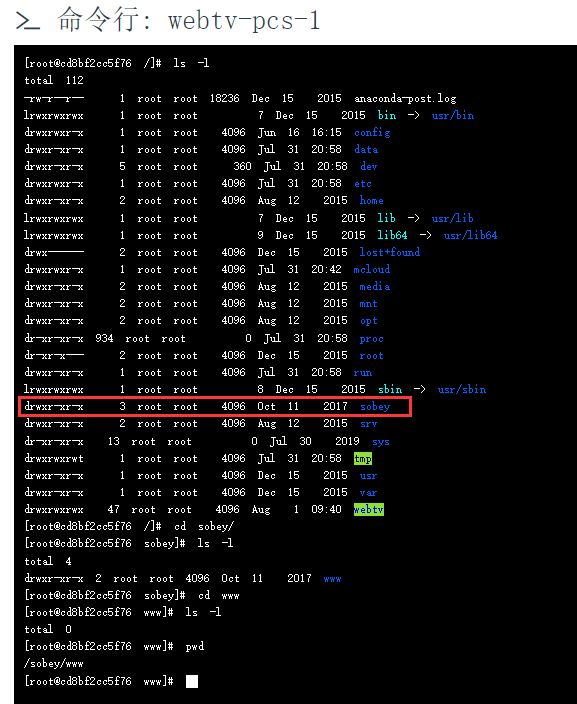
2. Since there are directories in the basic image: /sobey/www, and it is a blank directory, it is no longer needed. The basic image cannot be upgraded for a while, so I decided to delete the folder in the Dockerfile: /sobey. as shown in Figure 1
Figure 1
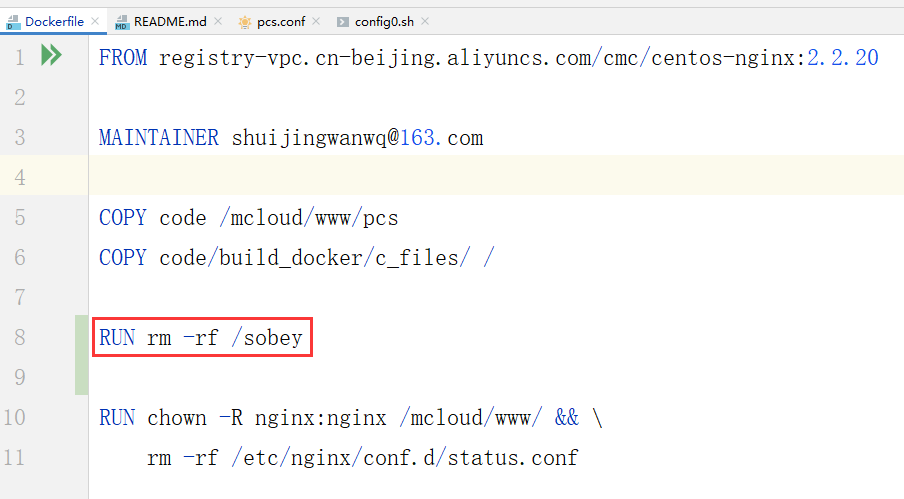
3. Add a new line: run rm -rf /sobey. The content of the Dockerfile is as follows. as shown in Figure 2
Figure 2
FROM registry-vpc.cn-beijing.aliyuncs.com/cmc/centos-nginx:2.2.20

MAINTAINER shuijingwanwq@163.com

COPY code /mcloud/www/pcs
COPY code/build_docker/c_files/ /

RUN rm -rf /sobey

RUN chown -R nginx:nginx /mcloud/www/ && \
    rm -rf /etc/nginx/conf.d/status.conf
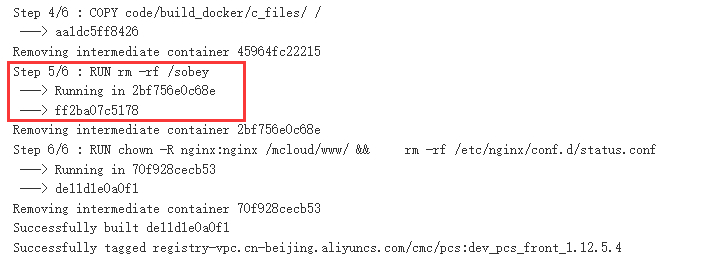
4. Check the build output of the container. It runs normally. as shown in Figure 3
Figure 3
Step 5/6 : RUN rm -rf /sobey
 ---> Running in 2bf756e0c68e
 ---> ff2ba07c5178
Removing intermediate container 2bf756e0c68e
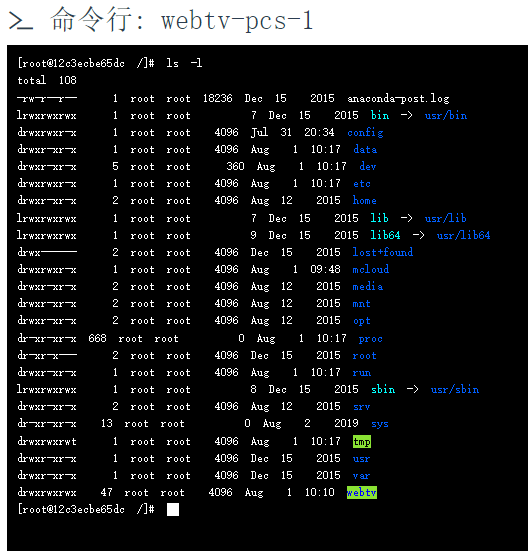
5. Enter the container, directory: /sobey no longer exists. in line with expectations. as shown in Figure 4
Figure 4
Leave a Reply