Install MinGW-W64 under Windows 10 64 bit
1. The full name of MinGW is: Minimalist GNU on Windows. Open URL:http://www.mingw-w64.org/doku.php/download, select MinGW-W64-Builds. as shown in Figure 1
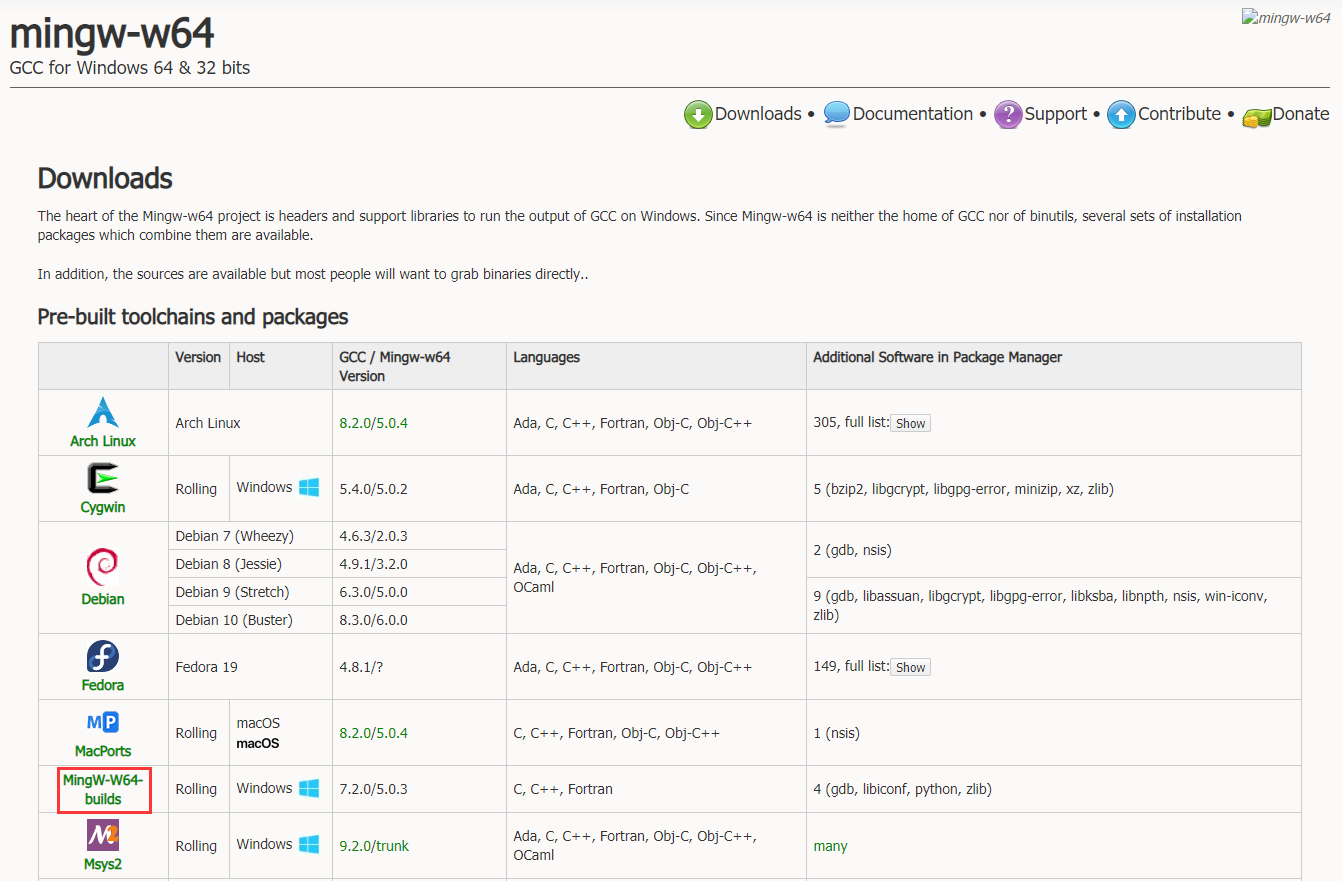
Figure 1
2. Download the package name: mingw-w64-install.exe. Error during installation: cannot download repository.txt. as shown in Figure 2
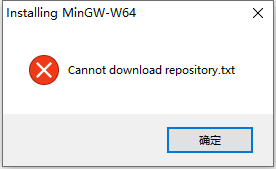
Figure 2
3. Select Win-Builds. as shown in Figure 3
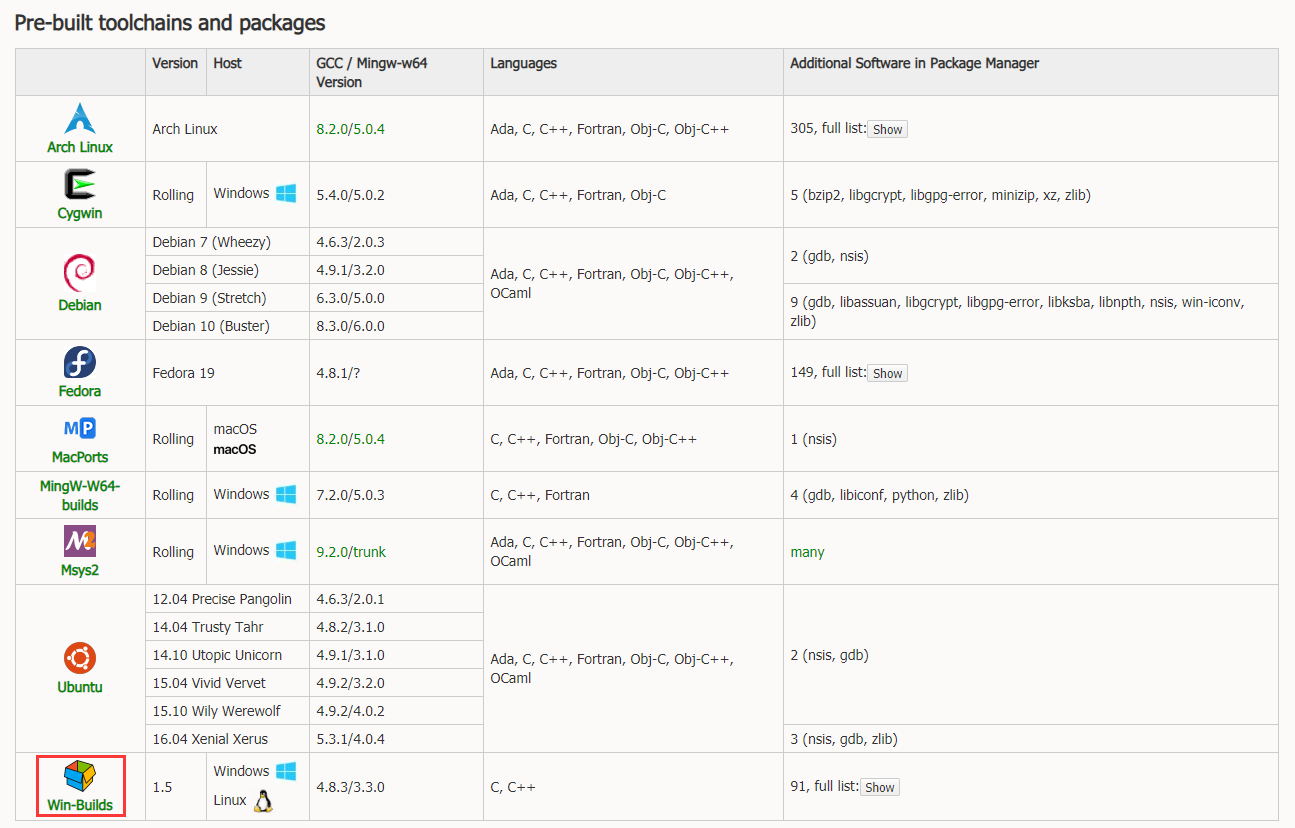
Figure 3
4. Download and install from Windows. as shown in Figure 4
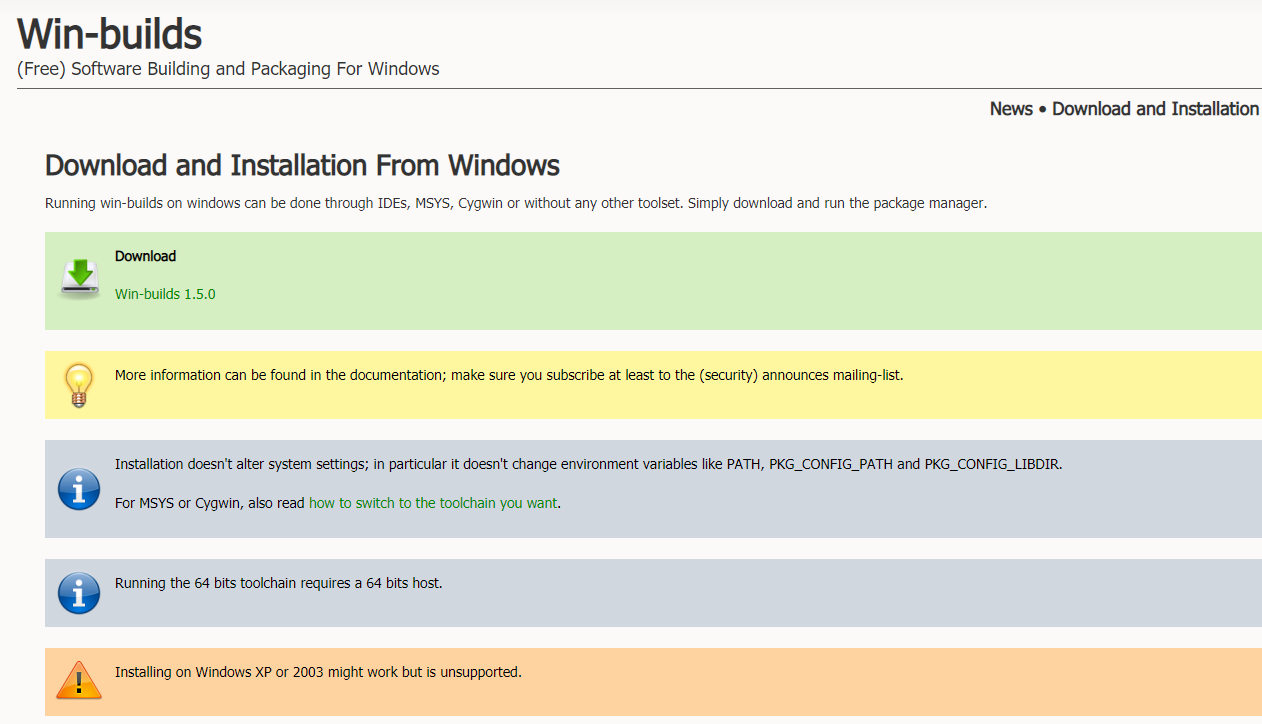
Figure 4
5. Select: Native Windows, x86_64, D:\Program Files (x86)\win builds. as shown in Figure 5
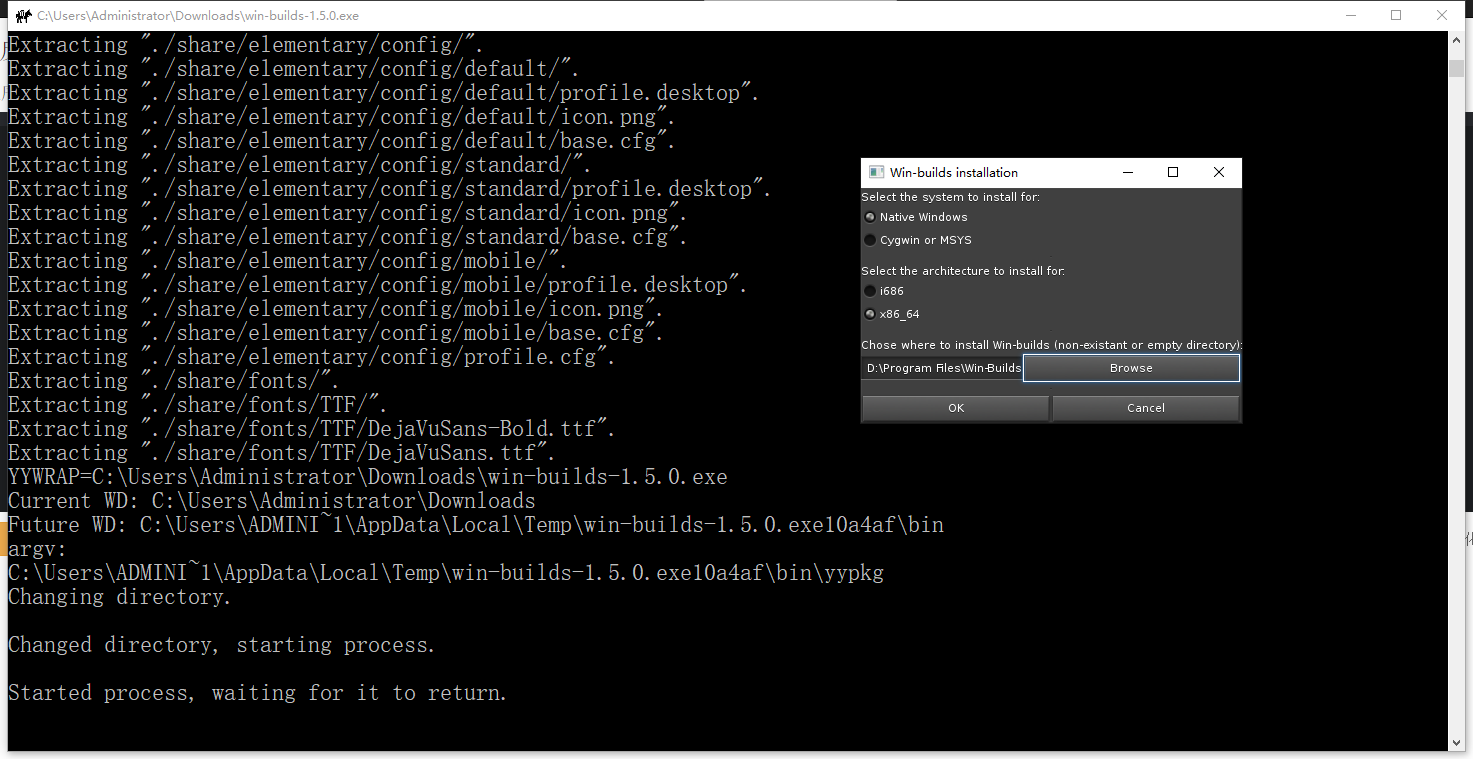
Figure 5
Win-Builds installation

Select the system to install for:
Native Windows
Cygwin or MSYS

Select the architecture to install for:
i686
x86_64

Chose where to install Win-Builds (non-existant or empty diretory):
Browse
6. The installation is complete. as shown in Figure 6

Figure 6
7. Copy: D:\Program Files (x86)\Win builds\bin. as shown in Figure 7
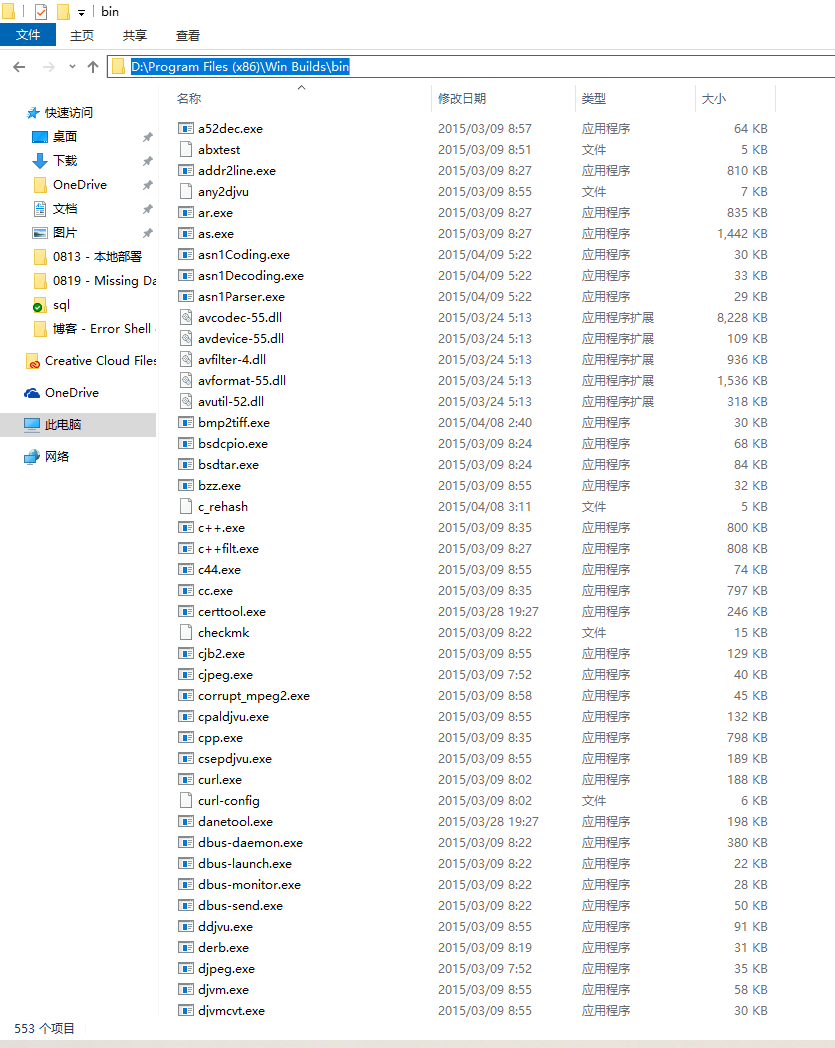
Figure 7
8. Edit the environment variable, add: D:\Program Files (x86)\Win builds\bin to the environment variable, restart the computer, and the configuration of Mingw-w64 is completed. as shown in Figure 8
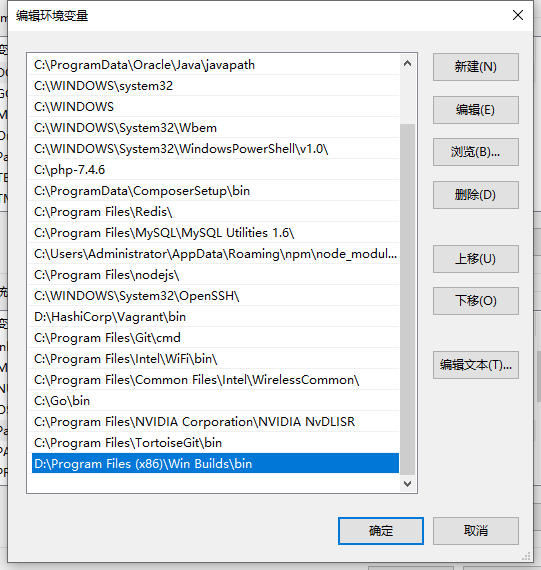
8
9. Open Windows PowerShell and run the command: gcc -v, the list of components of mingw-w64 will be displayed. The installation was successful. as shown in Figure 9
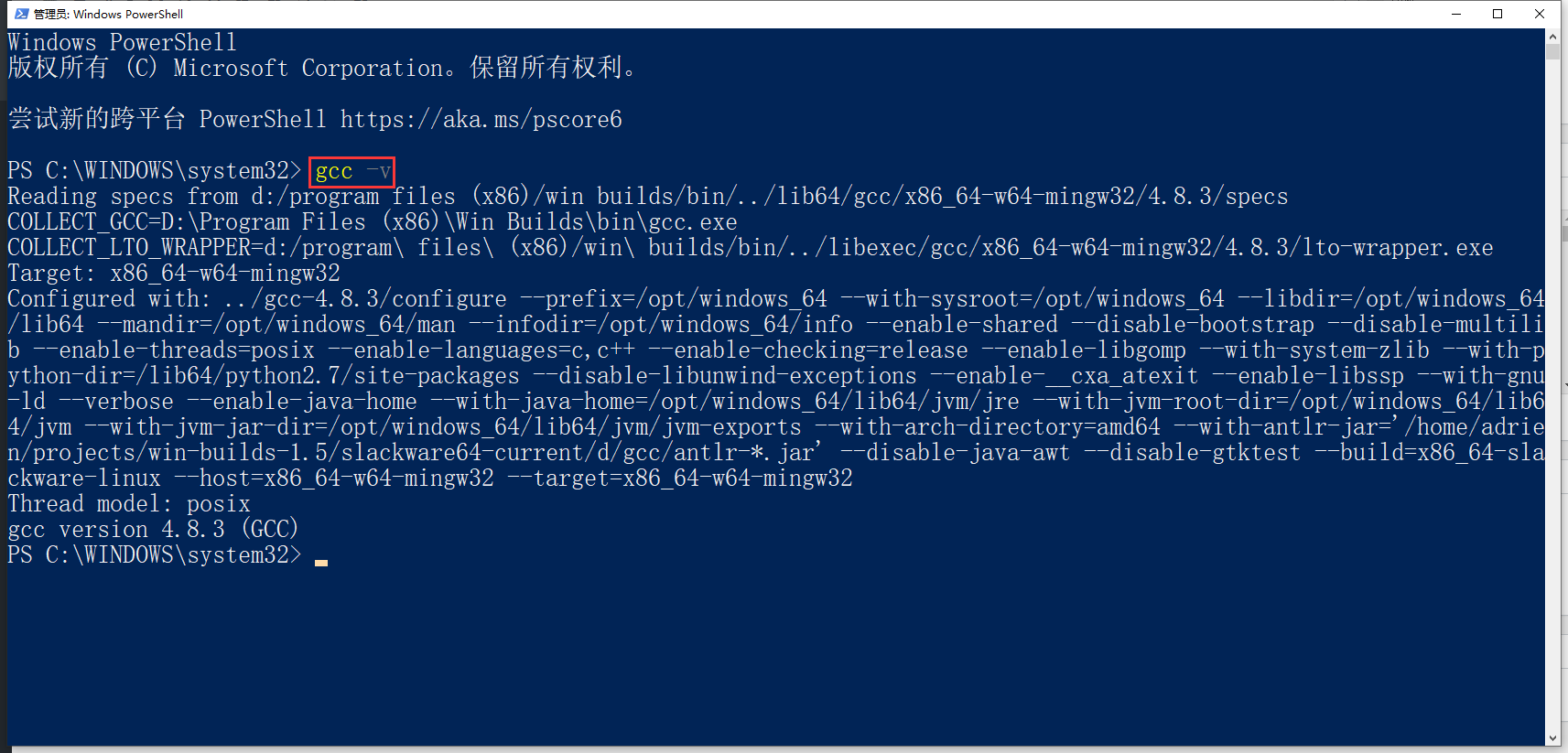
Figure 9
PS C:\WINDOWS\system32> gcc -v
Reading specs from d:/program files (x86)/win builds/bin/../lib64/gcc/x86_64-w64-mingw32/4.8.3/specs
COLLECT_GCC=D:\Program Files (x86)\Win Builds\bin\gcc.exe
COLLECT_LTO_WRAPPER=d:/program\ files\ (x86)/win\ builds/bin/../libexec/gcc/x86_64-w64-mingw32/4.8.3/lto-wrapper.exe
Target: x86_64-w64-mingw32
Configured with: ../gcc-4.8.3/configure --prefix=/opt/windows_64 --with-sysroot=/opt/windows_64 --libdir=/opt/windows_64
/lib64 --mandir=/opt/windows_64/man --infodir=/opt/windows_64/info --enable-shared --disable-bootstrap --disable-multili
b --enable-threads=posix --enable-languages=c,c++ --enable-checking=release --enable-libgomp --with-system-zlib --with-p
ython-dir=/lib64/python2.7/site-packages --disable-libunwind-exceptions --enable-__cxa_atexit --enable-libssp --with-gnu
-ld --verbose --enable-java-home --with-java-home=/opt/windows_64/lib64/jvm/jre --with-jvm-root-dir=/opt/windows_64/lib6
4/jvm --with-jvm-jar-dir=/opt/windows_64/lib64/jvm/jvm-exports --with-arch-directory=amd64 --with-antlr-jar='/home/adrie
n/projects/win-builds-1.5/slackware64-current/d/gcc/antlr-*.jar' --disable-java-awt --disable-gtktest --build=x86_64-sla
ckware-linux --host=x86_64-w64-mingw32 --target=x86_64-w64-mingw32
Thread model: posix
gcc version 4.8.3 (GCC)