Add the implementation of the POST parameter when uploading the file based on Bootstrap File Input v4.3.2
1. Bootstrap file input is a very good HTML5 file upload plugin, which supports a series of features such as file preview and multi-selection. When uploading a file based on Bootstrap File Input v4.3.2, the existing parameters: upfile, file_id. as shown in Figure 1
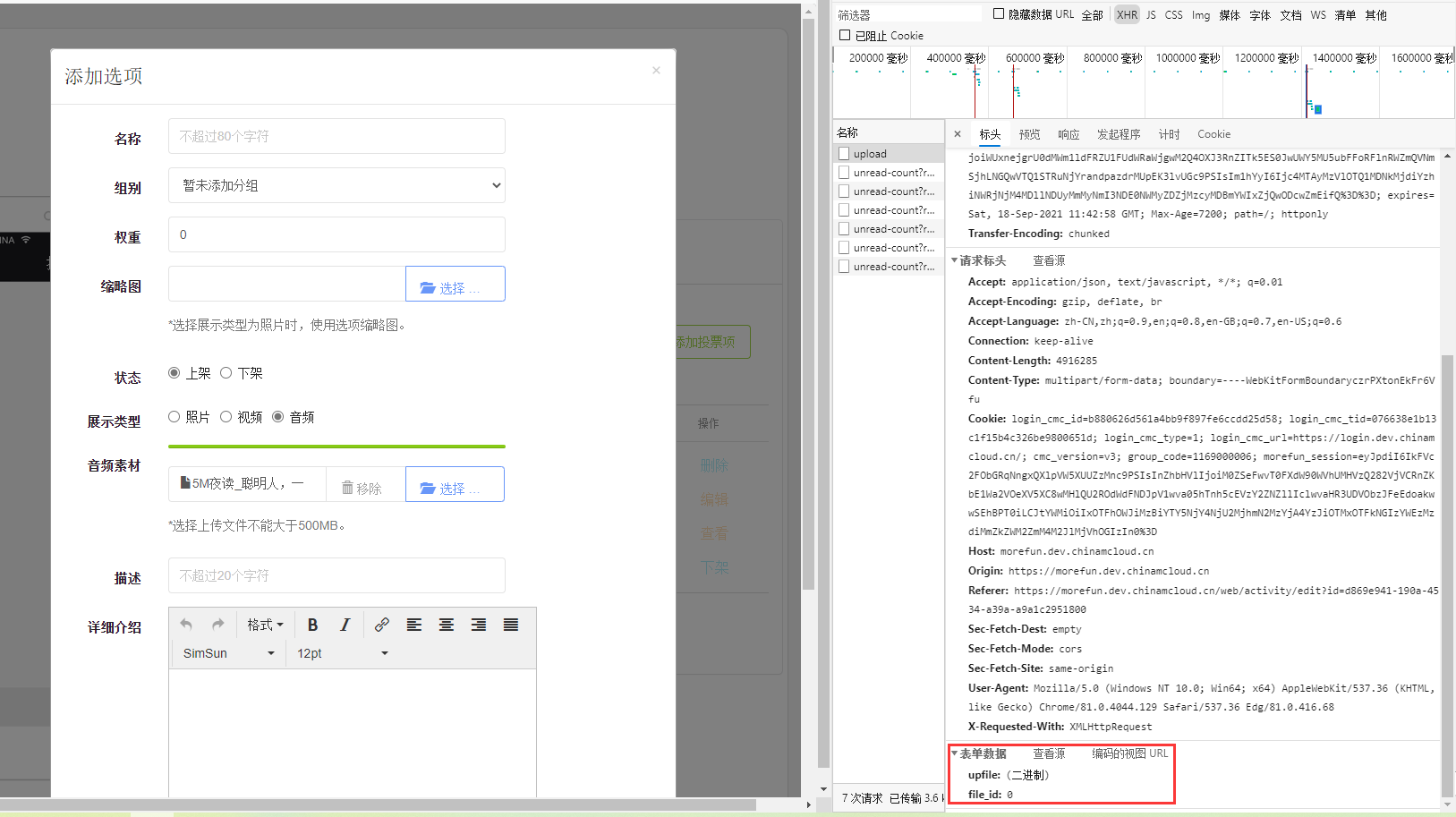
Figure 1
2. Now you need to add new parameters: Type, based on the selection of radio buttons: video, audio, set its corresponding values: video, audio. as shown in Figure 2
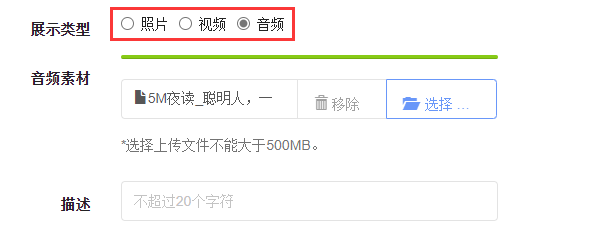
Figure 2
3. Refer to the official website:http://www.bootstrap-fileinput.com/options.html. Configuration Item: UploadExtraData, additional data that passes as data to the URL/Ajax server invoked as data. This property is only available for AJAX uploads and when you set a value for the UploadUrl. as shown in Figure 3
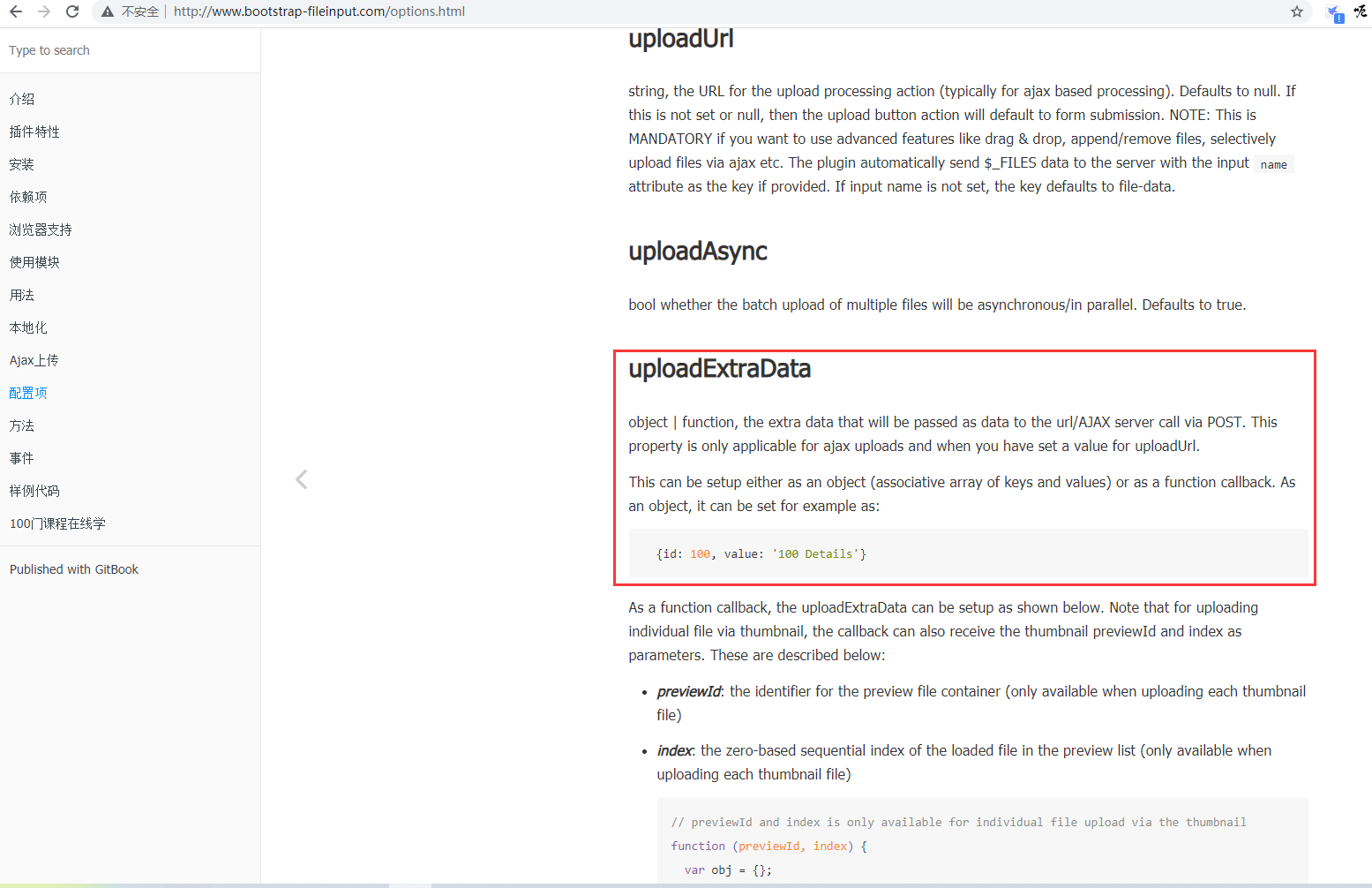
Figure 3
4. Edit the js code and add: uploadextradata: {type:video},. as shown in Figure 4
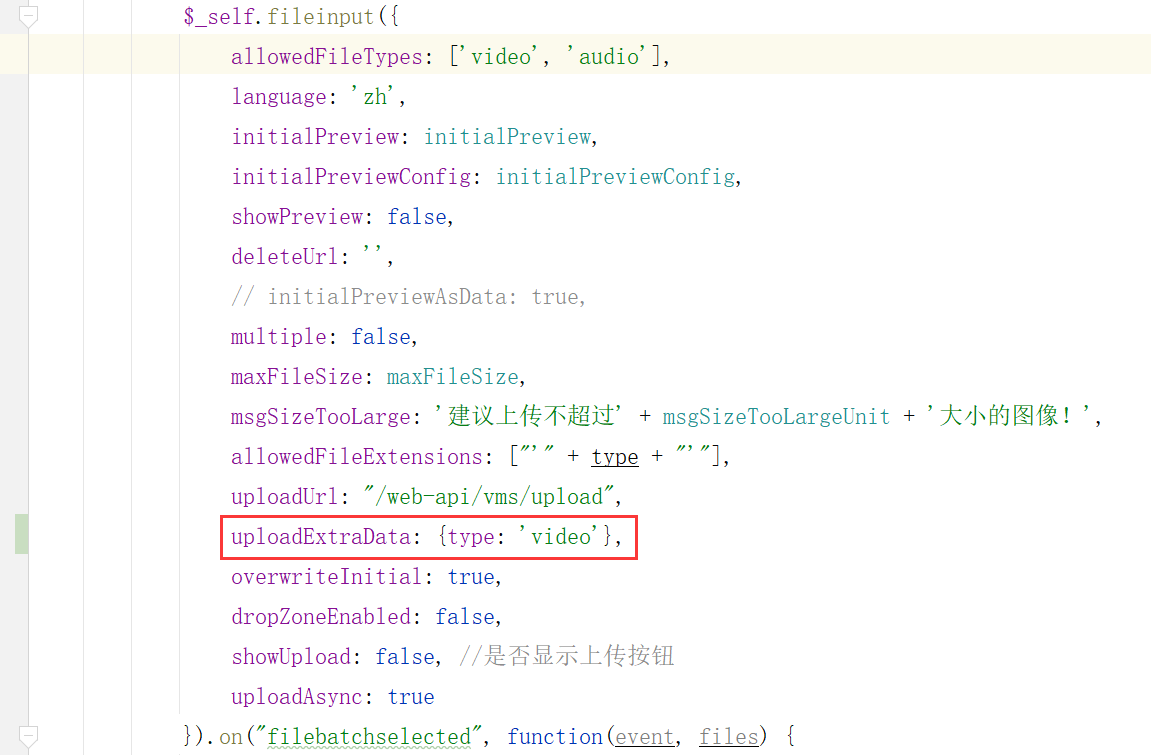
Figure 4
    function initUploadMediaFile(id, type) {
        var container = $('body');
        if (id) {
            container = $(id);
        }
        var uploadFiles = container.find('input[data-target="uploadMediaFile"]');
        $.each(uploadFiles, function (i, v) {
            $_self = $(v);
            var initialPreview = [];
            var initialPreviewConfig = [];
            var previewImage = $('input[name="' + $_self.attr('data-for') + '"]').attr('data-preview') || $('input[name="' + $_self.attr('data-for') + '"]').val();

            if (previewImage) {
                initialPreview.push(previewImage);
                initialPreviewConfig.push({key: getFileName(previewImage)})
            }
            var maxFileSize = 512000;
            var msgSizeTooLargeUnit = '512000KB';
            $_self.fileinput({
                allowedFileTypes: ['video', 'audio'],
                language: 'zh',
                initialPreview: initialPreview,
                initialPreviewConfig: initialPreviewConfig,
                showPreview: false,
                deleteUrl: '',
                // initialPreviewAsData: true,
                multiple: false,
                maxFileSize: maxFileSize,
                msgSizeTooLarge: '建议上传不超过' + msgSizeTooLargeUnit + '大小的图像!',
                allowedFileExtensions: ["'" + type + "'"],
                uploadUrl: "/web-api/vms/upload",
                uploadExtraData: {type: 'video'},
                overwriteInitial: true,
                dropZoneEnabled: false,
                showUpload: false, //是否显示上传按钮
                uploadAsync: true
            }).on("filebatchselected", function(event, files) {
                $(this).fileinput("upload");
            }).on('fileuploaded', function (event, data, previewId, index) {
                $.isLoading('hide');
                if (data.response.code == 0) {
                    // alert(JSON.stringify(data));
                    if (typeof window.uploadFilesSuccess !== 'undefined') {
                        window.uploadFilesSuccess(data.response.id, $(event.target).attr('data-for'));
                    }
                    // $('#'+previewId).attr('data-code',getFileName(data.response.result.attachment));
                    // $('input[name="'+$(event.target).attr('data-for')+'"]').val(data.response.result.original);
                    $('#' + previewId).attr('data-code', getFileName(data.response.id));
                    $('input[name="' + $(event.target).attr('data-for') + '"]').val(data.response.id);
                } else {
                    utils.showNotification('上传文件失败', 3);
                }
            }).on('filecleared', function (event) {
                // console.log(event, 1);
                $('input[name="' + $(event.target).attr('data-for') + '"]').val('');
            }).on('iledeleted', function (event, key) {
                $('input[name="' + $(event.target).attr('data-for') + '"]').val('');
            }).on('filereset', function (event) {
                $('input[name="' + $(event.target).attr('data-for') + '"]').val('');
            }).on('filepreupload', function (event) {
                $('.kv-upload-progress').show();
                $.isLoading({text: '数据提交中,请稍后。。。'});
            }).on('filesuccessremove', function (event, id) {
                $('input[name="' + $(event.target).attr('data-for') + '"]').val('');
            }).on('fileuploaderror', function (event, data, msg) {
                $.isLoading('hide');
                $('.kv-upload-progress').hide();
                utils.showNotification('上传文件失败', 3);
            });
        })
    }
5. Test the function, when uploading the file, the new post parameter ( type: video ) is added successfully. as shown in Figure 5
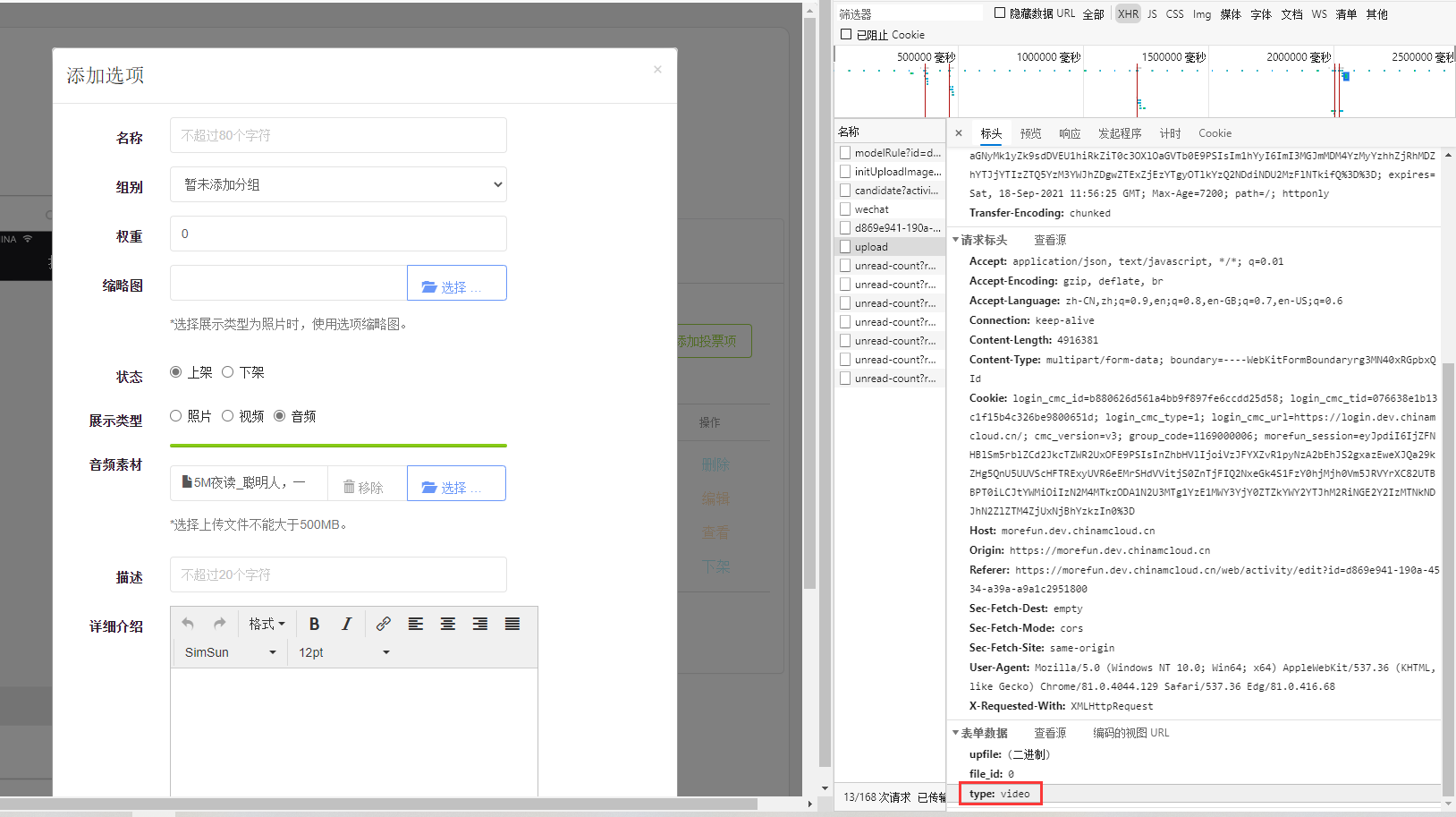
Figure 5
6. When adjusting this function, based on the selection of the radio button, adding a function parameter $type can achieve the effect of the expected file type. function initUploadMediaFile(id, type, fileType) . in line with expectations. as shown in Figure 6
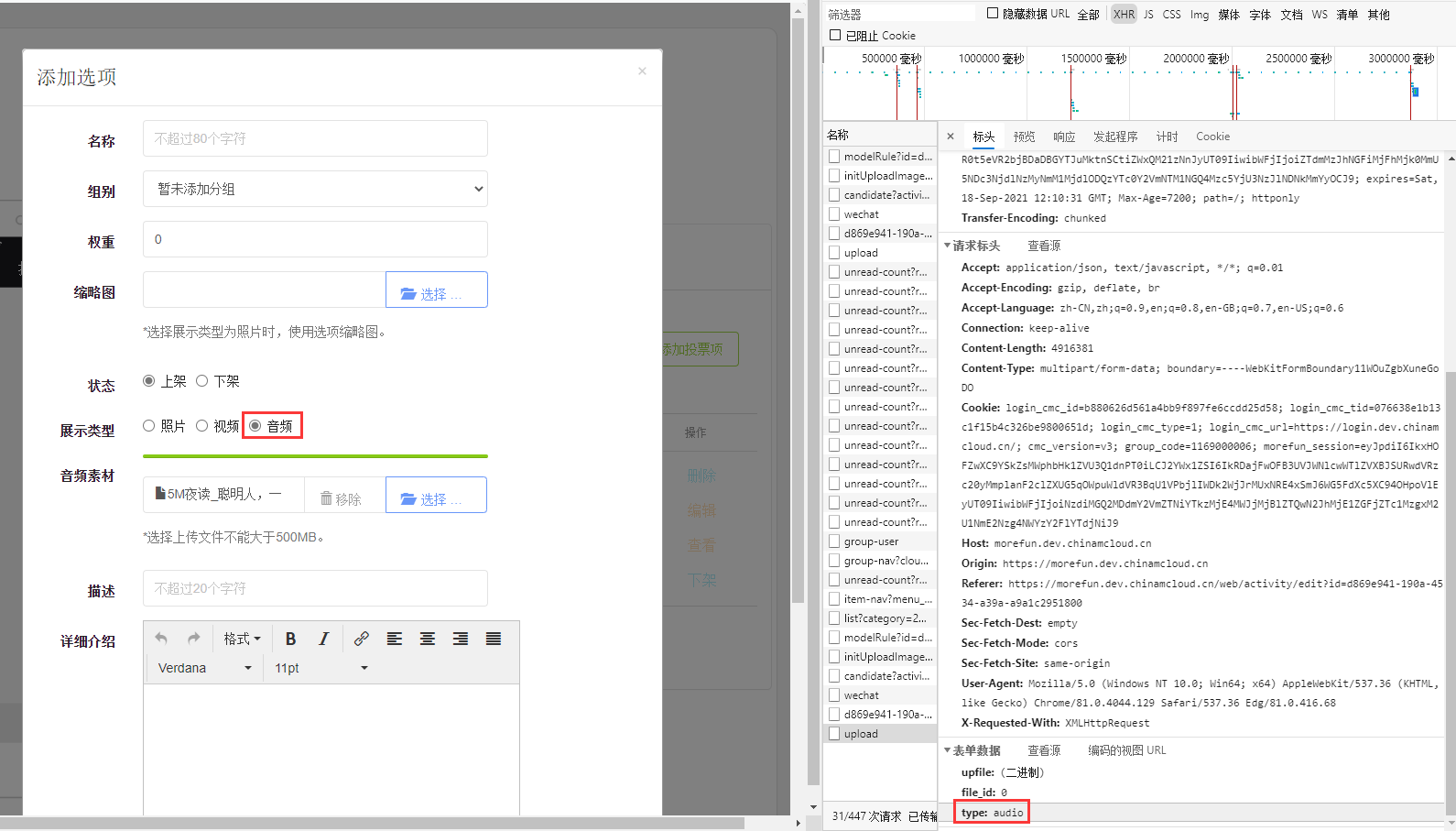
Figure 6