Troubleshooting and Analysis of Rancher Environmental Variables (not effective in containers)
1. A total of 4 environment variables are configured in Rancher. as shown in Figure 1
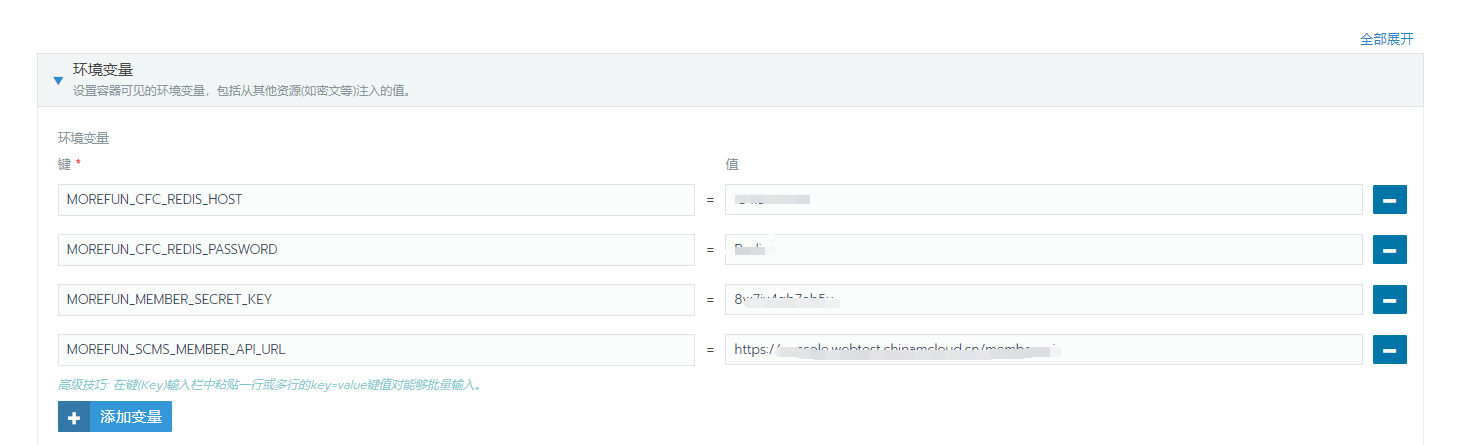
Figure 1
2. Check the log of the container, there are 2 environment variables missing. as shown in Figure 2
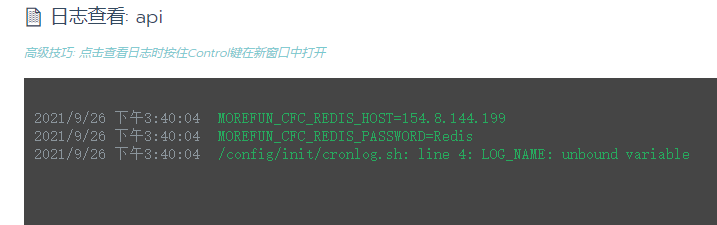
Figure 2
3. The result is that the missing 2 environment variables in the configuration file are not replaced. as shown in Figure 3
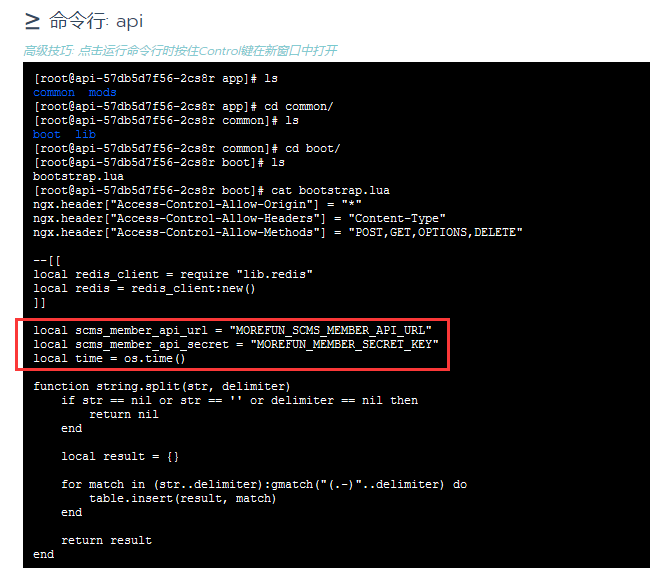
Figure 3
4. Discover the missing 2 environment variables, the prefix is: morefun_. The prefix of the production environment variable is: morefun_cfc_. Decide to adjust the prefix. Still not replaced after adjustment.
5. Decide to adjust the name of the configuration file, CONFIG_BOOTSTrap_FILE is adjusted to: CONFIG_BOOT_FILE. Still not replaced after adjustment.
6. View the file: /config/init/change.log. app/common/boot/bootstrap.lua does not exist. as shown in Figure 4
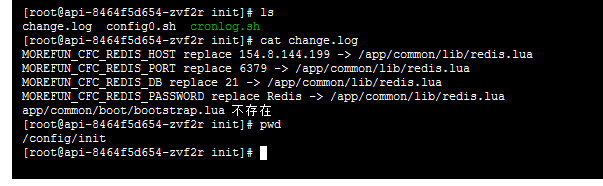
Figure 4
[root@api-8464f5d654-zvf2r init]# cat change.log
MOREFUN_CFC_REDIS_HOST replace 154.8.144.199 -> /app/common/lib/redis.lua
MOREFUN_CFC_REDIS_PORT replace 6379 -> /app/common/lib/redis.lua
MOREFUN_CFC_REDIS_DB replace 21 -> /app/common/lib/redis.lua
MOREFUN_CFC_REDIS_PASSWORD replace Redis -> /app/common/lib/redis.lua
app/common/boot/bootstrap.lua 不存在
7. Edit the config0.sh file. config_boot_file=app/common/boot/bootstrap.lua is adjusted to: config_boot_file=/app/common/boot/bootstrap.lua. Add the forward inclined rod of the root directory.
# 记录日志
DIR=/config/init
# 配置文件
CONFIG_FILE=/app/common/lib/redis.lua
CONFIG_BOOT_FILE=/app/common/boot/bootstrap.lua
8. Check the log of the container, all 4 variables already exist. as shown in Figure 5

Figure 5
9. The two environment variables in the configuration file have been replaced. as shown in Figure 6
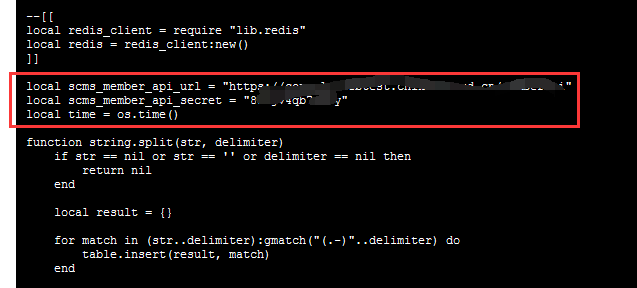
Figure 6