In Laravel 5.4 ( Symfony ), detect the extension of the uploaded file
1. The error is reported when uploading the picture file, because the picture in GIF format is uploaded, which is treated as a JPEG format. as shown in Figure 1
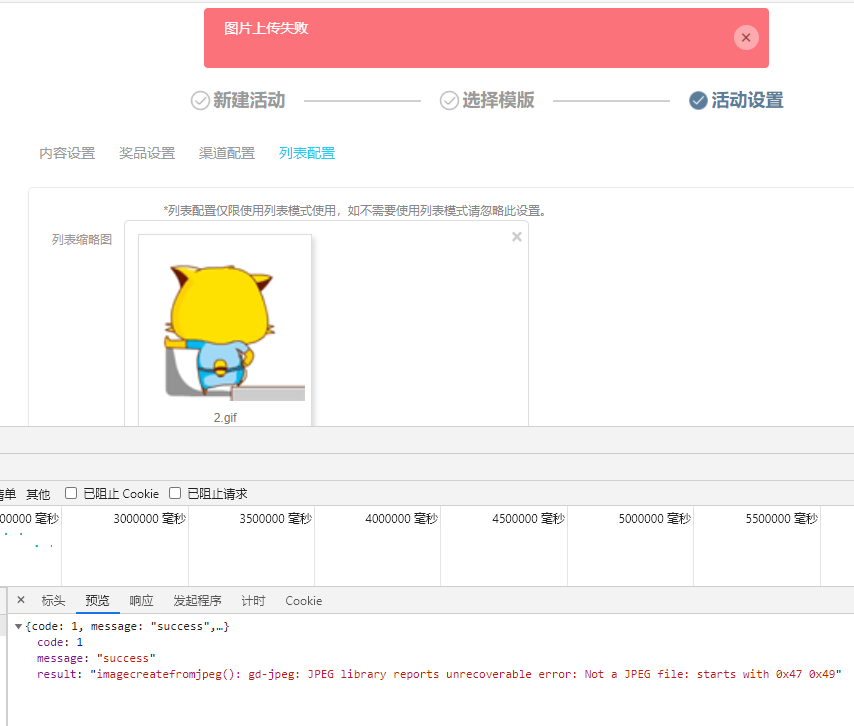
Figure 1
{
  "code": 1,
  "message": "success",
  "result": "imagecreatefromjpeg(): gd-jpeg: JPEG library reports unrecoverable error: Not a JPEG file: starts with 0x47 0x49"
}
2. Check the corresponding code implementation.
    public function upload(Request $request, StorageService $storageService)
    {
        $files = $request->files->all();
        try {
            $logoImages = $storageService->storeAsTmpImage($files['upfile'], ['ext' => 'csv']);

            return $this->respondJson(['result' => $logoImages['url']]);
        } catch (\Exception $e) {
            return $this->respondJson(['result' => $e->getMessage(), 'code' => 1]);
        }
    }
3. Decide to judge the extension of the file after receiving the request. Reference URL:https://github.com/symfony/symfony/blob/3.0/src/Symfony/Component/HttpFoundation/File/UploadedFile.php. Returns the original file extension. How to use: GetClientOriginAlextension() . as shown in Figure 2
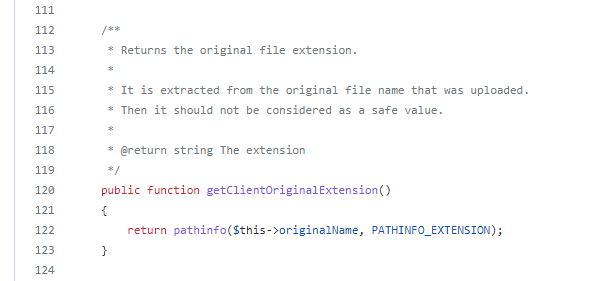
Figure 2
4. Get the file extension and convert it to lowercase letters. Determine the range. corresponding code implementation.
    public function upload(Request $request, StorageService $storageService)
    {
        $files = $request->files->all();
		$extension = strtolower($files['upfile']->getClientOriginalExtension());
		if (!in_array($extension, ['jpg', 'jpeg', 'png'])) {
			return $this->respondJson([
				'code' => 1,
				'message' => '格式错误,仅支持PNG、JPG格式',
			]);
		}
        try {
            $logoImages = $storageService->storeAsTmpImage($files['upfile'], ['ext' => 'csv']);

            return $this->respondJson(['result' => $logoImages['url']]);
        } catch (\Exception $e) {
            return $this->respondJson(['result' => $e->getMessage(), 'code' => 1]);
        }
    }
5. Upload pictures: 2 – copy .gif, prompt image upload failed: format error, only support png, jpg format, in line with expectations. The prompt information needs to be improved based on the interface based on the front end. as shown in Figure 3
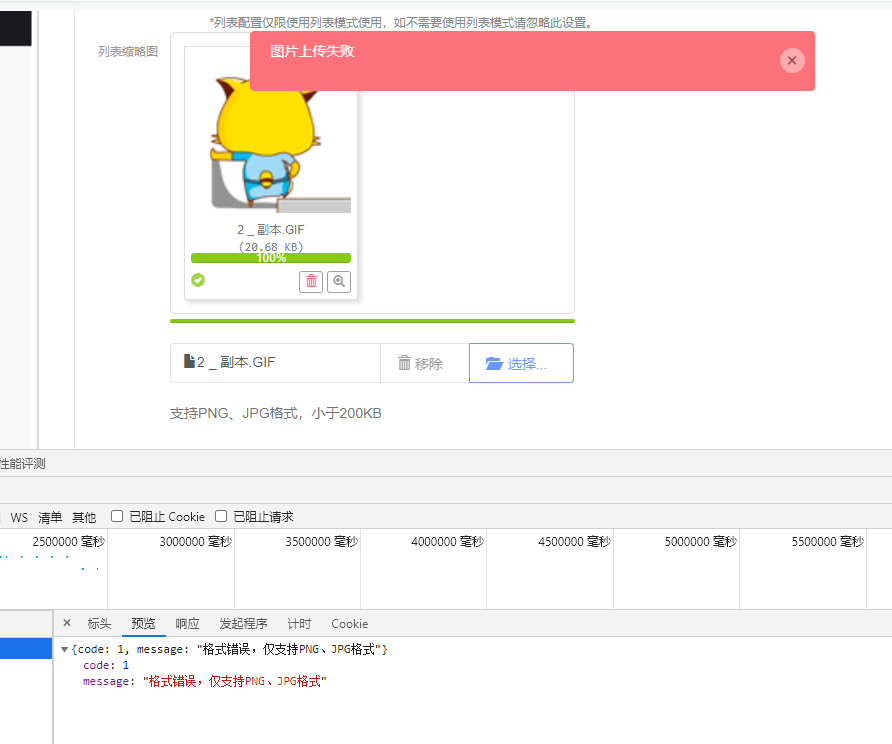
Figure 3
{
  "code": 1,
  "message": "格式错误,仅支持PNG、JPG格式"
}