Solve the unresponsive problem of the drop-down box (Laravel 8.x version, bootstrap 5.x version)
1. When clicking the username: 111111, the drop-down menu that should pop up does not respond. as shown in Figure 1
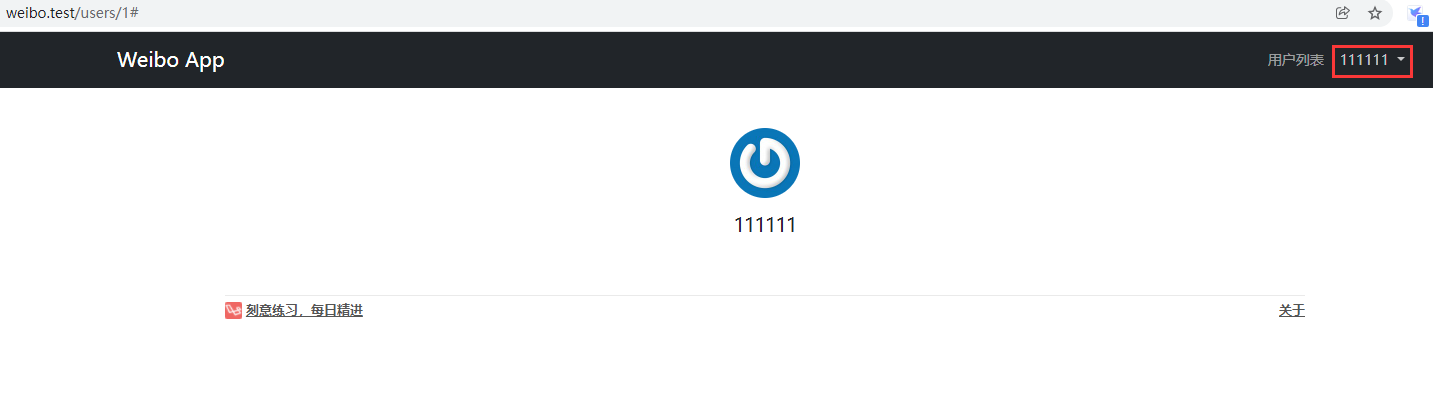
Figure 1
2. Confirm that the JavaScript component library that has been introduced into Bootstrap has been introduced. Laravel has already configured jQuery and Bootstrap for us in the resources/js/bootstrap.js file by default. Looking at the source code, both app.css and app.js files have been introduced. as shown in Figure 2

Figure 2
3. Check the source code of App.css and confirm the Bootstrap version number: Bootstrap v5.1.3. as shown in Figure 3
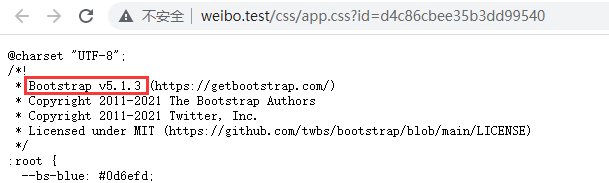
Figure 3
4. Check the URL:https://v5.bootcss.com/docs/examples/headers/, Bootstrap In version 5.x, there are some changes to the class name of the drop-down menu. data-bs-toggle=”dropdown”. as shown in Figure 4
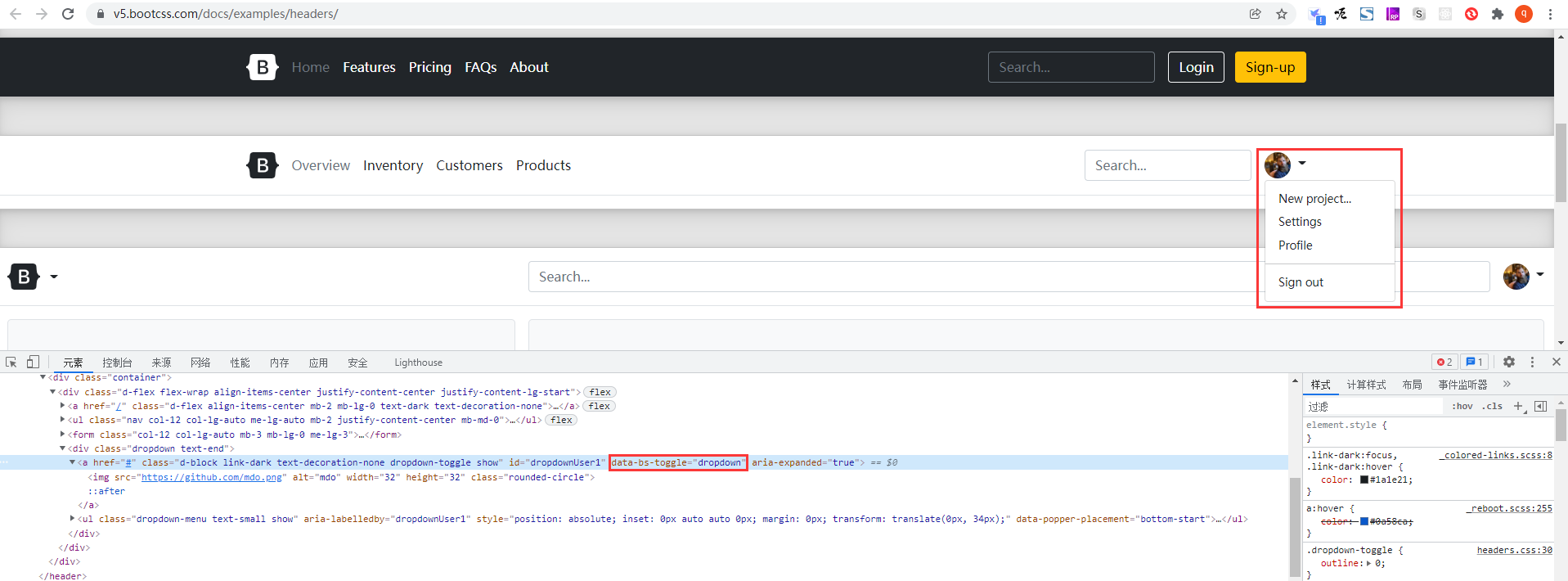
Figure 4
5. Check the source code, data-toggle=”dropdown”. as shown in Figure 5
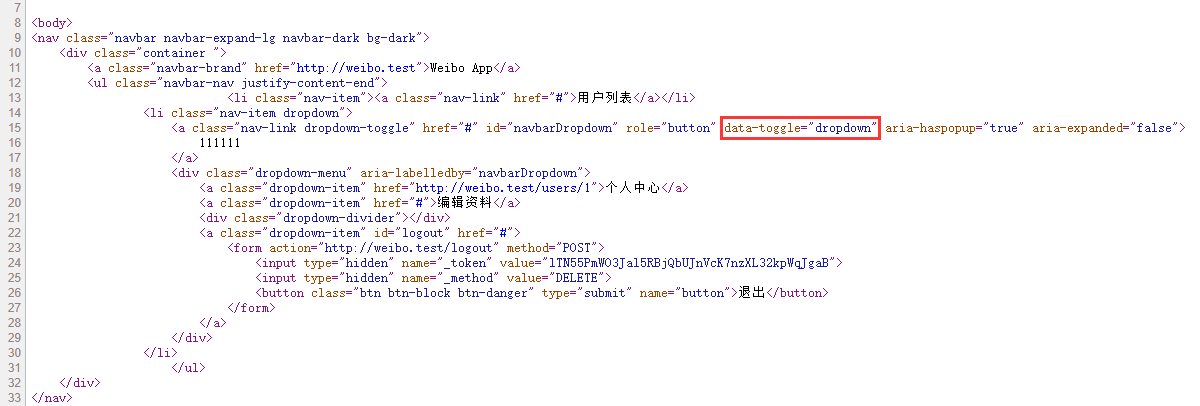
Figure 5
6. Adjust data-toggle=”dropdown” to: data-bs-toggle=”dropdown” , and when clicking username: 111111, the drop-down list can be popped up. as shown in Figure 6
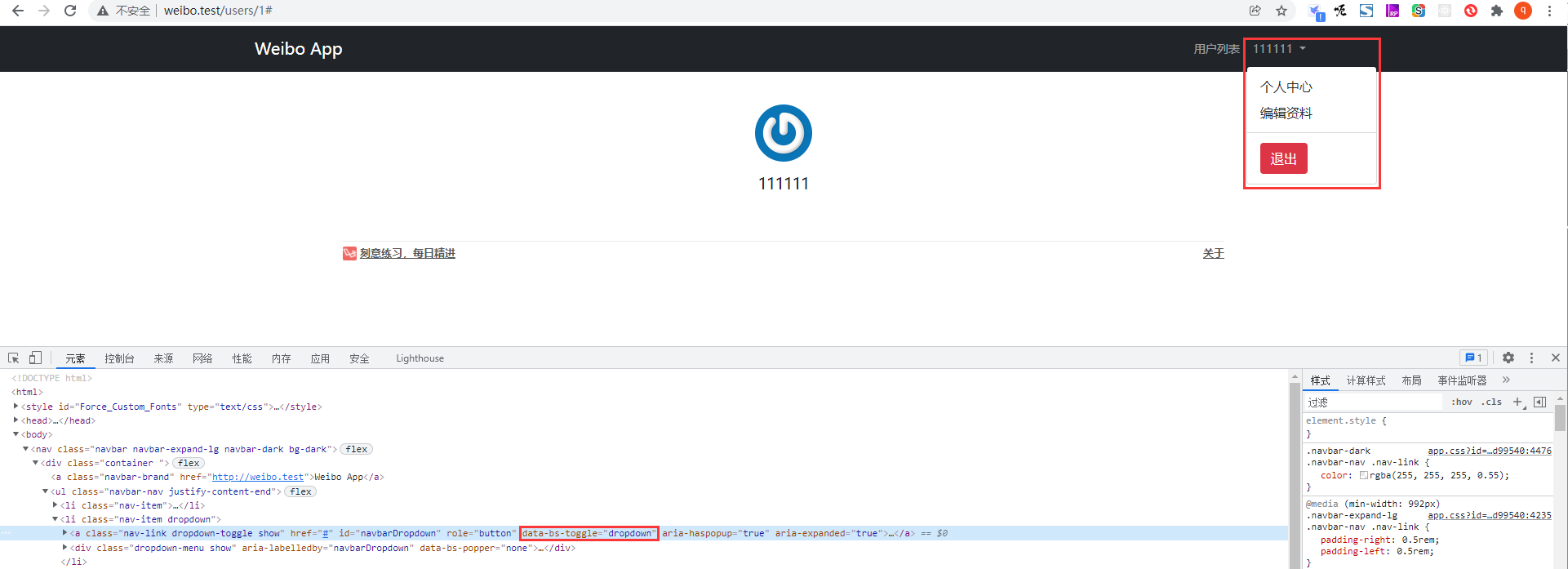
Figure 6