When executing the command: yarn run prod, prompt: browserslist caniuse-lite is outdated. Please run npx browserslist@latest –update-db
1. When executing the command: yarn run prod, prompt: browserslist caniuse-lite is outdated. Please run npx browserslist@latest –update-db. as shown in Figure 1
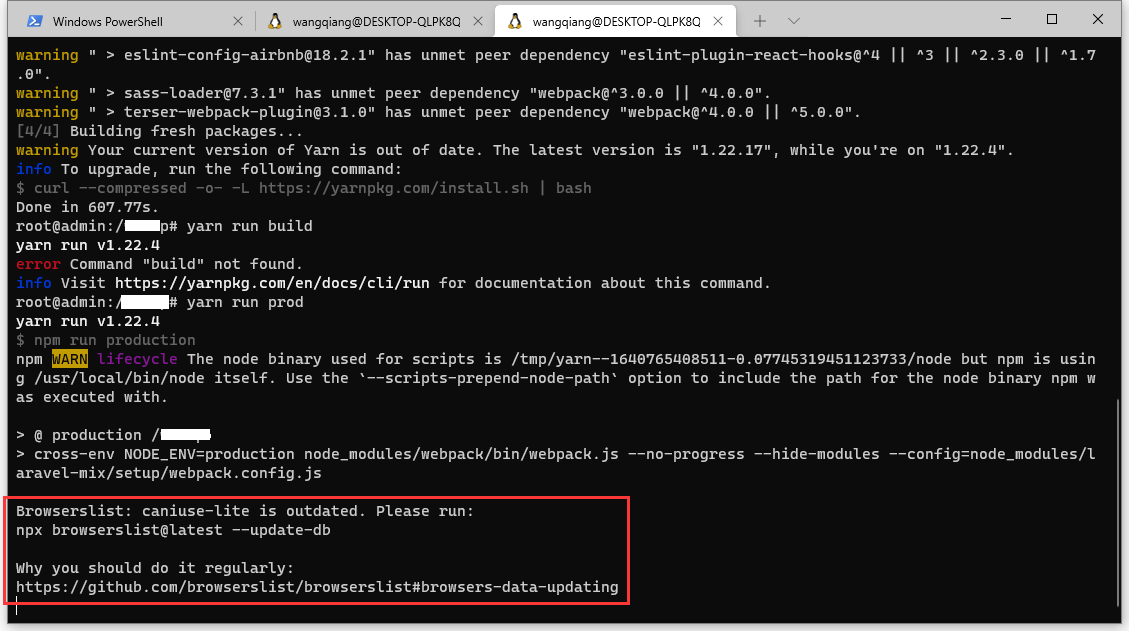
Figure 1
root@admin:/object# yarn run prod
yarn run v1.22.4
$ npm run production
npm WARN lifecycle The node binary used for scripts is /tmp/yarn--1640765408511-0.07745319451123733/node but npm is using /usr/local/bin/node itself. Use the `--scripts-prepend-node-path` option to include the path for the node binary npm was executed with.

> @ production /object
> cross-env NODE_ENV=production node_modules/webpack/bin/webpack.js --no-progress --hide-modules --config=node_modules/laravel-mix/setup/webpack.config.js

Browserslist: caniuse-lite is outdated. Please run:
npx browserslist@latest --update-db

Why you should do it regularly:
https://github.com/browserslist/browserslist#browsers-data-updating
2. Execute the command: npx browserslist@latest –update-db , caniuse-lite has been successfully updated, and the target browser has no changes. as shown in Figure 2
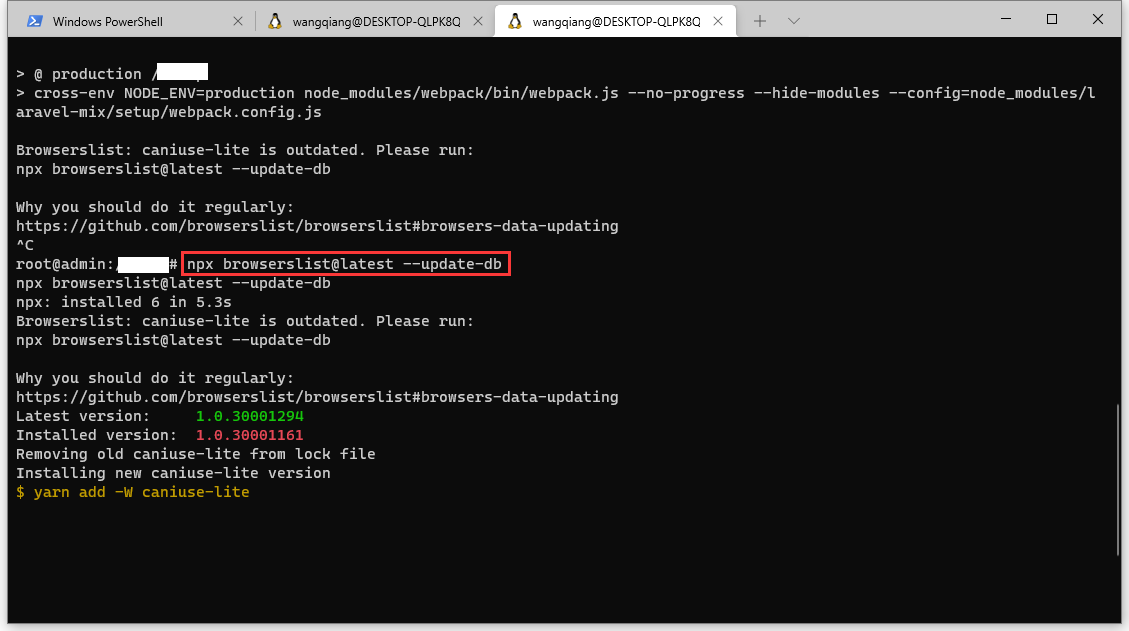
Figure 2
root@admin:/object# npx browserslist@latest --update-db
npx browserslist@latest --update-db
npx: installed 6 in 5.3s
Browserslist: caniuse-lite is outdated. Please run:
npx browserslist@latest --update-db

Why you should do it regularly:
https://github.com/browserslist/browserslist#browsers-data-updating
Latest version:     1.0.30001294
Installed version:  1.0.30001161
Removing old caniuse-lite from lock file
Installing new caniuse-lite version
$ yarn add -W caniuse-lite


^C
root@admin:/object# npx browserslist@latest --update-db
npx: installed 6 in 3.196s
Latest version:     1.0.30001294
Installed version:  1.0.30001294
caniuse-lite is up to date
caniuse-lite has been successfully updated

No target browser changes
root@admin:/object#
3. When executing the command: yarn run prod, an error: error: cannot find module/object/node_modules/autoprefixer/node_modules/caniuse-lite/dist/unpacker/index.js. Please verify that the package.json has a valid “main” entry . as shown in Figure 3
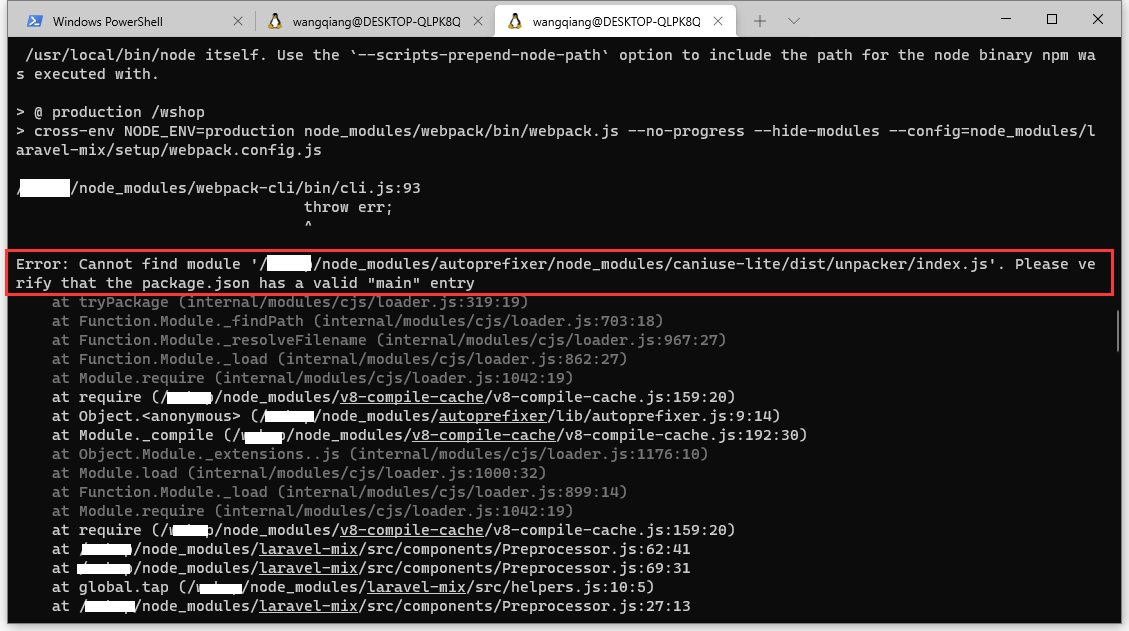
Figure 3
root@admin:/object# yarn run prod
yarn run v1.22.4
$ npm run production
npm WARN lifecycle The node binary used for scripts is /tmp/yarn--1640767269005-0.5564155102345112/node but npm is using /usr/local/bin/node itself. Use the `--scripts-prepend-node-path` option to include the path for the node binary npm was executed with.

> @ production /object
> cross-env NODE_ENV=production node_modules/webpack/bin/webpack.js --no-progress --hide-modules --config=node_modules/laravel-mix/setup/webpack.config.js

/object/node_modules/webpack-cli/bin/cli.js:93
                                throw err;
                                ^

Error: Cannot find module '/object/node_modules/autoprefixer/node_modules/caniuse-lite/dist/unpacker/index.js'. Please verify that the package.json has a valid "main" entry
    at tryPackage (internal/modules/cjs/loader.js:319:19)
    at Function.Module._findPath (internal/modules/cjs/loader.js:703:18)
    at Function.Module._resolveFilename (internal/modules/cjs/loader.js:967:27)
    at Function.Module._load (internal/modules/cjs/loader.js:862:27)
    at Module.require (internal/modules/cjs/loader.js:1042:19)
    at require (/object/node_modules/v8-compile-cache/v8-compile-cache.js:159:20)
    at Object. (/object/node_modules/autoprefixer/lib/autoprefixer.js:9:14)
    at Module._compile (/object/node_modules/v8-compile-cache/v8-compile-cache.js:192:30)
    at Object.Module._extensions..js (internal/modules/cjs/loader.js:1176:10)
    at Module.load (internal/modules/cjs/loader.js:1000:32)
    at Function.Module._load (internal/modules/cjs/loader.js:899:14)
    at Module.require (internal/modules/cjs/loader.js:1042:19)
    at require (/object/node_modules/v8-compile-cache/v8-compile-cache.js:159:20)
    at /object/node_modules/laravel-mix/src/components/Preprocessor.js:62:41
    at /object/node_modules/laravel-mix/src/components/Preprocessor.js:69:31
    at global.tap (/object/node_modules/laravel-mix/src/helpers.js:10:5)
    at /object/node_modules/laravel-mix/src/components/Preprocessor.js:27:13
    at Array.forEach ()
    at Sass.webpackRules (/object/node_modules/laravel-mix/src/components/Preprocessor.js:22:22)
    at ComponentFactory.applyRules (/object/node_modules/laravel-mix/src/components/ComponentFactory.js:155:23)
    at /object/node_modules/laravel-mix/src/components/ComponentFactory.js:66:48
    at /object/node_modules/laravel-mix/src/Dispatcher.js:34:47
    at Array.forEach ()
    at Dispatcher.fire (/object/node_modules/laravel-mix/src/Dispatcher.js:34:28)
    at Mix.dispatch (/object/node_modules/laravel-mix/src/Mix.js:118:25)
    at WebpackConfig.buildRules (/object/node_modules/laravel-mix/src/builder/WebpackConfig.js:90:13)
    at WebpackConfig.build (/object/node_modules/laravel-mix/src/builder/WebpackConfig.js:23:14)
    at Object. (/object/node_modules/laravel-mix/setup/webpack.config.js:29:38)
    at Module._compile (/object/node_modules/v8-compile-cache/v8-compile-cache.js:192:30)
    at Object.Module._extensions..js (internal/modules/cjs/loader.js:1176:10)
    at Module.load (internal/modules/cjs/loader.js:1000:32)
    at Function.Module._load (internal/modules/cjs/loader.js:899:14)
    at Module.require (internal/modules/cjs/loader.js:1042:19)
    at require (/object/node_modules/v8-compile-cache/v8-compile-cache.js:159:20)
    at WEBPACK_OPTIONS (/object/node_modules/webpack-cli/bin/utils/convert-argv.js:114:13)
    at requireConfig (/object/node_modules/webpack-cli/bin/utils/convert-argv.js:116:6) {
  code: 'MODULE_NOT_FOUND',
  path: '/object/node_modules/autoprefixer/node_modules/caniuse-lite/package.json',
  requestPath: 'caniuse-lite'
}
npm ERR! code ELIFECYCLE
npm ERR! errno 1
npm ERR! @ production: `cross-env NODE_ENV=production node_modules/webpack/bin/webpack.js --no-progress --hide-modules --config=node_modules/laravel-mix/setup/webpack.config.js`
npm ERR! Exit status 1
npm ERR!
npm ERR! Failed at the @ production script.
npm ERR! This is probably not a problem with npm. There is likely additional logging output above.

npm ERR! A complete log of this run can be found in:
npm ERR!     /root/.npm/_logs/2021-12-29T08_41_36_491Z-debug.log
error Command failed with exit code 1.
info Visit https://yarnpkg.com/en/docs/cli/run for documentation about this command.
4. Delete the directory: /node_modules, and re-execute yarn install and yarn run dev. No more errors.