There is no problem not worth solving, and no technology not worth learning!
When executing the command composer update –ignore-platform-reqs, an error is reported: script @php artisan package:discover –ansi handling the Post-autoload-dump event returned with error code 255
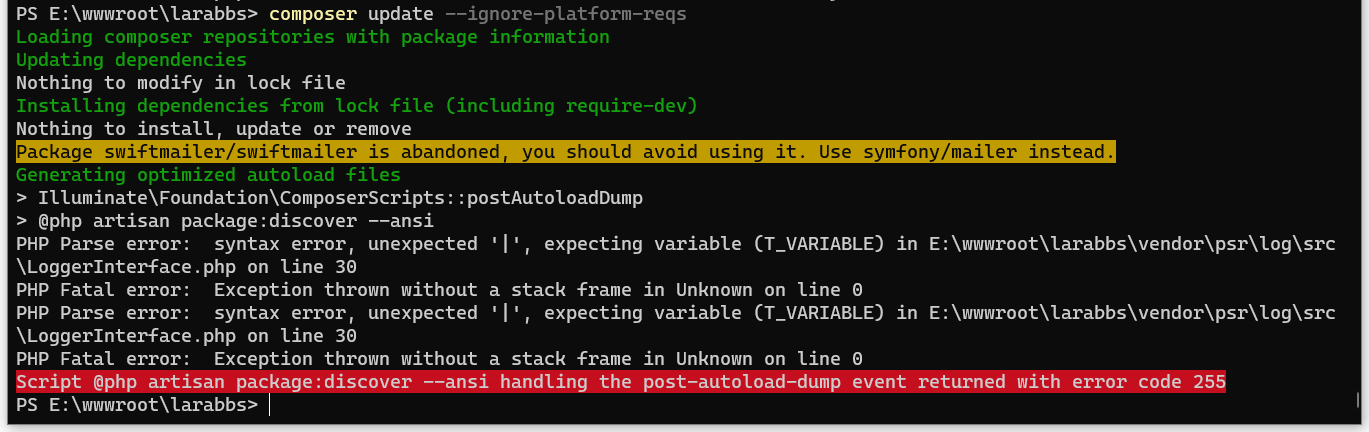
1. When executing the command composer update –ignore-platform-reqs, an error is reported: script @php artisan package:discover –ansi handling the Post-autoload-dump event returned with error code 255. as shown in Figure 1
Figure 1
PS E:\wwwroot\larabbs> composer update --ignore-platform-reqs
Loading composer repositories with package information
Updating dependencies
Nothing to modify in lock file
Installing dependencies from lock file (including require-dev)
Nothing to install, update or remove
Package swiftmailer/swiftmailer is abandoned, you should avoid using it. Use symfony/mailer instead.
Generating optimized autoload files
> Illuminate\Foundation\ComposerScripts::postAutoloadDump
> @php artisan package:discover --ansi
PHP Parse error:  syntax error, unexpected '|', expecting variable (T_VARIABLE) in E:\wwwroot\larabbs\vendor\psr\log\src\LoggerInterface.php on line 30
PHP Fatal error:  Exception thrown without a stack frame in Unknown on line 0
PHP Parse error:  syntax error, unexpected '|', expecting variable (T_VARIABLE) in E:\wwwroot\larabbs\vendor\psr\log\src\LoggerInterface.php on line 30
PHP Fatal error:  Exception thrown without a stack frame in Unknown on line 0
Script @php artisan package:discover --ansi handling the post-autoload-dump event returned with error code 255
PS E:\wwwroot\larabbs>
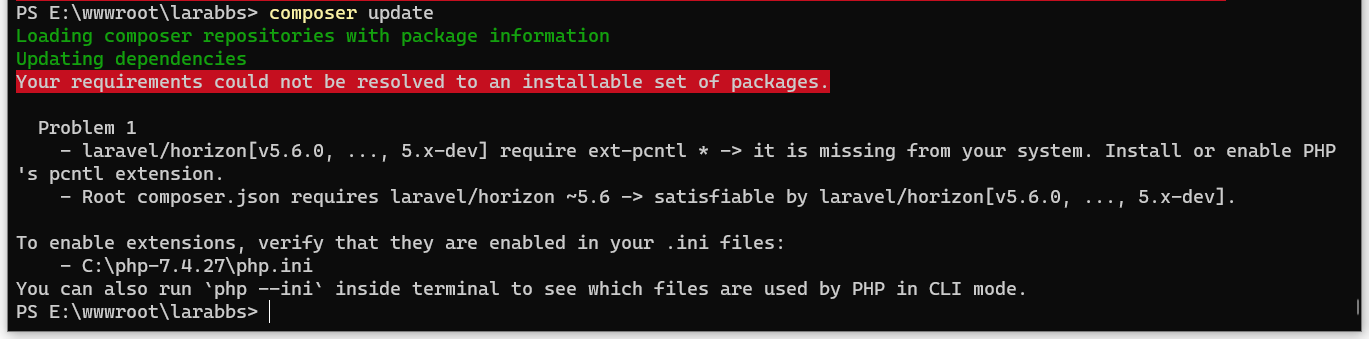
2. Why the option –ignore-platform-reqs is added when executing the composer update command. The reason is that when executing composer update, an error is reported: it is missing from your system. install or enable phps pcntl extension.. as shown in Figure 2
Figure 2
PS E:\wwwroot\larabbs> composer update
Loading composer repositories with package information
Updating dependencies
Your requirements could not be resolved to an installable set of packages.

  Problem 1
    - laravel/horizon[v5.6.0, ..., 5.x-dev] require ext-pcntl * -> it is missing from your system. Install or enable PHP's pcntl extension.
    - Root composer.json requires laravel/horizon ~5.6 -> satisfiable by laravel/horizon[v5.6.0, ..., 5.x-dev].

To enable extensions, verify that they are enabled in your .ini files:
    - C:\php-7.4.27\php.ini
You can also run `php --ini` inside terminal to see which files are used by PHP in CLI mode.
PS E:\wwwroot\larabbs>
3. When installing Laravel/Horizon based on Composer, an error is reported: Package Laravel/Horizon at version ~5.6 has requirements incompatible with your php version, php extensions and composer version. The command was executed before: composer require “laravel/horizon:~5.6” –ignore-platform-reqs . I finally decided to uninstall Laravel/Horizon.
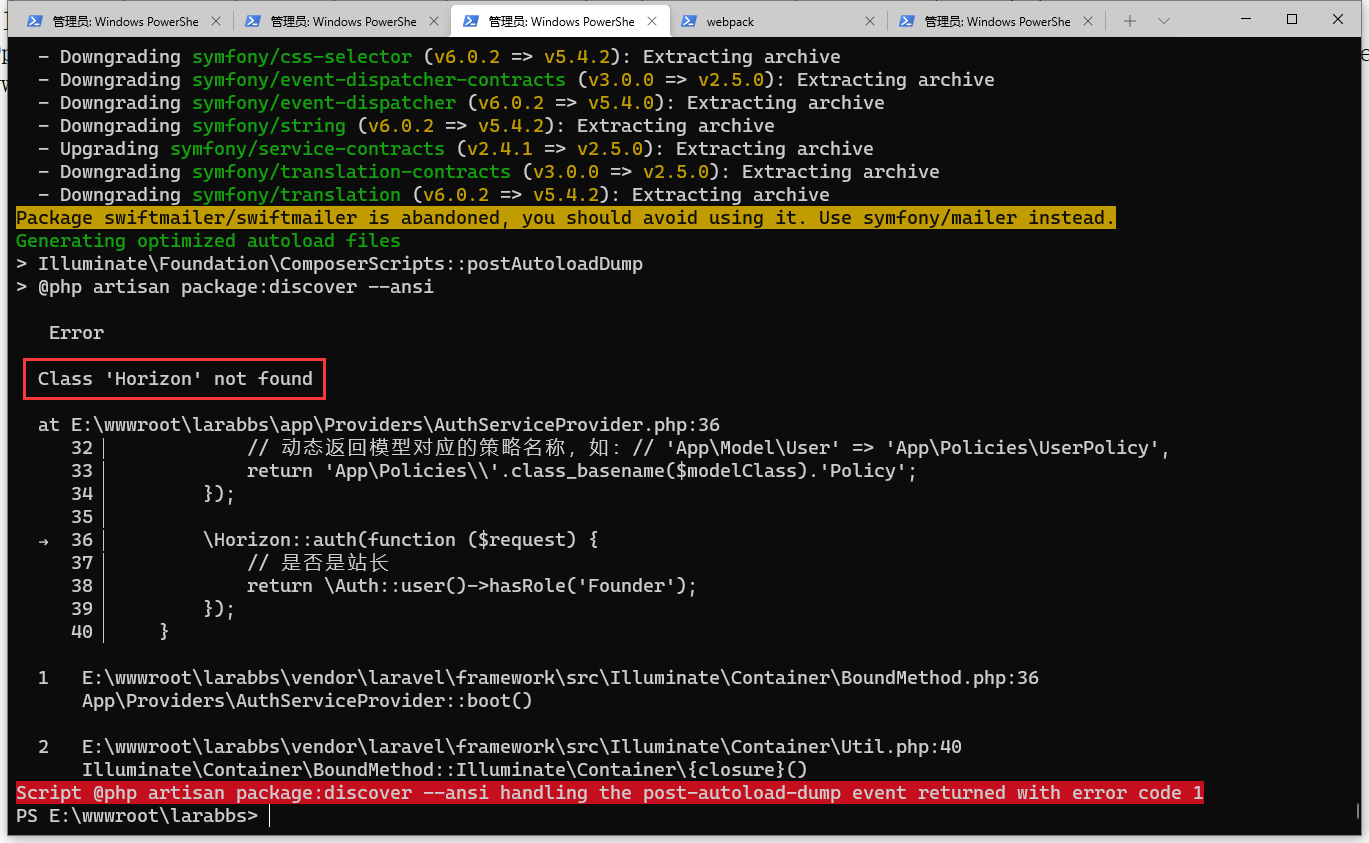
4. Edit composer.json, delete the line: “Laravel/Horizon”: “~5.6”, and execute the command again: composer update. Error: classHorizonnot found. as shown in Figure 3
Figure 3
5. Manually delete the configuration file config/horizon.php and page resource files such as css and js stored in the public/vendor/horizon folder. Delete the file app/providers/horizonserviceprovider.php. Edit the file and remove Horizon related code.
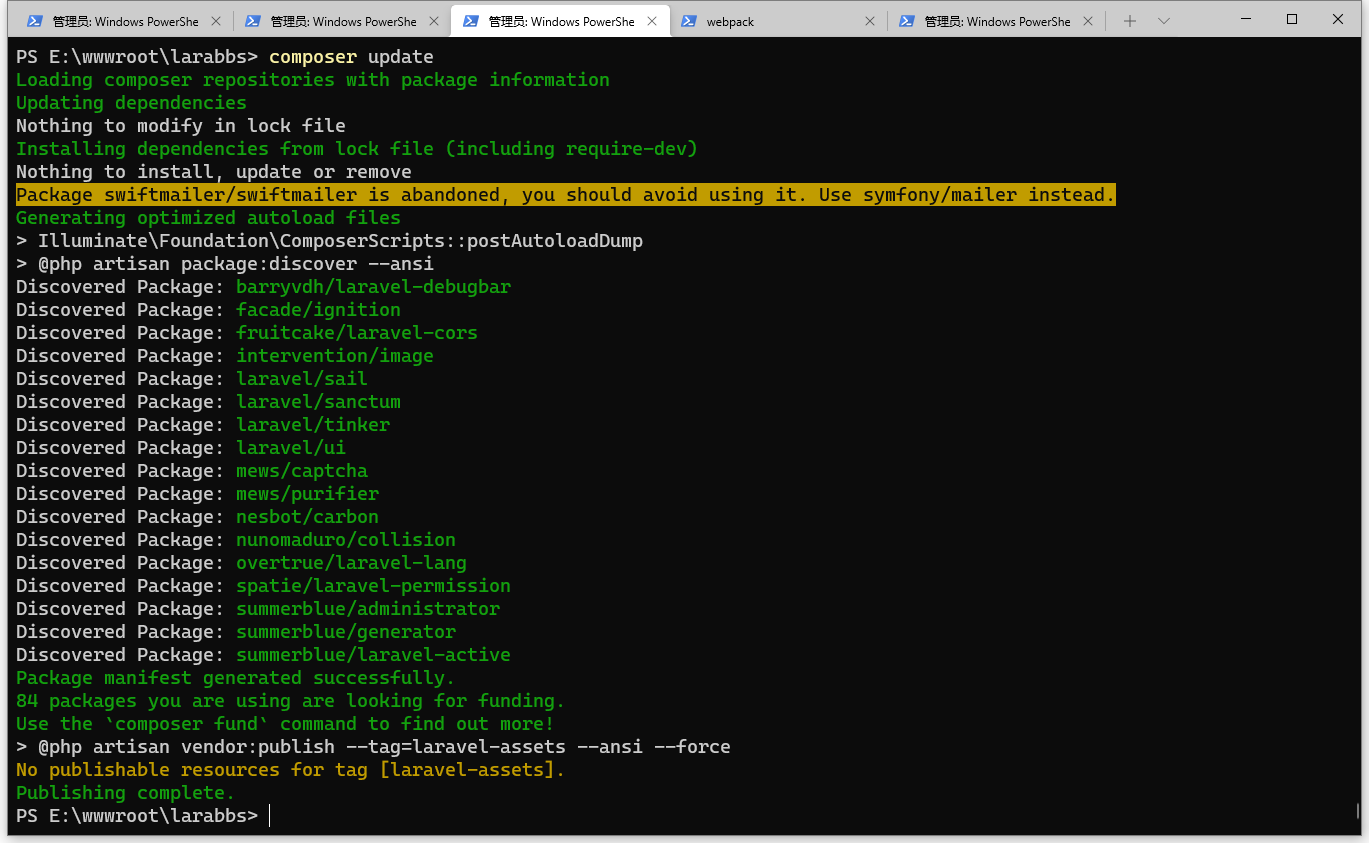
6. When the command composer update is executed again, an error is no longer reported. Learning the lesson, –ignore-platform-reqs is absolutely not usable. as shown in Figure 4
Figure 4
PS E:\wwwroot\larabbs> composer update
Loading composer repositories with package information
Updating dependencies
Nothing to modify in lock file
Installing dependencies from lock file (including require-dev)
Nothing to install, update or remove
Package swiftmailer/swiftmailer is abandoned, you should avoid using it. Use symfony/mailer instead.
Generating optimized autoload files
> Illuminate\Foundation\ComposerScripts::postAutoloadDump
> @php artisan package:discover --ansi
Discovered Package: barryvdh/laravel-debugbar
Discovered Package: facade/ignition
Discovered Package: fruitcake/laravel-cors
Discovered Package: intervention/image
Discovered Package: laravel/sail
Discovered Package: laravel/sanctum
Discovered Package: laravel/tinker
Discovered Package: laravel/ui
Discovered Package: mews/captcha
Discovered Package: mews/purifier
Discovered Package: nesbot/carbon
Discovered Package: nunomaduro/collision
Discovered Package: overtrue/laravel-lang
Discovered Package: spatie/laravel-permission
Discovered Package: summerblue/administrator
Discovered Package: summerblue/generator
Discovered Package: summerblue/laravel-active
Package manifest generated successfully.
84 packages you are using are looking for funding.
Use the `composer fund` command to find out more!
> @php artisan vendor:publish --tag=laravel-assets --ansi --force
No publishable resources for tag [laravel-assets].
Publishing complete.
PS E:\wwwroot\larabbs>
Leave a Reply