Analysis of no effect after adding a new query type in Lighthouse 4.10.1
1. In Lighthouse 4.10.1, add a new Query Type: There is no effect after obtaining the theme material list.
extend type OnlineStoreTheme
{
    "获取主题素材列表"
    themeAssets: [ThemeAsset]

    "获取主题素材的版本"
    themeAssetVersions(key: String!): [ThemeAssetVersion]

    "获取主题素材内容"
    themeAsset(key: String!): ThemeAsset
}
2. Check the document, there is no existence to get the list of theme materials. as shown in Figure 1
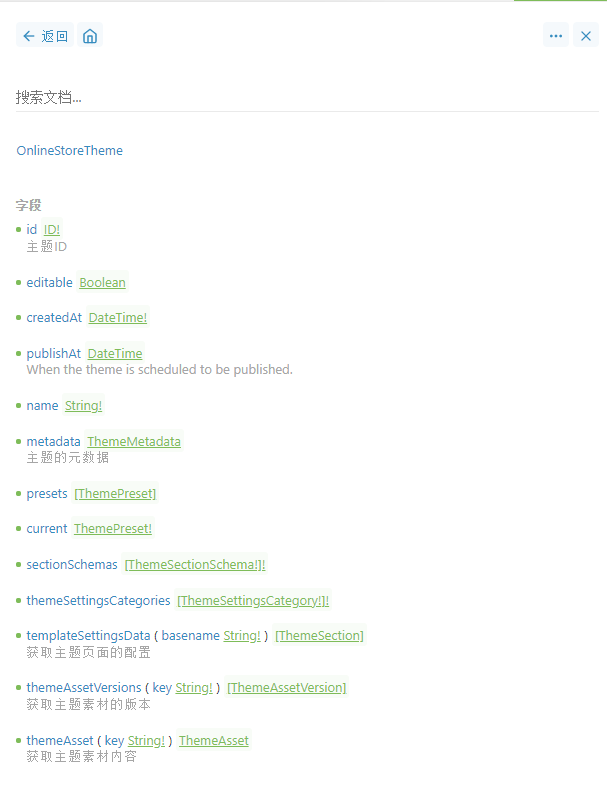
Figure 1
3. Refer to schema caching:https://lighthouse-php.com/4/performance/schema-caching.html, it is recommended to enable cache in production mode. Now for the local mode, decide to disable the cache, edit the .env file, define the variable: lighthouse_cache_enable=fasle. as shown in Figure 2
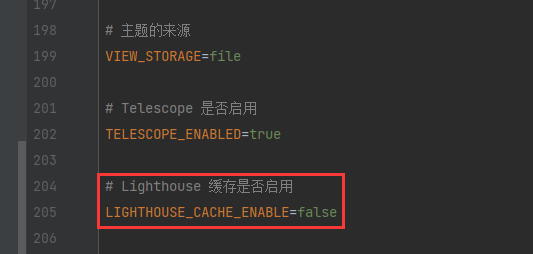
Figure 2
# Lighthouse 缓存是否启用
LIGHTHOUSE_CACHE_ENABLE=false
4. Use the clear-cache artisan command to clear the schema cache. as shown in Figure 3
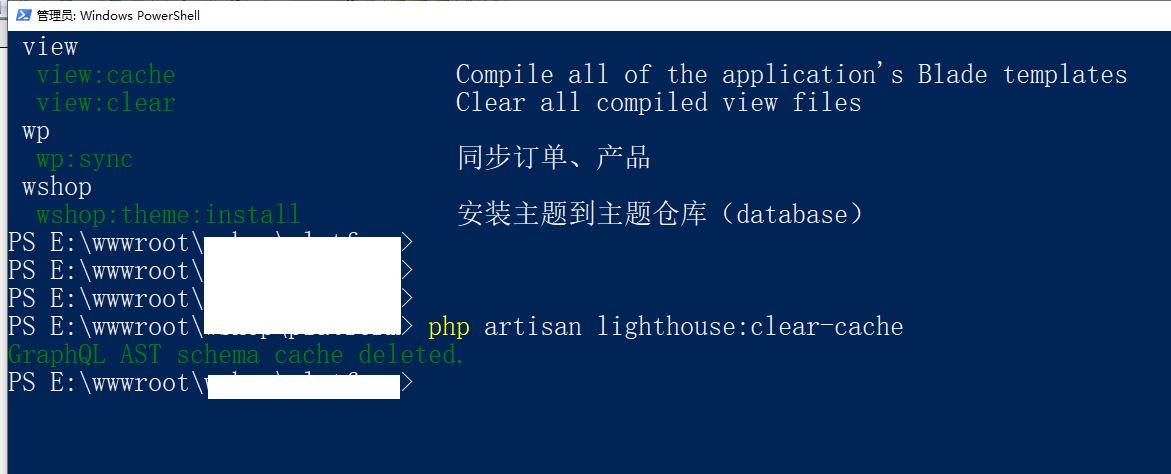
Figure 3
PS E:\wwwroot\object> php artisan lighthouse:clear-cache
GraphQL AST schema cache deleted.
PS E:\wwwroot\object>
5. Reload the document, already exist to get the list of theme materials. as shown in Figure 4
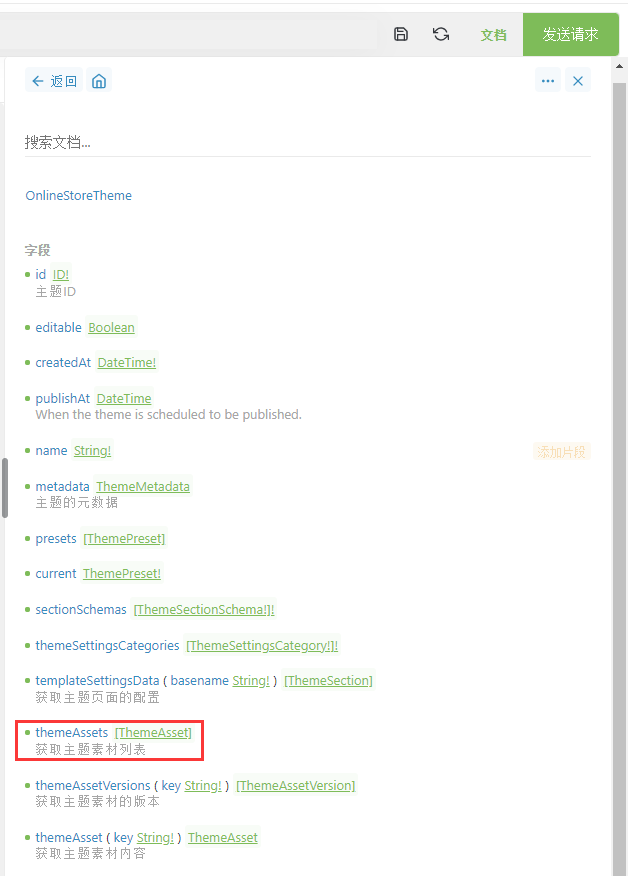
Figure 4
6. Edit again to get the list of theme materials. Overloading the document, which already exists to get the list of theme materials, has changed, and now returns an array of strings that cannot be empty. Make sure the cache is not enabled. as shown in Figure 5
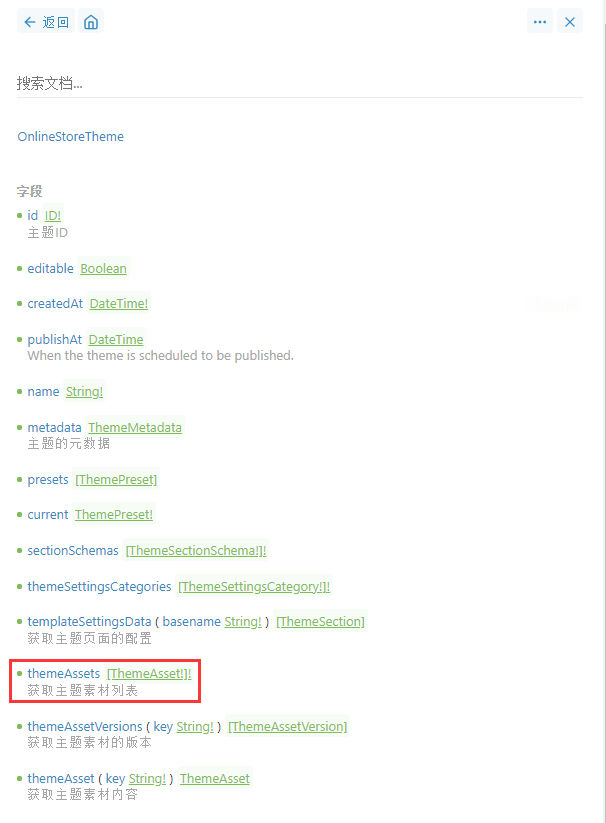
Figure 5
extend type OnlineStoreTheme
{
    "获取主题素材列表"
    themeAssets: [ThemeAsset!]!

    "获取主题素材的版本"
    themeAssetVersions(key: String!): [ThemeAssetVersion]

    "获取主题素材内容"
    themeAsset(key: String!): ThemeAsset
}
![使用 Composer 从 Yii 2.0.x 升级时,报错: [ErrorException] Undefined variable: nameMatchesRequiredPackage](https://www.shuijingwanwq.com/wp-content/uploads/2019/02/1-520x245.png)