1. Refer to Creating Merge requests: https://docs.gitlab.com/ee/user/project/merge_requests/creating_merge_requests.html
2. Enter the project, select Merge requests in the left menu, and then select New Merge request in the upper right corner. as shown in Figure 1

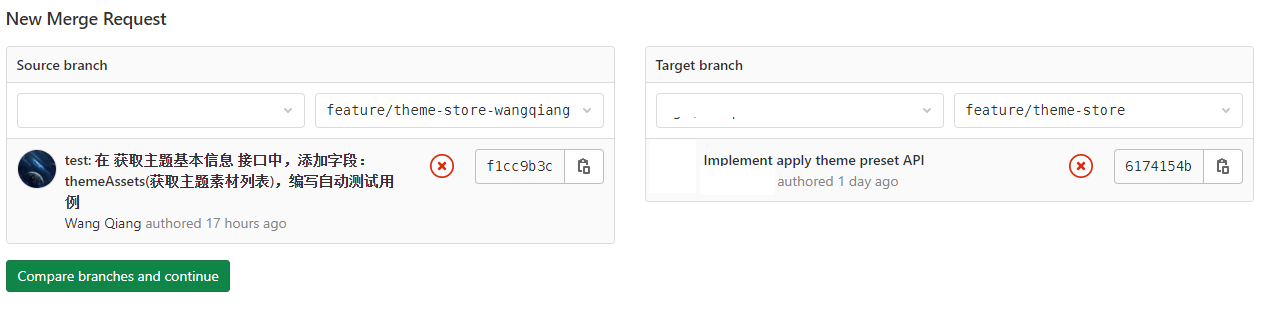
3. Select Source Branch, for your current branch: feature/theme-store-wangqiang, select target Branch, for the target branch that is expected to be merged: feature/theme-store, and finally click compare branches and continue. as shown in Figure 2
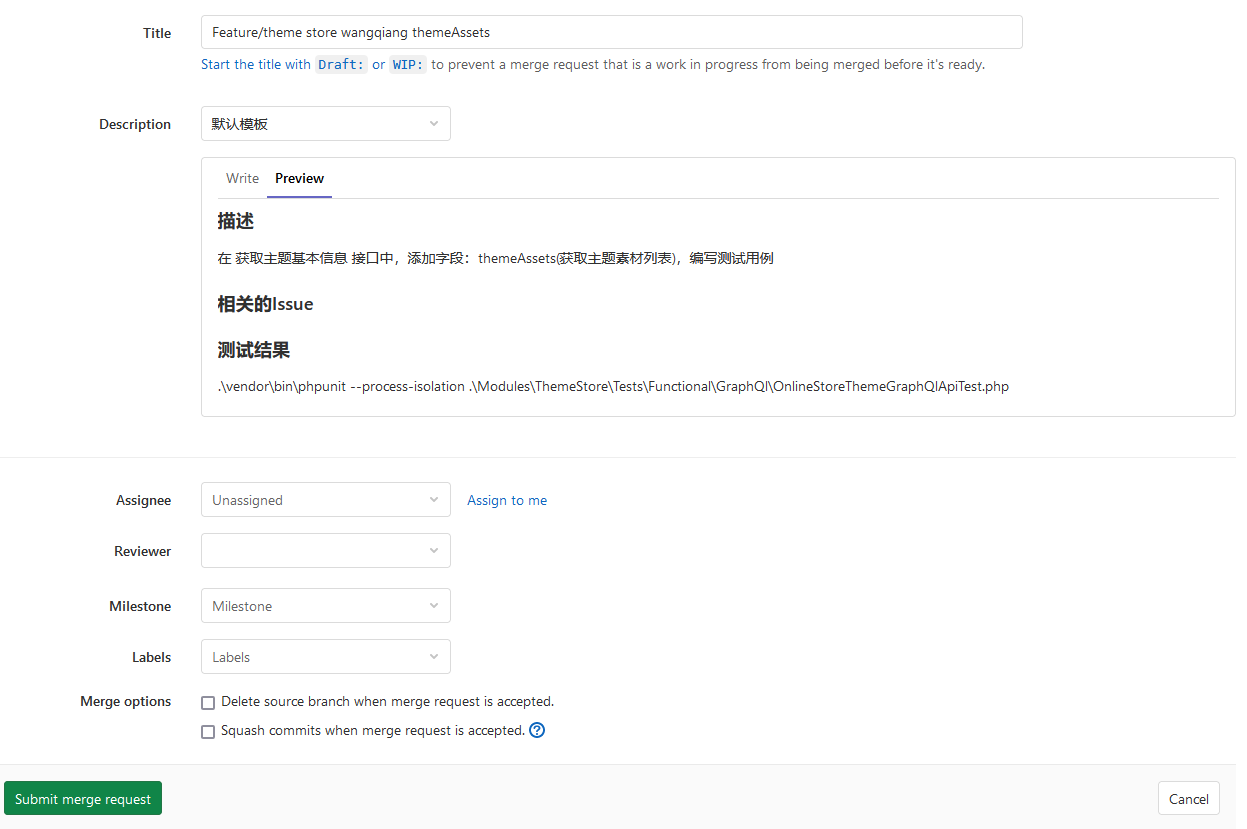
4. In the form page, edit title and description, reviewer, and then click Submit merge request. as shown in Figure 3
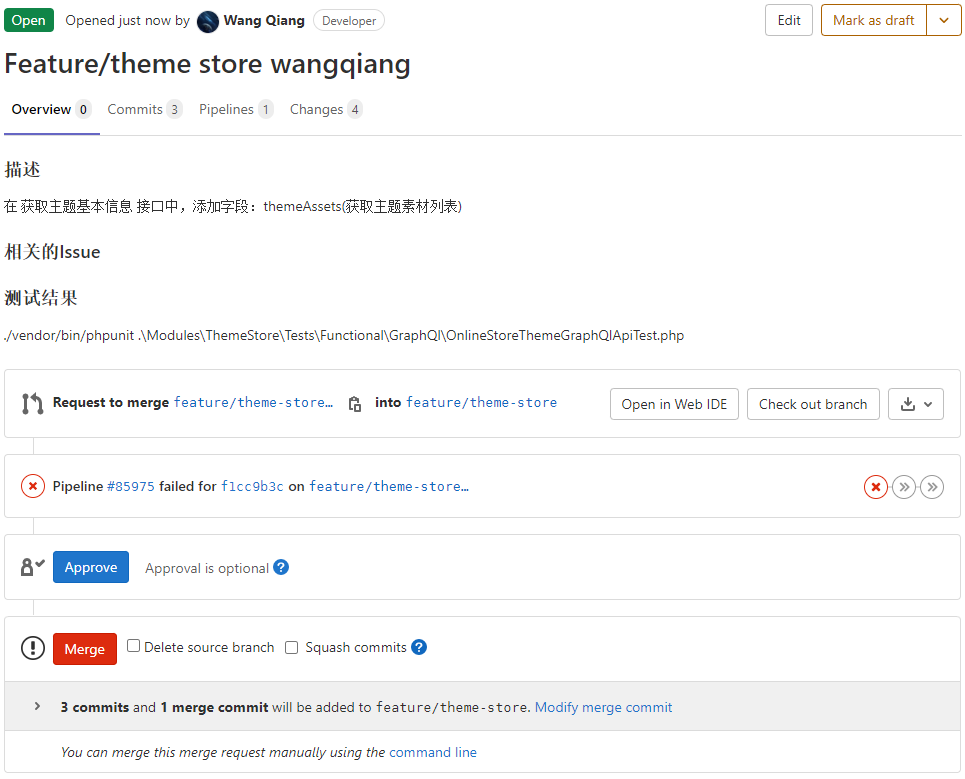
5. The final result page, as shown in Figure 4
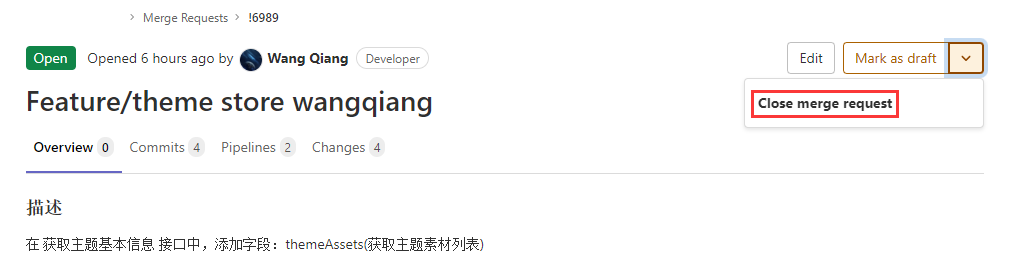
6. If you submit a request again at this time, an error will be reported: Validate branches another open merge request already exists For this source branch: !6989 . as shown in Figure 5
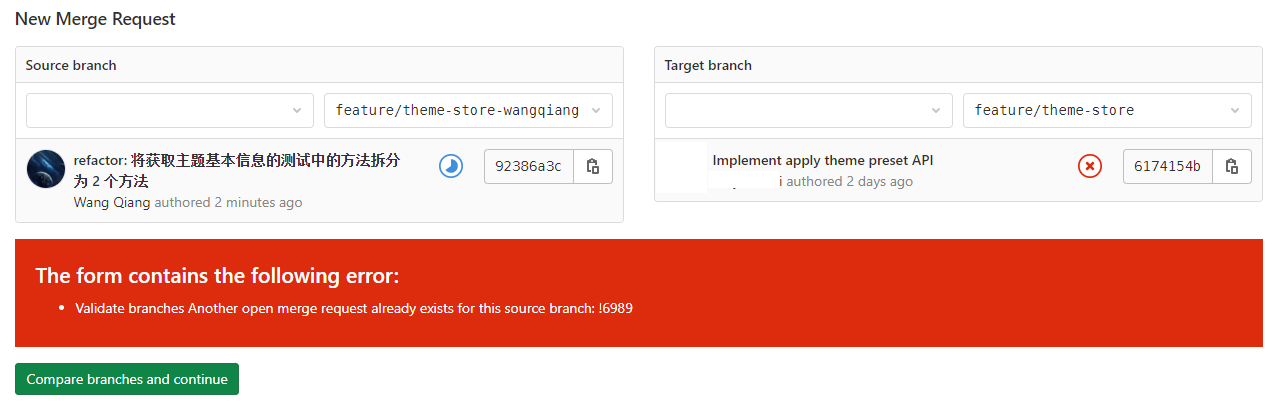
7. You can turn off !6989 first. Then submit again. as shown in Figure 6
Leave a Reply