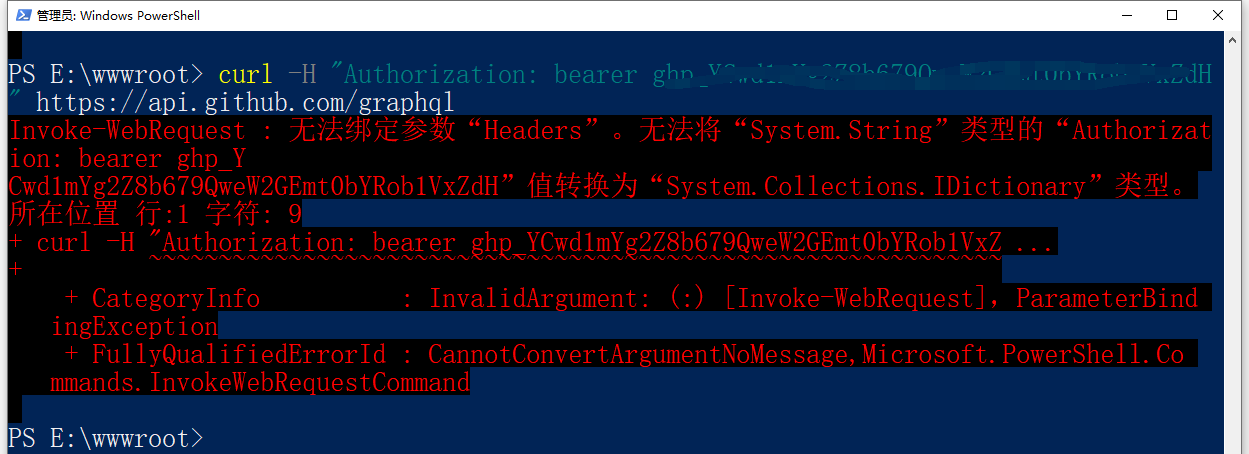
1. Run an introspective query to the GitHub GraphQL API schema through the GET request. Execute a curl request in PowerShell: invoke-webrequest cannot bind the parameter “headers”. as shown in Figure 1
Figure 1
2. Get the relevant help documentation for invoke-webrequest. Execute the command: get-help invoke-webrequest
PS E:\wwwroot> get-help invoke-webrequest
是否要运行 Update-Help?
Update-Help cmdlet 下载 Windows PowerShell 模块的最新帮助文件,并将其安装在你的计算机 上。有关 Update-Help cmdlet
 的详细信息,请参阅 https:/go.microsoft.com/fwlink/?LinkId=210614。
[Y] 是(Y)  [N] 否(N)  [S] 暂停(S)  [?] 帮助 (默认值为“Y”): Y

名称
    Invoke-WebRequest

摘要
    Gets content from a web page on the Internet.


语法
    Invoke-WebRequest [-Uri] <System.Uri> [-Body <System.Object>] [-Certificate <Syst
    em.Security.Cryptography.X509Certificates.X509Certificate>] [-CertificateThumbpri
    nt <System.String>] [-ContentType <System.String>] [-Credential <System.Managemen
    t.Automation.PSCredential>] [-DisableKeepAlive] [-Headers <System.Collections.IDi
    ctionary>] [-InFile <System.String>] [-MaximumRedirection <System.Int32>] [-Metho
    d {Default | Get | Head | Post | Put | Delete | Trace | Options | Merge | Patch}]
     [-OutFile <System.String>] [-PassThru] [-Proxy <System.Uri>] [-ProxyCredential <
    System.Management.Automation.PSCredential>] [-ProxyUseDefaultCredentials] [-Sessi
    onVariable <System.String>] [-TimeoutSec <System.Int32>] [-TransferEncoding {chun
    ked | compress | deflate | gzip | identity}] [-UseBasicParsing] [-UseDefaultCrede
    ntials] [-UserAgent <System.String>] [-WebSession <Microsoft.PowerShell.Commands.
    WebRequestSession>] [<CommonParameters>]


说明
    The `Invoke-WebRequest` cmdlet sends HTTP, HTTPS, FTP, and FILE requests to a web
     page or web service. It parses the response and returns collections of forms, li
    nks, images, and other significant HTML elements.

    This cmdlet was introduced in Windows PowerShell 3.0.

    > [!NOTE] > By default, script code in the web page may be run when the page is b
    eing parsed to populate the > `ParsedHtml` property. Use the `-UseBasicParsing` s
    witch to suppress this.

    > [!IMPORTANT] > The examples in this article reference hosts in the `contoso.com
    ` domain. This is a fictitious > domain used by Microsoft for examples. The examp
    les are designed to show how to use the cmdlets. > However, since the `contoso.co
    m` sites do not exist, the examples do not work. Adapt the examples > to hosts in
     your environment.


相关链接
    Online Version: https://docs.microsoft.com/powershell/module/microsoft.powershell
    .utility/invoke-webrequest?view=powershell-5.1&WT.mc_id=ps-gethelp
    Invoke-RestMethod
    ConvertFrom-Json
    ConvertTo-Json

备注
    若要查看示例,请键入: "get-help Invoke-WebRequest -examples".
    有关详细信息,请键入: "get-help Invoke-WebRequest -detailed".
    若要获取技术信息,请键入: "get-help Invoke-WebRequest -full".
    有关在线帮助,请键入: "get-help Invoke-WebRequest -online"


PS E:\wwwroot>
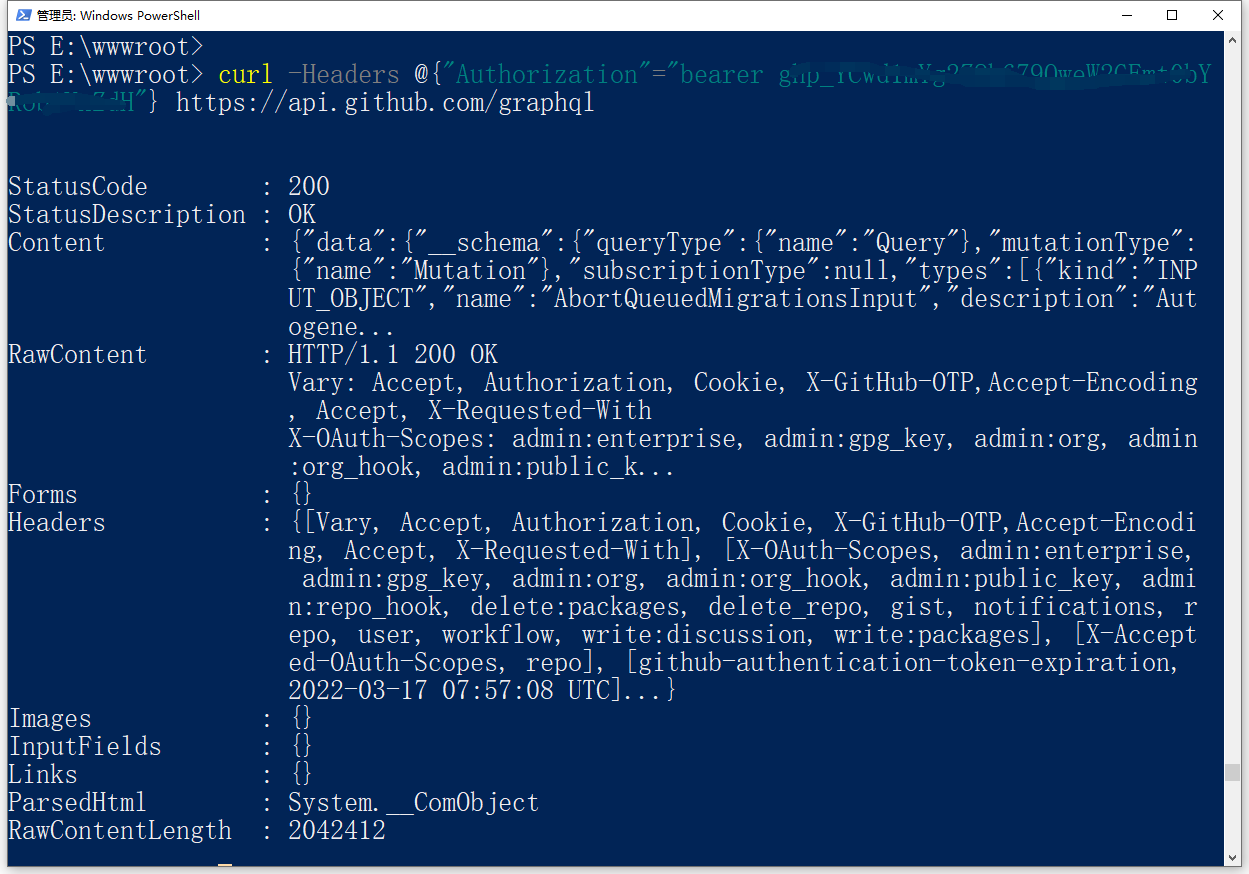
3. Adjust the syntax to adapt it to PowerShell. curl -headers @{“authorization”=”Bearer token”} https://api.github.com/graphql . as shown in Figure 2
Figure 2
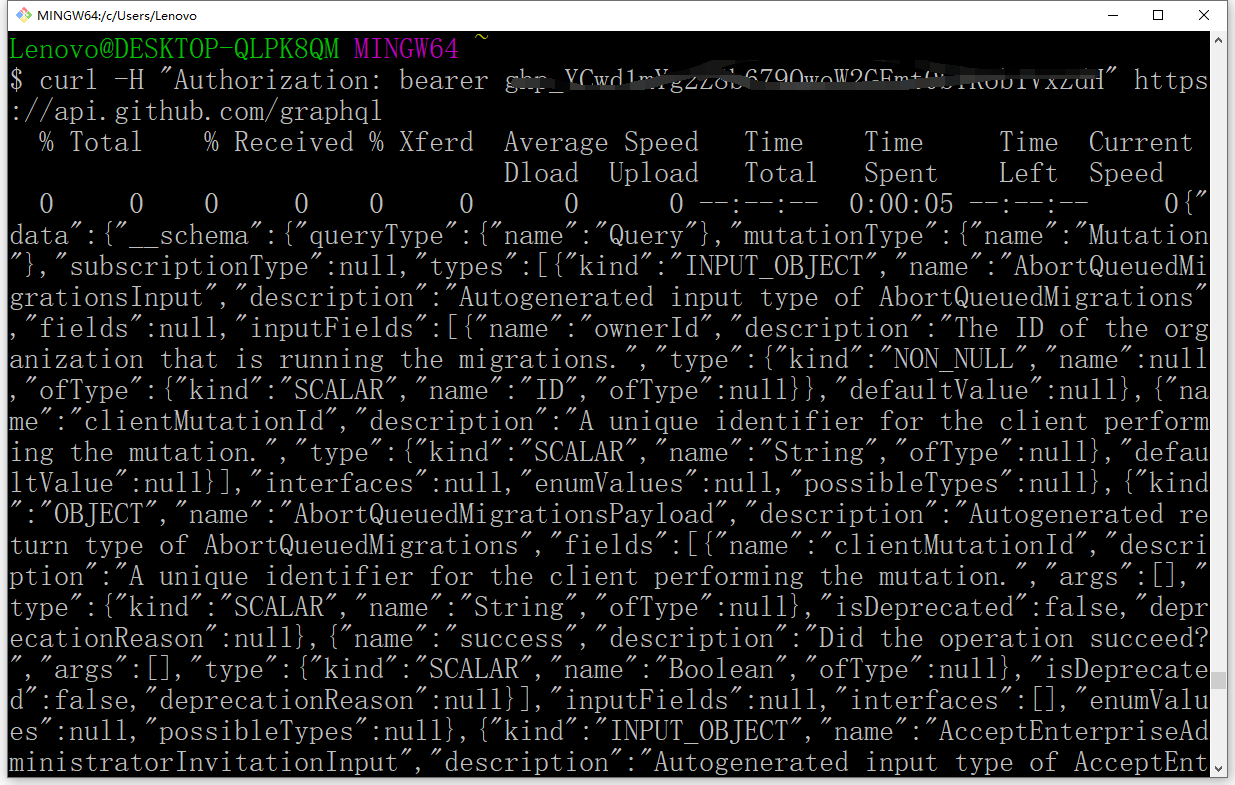
4. Decide to execute in git bash: curl -h “authorization: bearer token” https://api.github.com/graphql . Execution is successful. as shown in Figure 3
Figure 3
Leave a Reply