Request Shopify in PostmanS GraphQL Admin API
1. Reference:https://www.shuijingwanwq.com/2022/03/15/6129/. Request Shopify in Altair GraphQL Clients GraphQL Admin API. Finally decided to try again with Postman.
2. Reference:https://learning.postman.com/docs/sending-requests/supported-api-frameworks/graphql/. Querying with graphql
3. Send a GraphQL query in the request body. Open a new request tab in Postman and enter your GraphQL endpoint URL in the address bar. Select POST from the request method drop-down list. Under the Body tab, select the GraphQL body type. Enter your GraphQL query in the Query Editor. Need to set headers, content-type: application/graphql, x-shopify-access-token: {access_token}, as shown in Figure 1
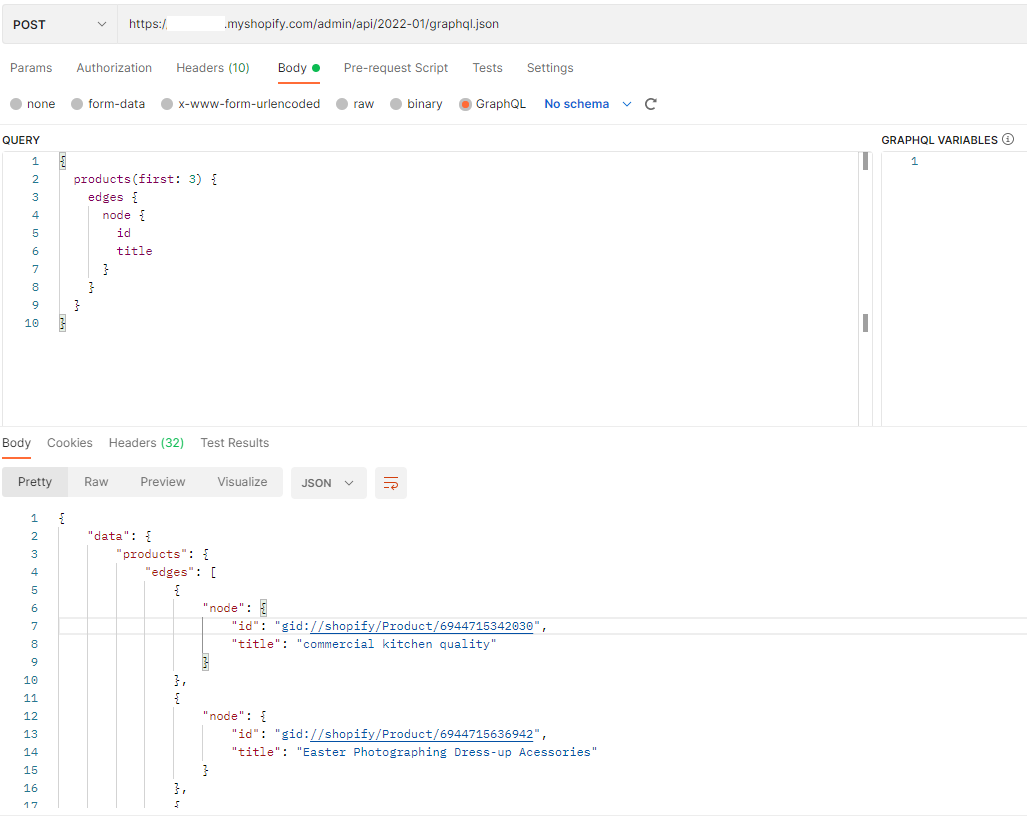
Figure 1
{
  products(first: 3) {
    edges {
      node {
        id
        title
      }
    }
  }
}
4. Use the GraphQL variable. Enter your GraphQL variable in the GraphQL variable editor. In the query editor, declare the GraphQL variable in the GraphQL query. as shown in Figure 2

Figure 2
query ($first: Int!){
  products(first: $first) {
    edges {
      node {
        id
        title
      }
    }
  }
}
{
    "first": 3
}
5. To enable autocomplete, you need to add a GraphQL schema. Create or import the GraphQL schema in Postman. Therefore, you need to get the GraphQL schema first through the Altair GraphQL Client. View network requests, click Reload documents, and copy response parameters. as shown in Figure 3

Figure 3
6. Paste to the file schema.graphql. Its size is about 2 MB. as shown in Figure 4
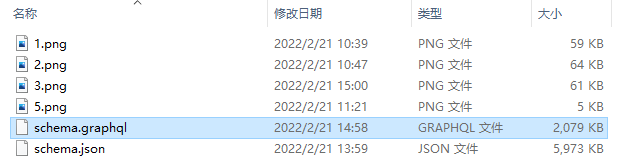
Figure 4
7. Select the API in the left sidebar and then select + to create a new API. Enter the name and version of the API. Select GraphQL from the Schema Type drop-down list. Select GraphQL SDL from the Schema Format drop-down list. Select Import. import local schema files. as shown in Figure 5
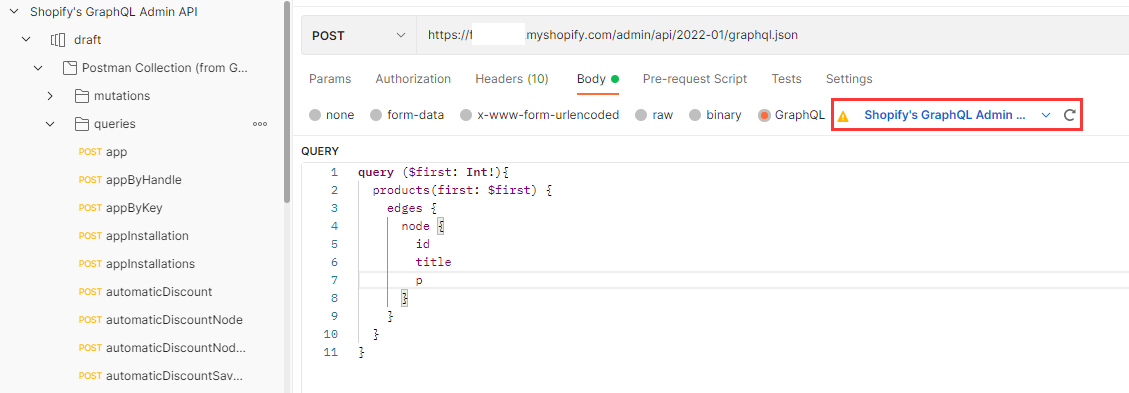
Figure 5
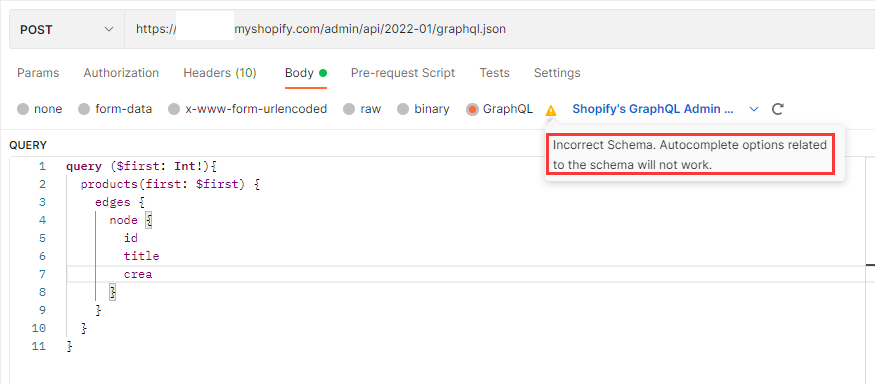
8. Enable GraphQL query autocomplete. Select your schema from the drop-down list: Shopifys GraphQL Admin API. Postman will now suggest autocomplete options based on data in the new GraphQL mode. But the prompt error: Incorrert Schema. Autocomplete options related to the schema will not work. as shown in Figure 6
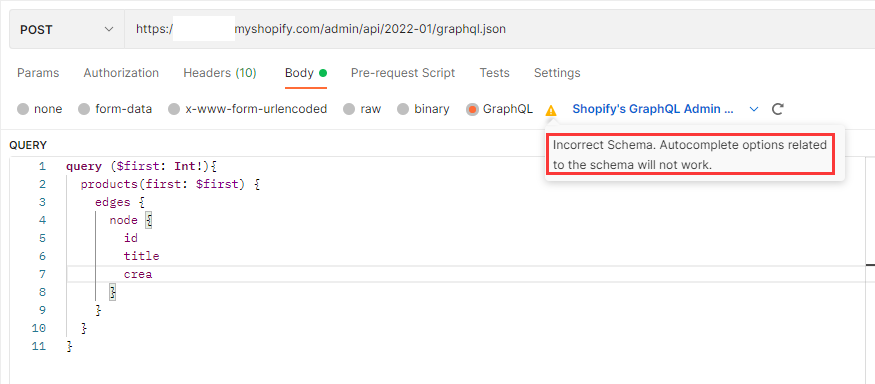
Figure 6
9. Reference URL:https://www.npmjs.com/package/graphql-introspection-json-to-sdl, to convert the format from GraphQL introspective JSON to GraphQL SDL.
PS E:\wwwroot\shopify-graphql> npm install graphql-introspection-json-to-sdl

added 7 packages, and audited 8 packages in 15s

found 0 vulnerabilities
PS E:\wwwroot\shopify-graphql> ls


    目录: E:\wwwroot\shopify-graphql


Mode                 LastWriteTime         Length Name
----                 -------------         ------ ----
d-----         2022/2/21     14:08                node_modules
-a----         2022/2/21     14:08           4632 package-lock.json
-a----         2022/2/21     14:08             78 package.json
-a----         2022/2/21     13:59        6115414 schema.json


PS E:\wwwroot\shopify-graphql> graphql-introspection-json-to-sdl schema.json > schema.graphql
graphql-introspection-json-to-sdl : 无法加载文件 C:\Users\Lenovo\AppData\Roaming\np
m\graphql-introspection-json-to-sdl.ps1,因为在此系统上禁止运行脚本。有关详 细信息,
请参阅 https:/go.microsoft.com/fwlink/?LinkID=135170 中的 about_Execution_Policies
。
所在位置 行:1 字符: 1
+ graphql-introspection-json-to-sdl schema.json > schema.graphql
+ ~~~~~~~~~~~~~~~~~~~~~~~~~~~~~~~~~
    + CategoryInfo          : SecurityError: (:) [],PSSecurityException
    + FullyQualifiedErrorId : UnauthorizedAccess
PS E:\wwwroot\shopify-graphql> get-executionpolicy
Restricted
PS E:\wwwroot\shopify-graphql> set-executionpolicy remotesigned

执行策略更改
执行策略可帮助你防止执行不信任的脚本。更改执行策略可能会产生安全风险,如
https:/go.microsoft.com/fwlink/?LinkID=135170 中的 about_Execution_Policies
帮助主题所述。是否要更改执行策略?
[Y] 是(Y)  [A] 全是(A)  [N] 否(N)  [L] 全否(L)  [S] 暂停(S)  [?] 帮助
(默认值为“N”):Y
PS E:\wwwroot\shopify-graphql> graphql-introspection-json-to-sdl schema.json > schema.graphql
PS E:\wwwroot\shopify-graphql> ls


    目录: E:\wwwroot\shopify-graphql


Mode                 LastWriteTime         Length Name
----                 -------------         ------ ----
d-----         2022/2/21     14:08                node_modules
-a----         2022/2/21     14:08           4632 package-lock.json
-a----         2022/2/21     14:08             78 package.json
-a----         2022/2/21     16:10        2015866 schema.graphql
-a----         2022/2/21     16:01        2128569 schema.json


PS E:\wwwroot\shopify-graphql>
10. Import the schema file again, no more errors are prompted. Autocomplete is available. However, the introspective architecture in Postman requires manual import every time, and does not support automatic request-based updates. as shown in Figure 7
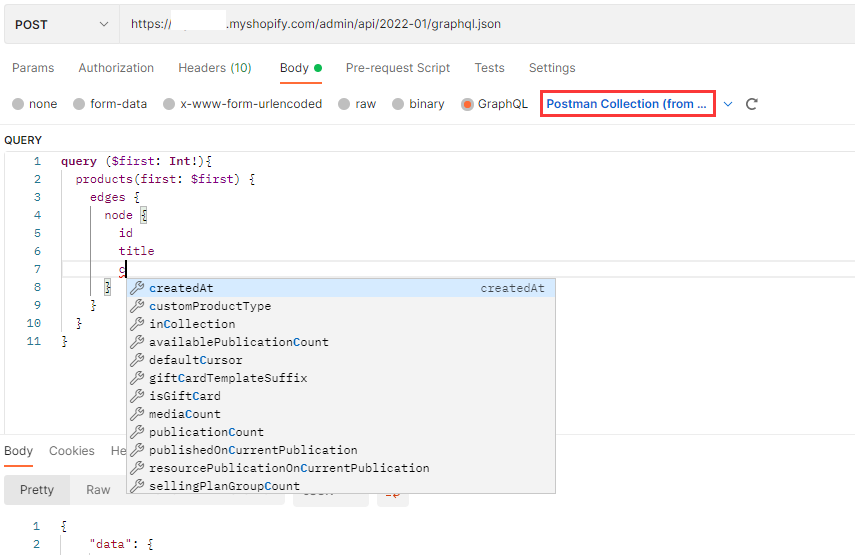
Figure 7
![在 Laravel 9 中,基于 chunkById 分块查询时报错:SQLSTATE[23000]: Integrity constraint violation: 1052 Column 'id' in where clause is ambiguous](https://www.shuijingwanwq.com/wp-content/uploads/2024/07/1-5-520x245.png)
![获取关联属性时报错:SQLSTATE[42S02]: Base table or view not found: 1146 Table 'object_wp.wp_theme_installation' doesn't exist](https://www.shuijingwanwq.com/wp-content/uploads/2022/06/1-9-520x118.png)