Use phpredis php extension in Windows 10, Laravel 6 to store and fetch cached data
1. When using Redis with Laravel, there are two solutions, one is to install the phpredis php extension, and the other is to install the predis/predis package through composer. However, Predis has been abandoned by the original author of the package and may be removed from Laravel in future releases. It was finally decided to use the first option. Edit the .env file and set the cache driver to redis. to test the use of Redis.
CACHE_DRIVER=redis

REDIS_HOST=127.0.0.1
REDIS_PASSWORD=null
REDIS_PORT=6378
REDIS_DB=4
REDIS_CACHE_DB=5
2. In the home page controller method, store and obtain data in the cache
3. Browse the homepage and report an error: LogicException please make sure the php redis extension is installed and enabled. Please make sure that the php redis extension is installed and enabled. as shown in Figure 1

Figure 1
4. Laravel officially recommends installing and using phpredis php extension through PECL. Open URL:https://pecl.php.net/package/redis. Select Version 5.3.7. Download Redis 5.3.7 for Windows. as shown in Figure 2
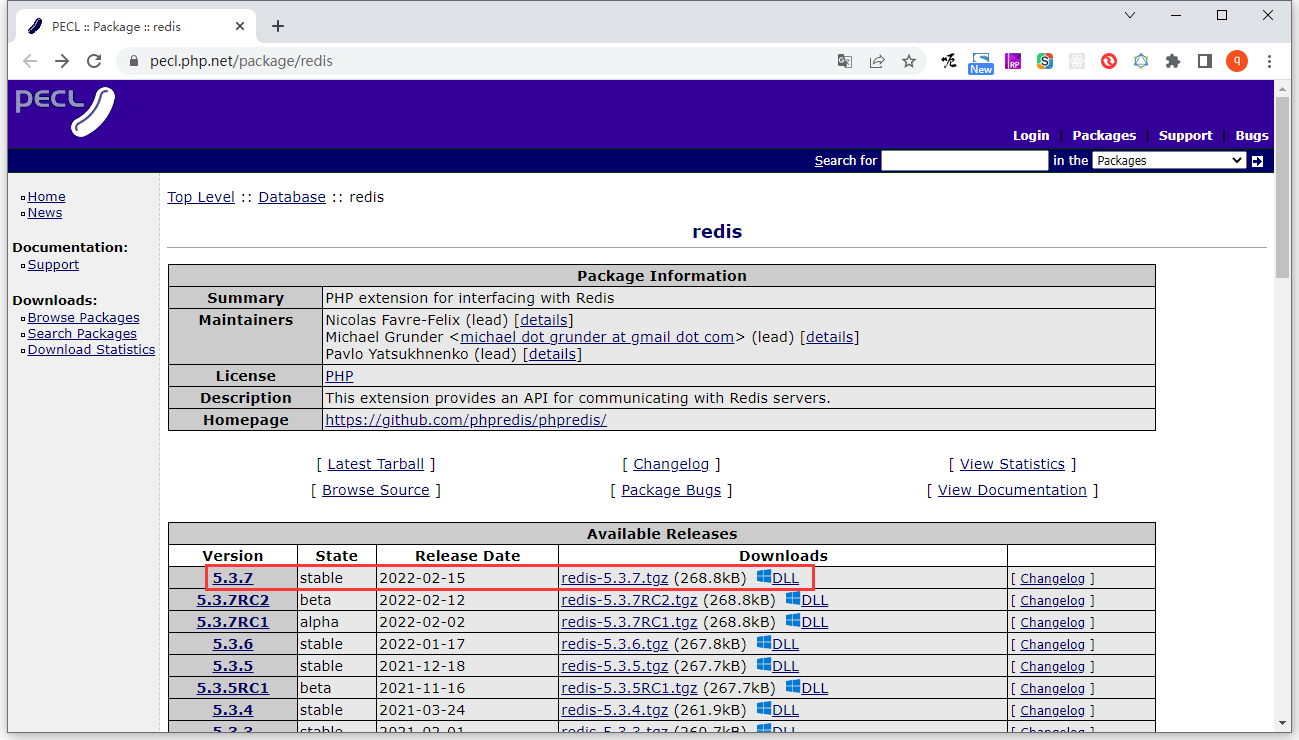
Figure 2
5. Check phpinfo, the value of Thread Safety is Enabled. Therefore, select 7.4 Thread Safe (ts) x64. as shown in Figure 3
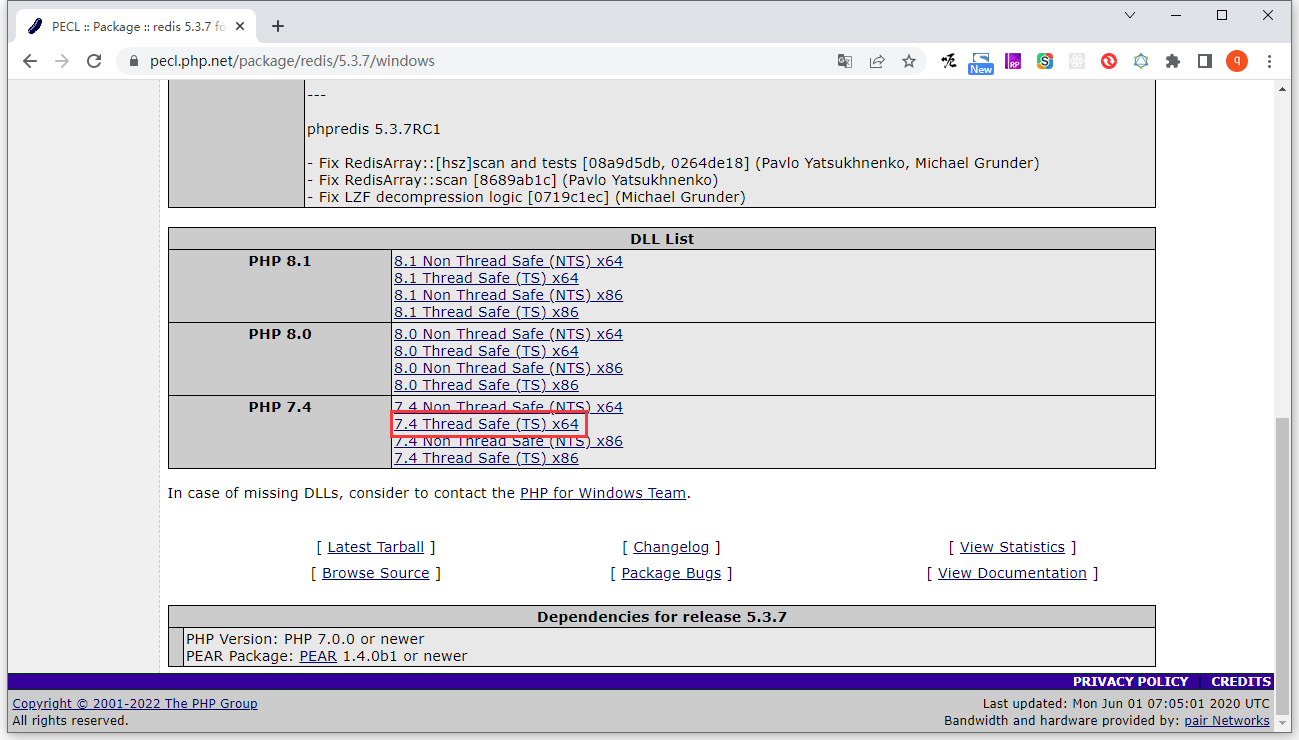
Figure 3
6. Copy php_redis.dll to C:\php-7.4.27\ext\php_redis.dll
7. Edit the php.ini file and enable the phpredis php extension. restart php
extension=redis
8. Check phpinfo to confirm that the extension is installed and enabled. as shown in Figure 4
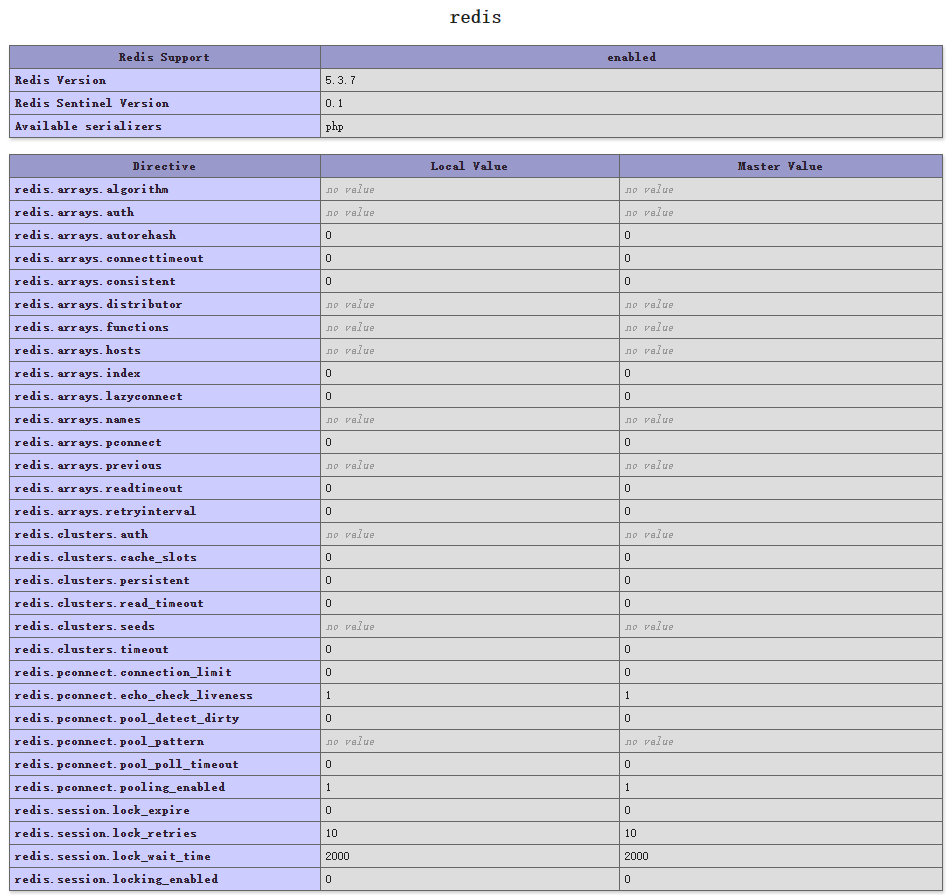
Figure 4
9. Browse the homepage again to print out the cached data obtained: “value”. as shown in Figure 5

Figure 5
10. In the redis, the configured cache database is 5. There exists key: laravel6_database_laravel6_cache:key, and its value is: s:5:”value”;. in line with expectations. as shown in Figure 6
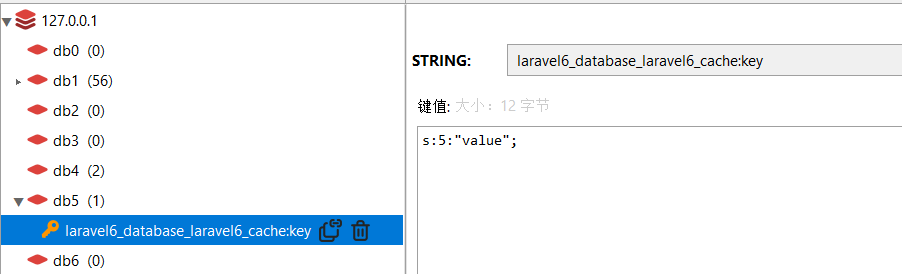
Figure 6
11. To avoid class naming conflicts with the Redis php extension itself, you need to delete or rename illuMinate\Support\Facades\Redis from the Aliases array of the app profile Appearance alias. Normally you should remove this alias entirely and only reference facade by its fully qualified class name when using Redis php extension.
'RedisManager' => Illuminate\Support\Facades\Redis::class,