1. Background
In development, there are often situations where public domain names need to be used, which can be divided into two situations:
One is that if you want to show the results of your local development to others, you need to publish it on the public website;
One is like WeChat development, which requires a public network address to complete the debugging.
If you just use it temporarily but you have to buy a VPS and then deploy it on it, it will be very inconvenient. Using FRP to do intranet penetration is to solve these two problems. It can directly map the local to the public network, saving the trouble of deploying on the server.
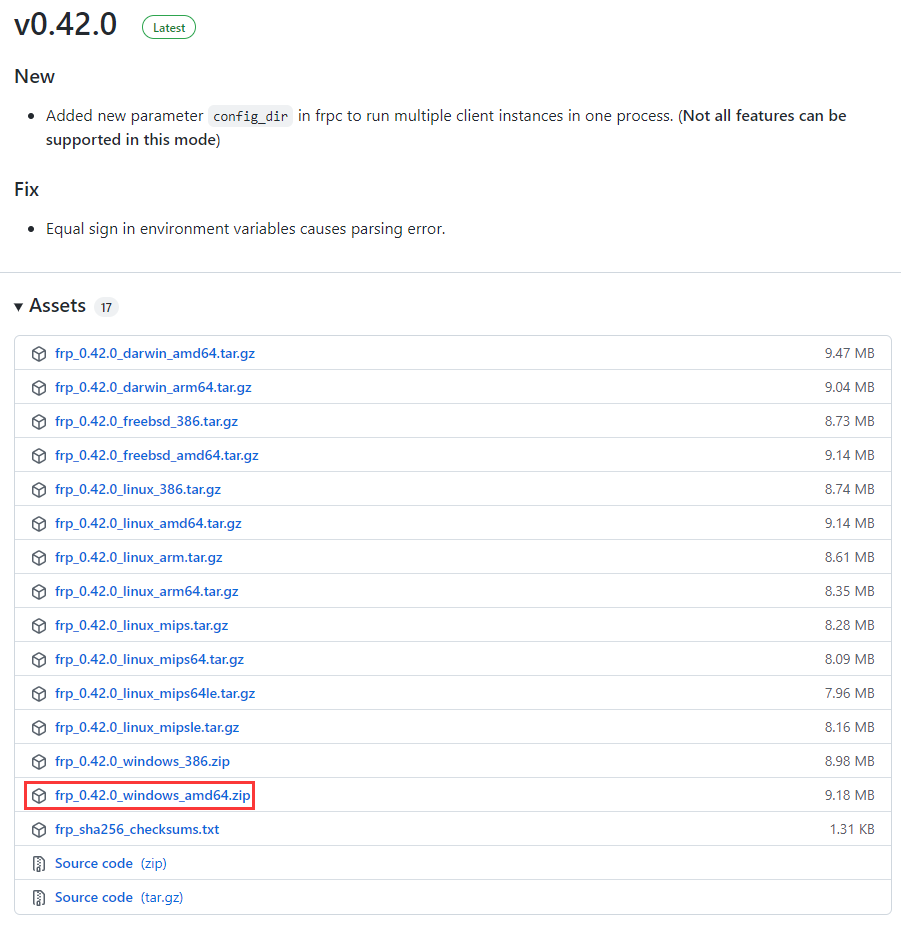
2. Client configuration, client download address (use the latest version). https://github.com/fatedier/frp/releases . Select: FRP_0.42.0_Windows_AMD64.zip . as shown in Figure 1
Figure 1
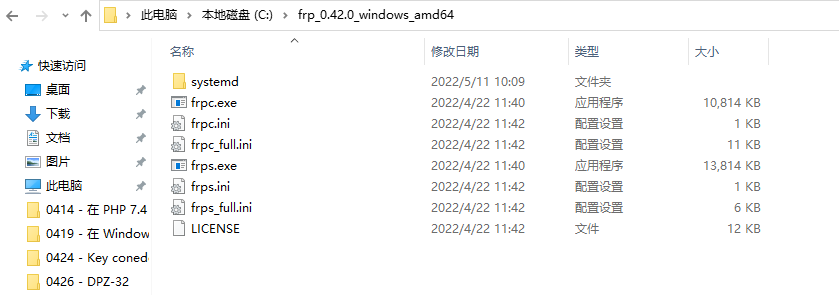
3. After downloading, you need to trust this file. Killsoft will clear the files in it, and you need to add trust. Unzip to: C:\FRP_0.42.0_Windows_AMD64 . as shown in Figure 2
Figure 2
4. Modify frpc.ini, the top is the server configuration, and the following is your native configuration, the original configuration is as follows
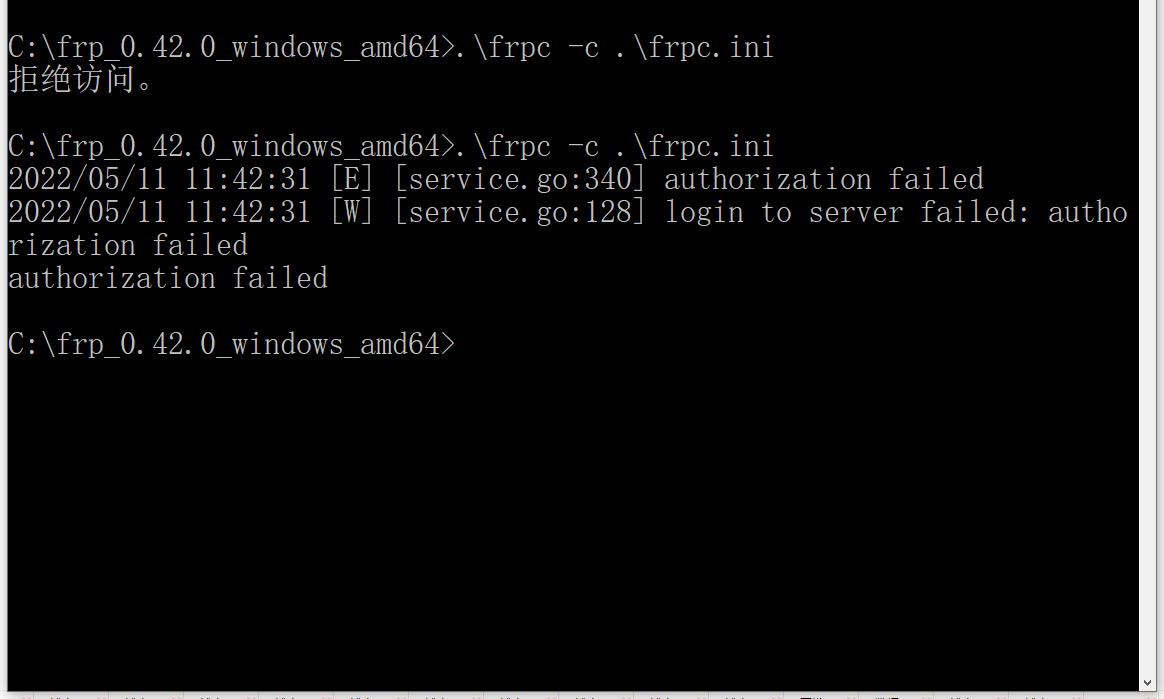
6. Start frpc: frpc -c frpc.ini. If you are a Windows user, you need to execute the command in the cmd terminal. Prompt access is denied. Open the 360 antivirus software and restore the FRP related files in the 360 recovery area. Run again, prompt: Login server failed: Authorization failed. The value of token = aaa is incorrect and needs to be obtained from the server. as shown in Figure 3
Figure 3
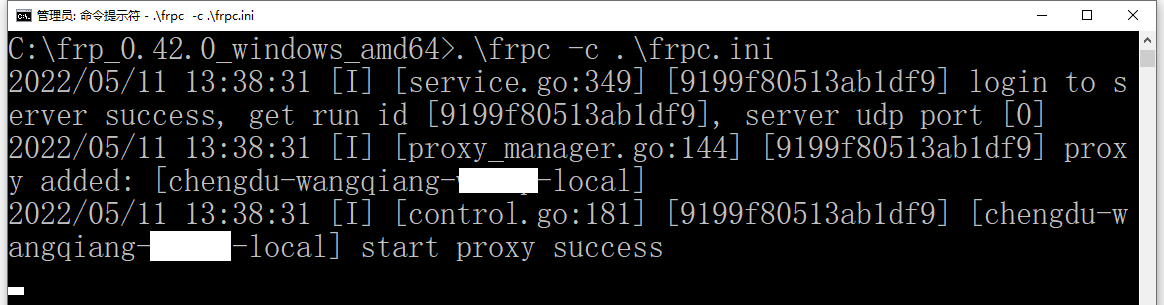
7. After the modification, the authorization is successful. as shown in Figure 4
Figure 4
C:\frp_0.42.0_windows_amd64>.\frpc -c .\frpc.ini
2022/05/11 13:38:31 [I] [service.go:349] [9199f80513ab1df9] login to server success, get run id [9199f80513ab1df9], server udp port [0]
2022/05/11 13:38:31 [I] [proxy_manager.go:144] [9199f80513ab1df9] proxy added: [chengdu-wangqiang-object-local]
2022/05/11 13:38:31 [I] [control.go:181] [9199f80513ab1df9] [chengdu-wangqiang-object-local] start proxy success
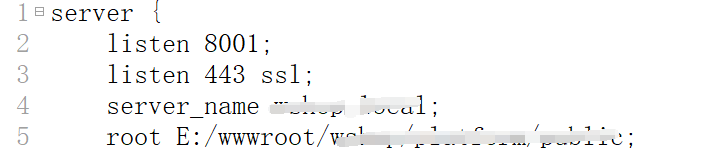
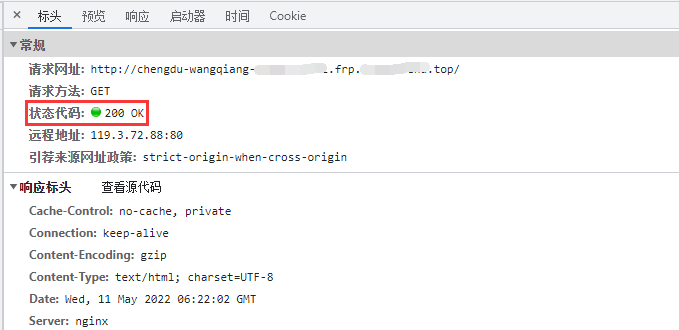
8. Edit the nginx configuration file, add Listen 8001; , 8001 is the local service port configured in frpc.ini. Reload the configuration. as shown in Figure 5
Figure 5
Leave a Reply