

1. When executing the command: git push -u origin main, an error is reported: fatal: unable to accesshttps://github.com/shuijingwan/refactoring.git/: Error:1407742E:SSL Routines:SSL23_GET_SERVER_Hello:TLSv1 Alert Protocol Version. as shown in Figure 1

PS E:\wwwroot\refactoring> git push -u origin main
fatal: unable to access 'https://github.com/shuijingwan/refactoring.git/': error:1407742E:SSL routines:SSL23_GET_SERVER_HELLO:tlsv1 alert protocol version
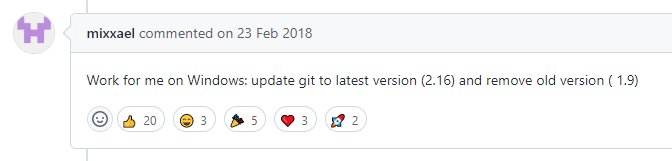
2. Reference:https://github.com/glennhickey/progressiveCactus/issues/93. Work for me on Windows: Update git to latest version (2.16) and remove old version ( 1.9). as shown in Figure 2
3. Check the version of git: 1.9.5. as shown in Figure 3

PS E:\wwwroot\refactoring> git --version
git version 1.9.5.msysgit.1
4. Open:https://git-scm.com/download/win, download and install 64-bit git for Windows Setup.
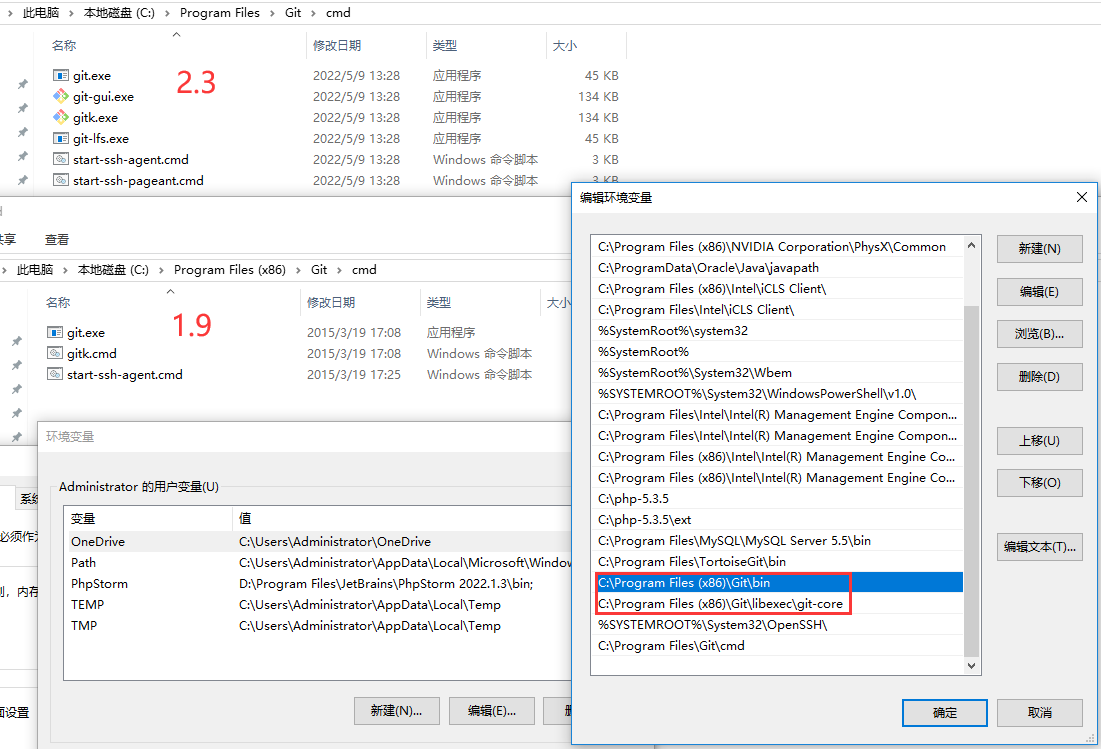
5. After restarting the computer, check the version, it is still 1.9.5, and check the environment variables: C:\Program Files\git\cmd, which has been automatically modified to version 2.3. Delete environment variables: C:\Program Files (x86)\git\bin, c:\program files (x86)\git\libexec\git-core. as shown in Figure 4
PS C:\WINDOWS\system32> git --version
git version 2.36.1.windows.1
6. Or directly uninstall Git 1.9 version. Environment variables are automatically deleted when uninstalling. as shown in Figure 5

7. Execute the command again: git push -u origin main, the same error is no longer reported. The reason should be due to the instability of the network.
PS E:\wwwroot\refactoring> git push -u origin main
fatal: unable to access 'https://github.com/shuijingwan/refactoring.git/': OpenSSL SSL_read: Connection was reset, errno 10054
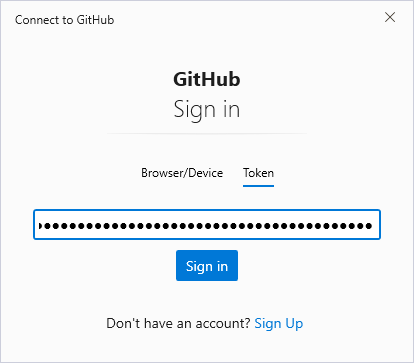
8. Execute again, and connect to github will pop up. Enter Personal Access Token. as shown in Figure 6
PS E:\wwwroot\refactoring> git push -u origin main
fatal: unable to access 'https://github.com/shuijingwan/refactoring.git/': Failed to connect to github.com port 443 after 21030 ms: Timed out
PS E:\wwwroot\refactoring> git push -u origin main
fatal: unable to access 'https://github.com/shuijingwan/refactoring.git/': OpenSSL SSL_read: Connection was reset, errno 10054
PS E:\wwwroot\refactoring> git push -u origin main
fatal: 鍝嶅簲鐘舵€佷唬鐮佷笉鎸囩ず鎴愬姛: 401 (Unauthorized)銆?Username for 'https://github.com': shuijingwan
Password for 'https://shuijingwan@github.com':
remote: Support for password authentication was removed on August 13, 2021. Please use a personal access token instead.
remote: Please see https://github.blog/2020-12-15-token-authentication-requirements-for-git-operations/ for more information.
fatal: Authentication failed for 'https://github.com/shuijingwan/refactoring.git/'
PS E:\wwwroot\refactoring>
9. Prompt to enter the user name and password. Authorization failed. Remote: Support for password authentication was removed on August 13, 2021. Please use a personal access token instead. as shown in Figure 7
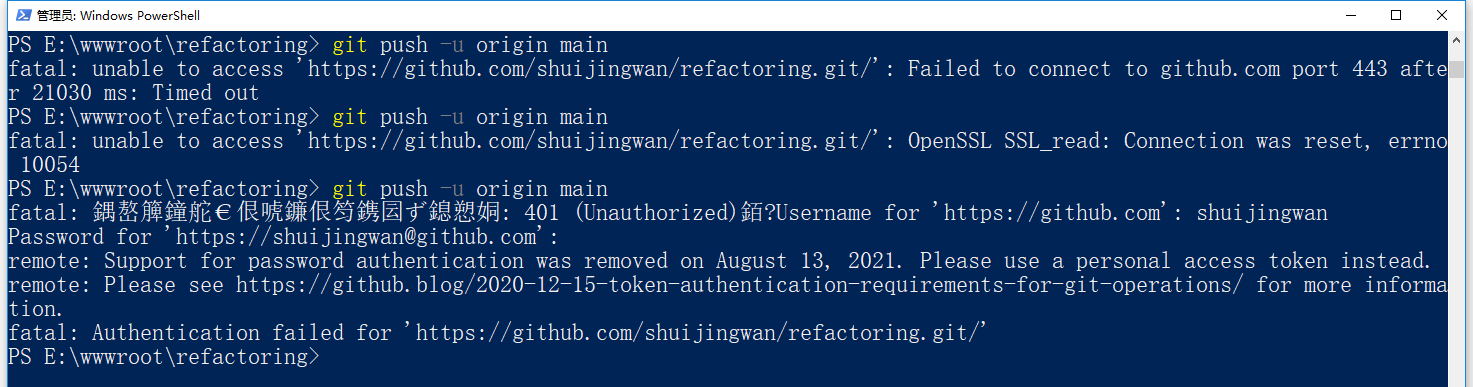
PS E:\wwwroot\refactoring> git push -u origin main
fatal: unable to access 'https://github.com/shuijingwan/refactoring.git/': Failed to connect to github.com port 443 after 21030 ms: Timed out
PS E:\wwwroot\refactoring> git push -u origin main
fatal: unable to access 'https://github.com/shuijingwan/refactoring.git/': OpenSSL SSL_read: Connection was reset, errno 10054
PS E:\wwwroot\refactoring> git push -u origin main
fatal: 鍝嶅簲鐘舵€佷唬鐮佷笉鎸囩ず鎴愬姛: 401 (Unauthorized)銆?Username for 'https://github.com': shuijingwan
Password for 'https://shuijingwan@github.com':
remote: Support for password authentication was removed on August 13, 2021. Please use a personal access token instead.
remote: Please see https://github.blog/2020-12-15-token-authentication-requirements-for-git-operations/ for more information.
fatal: Authentication failed for 'https://github.com/shuijingwan/refactoring.git/'
PS E:\wwwroot\refactoring>
10. Reference:https://www.shuijingwanwq.com/2021/12/20/5525/. Test the connection, open git bash and enter: ssh -t git@github.com , the test passes. as shown in Figure 8
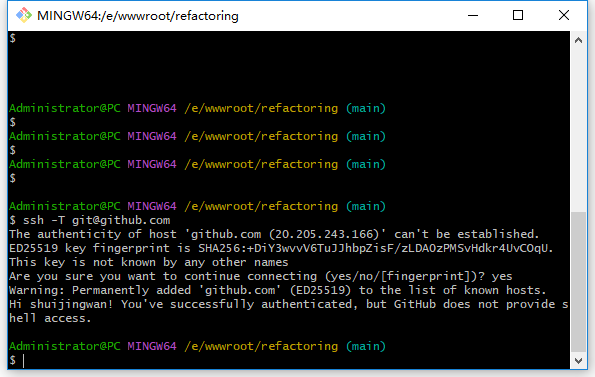
$ ssh -T git@github.com
The authenticity of host 'github.com (20.205.243.166)' can't be established.
ED25519 key fingerprint is SHA256:+DiY3wvvV6TuJJhbpZisF/zLDA0zPMSvHdkr4UvCOqU.
This key is not known by any other names
Are you sure you want to continue connecting (yes/no/[fingerprint])? yes
Warning: Permanently added 'github.com' (ED25519) to the list of known hosts.
Hi shuijingwan! You've successfully authenticated, but GitHub does not provide shell access.
11. Generate a new personal access token, delete the .git directory, and resubmit and push. The push was successful. as shown in Figure 9

Administrator@PC MINGW64 /e/wwwroot/refactoring (main)
$ git init
Initialized empty Git repository in E:/wwwroot/refactoring/.git/

Administrator@PC MINGW64 /e/wwwroot/refactoring (master)
$ git add README.md

Administrator@PC MINGW64 /e/wwwroot/refactoring (master)
$ git commit -m "first commit"
[master (root-commit) ba74a0c] first commit
 1 file changed, 0 insertions(+), 0 deletions(-)
 create mode 100644 README.md

Administrator@PC MINGW64 /e/wwwroot/refactoring (master)
$ git branch -M main

Administrator@PC MINGW64 /e/wwwroot/refactoring (main)
$ git remote add origin https://xxx@github.com/shuijingwan/refactoring.git

Administrator@PC MINGW64 /e/wwwroot/refactoring (main)
$ git push -u origin main
Enumerating objects: 3, done.
Counting objects: 100% (3/3), done.
Writing objects: 100% (3/3), 239 bytes | 119.00 KiB/s, done.
Total 3 (delta 0), reused 0 (delta 0), pack-reused 0
To https://github.com/shuijingwan/refactoring.git
 * [new branch]      main -> main
branch 'main' set up to track 'origin/main'.

Administrator@PC MINGW64 /e/wwwroot/refactoring (main)
$
Need long-term technical maintenance or remote troubleshooting?
I am a PHP / Go backend engineer with 15+ years of experience, focused on existing system maintenance, bug fixing, performance optimization, server troubleshooting, WordPress maintenance, and small feature iterations.
If your project is facing any of the following issues, we can start with a small troubleshooting task first:
- ✅ PHP / Laravel / Yii2 legacy systems without active maintenance
- ✅ Go / Gin backend APIs that need troubleshooting or optimization
- ✅ Slow, broken, or unstable WordPress websites
- ✅ Nginx / MySQL / Redis / Linux server issues
- ✅ CDN / Cloudflare / DNS / HTTPS configuration problems
- ✅ Long-term remote technical support or part-time maintenance
More details: About Me & Collaboration
WeChat: 13980074657
Email: shuijingwanwq@gmail.com
Telegram: @shuijingwan
GitHub: https://github.com/shuijingwan
Leave a Reply