

1. Reference:https://www.shuijingwanwq.com/en/2022/12/13/9977/. Run .sh or shell script files using WSL in Windows 10. Ultimately not realized.
2. Reference:https://www.shuijingwanwq.com/en/2021/12/23/9949/, to step 7
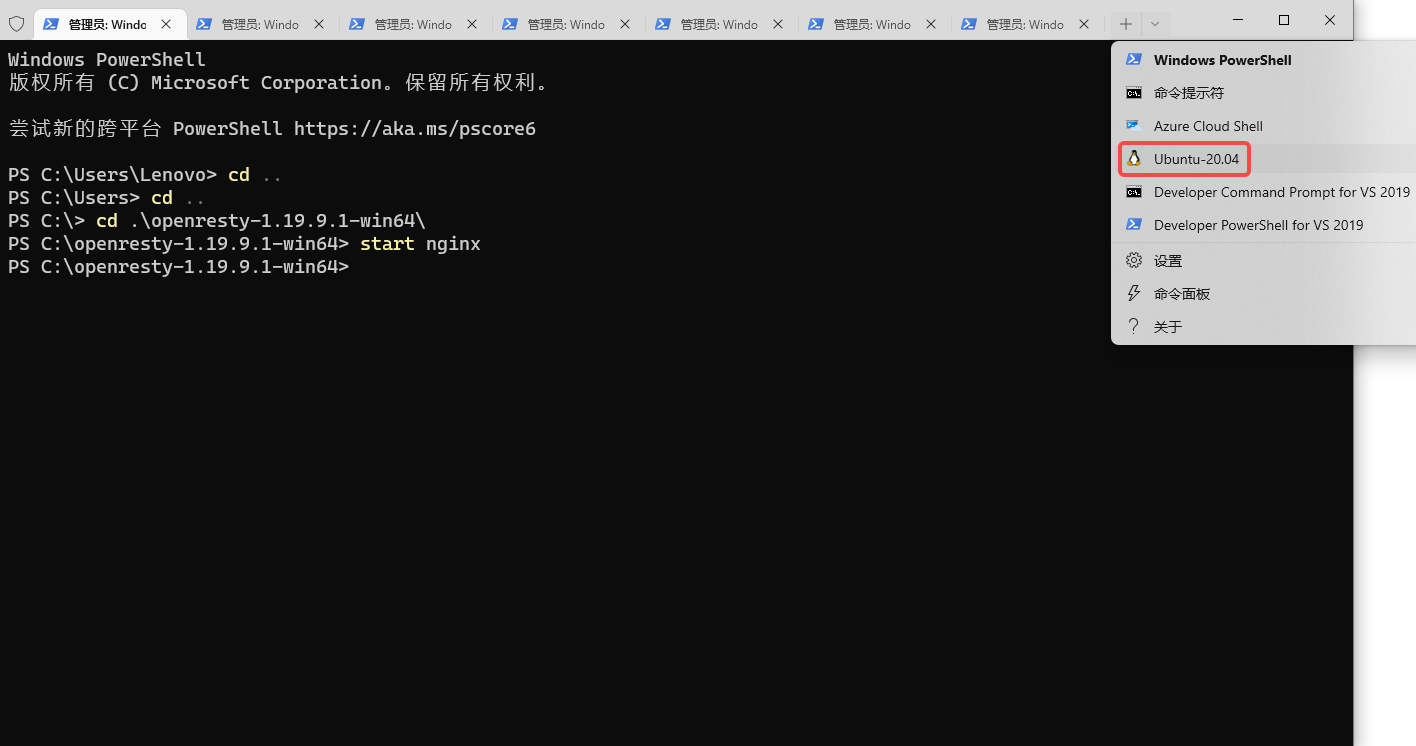
3. Open the Windows Terminal command line and follow the instructions below to enter the Ubuntu system. as shown in Figure 1
4. Ubuntu will mount or provide all Windows directories under /mnt. Hence the C disk is at /mnt/c. Existing Themes.sh file, the code is as follows
#!/bin/sh

for i in $(seq 1 200);
do
    echo "Install theme $i times"
    php artisan theme-store-db:theme:install /mnt/e/Users/Lenovo/Downloads/theme "theme$i" blade --force
done
5. Execute the command: sh themes.sh, report an error: LogicException : please make sure the php redis extension is installed and enabled. as shown in Figure 2
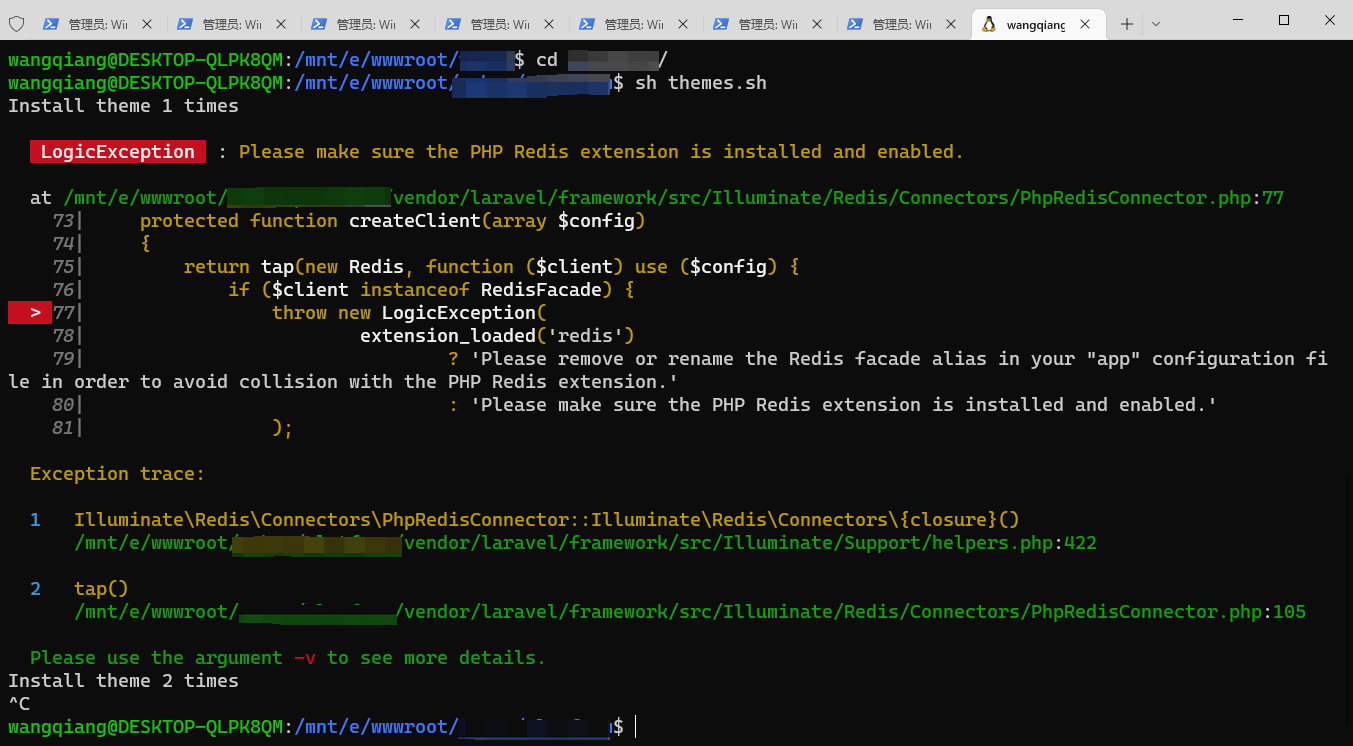
wangqiang@DESKTOP-QLPK8QM:/mnt/e/wwwroot/object$ sh themes.sh
Install theme 1 times

   LogicException  : Please make sure the PHP Redis extension is installed and enabled.

  at /mnt/e/wwwroot/object/vendor/laravel/framework/src/Illuminate/Redis/Connectors/PhpRedisConnector.php:77
    73|     protected function createClient(array $config)
    74|     {
    75|         return tap(new Redis, function ($client) use ($config) {
    76|             if ($client instanceof RedisFacade) {
  > 77|                 throw new LogicException(
    78|                         extension_loaded('redis')
    79|                                 ? 'Please remove or rename the Redis facade alias in your "app" configuration file in order to avoid collision with the PHP Redis extension.'
    80|                                 : 'Please make sure the PHP Redis extension is installed and enabled.'
    81|                 );

  Exception trace:

  1   Illuminate\Redis\Connectors\PhpRedisConnector::Illuminate\Redis\Connectors\{closure}()
      /mnt/e/wwwroot/object/vendor/laravel/framework/src/Illuminate/Support/helpers.php:422

  2   tap()
      /mnt/e/wwwroot/object/vendor/laravel/framework/src/Illuminate/Redis/Connectors/PhpRedisConnector.php:105

  Please use the argument -v to see more details.
Install theme 2 times
^C
wangqiang@DESKTOP-QLPK8QM:/mnt/e/wwwroot/object$
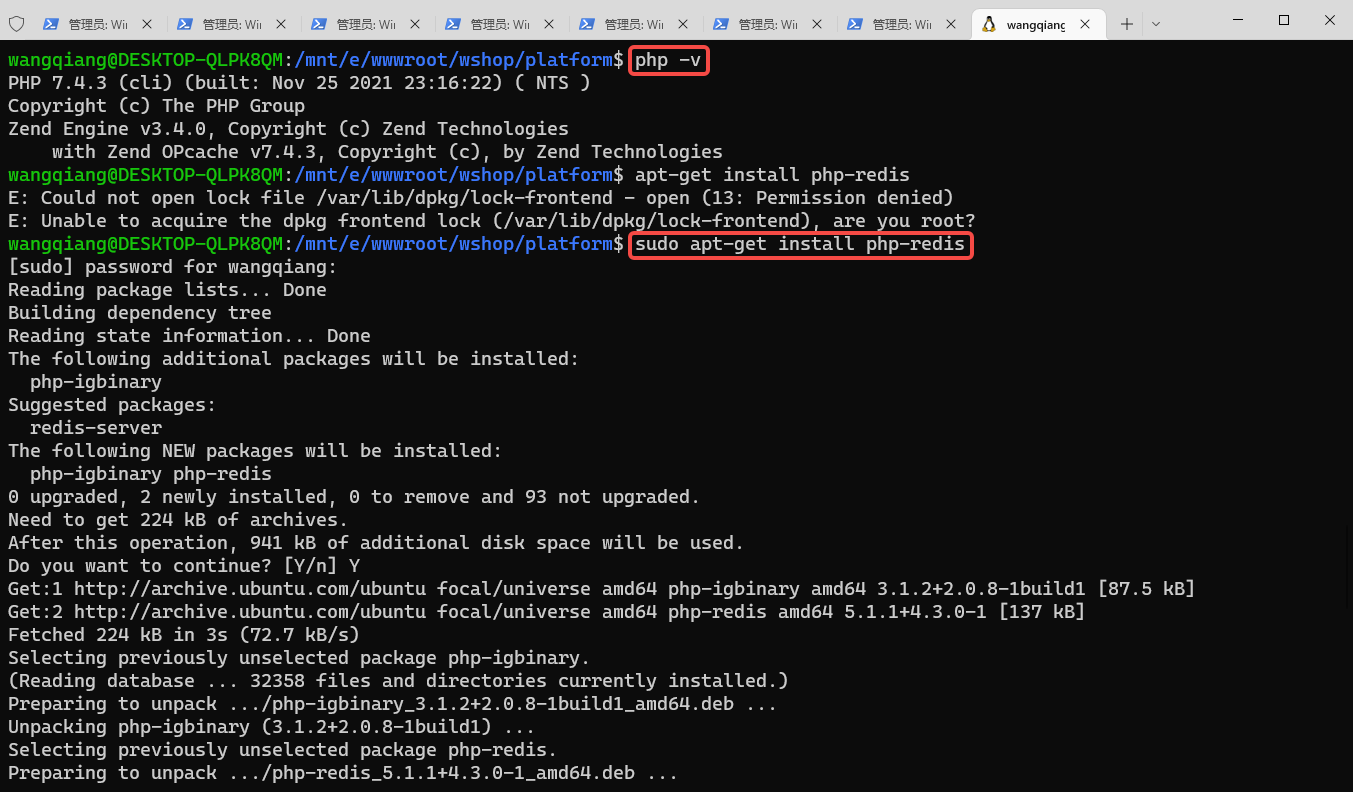
6. Check the version information of PHP in Ubuntu, and install the Redis extension of PHP. as shown in Figure 3
wangqiang@DESKTOP-QLPK8QM:/mnt/e/wwwroot/object$ php -v
PHP 7.4.3 (cli) (built: Nov 25 2021 23:16:22) ( NTS )
Copyright (c) The PHP Group
Zend Engine v3.4.0, Copyright (c) Zend Technologies
    with Zend OPcache v7.4.3, Copyright (c), by Zend Technologies
wangqiang@DESKTOP-QLPK8QM:/mnt/e/wwwroot/object$ apt-get install php-redis
E: Could not open lock file /var/lib/dpkg/lock-frontend - open (13: Permission denied)
E: Unable to acquire the dpkg frontend lock (/var/lib/dpkg/lock-frontend), are you root?
wangqiang@DESKTOP-QLPK8QM:/mnt/e/wwwroot/object$ sudo apt-get install php-redis
[sudo] password for wangqiang:
Reading package lists... Done
Building dependency tree
Reading state information... Done
The following additional packages will be installed:
  php-igbinary
Suggested packages:
  redis-server
The following NEW packages will be installed:
  php-igbinary php-redis
0 upgraded, 2 newly installed, 0 to remove and 93 not upgraded.
Need to get 224 kB of archives.
After this operation, 941 kB of additional disk space will be used.
Do you want to continue? [Y/n] Y
Get:1 http://archive.ubuntu.com/ubuntu focal/universe amd64 php-igbinary amd64 3.1.2+2.0.8-1build1 [87.5 kB]
Get:2 http://archive.ubuntu.com/ubuntu focal/universe amd64 php-redis amd64 5.1.1+4.3.0-1 [137 kB]
Fetched 224 kB in 3s (72.7 kB/s)
Selecting previously unselected package php-igbinary.
(Reading database ... 32358 files and directories currently installed.)
Preparing to unpack .../php-igbinary_3.1.2+2.0.8-1build1_amd64.deb ...
Unpacking php-igbinary (3.1.2+2.0.8-1build1) ...
Selecting previously unselected package php-redis.
Preparing to unpack .../php-redis_5.1.1+4.3.0-1_amd64.deb ...
Unpacking php-redis (5.1.1+4.3.0-1) ...
Setting up php-igbinary (3.1.2+2.0.8-1build1) ...
Setting up php-redis (5.1.1+4.3.0-1) ...
Processing triggers for php7.4-cli (7.4.3-4ubuntu2.8) ...
7. Execute the command again: sh Themes.sh, report an error: RedisException : Connection refused. From this, it is concluded that the environment configuration on which the execution of the .sh script depends must be fully prepared in Ubuntu. The connected Redis is no longer the Redis in Windows.
Linux Server Operations, Deployment & Production Troubleshooting
If your website or backend service runs on a Linux server and you are facing unstable access, Nginx configuration issues, MySQL / Redis errors, Docker service failures, full disk usage, or high CPU / memory usage, feel free to contact me for remote troubleshooting.
Ideal For:
✅ Website downtime or unstable access
✅ Nginx / PHP-FPM configuration issues
✅ MySQL / Redis performance or connection problems
✅ Docker service deployment and maintenance
✅ Server migration and environment setup
✅ CPU / memory / disk usage investigation
What I Offer:
✅ Linux environment inspection
✅ Website migration and deployment
✅ Nginx / PHP-FPM / MySQL / Redis troubleshooting
✅ Docker configuration and maintenance
✅ Server performance analysis
✅ Long-term remote operations support
Please contact me and mention: Linux Operations Consultation.
Contact Me:
Telegram: @shuijingwan
WeChat: 13980074657
Email: shuijingwanwq@gmail.com
Leave a Reply