Add GraphQL API requests to Favorites in Altair GraphQL Client
1. In Altair GraphQL Client, click the button on the left side of the overloaded document in the address bar, the drop-down list will appear, and select Add to Favorites. as shown in Figure 1
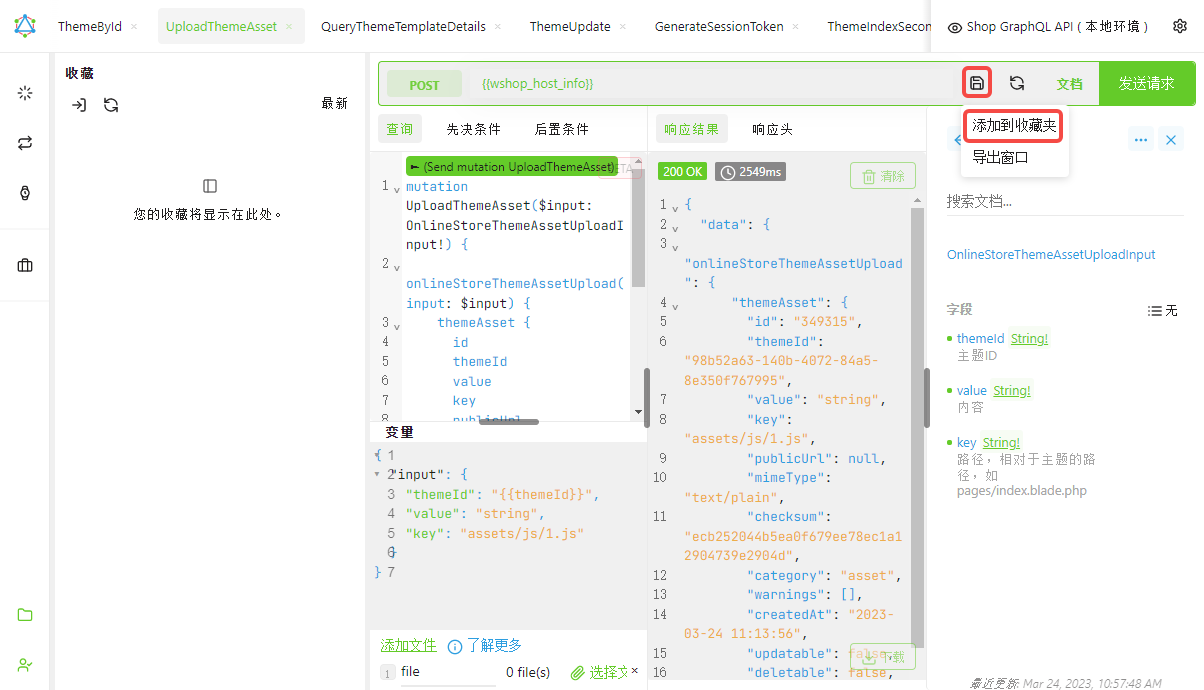
Figure 1
2. Select a collection to create a new favorite. as shown in Figure 2
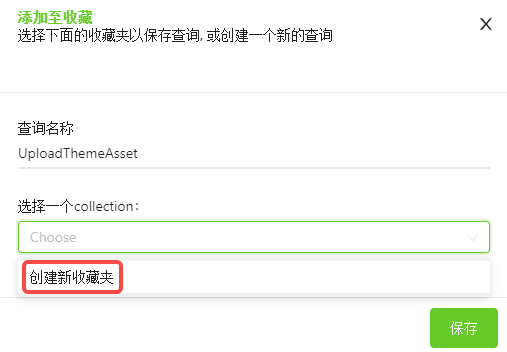
Figure 2
3. Named collection: Shop GraphQL API, choose a space: Remote. as shown in Figure 3
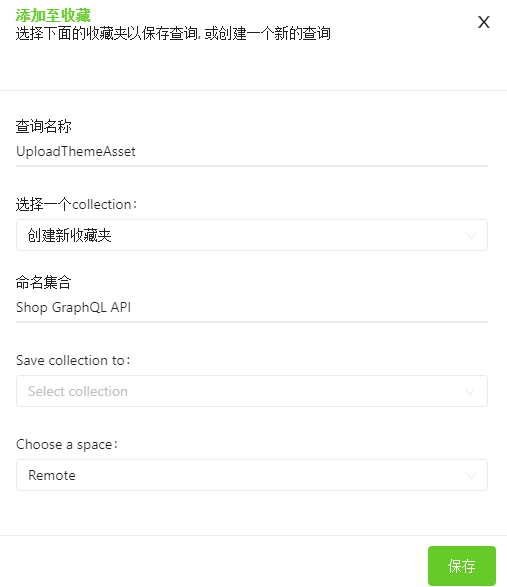
Figure 3
4. Finally, you can view it in the left toolbar – Favorites. as shown in Figure 4
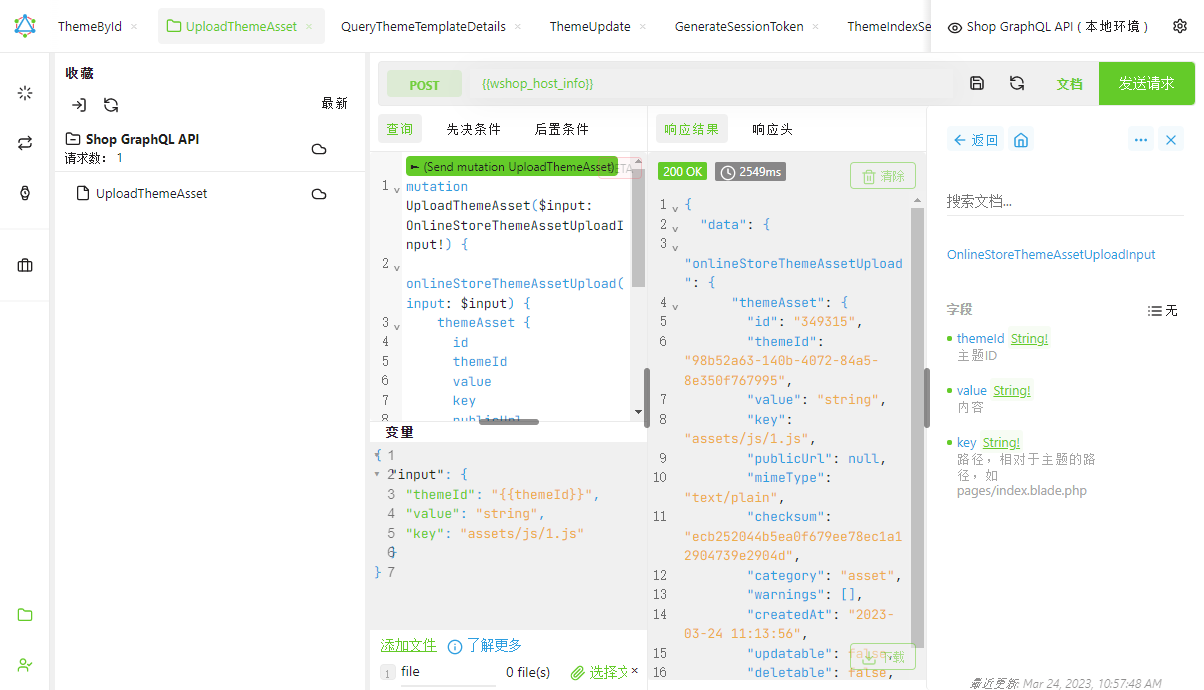
Figure 4