
1. Reference:https://www.shuijingwanwq.com/2023/03/16/7483/. AMP website based plugin: Accelerated mobile pages
2. Open:https://www.shuijingwanwq.com/amp/, there is no Google AdSense automatic ad set on the page. Reference:https://support.google.com/adsense/answer/9261309. Set up automatic ads on your AMP website
3. Use the <link> tag to pair non-AMP content with AMP content, so that your web page can be easily discovered. This preparation has been implemented by the plugin. on non-AMP web pageshttps://www.shuijingwanwq.comAdd <link> to the <head> tag: <link rel=”AmpHtml” href=”https://www.shuijingwanwq.com/amp/” /> . As shown in Figure 1

4. This preparation has been implemented by the plugin. on the AMP web pagehttps://www.shuijingwanwq.com/amp/Add <link> to the <head> tag: <link rel=”canonical” href=”https://www.shuijingwanwq.com/”> . As shown in Figure 2
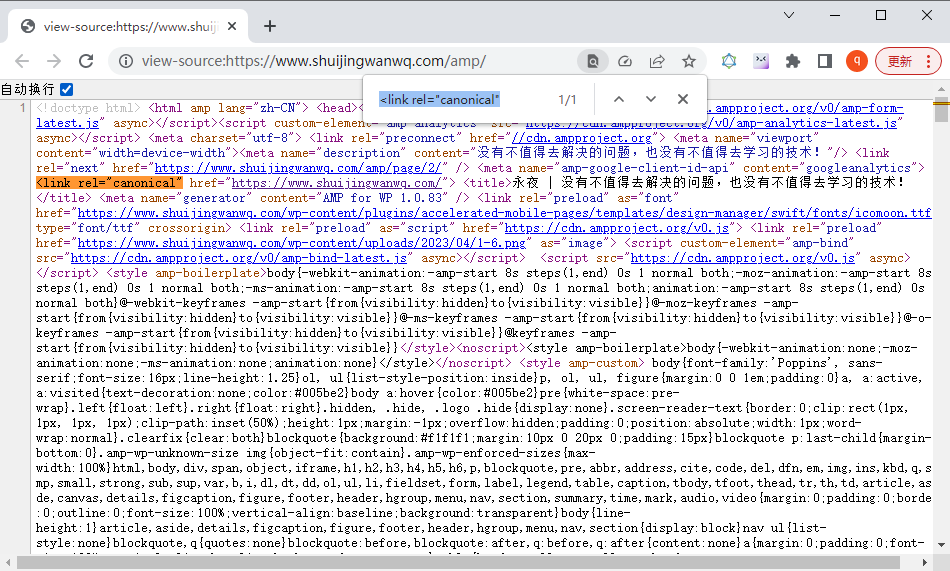
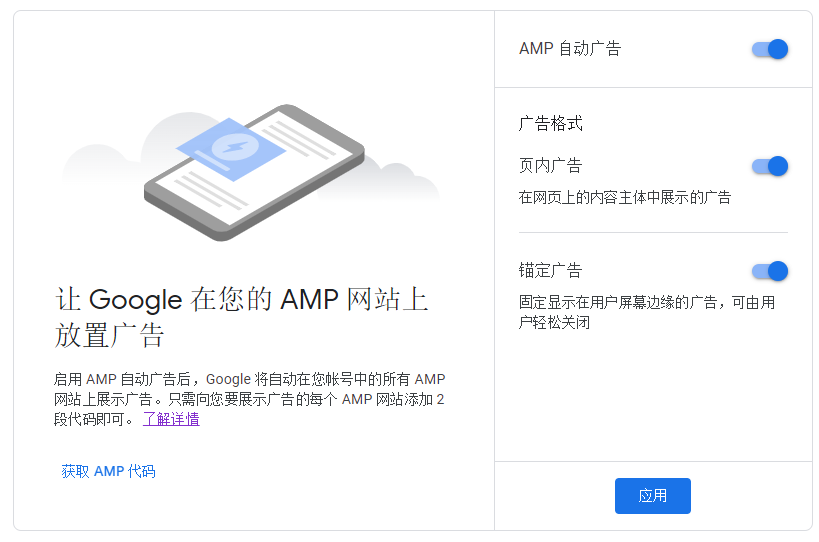
5. On the “AMP Automatic Ads” page, turn on AMP Auto Advertising. as shown in Figure 3
6. AMP – Settings – Advertisement in the background of WordPress 6, close the Ad Revenue Optimization. as shown in Figure 4

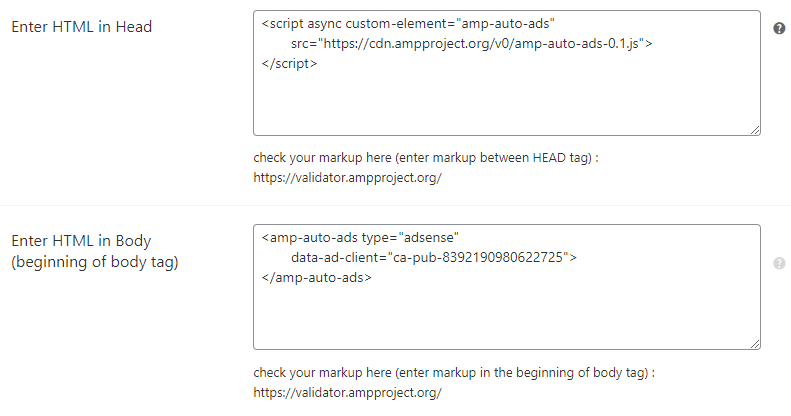
7. Click Get the AMP code and place this code on the AMP version of the website. AMP – Settings – Advance Settings in the background of WordPress 6, respectively in Enter HTML in Head and Enter HTML in Body (Beginning of Body Tag) paste code in. as shown in Figure 5
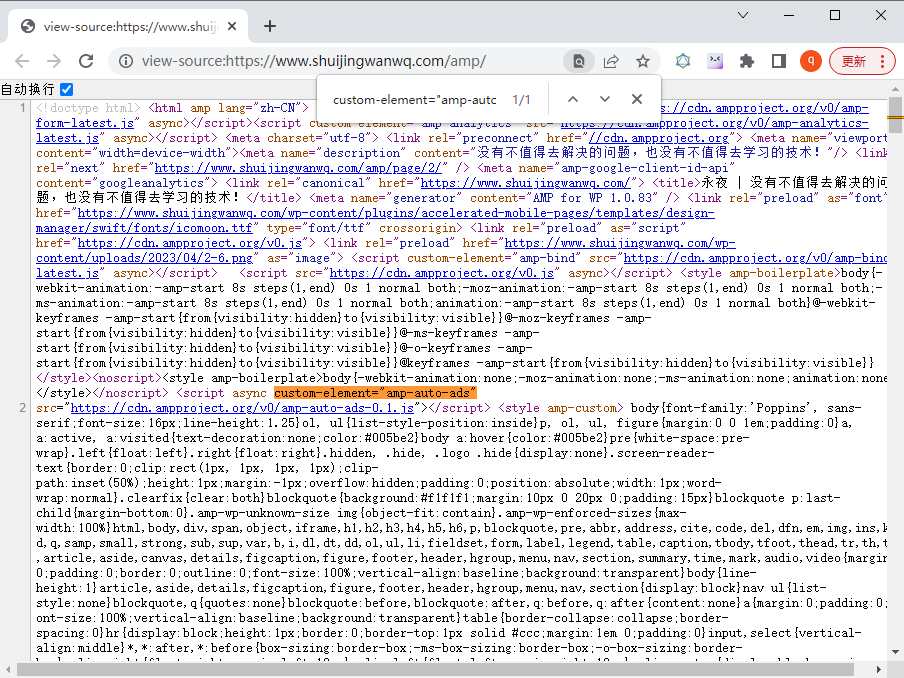
8. Viewhttps://www.shuijingwanwq.com/amp/source code, confirm that the code has been added successfully. as shown in Figure 6
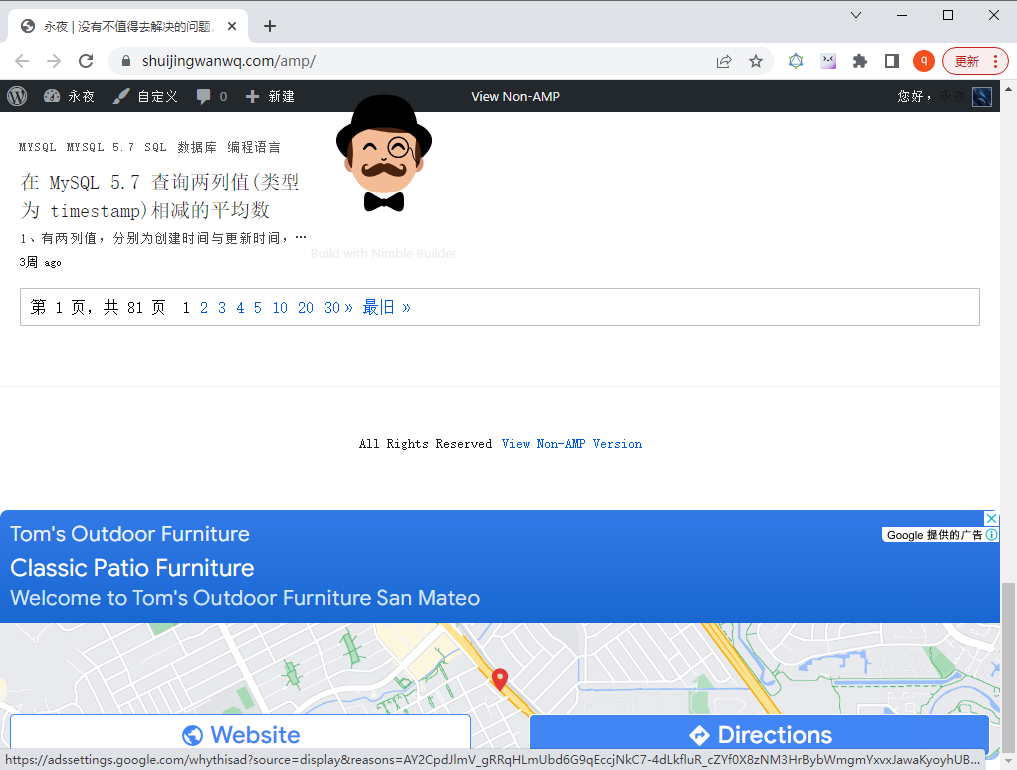
9. Click Apply to open:https://www.shuijingwanwq.com/amp/, Google AdSense automatic ads have been successfully displayed. as shown in Figure 7
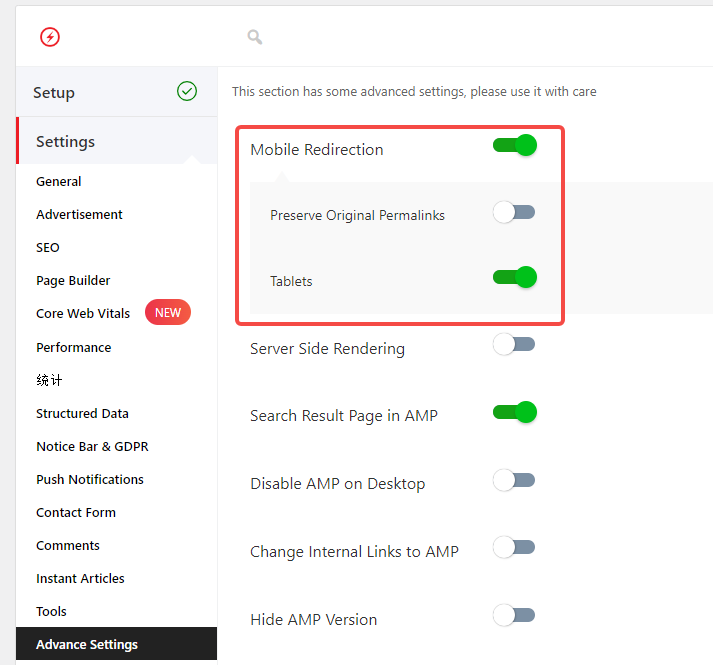
10. It is recommended to set the mobile redirect, when it is opened in the mobile devicehttps://www.shuijingwanwq.com/automatically redirect tohttps://www.shuijingwanwq.com/amp/. AMP – Settings – Advance Settings – Mobile Redirection in the background of WordPress 6. as shown in Figure 8
Need long-term technical maintenance or remote troubleshooting?
I am a PHP / Go backend engineer with 15+ years of experience, focused on existing system maintenance, bug fixing, performance optimization, server troubleshooting, WordPress maintenance, and small feature iterations.
If your project is facing any of the following issues, we can start with a small troubleshooting task first:
- ✅ PHP / Laravel / Yii2 legacy systems without active maintenance
- ✅ Go / Gin backend APIs that need troubleshooting or optimization
- ✅ Slow, broken, or unstable WordPress websites
- ✅ Nginx / MySQL / Redis / Linux server issues
- ✅ CDN / Cloudflare / DNS / HTTPS configuration problems
- ✅ Long-term remote technical support or part-time maintenance
More details: About Me & Collaboration
WeChat: 13980074657
Email: shuijingwanwq@gmail.com
Telegram: @shuijingwan
GitHub: https://github.com/shuijingwan
Leave a Reply