The process of sending USDT in the Optimism network in the OneKey wallet
1. In the OneKey wallet, send USDT in the Optimism network. Hint: ETH is required for transaction fees in the Optimism network. Please recharge your account ETH first to execute the transaction. as shown in Figure 1
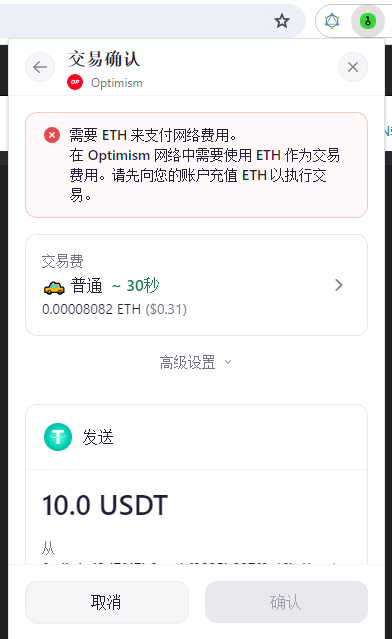
Figure 1
2. It is planned to use the flash redemption function of the wallet to exchange some USDTs to ETH in the Optimism network. as shown in Figure 2
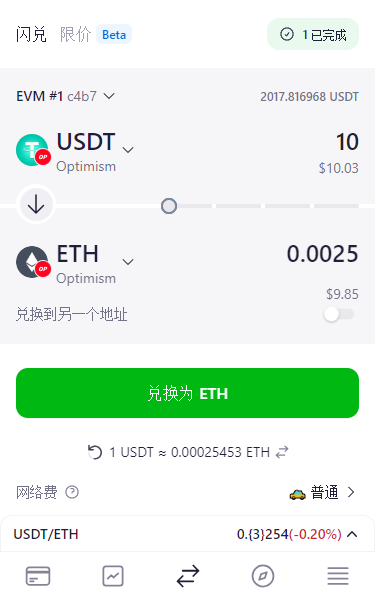
Figure 2
3. If the exchange fails, the reminder: The ETH balance is not enough to pay the network fee. as shown in Figure 3
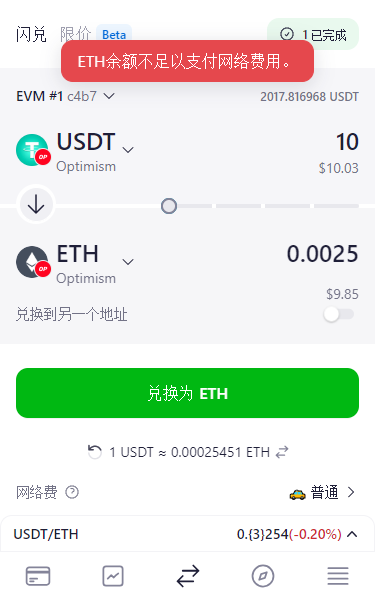
Figure 3
4. It seems that only some ETH is recharged to the Optimism network. Click Receive, copy the address. as shown in Figure 4
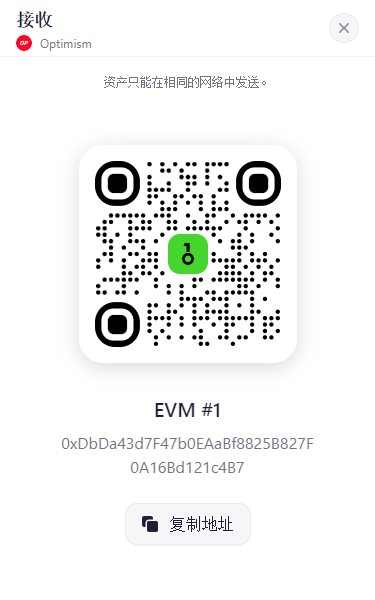
Figure 4
5. Decide to send the ETH in the OKX wallet to the address. as shown in Figure 5
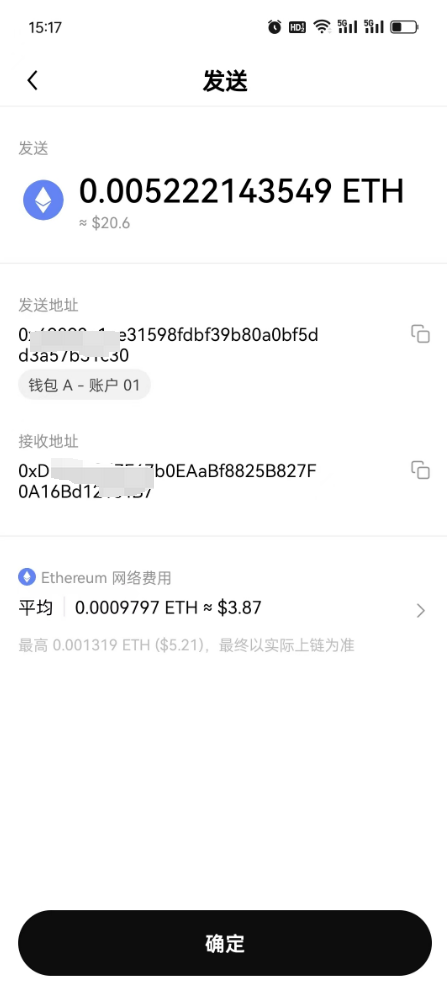
Figure 5
6. Then you can see ETH received in the ETH network of the OneKey wallet. as shown in Figure 6
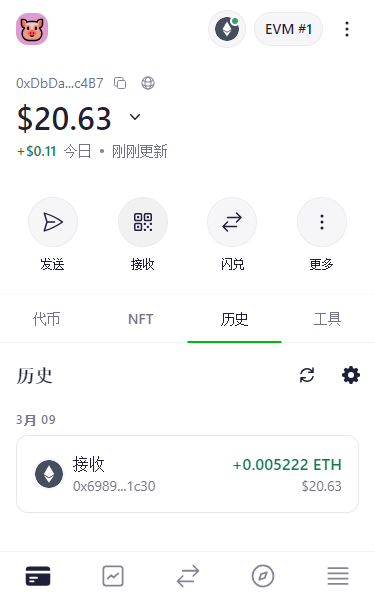
Figure 6
7. Resend, still prompt: ETH is required to use ETH as a transaction fee in the Optimism network. Please recharge your account ETH first to execute the transaction. as shown in Figure 7
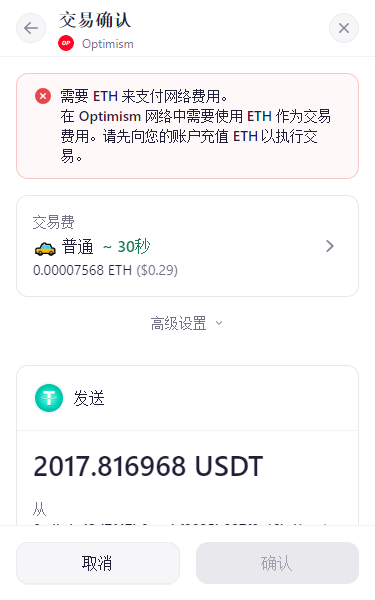
Figure 7
8. Decide to flash the ETH in the ETH network to the ETH in the Optimism network in the OneKey wallet. Tip: It is recommended to keep 0.005074 ETH as a network fee. as shown in Figure 8
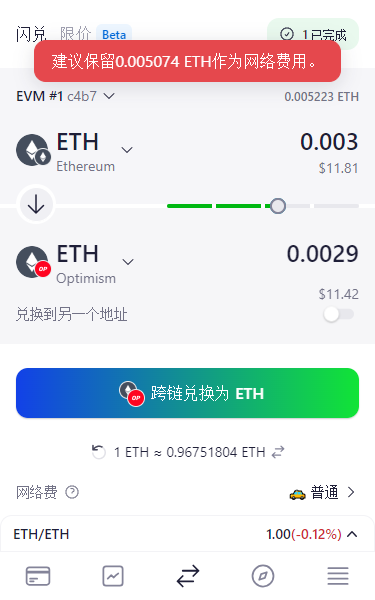
8
9. Try flashing in the OneKey wallet, and the USDT flash redemption in the Optimism network to the ETH in the Optimism network. Tip: You will exchange tokens at a price 32.10% lower than the CoinGecko exchange rate, which may result in losses. Even if you agree to exchange, the prompt: ETH balance is not enough to pay for network fees. as shown in Figure 9
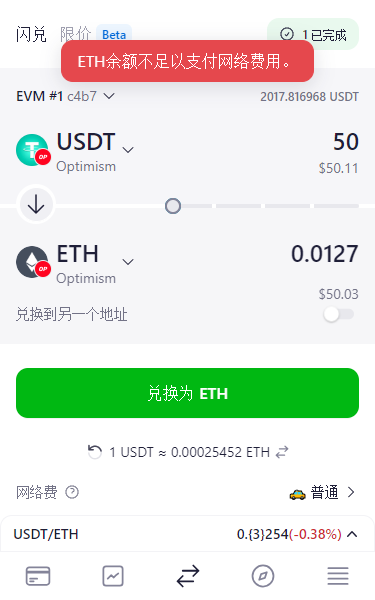
Figure 9
10. I have to recharge more ETH to the Optimism network. Decide to send ETH to the OneKey wallet address directly on the chain over the Optimism network. It is hoped that ETH can directly reach the Optimism network in the OneKey wallet. As shown in Figure 10
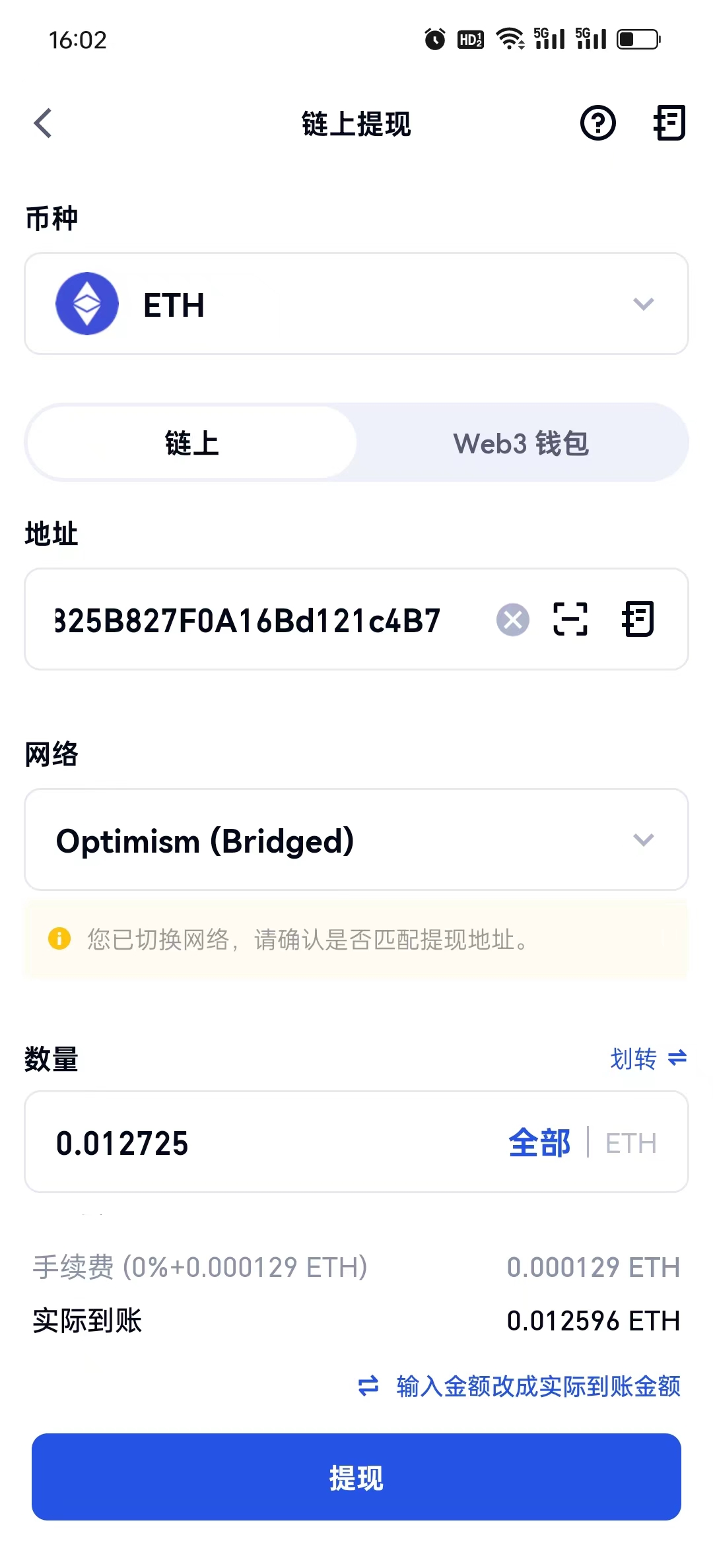
Figure 10
11. In line with expectations, ETH has directly reached the Optimism network in the OneKey wallet. Send USDT again, no more prompts: Please recharge your account ETH first to execute the transaction. The transaction was submitted successfully. Figure 11, Figure 12
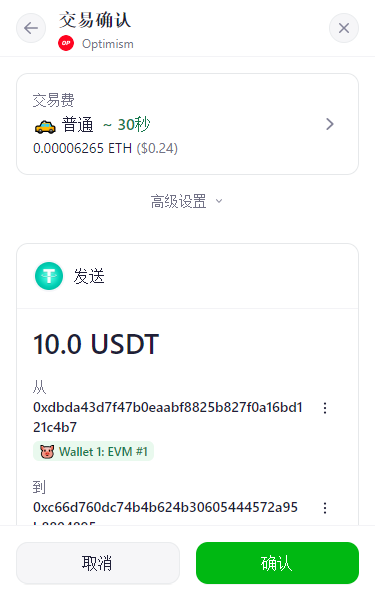
Figure 11
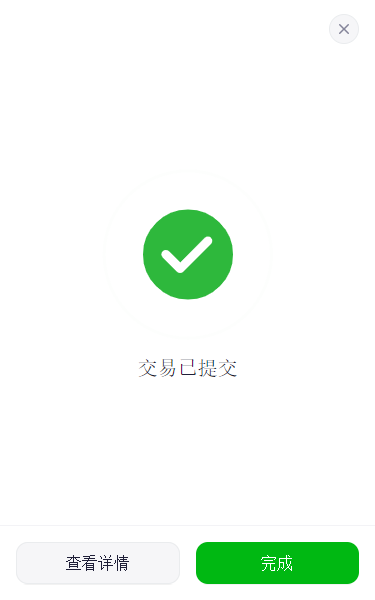
Figure 12