1. The configuration for mysol server 8.0.39 has failed.. as shown in Figure 1
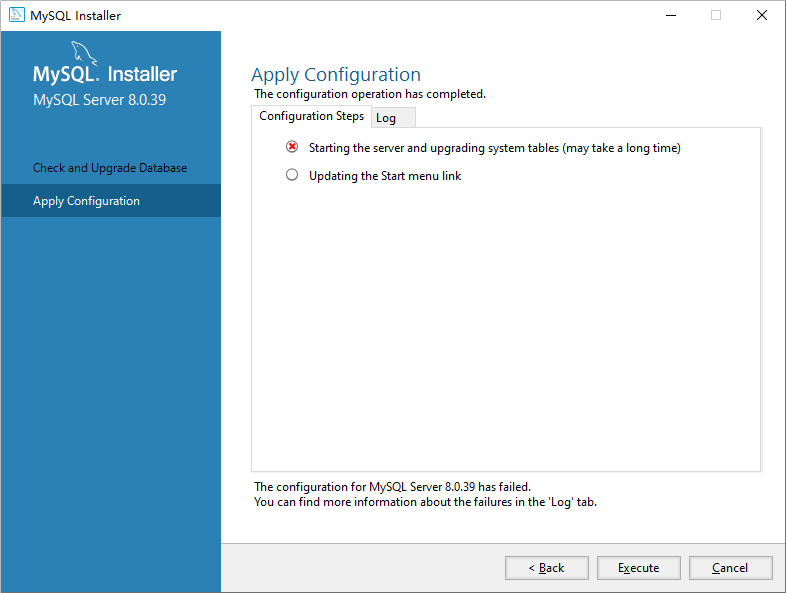
2. Check the logs, as shown below
Beginning configuration step: starting the server and upgrading system tables (may take a long time)

Attempting to start service mysql80...
C:\Program Files\MySQL\MySQL Server 8.0\bin\mysqld.exe (mysqld 8.0.39) Starting as process 15472
unknown suffix.Used for variablemysqlx-port(value0.0..
Optionmysqlx-port: unsigned value 0 adjusted to 1.
C:\Program Files\MySQL\MySQL Server 8.0\bin\MySQLd.exe: Error while setting value0.0tomysqlx-port.
Parsing options for pluginmysqlxfailed.
InnoDB initialization has started.
C:\Program Files\MySQL\MySQL Server 8.0\bin\mysqld.exe (mysqld 8.0.39) Starting as process 15472
unknown suffix.Used for variablemysqlx-port(value0.0..
Optionmysqlx-port: unsigned value 0 adjusted to 1.
C:\Program Files\MySQL\MySQL Server 8.0\bin\MySQLd.exe: Error while setting value0.0tomysqlx-port.
Parsing options for pluginmysqlxfailed.
InnoDB initialization has started.
InnoDB initialization has ended.
CA Certificate CA.PEM is self signed.
channel mysql_main configured to support tls. Encrypted connections are now supported for this channel.
unknown variablemysqlx_port=0.0.
aborting
InnoDB initialization has ended.
CA Certificate CA.PEM is self signed.
channel mysql_main configured to support tls. Encrypted connections are now supported for this channel.
unknown variablemysqlx_port=0.0.
aborting
C:\Program Files\MySQL\MySQL Server 8.0\bin\mysqld.exe: shutdown complete (mysqld 8.0.39) MySQL Community Server - GPL.
C:\Program Files\MySQL\MySQL Server 8.0\bin\mysqld.exe: shutdown complete (mysqld 8.0.39) MySQL Community Server - GPL.................................
mysql failed to start because of the following error(s):
unknown suffix.Used for variablemysqlx-port(value0.0..
C:\Program Files\MySQL\MySQL Server 8.0\bin\MySQLd.exe: Error while setting value0.0tomysqlx-port.
Parsing options for pluginmysqlxfailed.
unknown variablemysqlx_port=0.0.
aborting

It can only be released when the task is in the completed state (RantoCompletion, Faulted, or Canceled).
Ended configuration step: starting the server and upgrading system tables (may take a long time)

.....................................
3. Edit C:\ProgramData\MySQL\MySQL Server 8.0\My.ini.
# The TCP/IP port the MySQL Server x protocol will list on.
mysqlx_port=33060
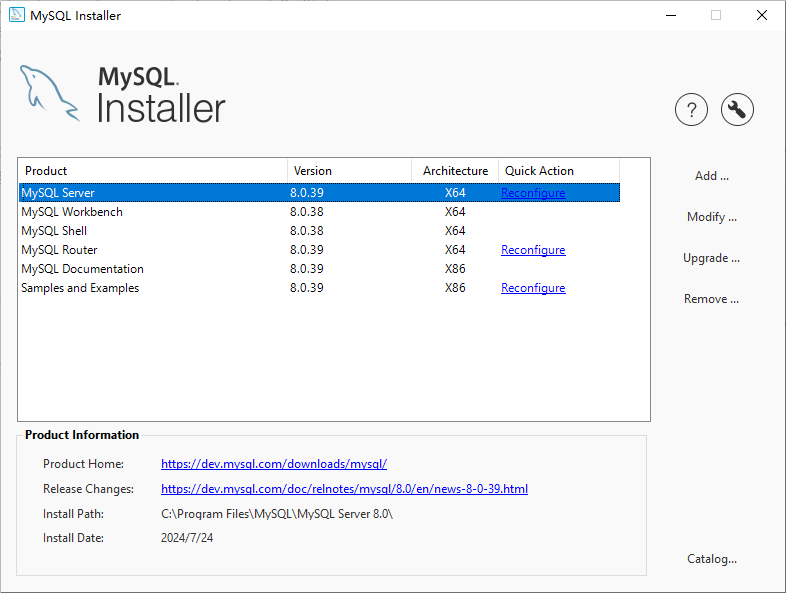
4. Right-click mysql-installer-community-8.0.36.0.msi to install, mysol server, and click Reconfigure. as shown in Figure 2
5. Still reporting an error, but already reporting another error. Successfully started service MySQL80. Configured configuration step: Start the server and upgrade the system table (which may take a long time). as shown in Figure 3
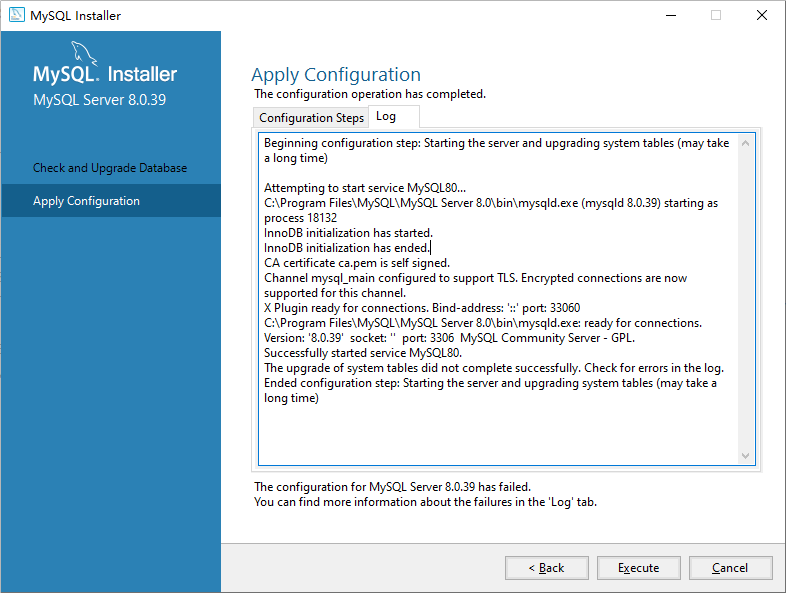
Beginning configuration step: starting the server and upgrading system tables (may take a long time)

Attempting to start service mysql80...
C:\Program Files\MySQL\MySQL Server 8.0\bin\mysqld.exe (mysqld 8.0.39) Starting as process 18132
InnoDB initialization has started.
InnoDB initialization has ended.
CA Certificate CA.PEM is self signed.
channel mysql_main configured to support tls. Encrypted connections are now supported for this channel.
x plugin ready for connections. bind-address:::Port: 33060
C:\Program Files\MySQL\MySQL Server 8.0\bin\mysqld.exe: Ready for connections. Version:8.0.39socket:Port: 3306 MySQL Community Server - GPL.
Successfully started service mysql80.
The upgrade of system tables did not complete successfully. Check for errors in the log.
Ended configuration step: starting the server and upgrading system tables (may take a long time)
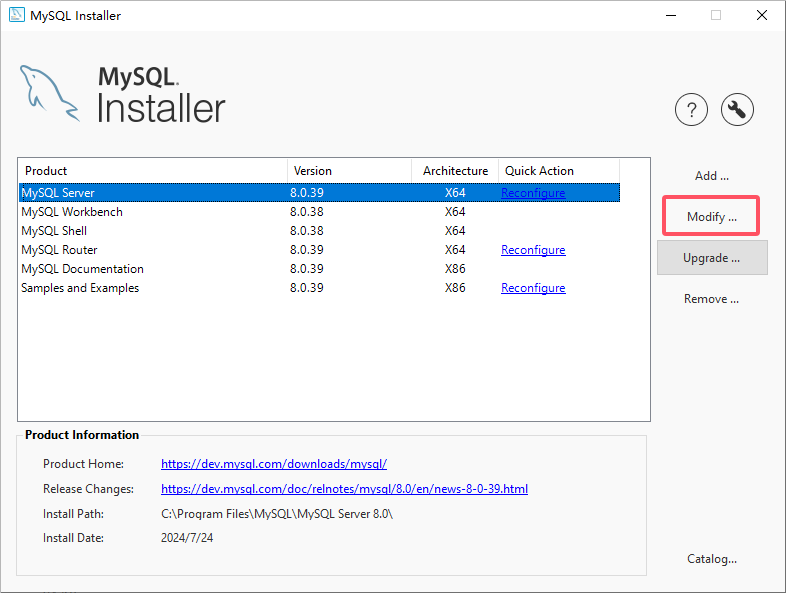
6. Right-click mysql-installer-community-8.0.36.0.msi to install, mysol server, and click Reconfigure. as shown in Figure 4
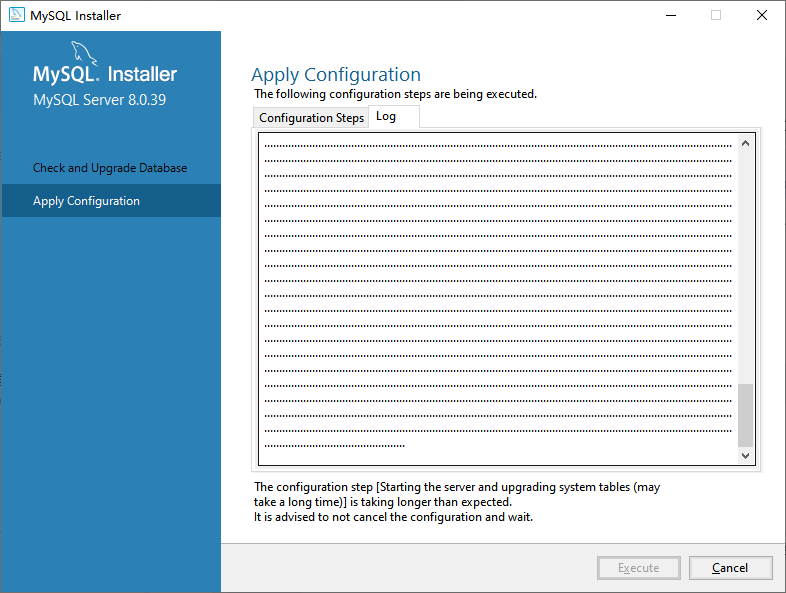
7. The configuration step[Starting the server and upgrading system tables (may take a long time)]Is taking longer than expected. It is advanced to not cancel the configuration and wait. Configuration steps[启动服务器并升级系统表(可能需要很长时间)]It took longer than expected. It is recommended not to unconfigure and wait. Even after waiting for a whole night to add half a day, I really vomited blood. Although there may be a computer hibernation during the period and a pop-up window that prompts whether to cancel, there is no time to click the wait button. As shown in Figure 5, Figure 6
![The configuration step [Starting the server and upgrading system tables (may take a long time)] is taking longer than expected.It is advised to not cancel the configuration and wait.配置步骤 [启动服务器并升级系统表(可能需要很长时间)] 所花的时间比预期的要长。建议不要取消配置并等待。竟然整整等待了一个晚上加半个白天,真心吐血了](https://www.shuijingwanwq.com/wp-content/uploads/2024/07/5-1.png)
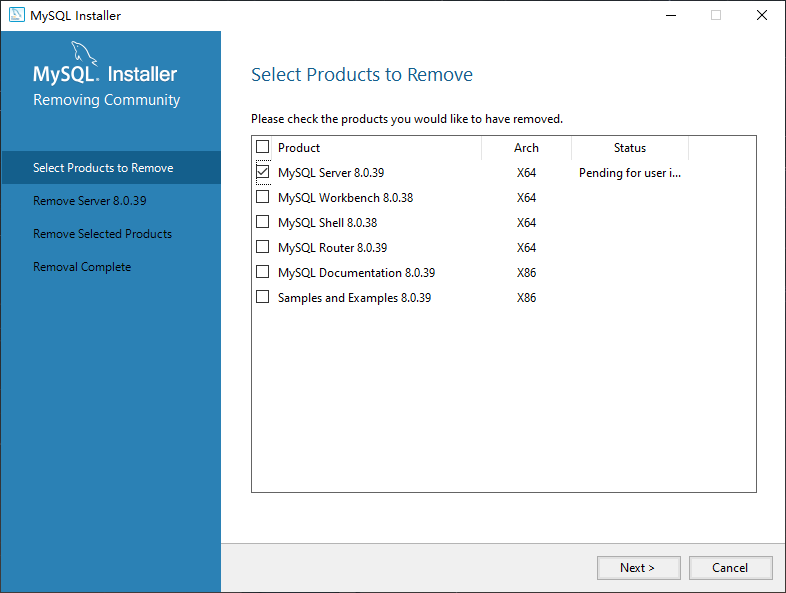
8. In the end, I decided to give up and restart MySQL Installer as an administrator. Uninstall MySQL Server 8.0.39 . as shown in Figure 7
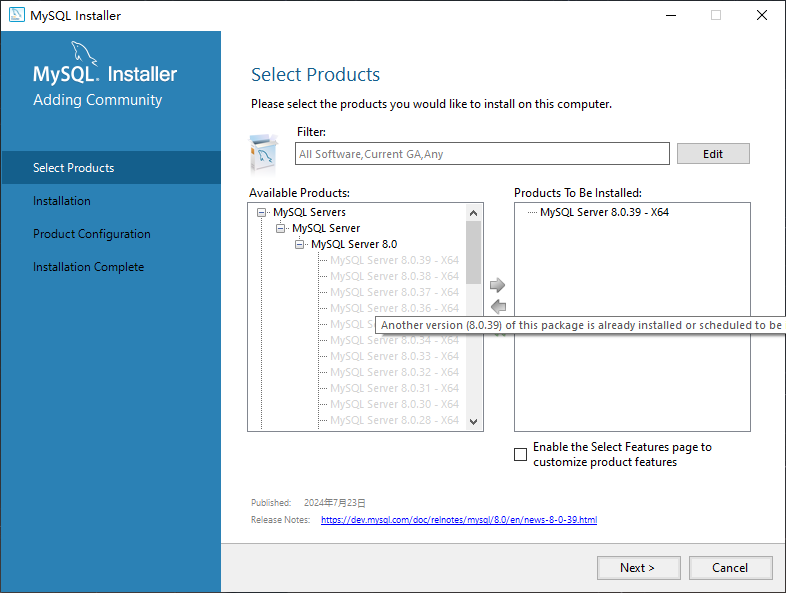
9. Click the Add button to reinstall, and the initializing database (may take a long time) fails. as shown in Figure 8
10. Check Log, C:\Program Files\MySQL\MySQL Server 8.0\bin\mysqld.exe: An error occurred while setting the value “0.0” to “mysqlx-port”. The parsing option of the plugin “mysqlx” fails.
Beginning configuration step: writing configuration file

Saving my.ini configuration file...
saved my.ini configuration file.
Ended configuration step: writing configuration file

Beginning configuration step: updating windows firewall rules

Adding a Windows Firewall Rule for MySQL80 on Port 3306.
Attempting to add a windows firewall rule with command: netsh.exe advfirewall firewall add rule name="port 3306" protocol=tcp localport=3306 dir=in action=allow
OK.

Successfully added the Windows firewall rule.
Adding a Windows Firewall Rule for MySQL80 on port 33060.
Attempting to add a windows firewall rule with command: netsh.exe advfirewall firewall add rule name="port 33060" protocol=tcp localport=33060 dir=in action=allow
OK.

Successfully added the Windows firewall rule.
Ended Configuration Step: Updating Windows Firewall Rules

Beginning Configuration Step: Adjusting Windows Service

Attempting to grow the required filesystem permissions to theNT authority\NetworkServiceaccount.
Granted permissions to the data directory.
Adding new service
New service added
Ended Configuration Step: Adjusting Windows Service

Beginning configuration step: initializing database (may take a long time)

attempting to run mysql server with --initialize-insecure option...
Starting process for MySQL Server 8.0.39...
Starting process with command: C:\Program Files\MySQL\MySQL Server 8.0\bin\mysqld.exe --defaults-file="c:\ProgramData\mysql\mysql server 8.0\my.ini" --console --initialize-insecure=on --lower-case-table-names=1....
C:\Program Files\MySQL\MySQL Server 8.0\bin\mysqld.exe (mysqld 8.0.39) initializing of server in progress as process 17772
unknown suffix.Used for variablemysqlx-port(value0.0..
Optionmysqlx-port: unsigned value 0 adjusted to 1.
C:\Program Files\MySQL\MySQL Server 8.0\bin\MySQLd.exe: Error while setting value0.0tomysqlx-port.
Parsing options for pluginmysqlxfailed.
InnoDB initialization has started..
InnoDB initialization has ended..
unknown variablemysqlx_port=0.0.
The newly created data directory C:\ProgramData\MySQL\MySQL Server 8.0\data\ by --initialize is unusable. You can remove it.
aborting.
C:\Program Files\MySQL\MySQL Server 8.0\bin\mysqld.exe: shutdown complete (mysqld 8.0.39) MySQL Community Server - GPL.
Process for MySQLd, with ID 17772, was run successfully and exit with code 1.
Failed to start process for MySQL Server 8.0.39.
database initialization failed.
Ended configuration step: initializing database (may take a long time)

............................................................................................
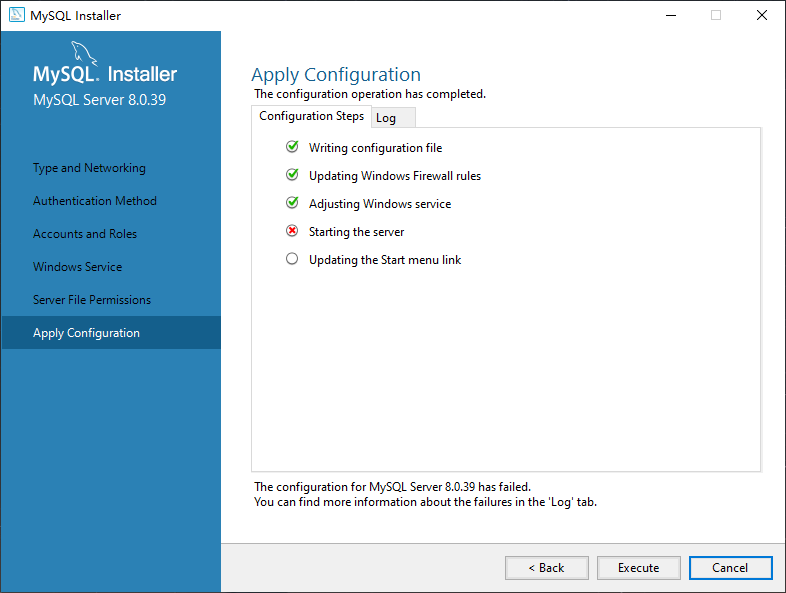
10. Repeat step 3 and back, and execute again. No more errors. Starting the server failed, repeat step 3 again, execute again. still fails. as shown in Figure 9
Beginning configuration step: writing configuration file

Saving my.ini configuration file...
saved my.ini configuration file.
Ended configuration step: writing configuration file

Beginning configuration step: updating windows firewall rules

Attempting to delete a Windows firewall rule with command: netsh.exe advfirewall firewall delete rule name="port 3306" protocol=tcp localport=3306

1 rule has been removed.
OK.

Adding a Windows Firewall Rule for MySQL80 on Port 3306.
Attempting to add a windows firewall rule with command: netsh.exe advfirewall firewall add rule name="port 3306" protocol=tcp localport=3306 dir=in action=allow
OK.

Successfully added the Windows firewall rule.
Adding a Windows Firewall Rule for MySQL80 on port 33060.
Attempting to add a windows firewall rule with command: netsh.exe advfirewall firewall add rule name="port 33060" protocol=tcp localport=33060 dir=in action=allow
OK.

Successfully added the Windows firewall rule.
Ended Configuration Step: Updating Windows Firewall Rules

Beginning Configuration Step: Adjusting Windows Service

Attempting to grow the required filesystem permissions to theNT authority\NetworkServiceaccount.
Granted permissions to the data directory.
Adding new service
New service added
Ended Configuration Step: Adjusting Windows Service

Beginning configuration step: update permissions for the data folder and related server files

Attempting to update the permissions for the data folder and related server files...
Found existing data directory, no need to initialize the database.
The data folder and related server files have already been updated.
Ended configuration step: update permissions for the data folder and related server files

Beginning configuration step: starting the server

Attempting to start service mysql80....
C:\Program Files\MySQL\MySQL Server 8.0\bin\mysqld.exe (mysqld 8.0.39) Starting as process 17964
unknown suffix.Used for variablemysqlx-port(value0.0..
Optionmysqlx-port: unsigned value 0 adjusted to 1.
C:\Program Files\MySQL\MySQL Server 8.0\bin\MySQLd.exe: Error while setting value0.0tomysqlx-port.
Parsing options for pluginmysqlxfailed.
InnoDB initialization has started.
InnoDB initialization has ended.
mysqld: tablemysql.plugindoesn'tT EXIST
Could not open the mysql.plugin table. Please perform the mysql upgrade procedure.
Failed to open optimizer cost constant tables
Failed to open optimizer cost constant tables
Failed to open optimizer cost constant tables
Failed to open optimizer cost constant tables
Failed to open optimizer cost constant tables
Failed to open optimizer cost constant tables
Failed to open optimizer cost constant tables
Gtid table is not ready to be used. Tablemysql.gtid_executedCannot be opened.
Gtid table is not ready to be used. Tablemysql.gtid_executedCannot be opened.
CA Certificate CA.PEM is self signed.
channel mysql_main configured to support tls. Encrypted connections are now supported for this channel.
Failed to open optimizer cost constant tables
A message intended for a client cannot be sent there as no client-session is attached. Therefore, weRe Sending the information to the Error-log instead: MY-001146 - Tablemysql.componentdoesn'tT EXIST
A message intended for a client cannot be sent there as no client-session is attached. Therefore, weRe Sending the information to the Error-Log Instead: MY-003543 - The MySQL.Component table is missing or has an incorrect definition.
unknown variablemysqlx_port=0.0.
aborting
C:\Program Files\MySQL\MySQL Server 8.0\bin\mysqld.exe: shutdown complete (mysqld 8.0.39) MySQL Community Server - GPL..........................................................................
It can only be released when the task is in the completed state (RantoCompletion, Faulted, or Canceled).
Ended configuration step: starting the server

...............
11. Decide to use the uninstall function that comes with the system, as shown in Figure 10, Figure 11
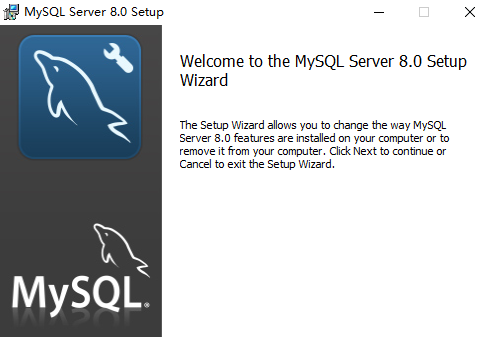

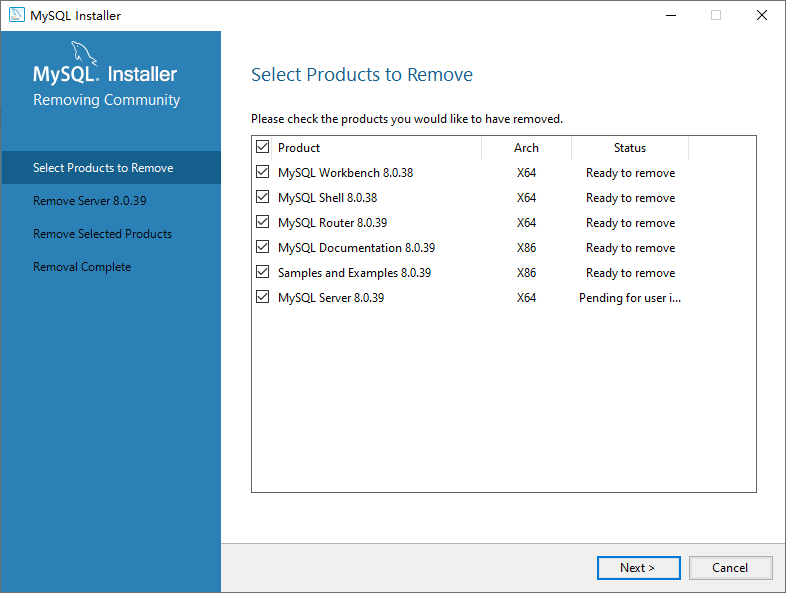
12. Uninstall all mysql related software. as shown in Figure 12
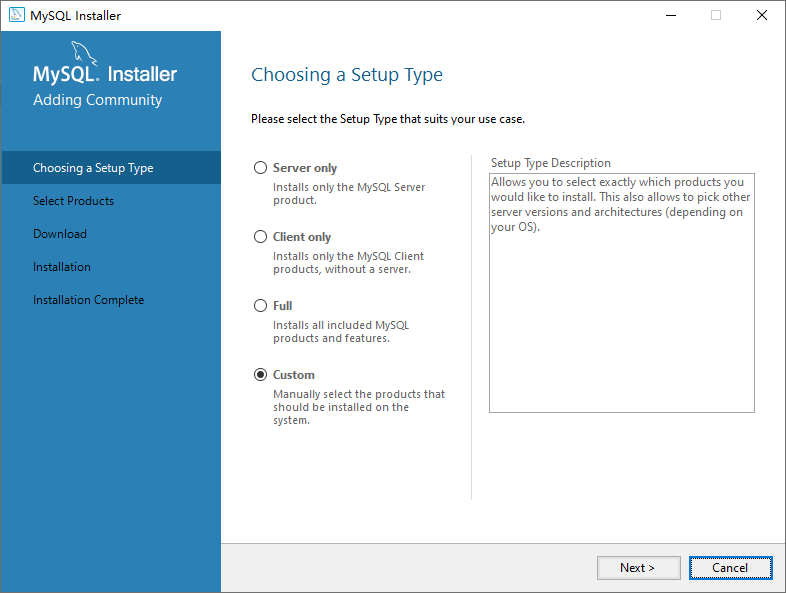
13. When installing again, select Custom. as shown in Figure 13
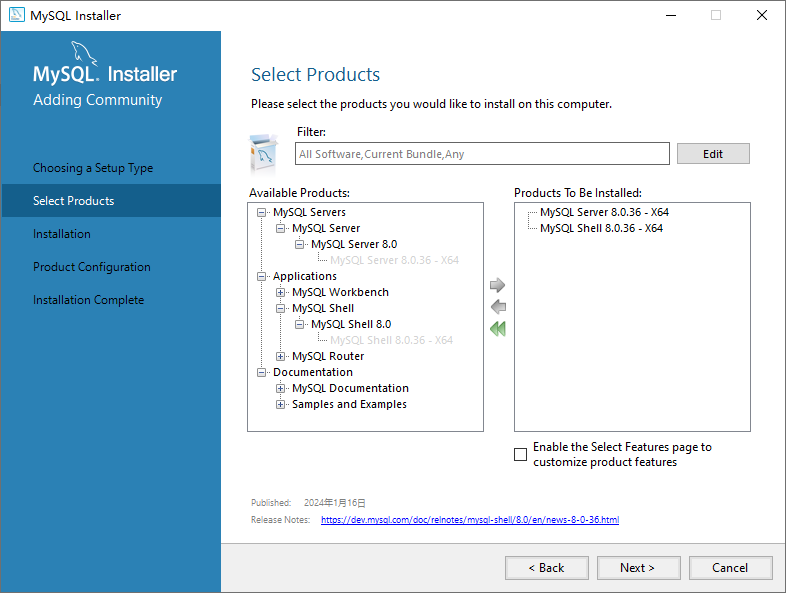
14. Select the version 8.0.36. Figure 14
15. Still fails, as shown in Figure 15
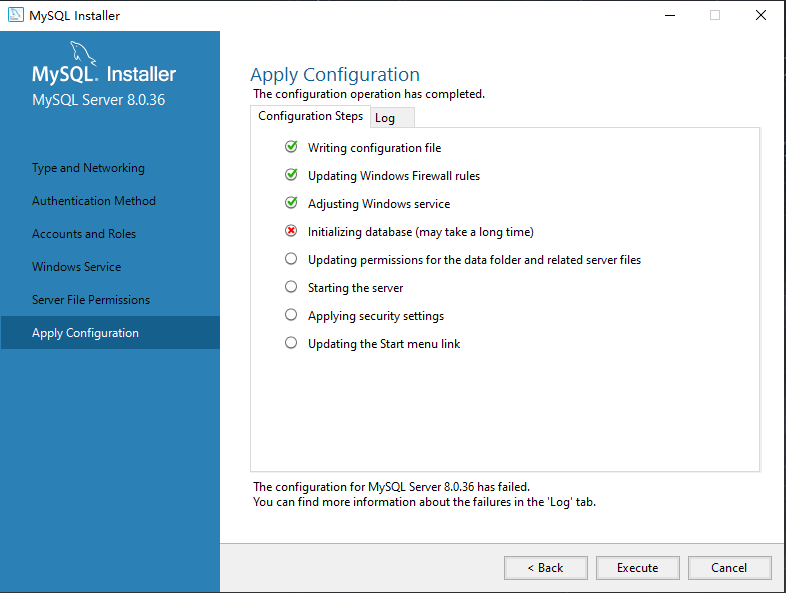
Beginning configuration step: writing configuration file

Saving my.ini configuration file...
saved my.ini configuration file.
Ended configuration step: writing configuration file

Beginning configuration step: updating windows firewall rules

Adding a Windows Firewall Rule for MySQL80 on Port 3306.
Attempting to add a windows firewall rule with command: netsh.exe advfirewall firewall add rule name="port 3306" protocol=tcp localport=3306 dir=in action=allow
OK.

Successfully added the Windows firewall rule.
Adding a Windows Firewall Rule for MySQL80 on port 33060.
Attempting to add a windows firewall rule with command: netsh.exe advfirewall firewall add rule name="port 33060" protocol=tcp localport=33060 dir=in action=allow
OK.

Successfully added the Windows firewall rule.
Ended Configuration Step: Updating Windows Firewall Rules

Beginning Configuration Step: Adjusting Windows Service

Attempting to grow the required filesystem permissions to theNT authority\NetworkServiceaccount.
Granted permissions to the data directory.
Adding new service
New service added
Ended Configuration Step: Adjusting Windows Service

Beginning configuration step: initializing database (may take a long time)

attempting to run mysql server with --initialize-insecure option...
Starting process for MySQL Server 8.0.36...
Starting process with command: C:\Program Files\MySQL\MySQL Server 8.0\bin\mysqld.exe --defaults-file="c:\ProgramData\mysql\mysql server 8.0\my.ini" --console --initialize-insecure=on --lower-case-table-names=1...
C:\Program Files\MySQL\MySQL Server 8.0\bin\mysqld.exe (mysqld 8.0.36) initializing of server in Progress as process 17052
unknown suffix.Used for variablemysqlx-port(value0.0..
Optionmysqlx-port: unsigned value 0 adjusted to 1.
C:\Program Files\MySQL\MySQL Server 8.0\bin\MySQLd.exe: Error while setting value0.0tomysqlx-port.
Parsing options for pluginmysqlxfailed.
InnoDB initialization has started.
InnoDB initialization has ended.
unknown variablemysqlx_port=0.0.
The newly created data directory C:\ProgramData\MySQL\MySQL Server 8.0\data\ by --initialize is unusable. You can remove it.
aborting
C:\Program Files\MySQL\MySQL Server 8.0\bin\mysqld.exe: shutdown complete (mysqld 8.0.36) MySQL Community Server - GPL.
Process for mysqld, with ID 17052, was run successfully and exited with code 1.
Failed to start process for MySQL Server 8.0.36.
database initialization failed.
Ended configuration step: initializing database (may take a long time)
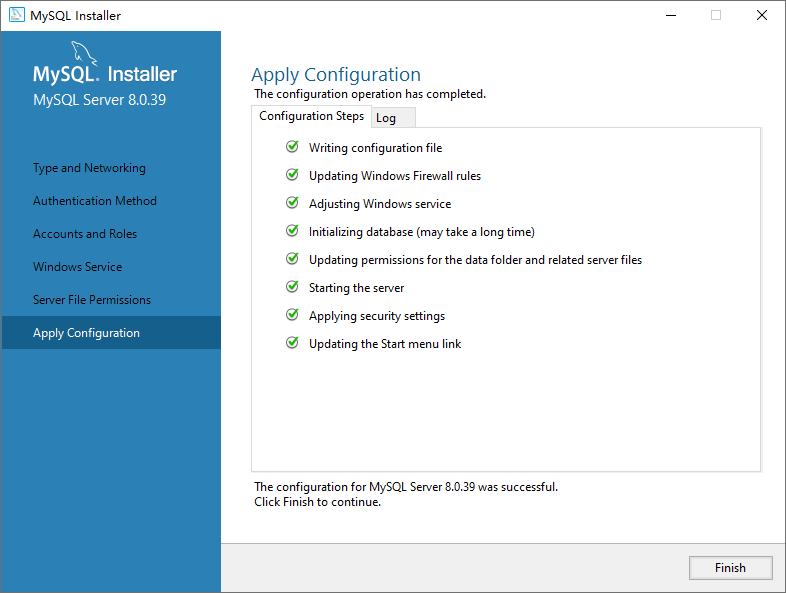
16. Reference:MySQL Installation Database Initialization Error . This is an error in the 8.0.11 installer. Although there are differences in error, I decided to re-download a new mysql installer latest version of mysql-installer-community-8.0.39.0.msi. The installation is successful, and no errors are reported. as shown in Figure 16
Leave a Reply